Answer

Scheduling reports to email

  • March 8, 2023
  • 15 replies
  • 1603 views

Forum|alt.badge.img

I need to send a report on a Schedule in 2022 R2.

I was told that the Send Reports screen should not be used anymore.  (Although the referenced article says Automation Notifications have been changed to Business Events: https://help-2020r2.acumatica.com/(W(2))/Help?ScreenId=ShowWiki&pageid=59d32d60-ccc5-471e-bb6a-b03ef60a3318)

This report just needs to be emailed to a person (or various people) on a scheduled basis.  The Business Event screen requires a Generic Inquiry to create a schedule but all I want to do is email the report to an email address that may not be set up in Acumatica).  This was being done with a Template on the report and then scheduling it with the Automation Schedule screen using the Send Reports screen.  Can someone confirm whether or not this is still supported as it has been working but we are upgrading them to 2022 R2 and I don’t want to run into issues that I can’t get support for.

Thanks for any information!

Best answer by stephaniet98

I created a Business Event that is triggered by a Schedule.  

The people that needed to receive the report happened to also be set up as Vendors so I created a generic inquiry that pulls a list of Vendors that have been marked using an Attribute.  

The schedule runs and sends the report to the list of Vendors each Monday.


15 replies

emeldamakamba
Jr Varsity II
Forum|alt.badge.img

I need to send a report on a Schedule in 2022 R2.

I was told that the Send Reports screen should not be used anymore.  (Although the referenced article says Automation Notifications have been changed to Business Events: https://help-2020r2.acumatica.com/(W(2))/Help?ScreenId=ShowWiki&pageid=59d32d60-ccc5-471e-bb6a-b03ef60a3318)

This report just needs to be emailed to a person (or various people) on a scheduled basis.  The Business Event screen requires a Generic Inquiry to create a schedule but all I want to do is email the report to an email address that may not be set up in Acumatica).  This was being done with a Template on the report and then scheduling it with the Automation Schedule screen using the Send Reports screen.  Can someone confirm whether or not this is still supported as it has been working but we are upgrading them to 2022 R2 and I don’t want to run into issues that I can’t get support for.

Thanks for any information!

Hie - did you ever get a solution for this?


Forum|alt.badge.img
  • Author
  • Freshman II
  • Answer
  • June 22, 2023

I created a Business Event that is triggered by a Schedule.  

The people that needed to receive the report happened to also be set up as Vendors so I created a generic inquiry that pulls a list of Vendors that have been marked using an Attribute.  

The schedule runs and sends the report to the list of Vendors each Monday.


emeldamakamba
Jr Varsity II
Forum|alt.badge.img

I created a Business Event that is triggered by a Schedule.  

The people that needed to receive the report happened to also be set up as Vendors so I created a generic inquiry that pulls a list of Vendors that have been marked using an Attribute.  

The schedule runs and sends the report to the list of Vendors each Monday.


Thank you very much. I did test the method you were using before and it seemed to still be working on 2023 R1.


Forum|alt.badge.img
  • Freshman I
  • June 20, 2025

Hi ​@stephaniet98 ! I’m trying to do the same thing. Would you mind posting a screen shot of your business event and schedule? 


Forum|alt.badge.img
  • Author
  • Freshman II
  • June 20, 2025

My Business Event is based on a GI which includes the list of Vendors that should received the report with their email address.  Because it works on a schedule it just sends an email with the attached report to each Vendor each time the schedule runs.


Forum|alt.badge.img
  • Freshman I
  • June 20, 2025

@stephaniet98 Thank you! That helps!


  • June 24, 2025

I want the system to send a report to my boss each morning at 4am.

But my report is not accessible in the business event screen, automation schedule screen or the email template screen. I already added my report to the site map as AR612000.

Thanks for any help.


Forum|alt.badge.img+3
  • Acumatica Support Team
  • June 24, 2025

I want the system to send a report to my boss each morning at 4am.

But my report is not accessible in the business event screen, automation schedule screen or the email template screen. I already added my report to the site map as AR612000.

Thanks for any help.


Hey there,

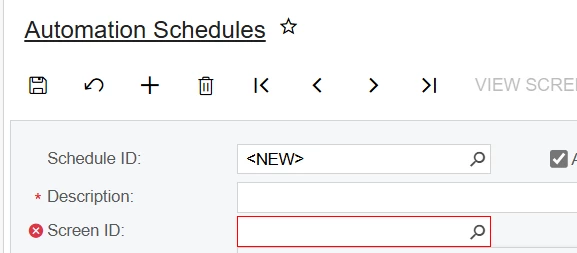
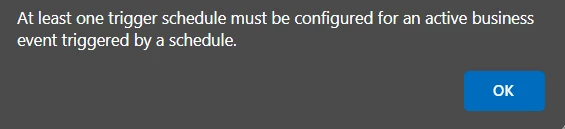
Automation schedules can not be connected to reports.

As described in the above thread, emailing reports are connected to business event configurations.

If wanting to send a report to your boss each morning at 4am, then create a business event that triggers by schedule with an email subscriber. 

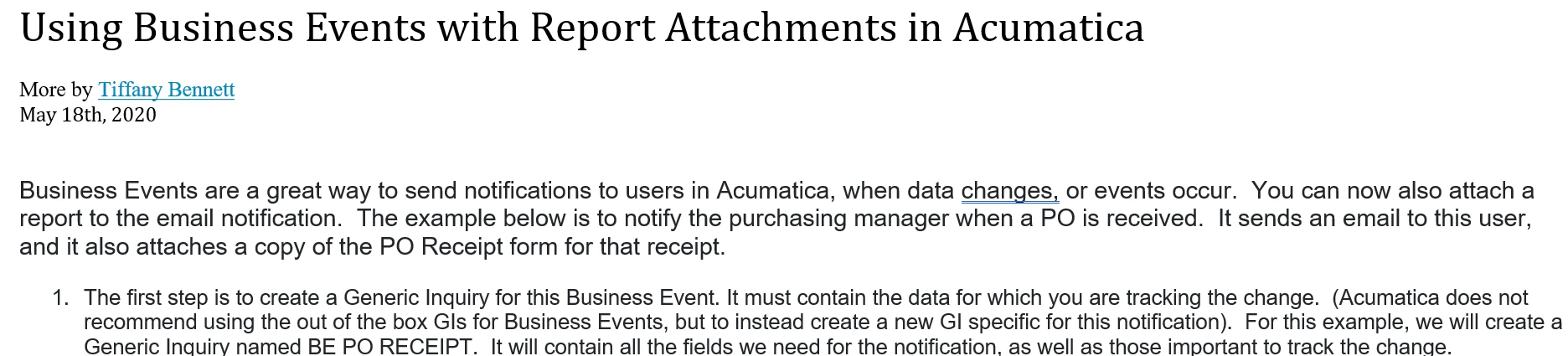
Full instructions are found on the following, albeit old, KB article. Even though these instructions are old now, they should still work. 


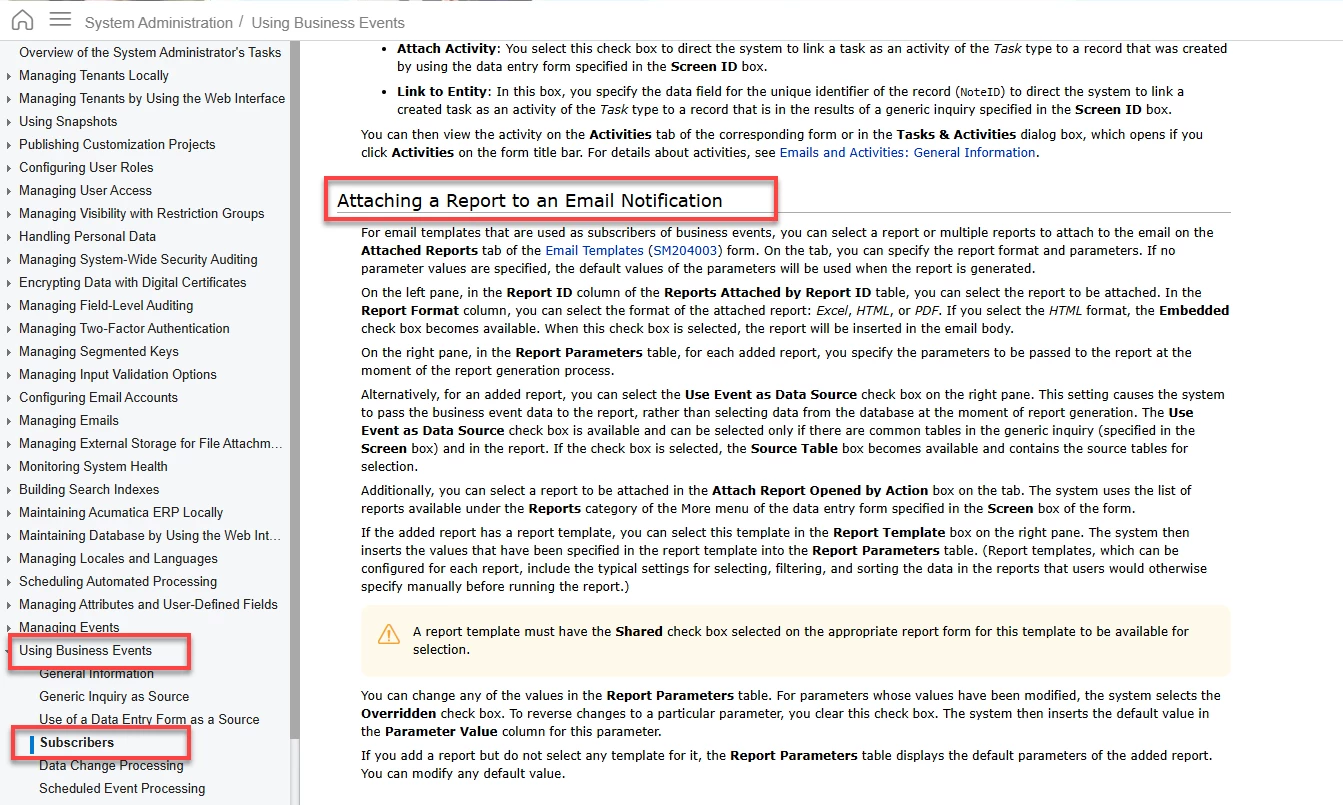
If you find these instructions don’t work any longer, then feel free to peruse our Help document on how to attach reports to email template subscribers of business events. 

https://help.acumatica.com/(W(3))/Help?ScreenId=ShowWiki&pageid=a0558ab9-930d-4a92-b40d-d8a428129d80


  • June 24, 2025

Thank you Missy.

So I have to now create a GI?


Forum|alt.badge.img
  • Freshman I
  • June 24, 2025

Hi @Thoyt76,

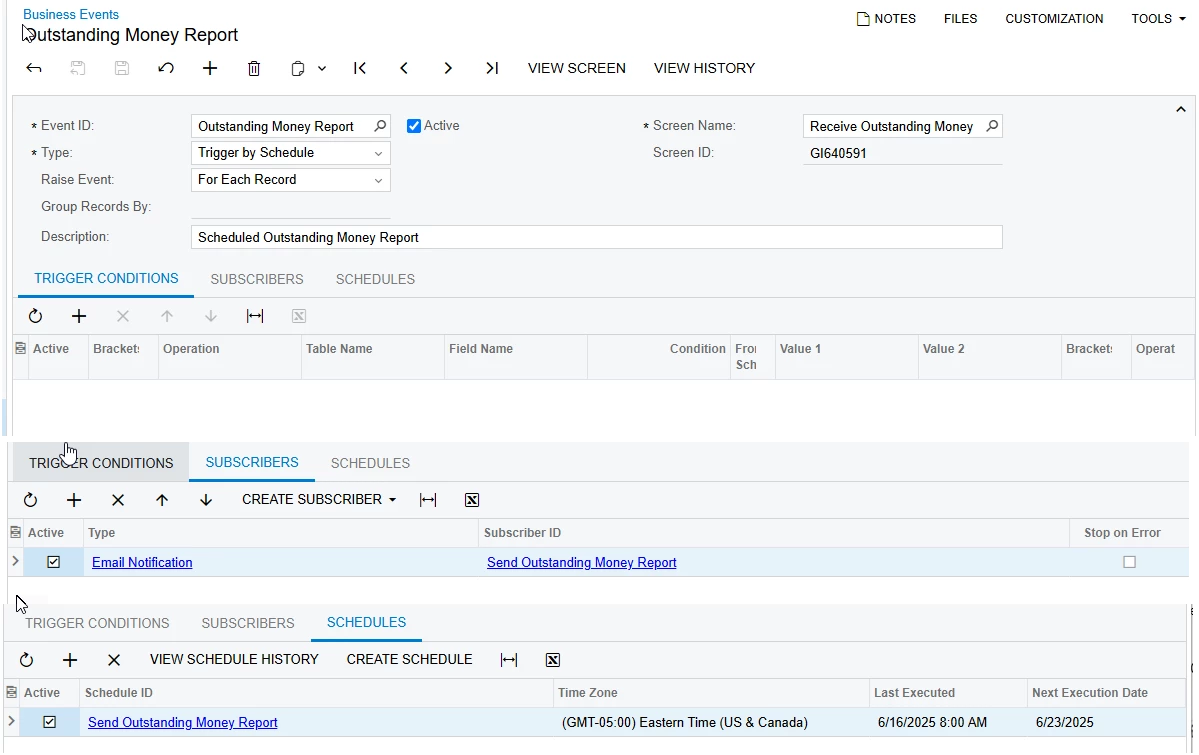
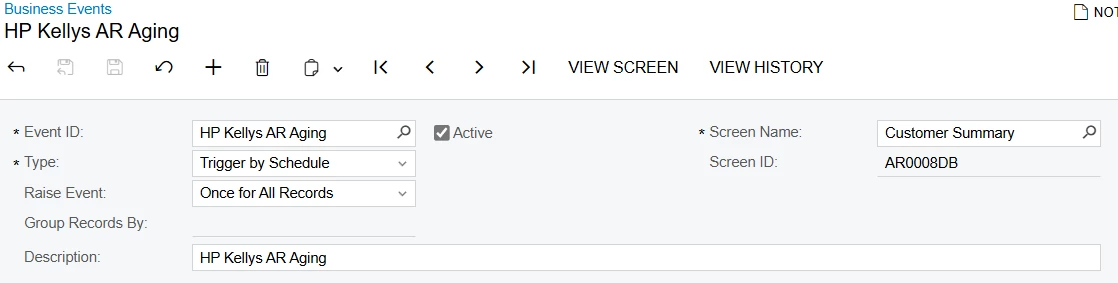
I just did one where I wanted to send the AR Aging report out daily and the report isn’t in the list like you mentioned. So, what I did was set it up like below. 

Then in the subscribers, I created an email notification and attached the report in the email. 

Hope that helps. 


  • June 25, 2025

Hi Paige,

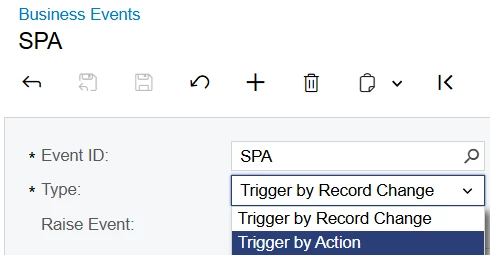
In my Business Events I do not have the option to Trigger by Schedule:


Forum|alt.badge.img
  • Freshman I
  • June 25, 2025

@thoyt76 Once you pick a screen, you will. For example, try my picture above and you will see how it then shows up. 


  • June 25, 2025

Paige,

Very helpful...now I understand.

Two more questions. 🙂

1). What trigger conditions should I use

2). I need date parameters somehow. So at 4am I would like the report to show yesterday’s sales. My report has date parameters of “From Date” and “To Date”, and both should be yesterday. Or should I modify the report to only have one date? That can be easily done if it makes this easier.

I appreciate your help...I’ve been doing this manually for a long time (not at 4am of course, lol).


Forum|alt.badge.img
  • Freshman I
  • June 25, 2025

@Thoyt76, I didn’t use any trigger conditions. I used the option for Trigger By Schedule and then simply made a schedule for the report to run every morning. I then created an email template and attached the report to the email template. The report I am running has a template that I am using and I don’t have to specify dates. I’m not sure how you would run it for a specific date other than today’s date. 

Maybe run it at 11:50pm and use the current date. Then, you don’t have to specify yesterday’s date. 


  • June 25, 2025

Hi Paige,

Got it! I will make these changes to my Business Event.

Thank you, your help is greatly appreciated. 

Have a great day!