

Answer

Same variable on different column - generic inquiry

  • October 31, 2024
  • 4 replies
  • 75 views

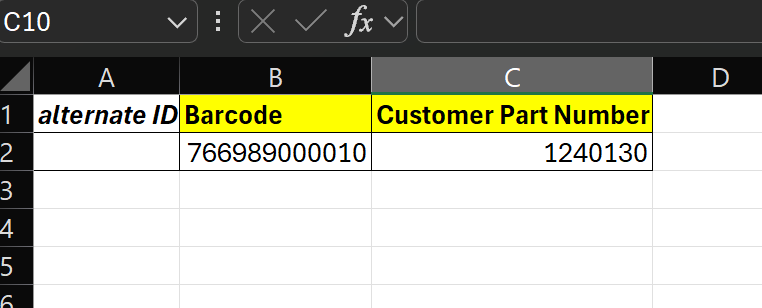
Greetings, it is possible for the variables of Alternate ID to be reflected as for example in excel, individual columns?
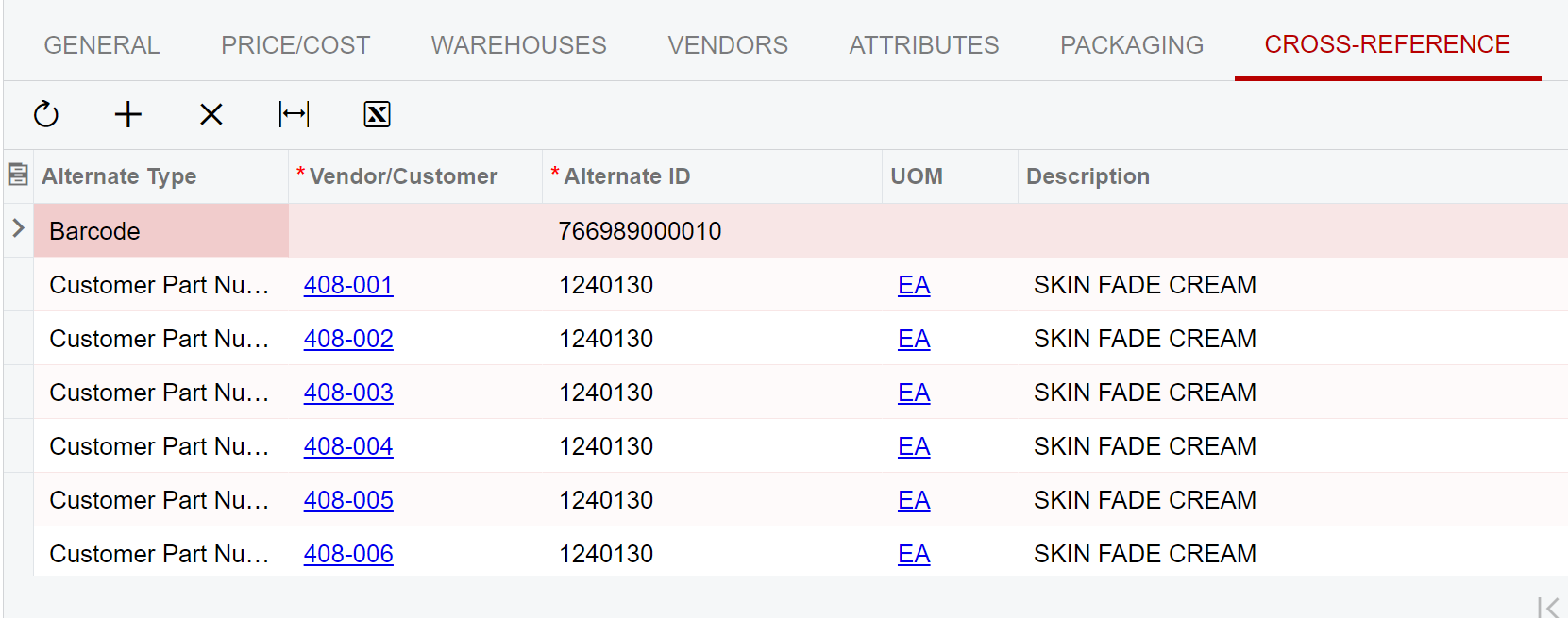


example:
 

Best answer by Laura03

Hello,

I was able to move the alternate id’s into separate columns using Iif Statements, like this:
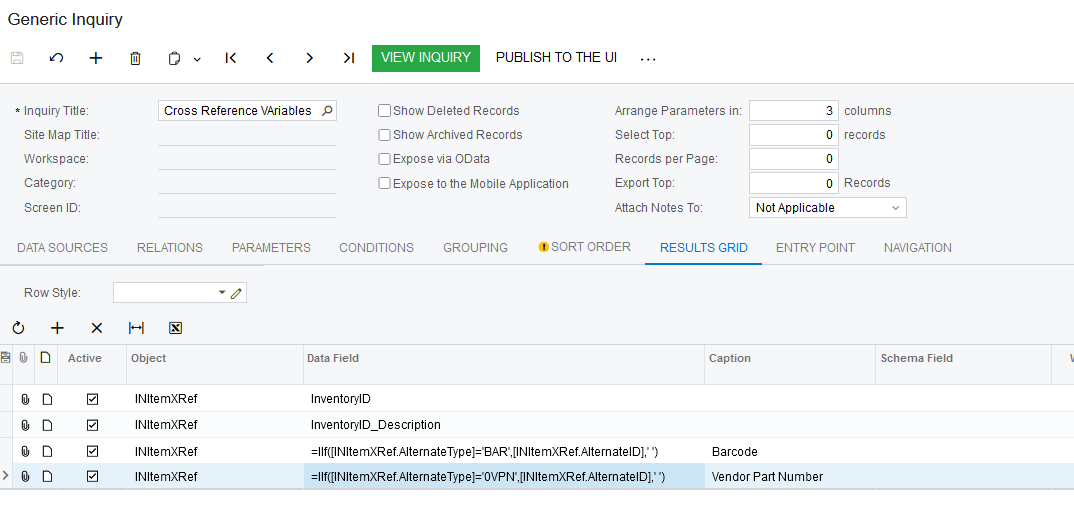
=IIf([INItemXRef.AlternateType]='BAR',[INItemXRef.AlternateID],' ')

=IIf([INItemXRef.AlternateType]='BAR',[INItemXRef.AlternateID],' ')
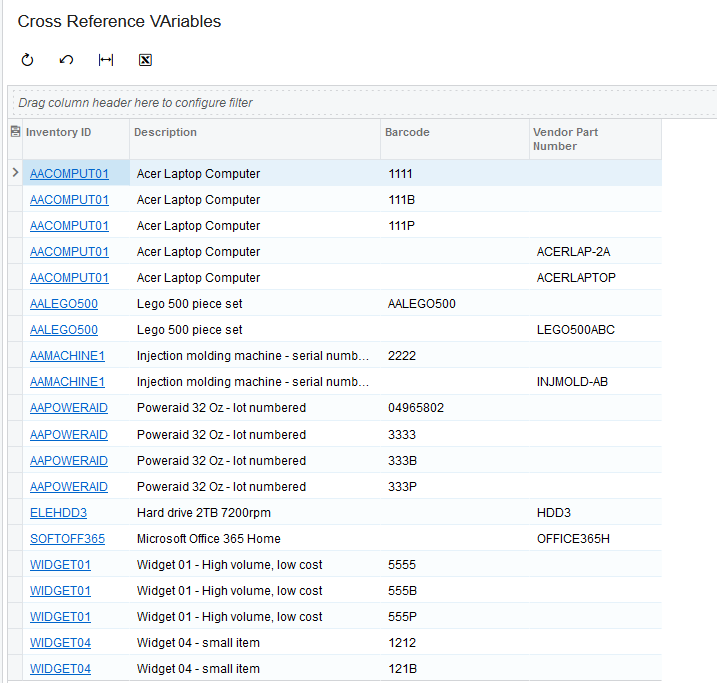
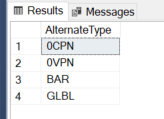
I think this is a partial answer for you - since the results are not on the same line.  I found four possible values for Alternate Type:
Laura

4 replies

Laura03
Captain II
Forum|alt.badge.img+19
  • Captain II
  • Answer
  • October 31, 2024

Hello,

I was able to move the alternate id’s into separate columns using Iif Statements, like this:

=IIf([INItemXRef.AlternateType]='BAR',[INItemXRef.AlternateID],' ')

=IIf([INItemXRef.AlternateType]='BAR',[INItemXRef.AlternateID],' ')

I think this is a partial answer for you - since the results are not on the same line.  I found four possible values for Alternate Type:

Laura


Thank u Laura, Its work with the barcode but I’m having struggle with the Customer Part Number. I also wanna ask as for the Alternate Type where in SQL can we find it? So we can do a query


Thank u Laura, Its work with the barcode but I’m having struggle with the Customer Part Number. I also wanna ask as for the Alternate Type where in SQL can we find it? So we can do a query

@Laura02 


Laura03
Captain II
Forum|alt.badge.img+19
  • Captain II
  • November 1, 2024

Hello,

The table I found the Alternate Type values in INITEMXREF.

Laura

