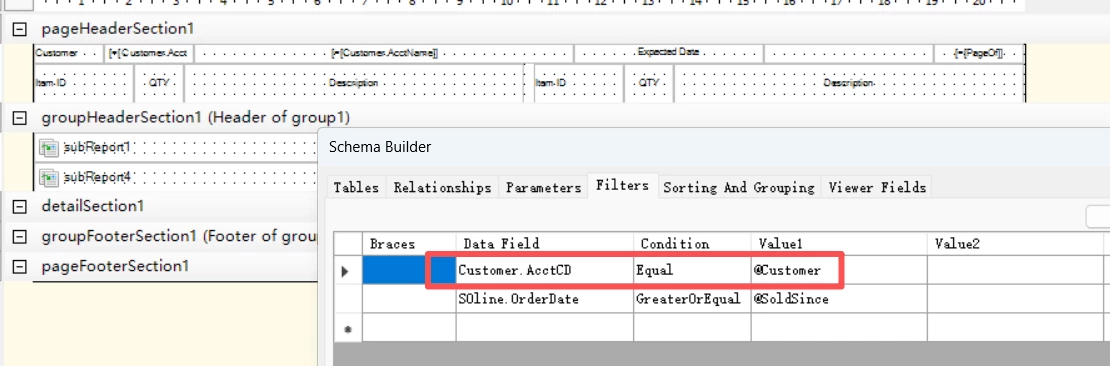
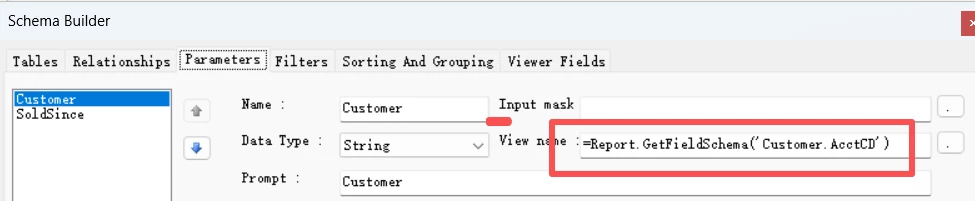
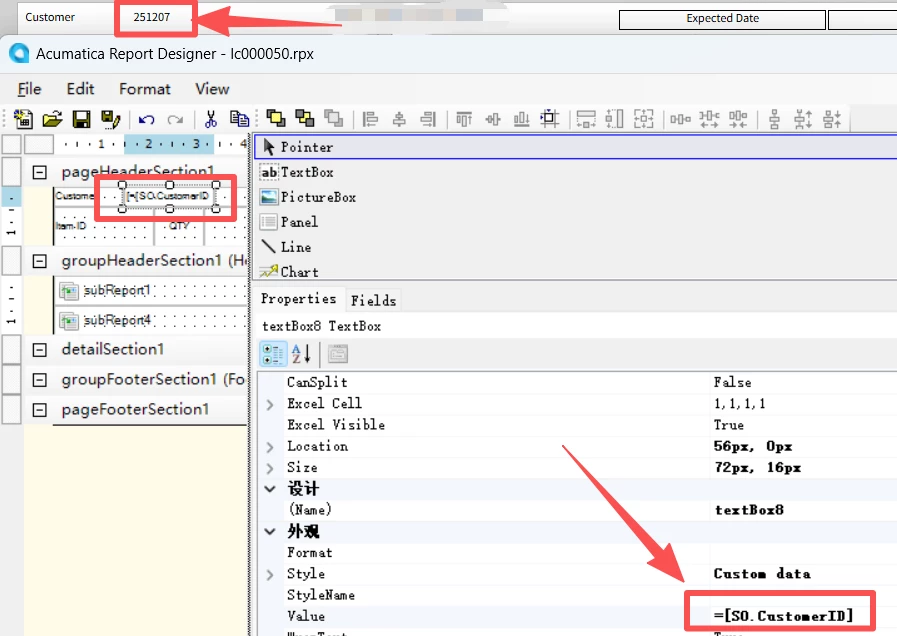
I have designed a report to show the items customer bought in last 90 days. The report run properly when it is run on its own screen with the parameters like below.
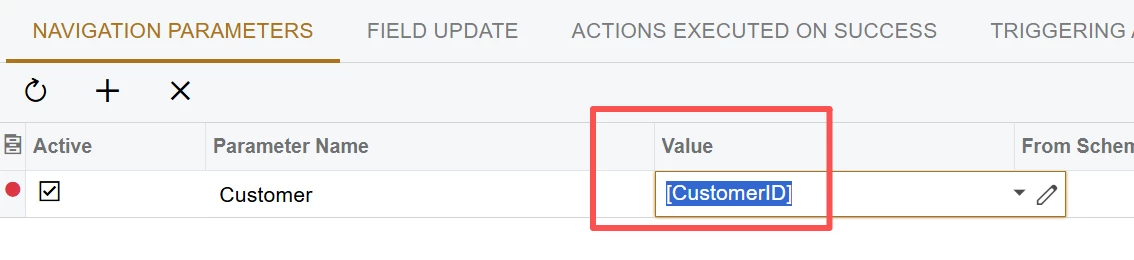
However, when I trying to run it from SOInvoice screen with the passing parameter below, it gets empty results.
How should I correct. Thank you.
Best answer by aleksandrsechin
@ray20 , I spent a few hours figuring out the issue, and it’s great that I finally did :)
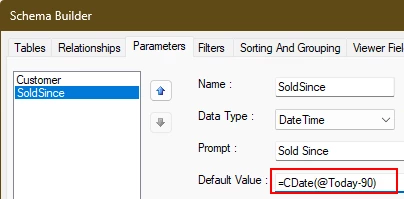
It’s a bit strange, but the problem was with the SoldSince parameter. When running from the report screen, it works as is — but when running it from the Invoices screen, it doesn’t.
Nevertheless, you just need to adjust the DefaultValue for SoldSince from @Today-90 to the following: =CDate(@Today-90)
I think the problem is that you’re using the Customer.AcctCD field in the report as a parameter, but Customer.CustomerID when trying to run it from the SOInvoice screen.
It would be better to use the ID (not CD) field as the report parameter as well. So, replace Customer.AcctCD with Customer.BAccountID in the Data Field field on the Filters tab, and set =Report.GetFieldSchema('ARInvoice.CustomerID') in the View name field on the Parameters tab.
@aleksandrsechin , Thank you. Acutally , I’ve tried your method. In this way, either run through soinvoice or on its own screen (input customerid=251207) gets empty record.
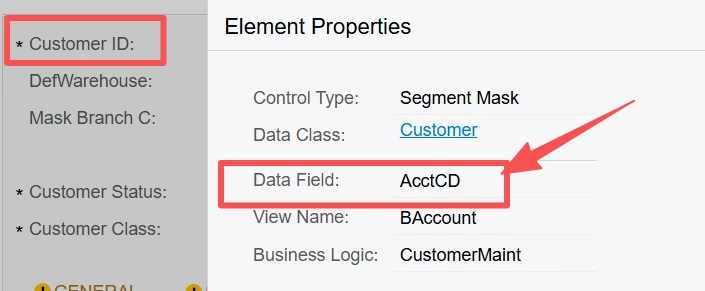
It is strange, it looks like the Acumatica framework will automatically convert the integer id(like PKID) to customer ID (unique string). looks like below. If I am intending to show the customerid, it actually shows the acctCD.
also, you will see, for the customer entity itself, the customerID field is actually AcctCD.
I don’t know the proper way to pass the parameter, would you please advise?my report is as attached.
@ray20 , I spent a few hours figuring out the issue, and it’s great that I finally did :)
It’s a bit strange, but the problem was with the SoldSince parameter. When running from the report screen, it works as is — but when running it from the Invoices screen, it doesn’t.
Nevertheless, you just need to adjust the DefaultValue for SoldSince from @Today-90 to the following: =CDate(@Today-90)
@aleksandrsechin Sir, Thank you for your time, thank you for your great help. You are the best! The report I designed might have some little trick in it (I am using the startline and endline parameters to control the visibility to make the layout), I hope it can also give you some insiprations if you want to accomplish some tasks later. Thank you , again. Report master!