Answer

Report Parameter not working

  • July 31, 2024
  • 15 replies
  • 167 views

claudematherne24
Varsity I
Forum|alt.badge.img

I had a parameter added to the AR Aging report based on a new Attribute.  I had the report working when adding the new Attribute to the parameter, but didn’t pull in data if you selected a specific customer instead of picking the Attribute.  Now, when I try to fix it, the ability to select a customer works, but the Attribute Parameter does not.
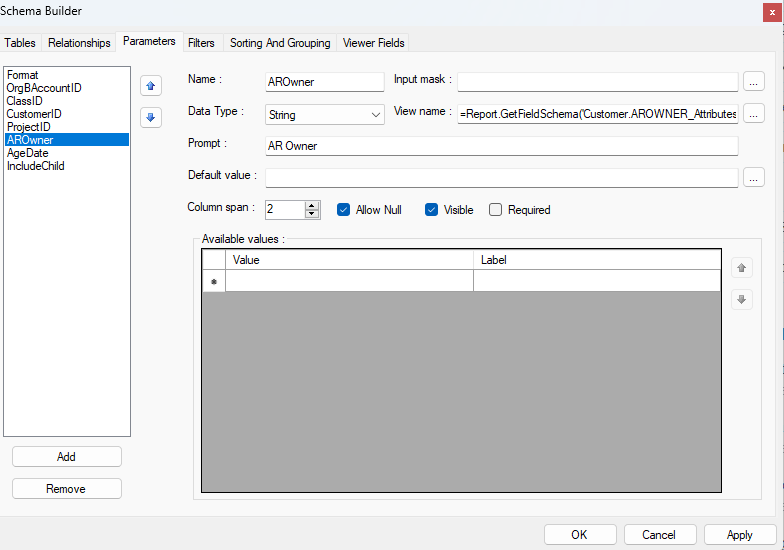
Report Schema Parameter tab
Report Schema Filter Tab

I have confirmed that I am using the correct Customer.AROWNER_Attributes in my report.


Any thoughts as to what I have done wrong?

 

Best answer by darylbowman

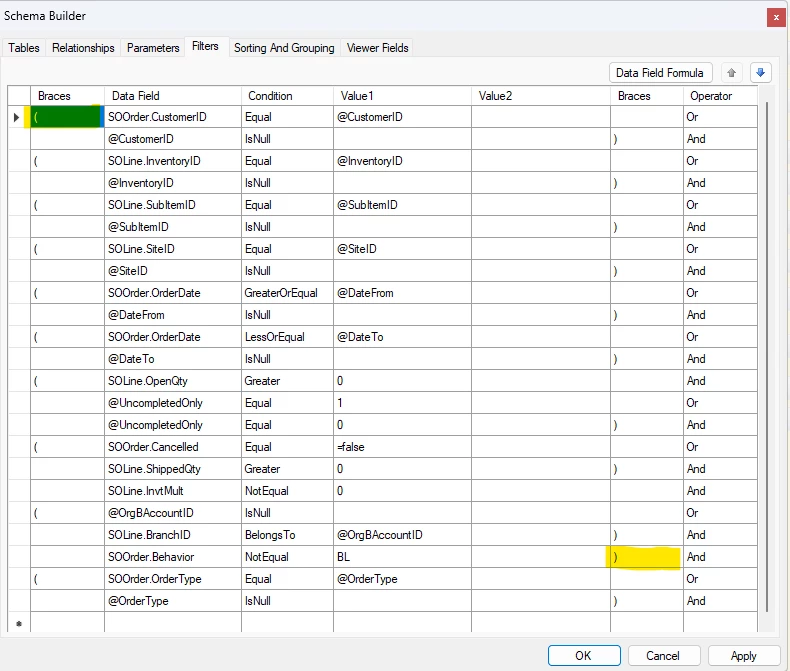
And third-to-last line (starting with ‘@Format’ needs to end with two parenthesis ‘))’

15 replies

darylbowman
Captain II
Forum|alt.badge.img+15

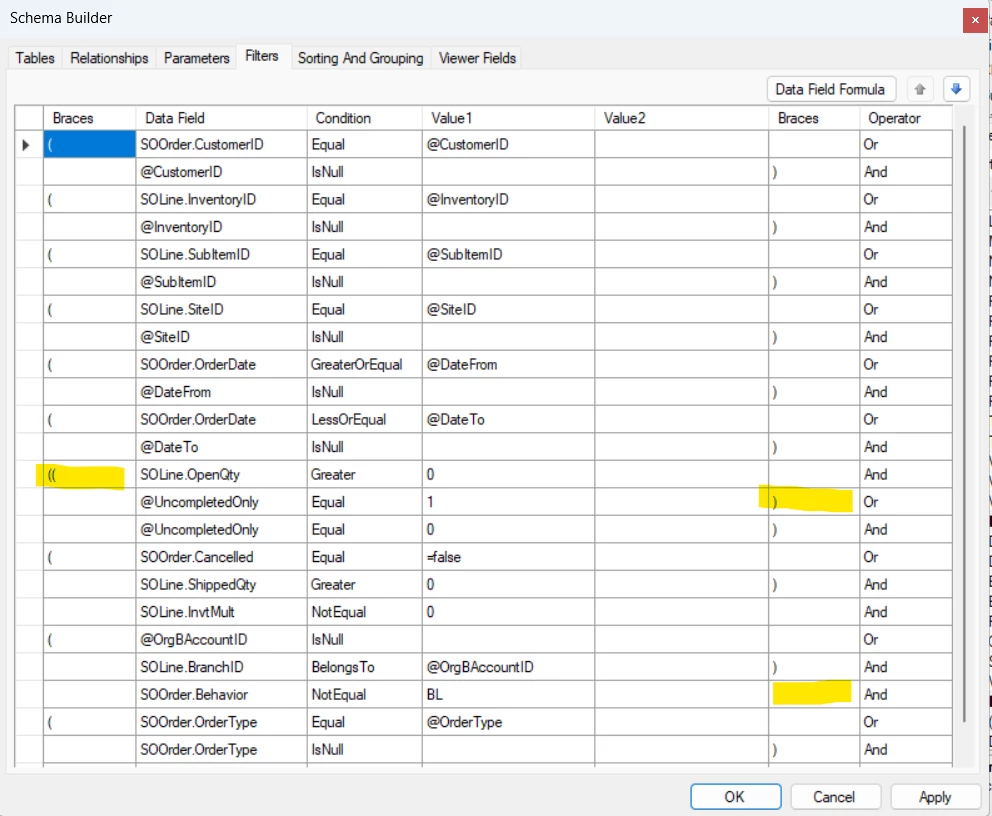
Line two of the filters needs to start with two parenthesis ‘((‘


darylbowman
Captain II
Forum|alt.badge.img+15

And third-to-last line (starting with ‘@Format’ needs to end with two parenthesis ‘))’


claudematherne24
Varsity I
Forum|alt.badge.img

Can you explain why?  I haven’t been able to find great documentation on that aspect of the filters.


darylbowman
Captain II
Forum|alt.badge.img+15

It's basic logic chaining. It's not specific to Acumatica. I'm afraid I can't really explain it.


claudematherne24
Varsity I
Forum|alt.badge.img

Ok.  I guess I’m missing why the first grouping of parameters are all related.


darylbowman
Captain II
Forum|alt.badge.img+15

If you mean the twenty-some lines between the ones I mentioned, they are not related. The first one starts the grouping of lines 2-6 (which has a couple nested groups). The last one closes the grouping of the seventh-to-last to third-to-last lines (also with nested groups).


claudematherne24
Varsity I
Forum|alt.badge.img

Seems like they were related, because one of my fix attempts was to add the new parameter inside of the double bracket, thinking the logic needed to look at all items to find the correct parameters.


darylbowman
Captain II
Forum|alt.badge.img+15

...because one of my fix attempts was to add the new parameter inside of the double bracket

That would cause the added logic to only be evaluated in some cases instead of in every case, hence it probably not working at all or at least not consistently.

Usually, parenthesis are used to force evaluating an ‘OR’ at the proper time.


  • Freshman II
  • August 6, 2025

@darylbowman  I am having the same issue. I attempted your solution but was not successful. 
I added the ‘((‘  and ‘))’ to the highlighted areas but it did not change the results. 


darylbowman
Captain II
Forum|alt.badge.img+15

@UncompletedOnly    Equals    1     )   Or


  • Freshman II
  • August 6, 2025

Add ‘)’ to @UncompletedOnly Equals 1 Line?


darylbowman
Captain II
Forum|alt.badge.img+15

Yup


darylbowman
Captain II
Forum|alt.badge.img+15

Sorry, missed that you need a double parenthesis before SOLine.OpenQty (two lines above the previous)

and you need to remove the parenthesis on the bottom highlighted one.


  • Freshman II
  • August 7, 2025

@darylbowman  I implemented the suggestion, but the order type is still only working correctly when a customer is selected. 


  • Freshman II
  • August 7, 2025

@darylbowman Thank you for your help! One of my sections was causing the parameter not to work.