Answer

Report Not Showing Data After Adding Parameters (Company/Branch, Project Group, Project Template)

  • August 11, 2025
  • 2 replies
  • 83 views

Forum|alt.badge.img+1

 Hello Acumatica Team,

I have added three parameters to a report: Company/Branch, Project Group, and Project Template. However, after running the report, no data is being displayed.

Here’s what I have done so far:

  1. Added the Branch table and established the necessary relationships.
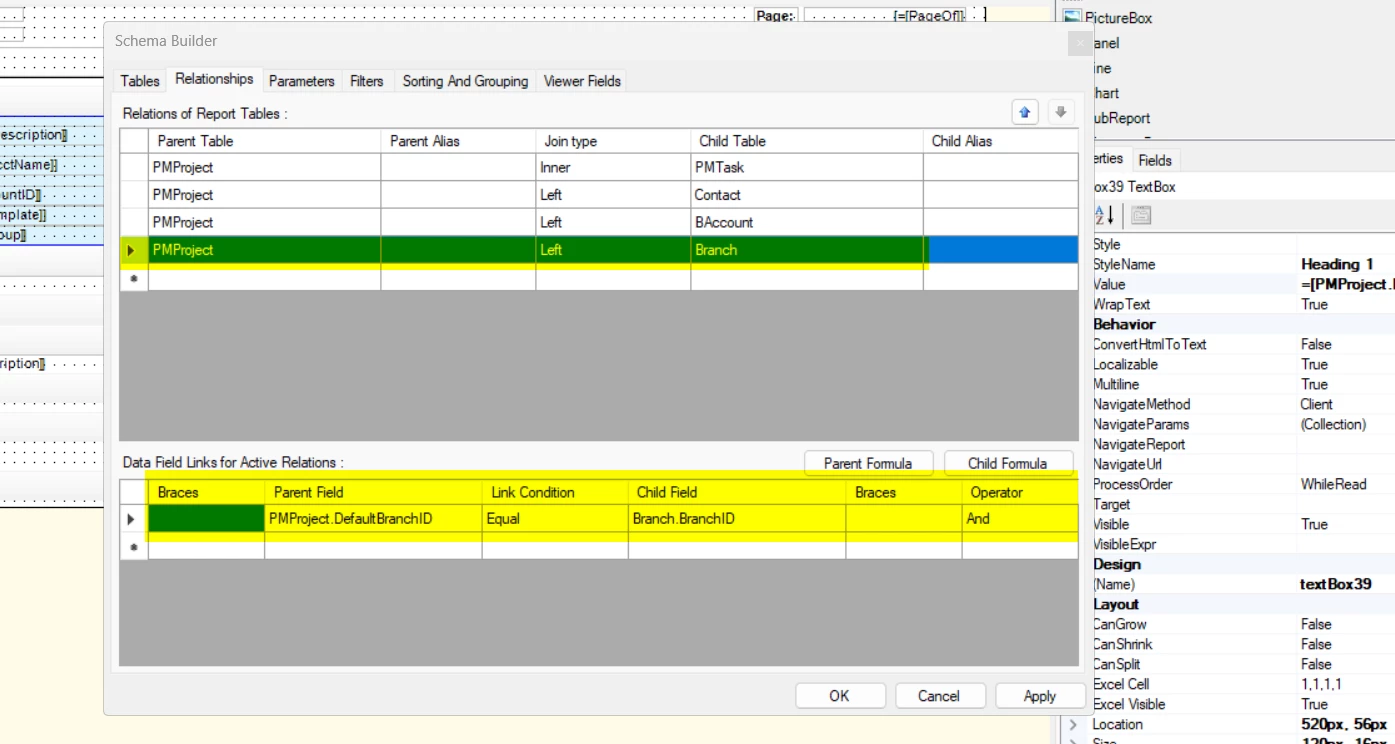
  1.  
  2. Included the Branch parameter both in the Parameters section and in the Filters tab.
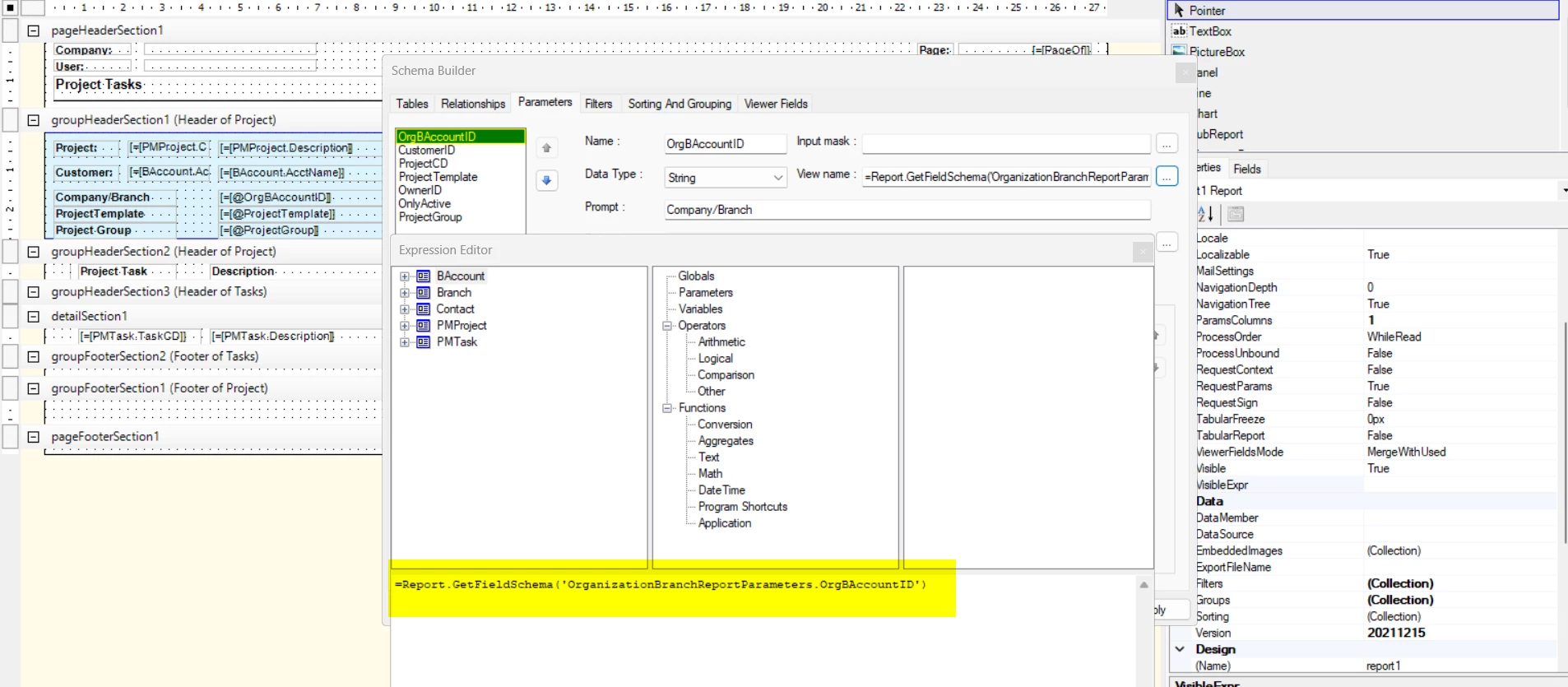
Despite these changes, the report returns no data when executed.

When I run the report without the Branch parameter, I can see the data, including the Branch information.
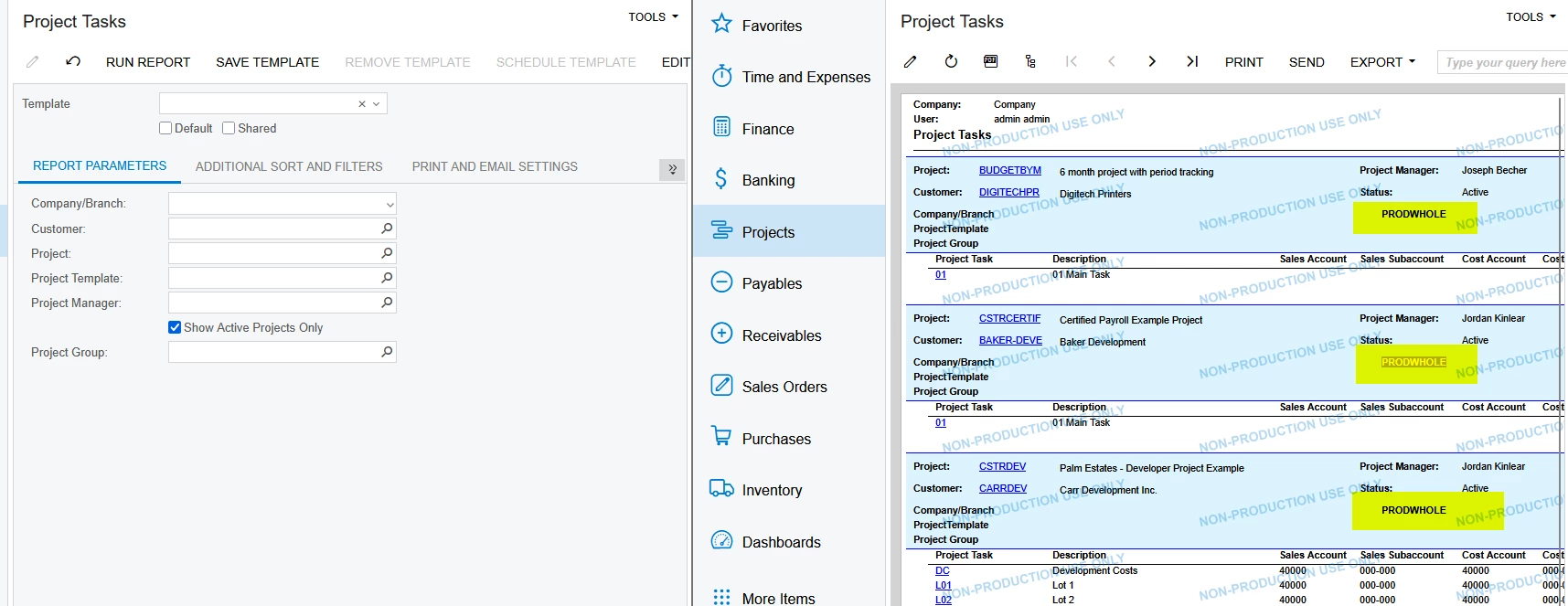
However, after adding the Branch parameter and applying it to the report, it returns no data.
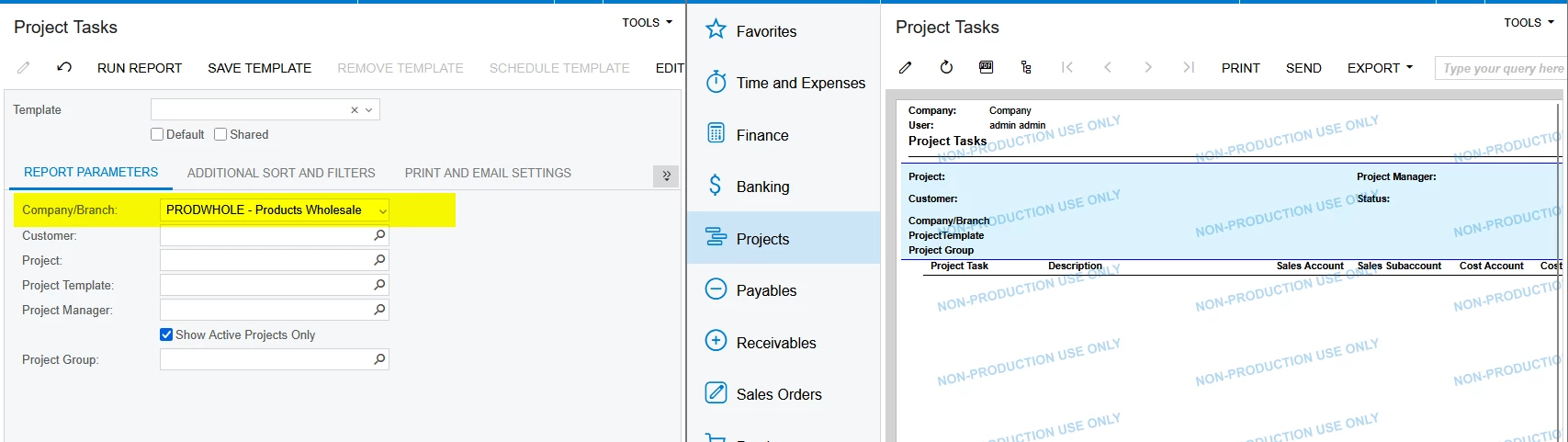
I have attached the report file for your review. Could someone please help me identify what might be going wrong?


Thanks In Advance
Best answer by svwk05

Thanks for the response ​@BenjaminCrisman

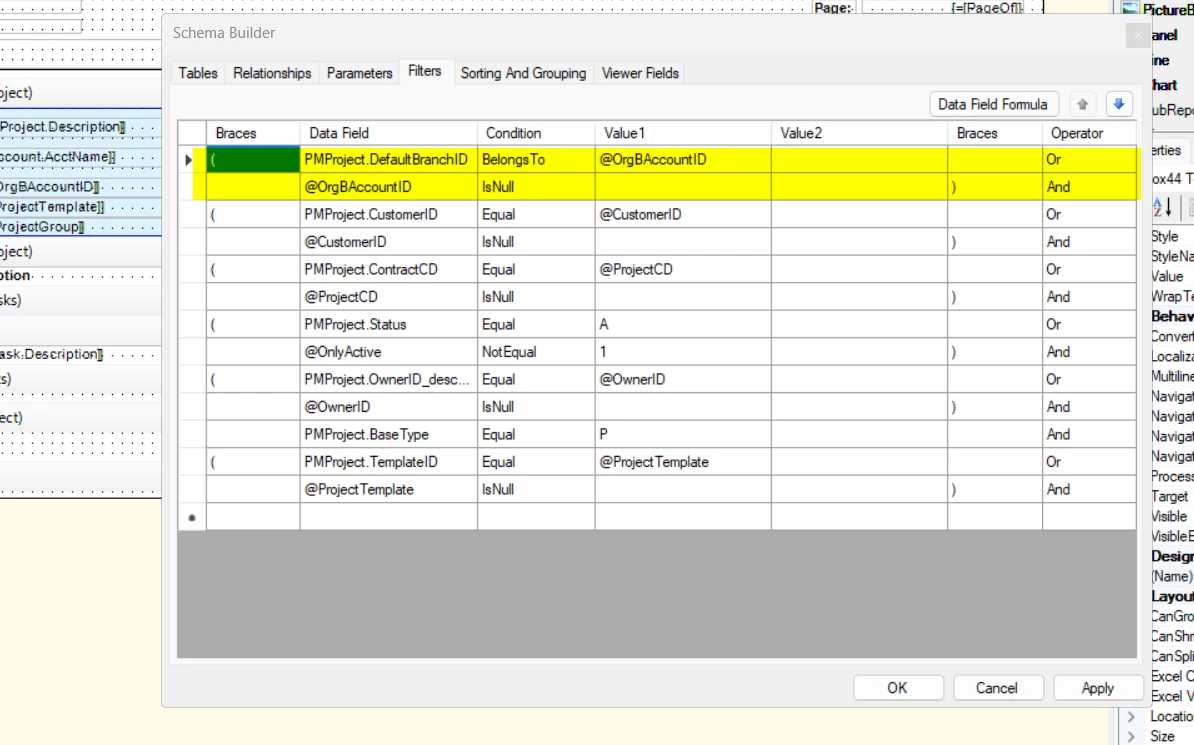
I have changed with BelongsTo did not works on report screen, but after I added OrgBAccountID at the top of the filter parameter, it worked.


2 replies

BenjaminCrisman
Acumatica Employee
Forum|alt.badge.img+4
  • Acumatica Support Team
  • August 11, 2025

@Saikrishna V Seems like the issue is that you are trying to match DefaultBranchID, which is a number in the DB, to the Actual OrgBAccountCD (from the schema).

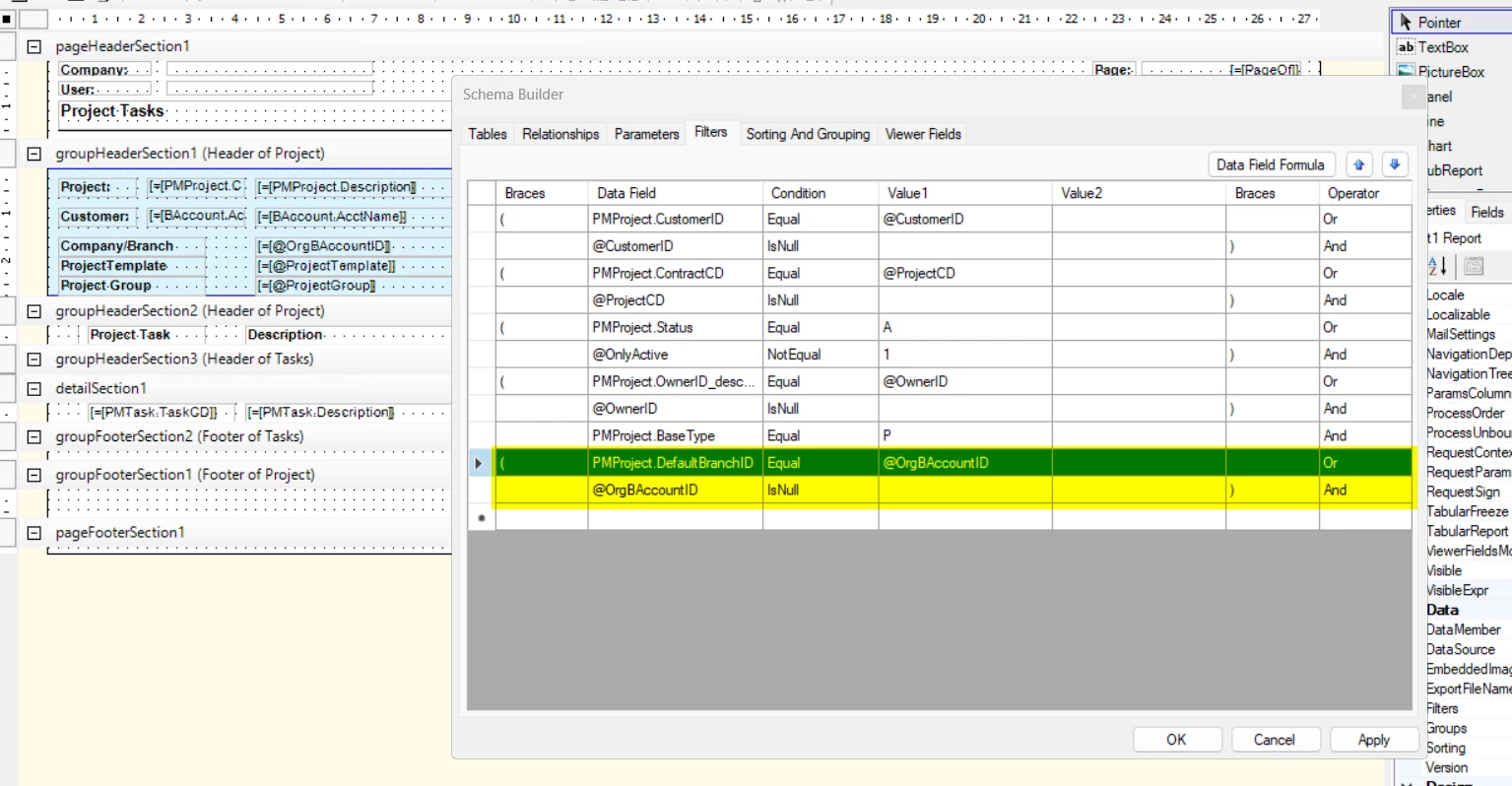
I think for this you’ll need to use Belongs To instead of Equals:

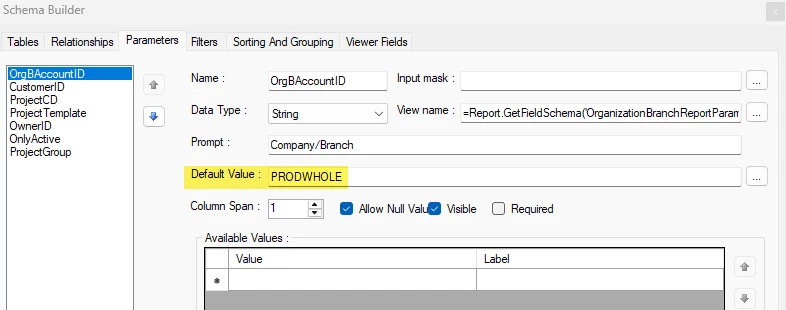
Then I’ll add a default parameter for the company/branch:

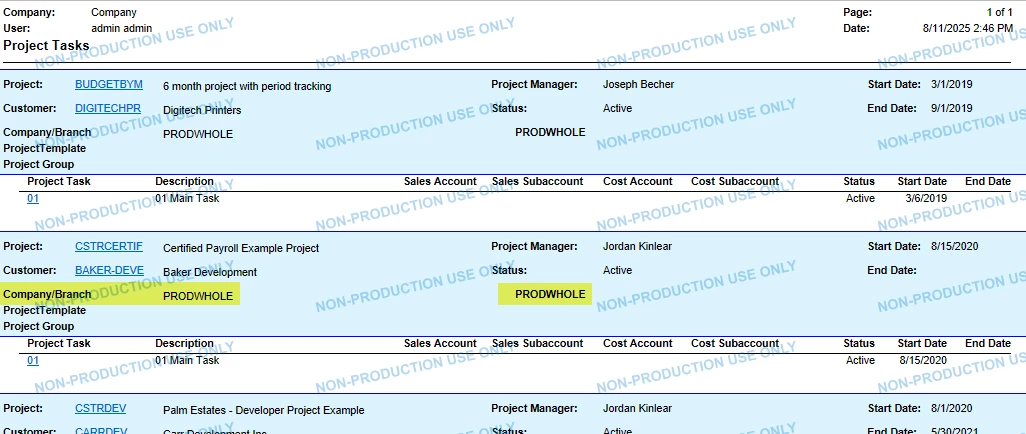
And view the report:


Forum|alt.badge.img+1
  • Author
  • Semi-Pro III
  • Answer
  • August 12, 2025

Thanks for the response ​@BenjaminCrisman

I have changed with BelongsTo did not works on report screen, but after I added OrgBAccountID at the top of the filter parameter, it worked.