Answer

Report - Half Empty Page

  • November 1, 2025
  • 6 replies
  • 60 views

Forum|alt.badge.img

Hey All - I have seen the topics of issues with reports not filling up the page and leaving blank space, but unable to get mine to work - anyone have any tips? I had to Zip the file to load it.

I tried:

Changing to false on landscape

Change to Letter vs A4

Print Empty on sections to False

Best answer by JReppard

@bwhite49 ​@BenjaminCrisman 


The only solution I found to get rid of the empty space was I changed the file to print straight to a PDF format. This got rid of the empty space for me on the report. It is very strange behavior. 

6 replies

bwhite49
Captain II
Forum|alt.badge.img+11
  • Captain II
  • November 3, 2025

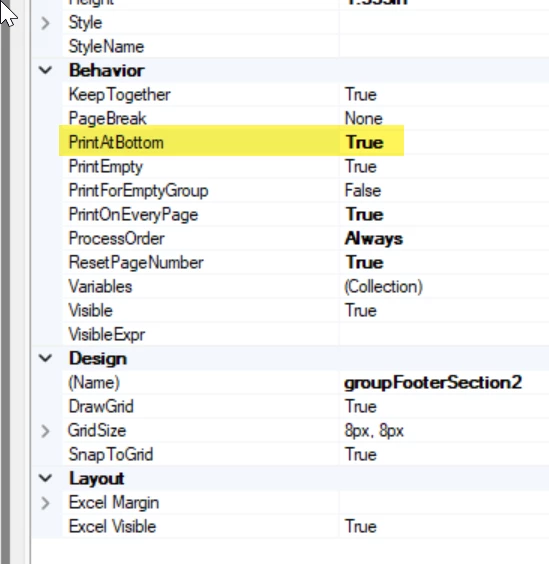
Hi ​@JReppard, I can’t load your file. Did you set the footer section(s) to PrintAtBottom=True? That way, any empty space is contained to the middle and that sections that should always print will print at the bottom and the header.


Forum|alt.badge.img
  • Author
  • Varsity I
  • November 3, 2025

@bwhite49 I did try that did not work - How do I attach the file for you to see ? It states not supported. 


bwhite49
Captain II
Forum|alt.badge.img+11
  • Captain II
  • November 3, 2025

You can share a screenshot of your issue. That is helpful. Just blur or block out any personal data.

To attach the file, you need to save a local copy using the “save as” action in report designer. The exported file you attached earlier is connected to your website and I can’t open it without login credentials.


Forum|alt.badge.img
  • Author
  • Varsity I
  • November 3, 2025

@bwhite49 

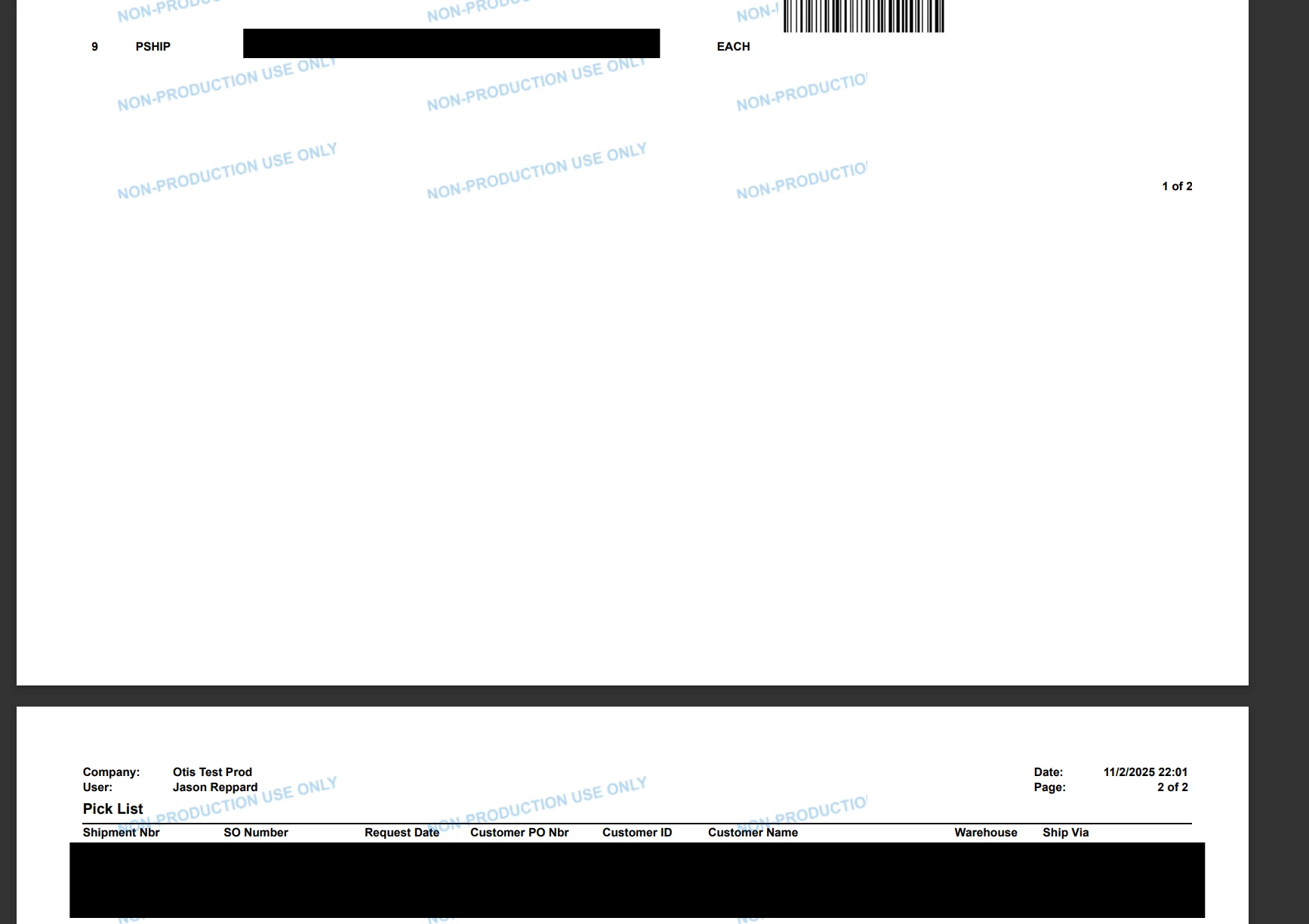
You can see when I print this it leaves this large space on portrait mode. I have tried to remove footers and change specs of print functions with no luck. I also changed all the sections (header / footers, etc) to Print Empty = False. 


BenjaminCrisman
Acumatica Employee
Forum|alt.badge.img+4
  • Acumatica Support Team
  • November 3, 2025

@JReppard Unfortunately the report .zip file added is a .rps file and to view the report we would need your login credentials. For this type of upload you want to make sure to always click File > Save As in the report so it generates a .rpx file.

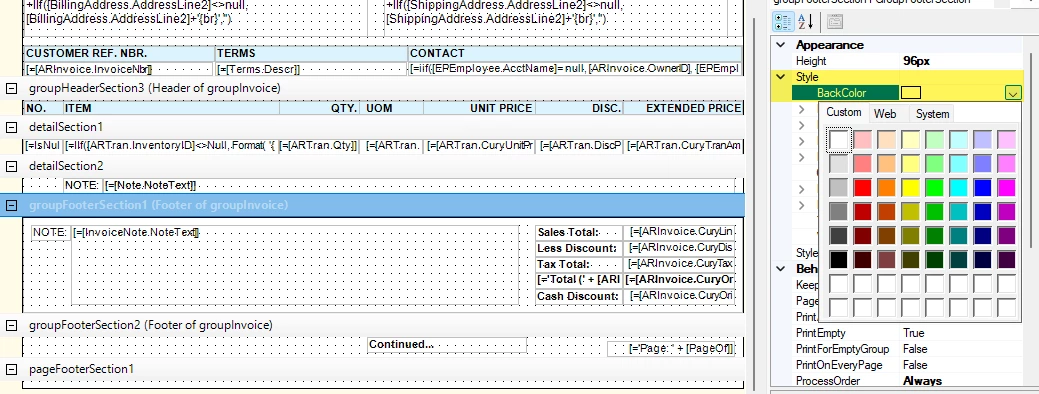
When troubleshooting issues like this it can be very beneficial to set a background color for each section of the report:

This can help understand which section is populating the space and narrow down where to focus.

Sometimes though it will still be white and the fact that in your report we can see the watermark all around the report and then it’s blank white space, I think this is something different and the colors may not end up helping that much, hard to say.

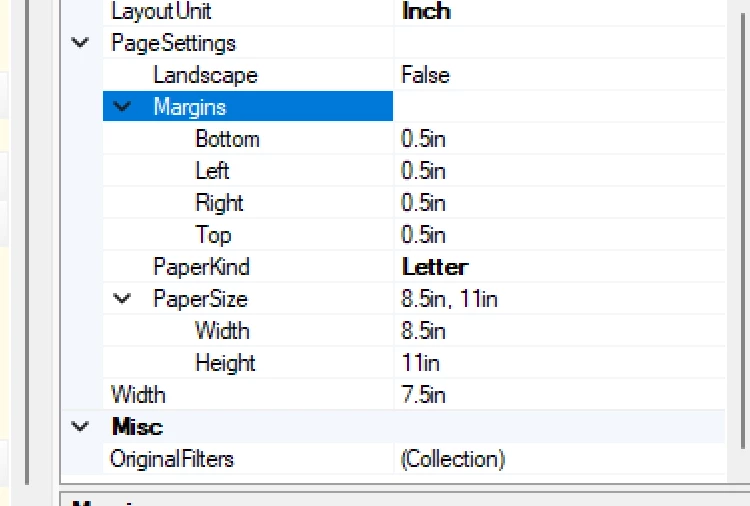
I would be checking the page size for the report and make sure it’s not set to something which is generating a much larger page than the report is utilizing.

If you can upload the .rpx file though instead it might help me to understand what you’re seeing.


Forum|alt.badge.img
  • Author
  • Varsity I
  • Answer
  • November 6, 2025

@bwhite49 ​@BenjaminCrisman 


The only solution I found to get rid of the empty space was I changed the file to print straight to a PDF format. This got rid of the empty space for me on the report. It is very strange behavior.