Answer

Report Designer Results not matching the Generic Inquiry results

  • November 20, 2024
  • 18 replies
  • 191 views

Forum|alt.badge.img+1

We have a report in Report Designer where the results are not matching up with the GI. The GI is called CRRelation. There is a LEFT JOIN with SOOrder.NoteID and CRRelation.RefNoteID. The GI in the attached document shows that the LEFT join works as all the data across the board matches. Using the same type of LEFT join in the Report Designer and following it through various stages (also shown in the attachment) shows that everything appears to be matched up. The issue is that in the Notes field, section listed at the bottom of the attachment, the CRRelation.TargetNoteID  and the CRRelation.Description are suppose to match the top picture in the attachment. I’ve even tried using, in the Report Designer filter, a filter for the TargetType to be Sales Order, and again, no joy. I have not linked the CROpportunity to any of this as I didn’t think it would be necessary in this case.

Best answer by arthia

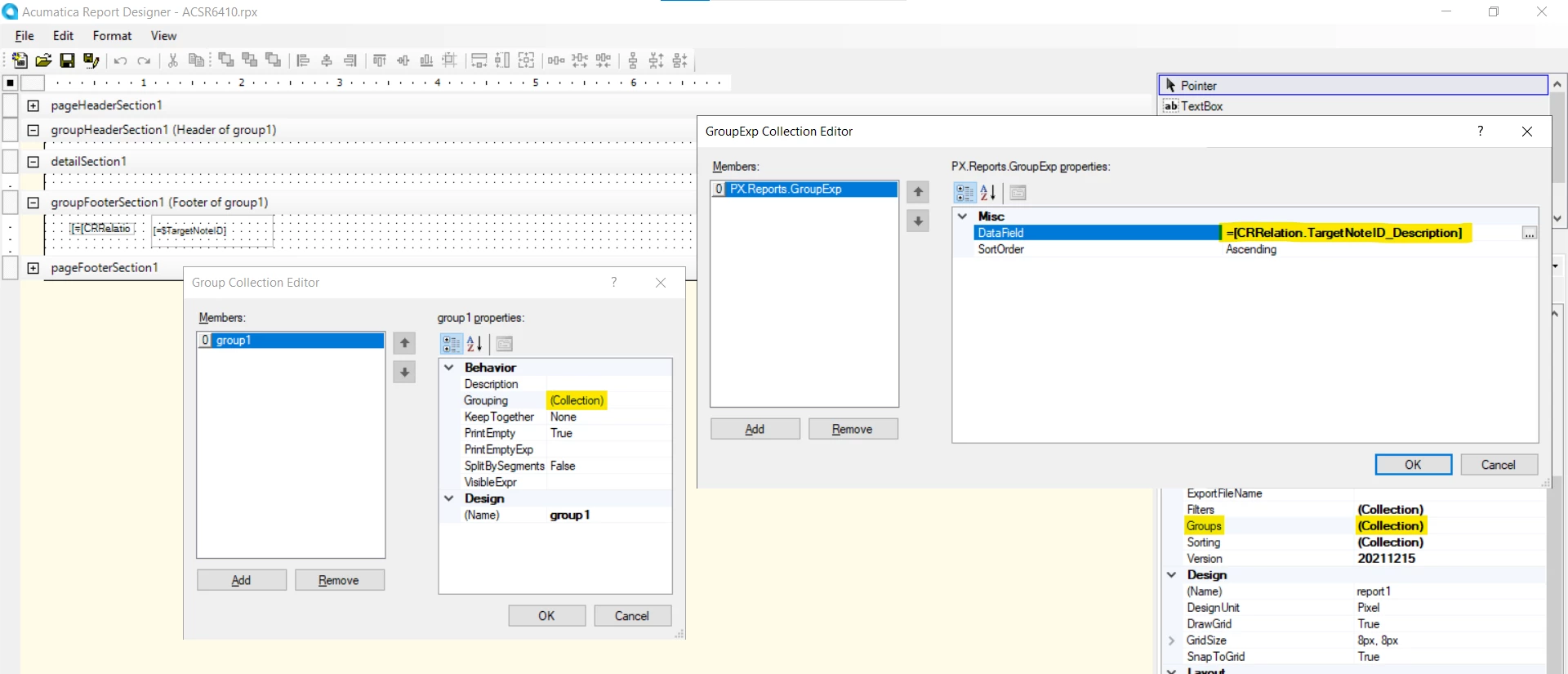
Hi ​@wmatthews1877 , Please make the below changes in your subreport

Add the field “CRRelation.TargetNoteID_Description” in GroupHeader section1 grouping collection

Add the text field in “CRRelation.TargetNoteID_Description” in GroupHeader section

Remove the fields from footer section
 

18 replies

Forum|alt.badge.img+3
  • Varsity I
  • November 21, 2024

Hi ​@wmatthews1877 , Could you please add the field “CRRelation.TargetNoteID” in details section
instead of Group Footer section. 

As highlighted, CRRelation.Description is fetching empty value in report. Instead of Description field, can you please try with =[SOOrder.OrderType] + ', ' + [SOOrder.OrderNbr] . This will display the Order Type and Order Nbr same as Description field.


Forum|alt.badge.img+1
  • Author
  • Semi-Pro I
  • November 21, 2024

Thank you for your answer, but the Footer Section is where the user wants the information in place of the Note.NoteText. The data that will be displayed will be the OrderNbr, and Customer PO, which those same numbers will also be displayed on the RMA Authorization, Repair Quote, and the Repair Order. It was conveyed to me that the OrderNbr, and Customer PO should be part of the CRRelation.TargetID and the CRRelation.TargetID_description, but for the life of me I don’t follow as how that happens, though I am sure that it does because of the fact that I was able to do a GI which showed the data on the first picture I submitted in the Word document. My first thought was just to pull the OrderNbr, and Custom PO from the appropriate fields, but I’ve got to try and get the CRRelation path working if possible. Any thoughts?


Forum|alt.badge.img+3
  • Varsity I
  • November 21, 2024

Hi ​@wmatthews1877 , To display the details in Footer, you can try like below,

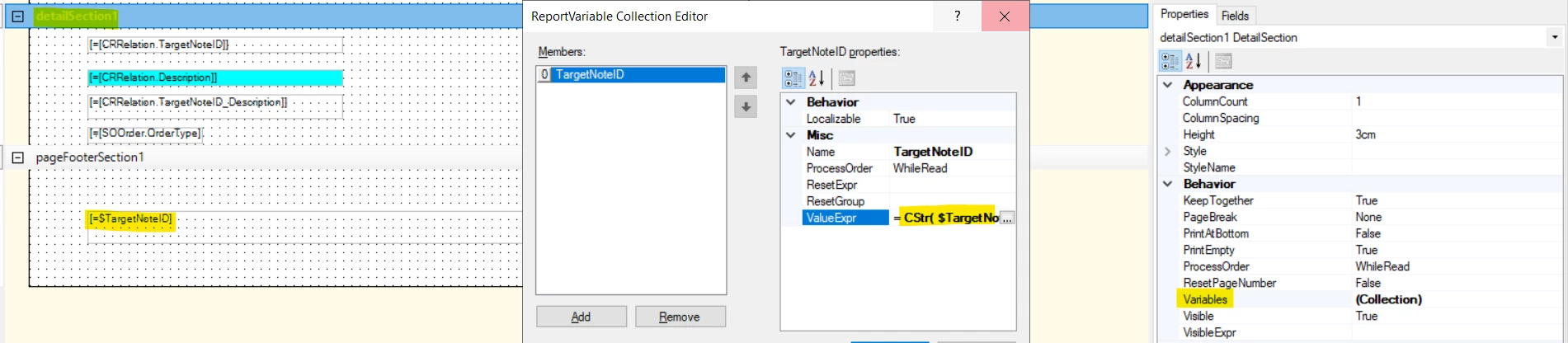
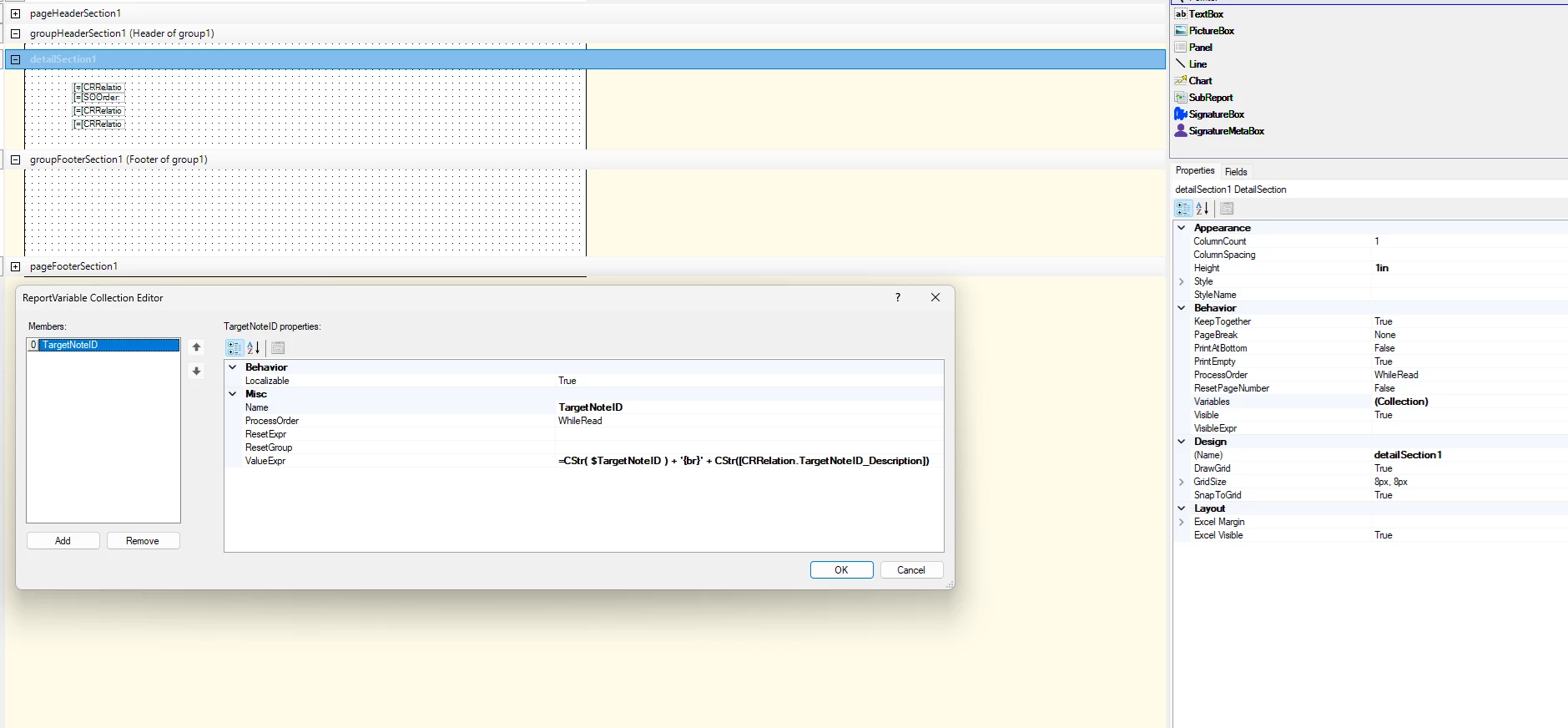
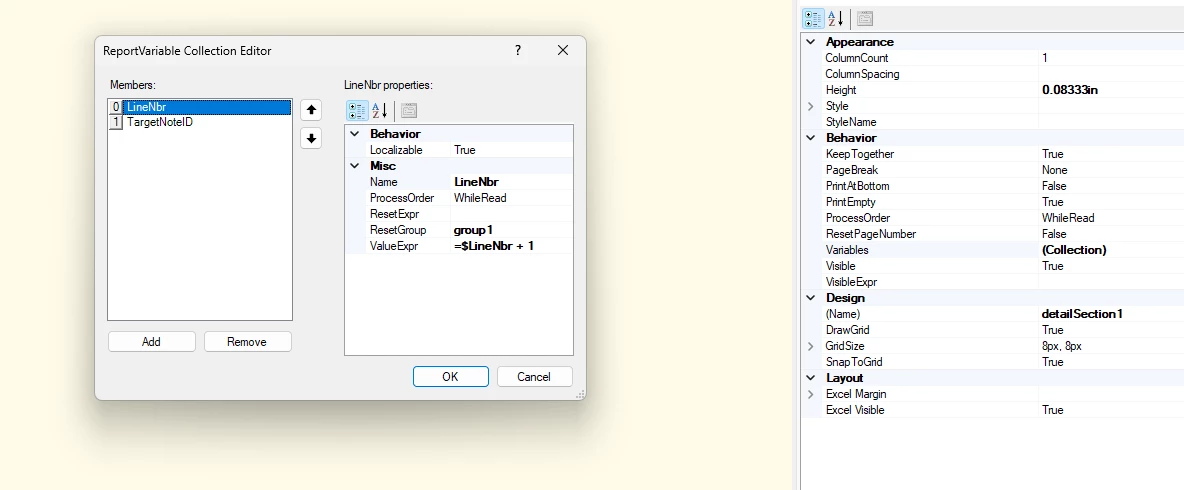
Create a variable in Detail section

Add this formula to display the text with line break

= CStr( $TargetNoteID ) + '{br}' + CStr([CRRelation.TargetNoteID])
Add that created variable($TargetNoteID) in footer section


Forum|alt.badge.img+1
  • Author
  • Semi-Pro I
  • November 21, 2024

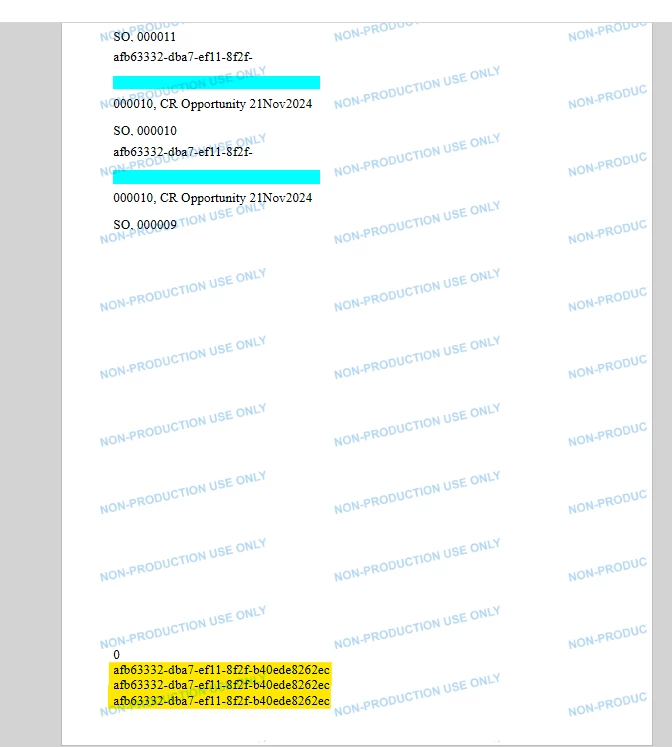
This works perfectly. Is there any way to keep it from repeating? I managed to get the CRRelation.TargetNoteID_Description to populated in the Footer Section, the only issue is that there are multiple lines, and the user doesn’t need or want the extra lines, or the 0 after the note. Other than this, this is perfect.

.


Forum|alt.badge.img+3
  • Varsity I
  • November 22, 2024

Hi ​@wmatthews1877 , To remove the duplicate values, we have to create group

Alternate Solution, you can try like below

Create a subreport

Create a group for the field “CRRelation.TargetNoteID_Description” in subreport

In detail section, print the values

Bind the subreport in Mainreport footer. 

This approach will help to get rid of repeated values and remove 0 after Note


Forum|alt.badge.img+1
  • Author
  • Semi-Pro I
  • November 22, 2024

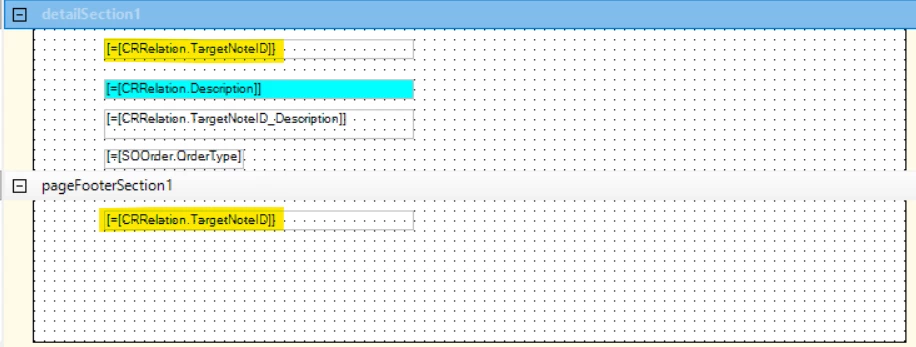
This has been a big help, except now I’m stuck as to what goes where. Picture shows where I’m stuck at:


Forum|alt.badge.img+1
  • Author
  • Semi-Pro I
  • November 22, 2024

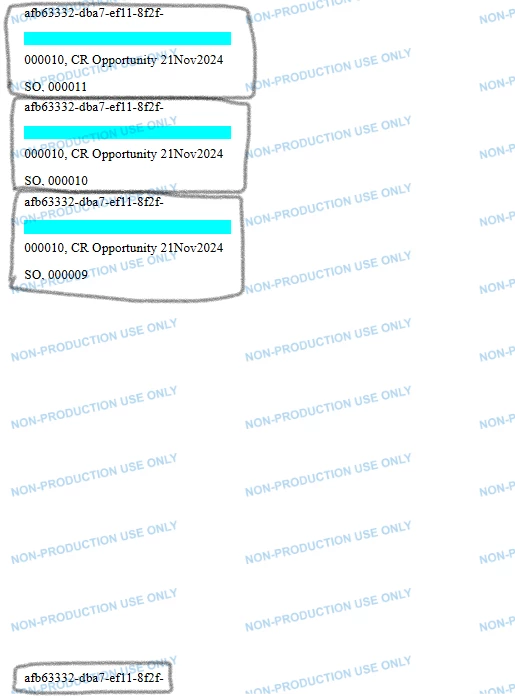
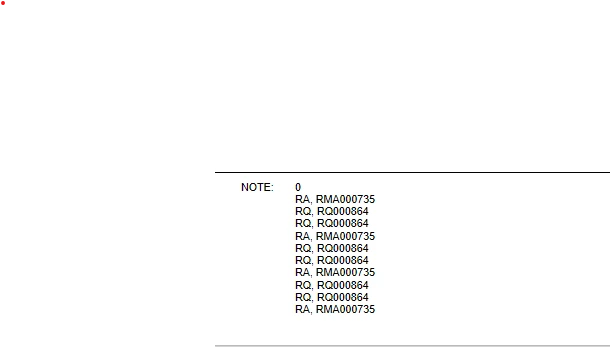
Okay, I’m a little closer (haven’t used the subreport as part of the main report yet), but the 0 is still showing as a line item.

Top picture has three lines, top line with 0, bottom picture showing code.


Forum|alt.badge.img+3
  • Varsity I
  • November 25, 2024

Hi ​@wmatthews1877 , Could you please share both main report and subreport. 


saifalisabri
Jr Varsity II
Forum|alt.badge.img
  • Jr Varsity II
  • November 25, 2024

My response was crafted with AI assistance, tailored to provide detailed and actionable guidance for your query.

It seems like you're encountering a discrepancy between the results of a Generic Inquiry (GI) and a Report Designer report where a left join is involved. The primary goal is to display additional information (OrderNbr, Customer PO) from the CRRelation table in the Footer section of the report, which should correspond to the data shown in the GI.

Potential Solutions:

1. Verify the Data Source and Join:

  • Data Source: Ensure that both the GI and the Report Designer are using the same data source (e.g., database).
  • Join Condition: Double-check the join condition between SOOrder.NoteID and CRRelation.RefNoteID. Make sure it's correct and consistent in both the GI and the report.

2. Review the Filter Criteria:

  • TargetType Filter: If you're using a filter for TargetType to be "Sales Order," verify that it's applied correctly in the Report Designer.
  • Additional Filters: Consider adding any necessary filters to refine the data further.

3. Explore Subreport Usage:

  • Subreport for CRRelation Data: You could create a subreport to fetch the additional information from the CRRelation table based on the RefNoteID. This subreport can then be placed in the Footer section.
  • Join within the Subreport: Within the subreport, you can join the CRRelation table with the SOOrder table using the RefNoteID to retrieve the desired data.

4. Consider Using a Stored Procedure:

  • Complex Logic: If the logic for retrieving the additional data is complex, you could create a stored procedure to handle the join and filtering. The Report Designer can then call this stored procedure to fetch the required data.

5. Debug the Report Designer:

  • Step-by-Step Execution: Use the Report Designer's debugging tools to step through the report's execution and examine the data at each stage.
  • Check Intermediate Results: Inspect the data after each step to identify any discrepancies.


Forum|alt.badge.img+1
  • Author
  • Semi-Pro I
  • November 25, 2024

I was able to use develop a Subreport, but the issue with that is that a 0 appears as the first line, which is not desired, so now I am in a quandary as to how to get rid of the 0, and getting the Subreport to show the results in the main report. I have attached both the Subreport and the Main. 


Forum|alt.badge.img+3
  • Varsity I
  • Answer
  • November 25, 2024

Hi ​@wmatthews1877 , Please make the below changes in your subreport

Add the field “CRRelation.TargetNoteID_Description” in GroupHeader section1 grouping collection

Add the text field in “CRRelation.TargetNoteID_Description” in GroupHeader section

Remove the fields from footer section


Forum|alt.badge.img+1
  • Author
  • Semi-Pro I
  • November 25, 2024

Hi arthia98, I’ve made the changes, and please forgive me, as I am a noob when it comes to the main report tying it to the subreport, but I all I’ve got is the “Open server settings, Response is not well-formed xml”. In the Collection of the subreport on the main report, I have the OrderType and RefNbr as the parameters tying each together which is what I thought it should be unless I’m missing something else. Using the same parameters in the Subreport by itself, I am getting the same “Open server settings, Reponse is not well-formed xml” after making the changes.


Forum|alt.badge.img+3
  • Varsity I
  • November 25, 2024

Hi ​@wmatthews1877 , Did you run the subreport? What is the value printing in the screen? Does it remove 0? Can you please share the screenshot


Forum|alt.badge.img+1
  • Author
  • Semi-Pro I
  • November 25, 2024

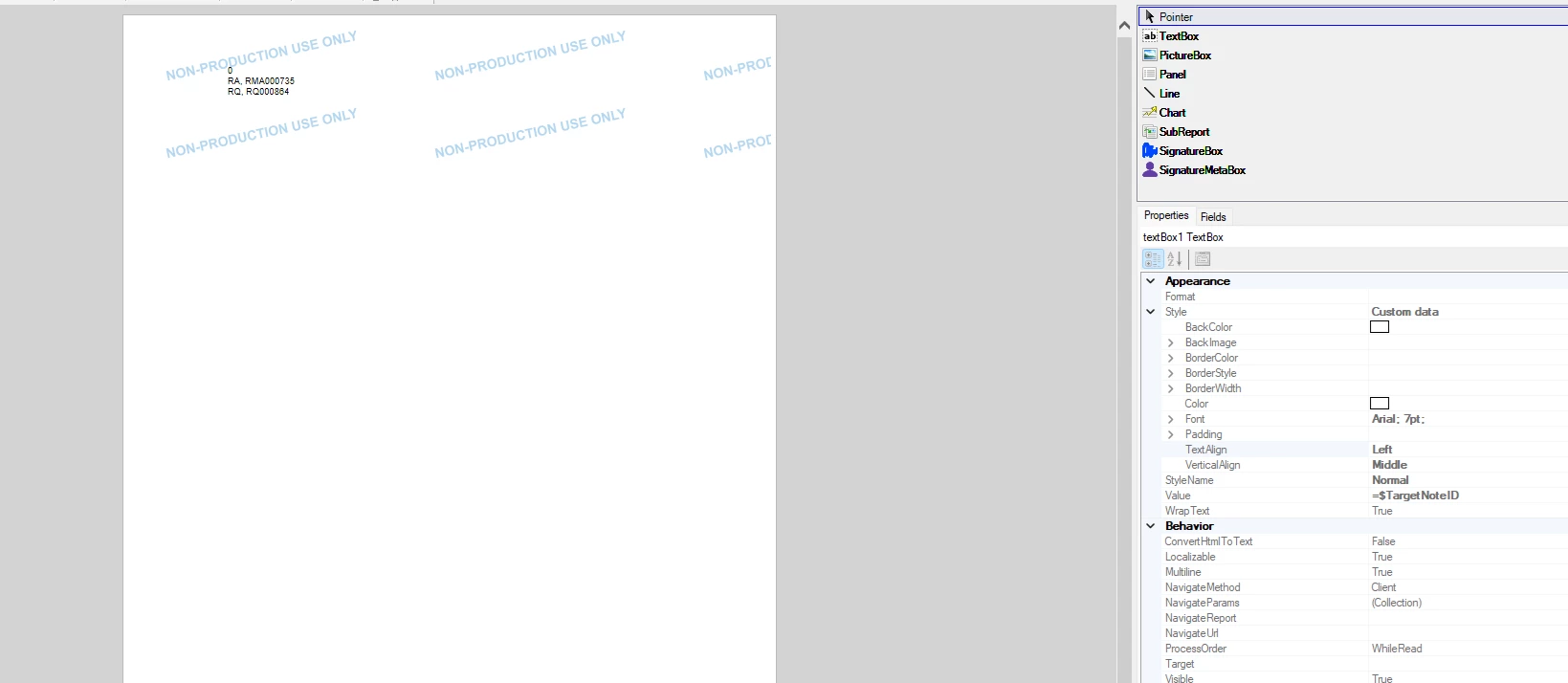
Hi arthia98, screen shot shows the result(s):

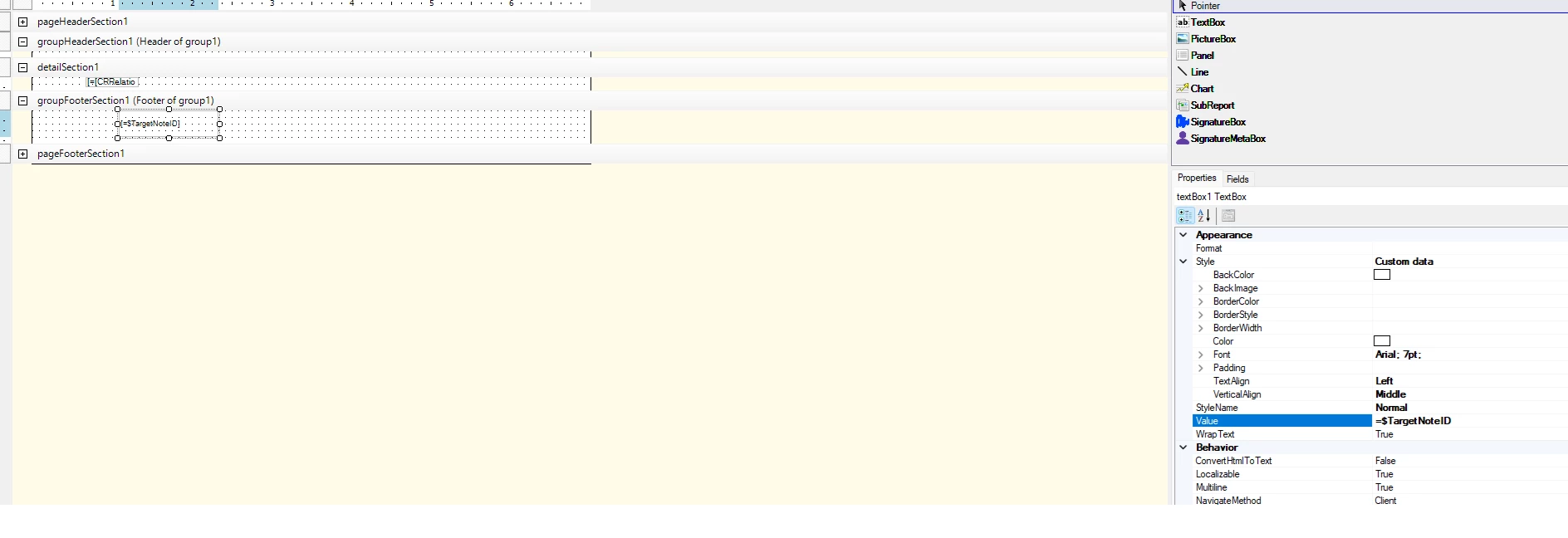
Should there be anything in the detailSection1? This is what I have from before:


Forum|alt.badge.img+3
  • Varsity I
  • November 25, 2024

Hi ​@wmatthews1877 , Could you please deploy this subreport and try once. 


Forum|alt.badge.img+1
  • Author
  • Semi-Pro I
  • November 25, 2024

Hi arthia98, deployed same error showing:

Using parameters of RefNbr RQ000864, and OrderType of RQ.


Forum|alt.badge.img+3
  • Varsity I
  • November 25, 2024

Forum|alt.badge.img+1
  • Author
  • Semi-Pro I
  • November 26, 2024

I want to thank everyone for their excellent answers, but I think I’m back to square one. The subreport that I originally had ghosted me and I’m still trying to wrap my head around this. I want to wish everyone a safe and Happy Thanksgiving!