Answer

Report Designer – PO Receipt Report Not Displaying Any Data

  • May 27, 2025
  • 4 replies
  • 65 views

Forum|alt.badge.img

Hi everyone,

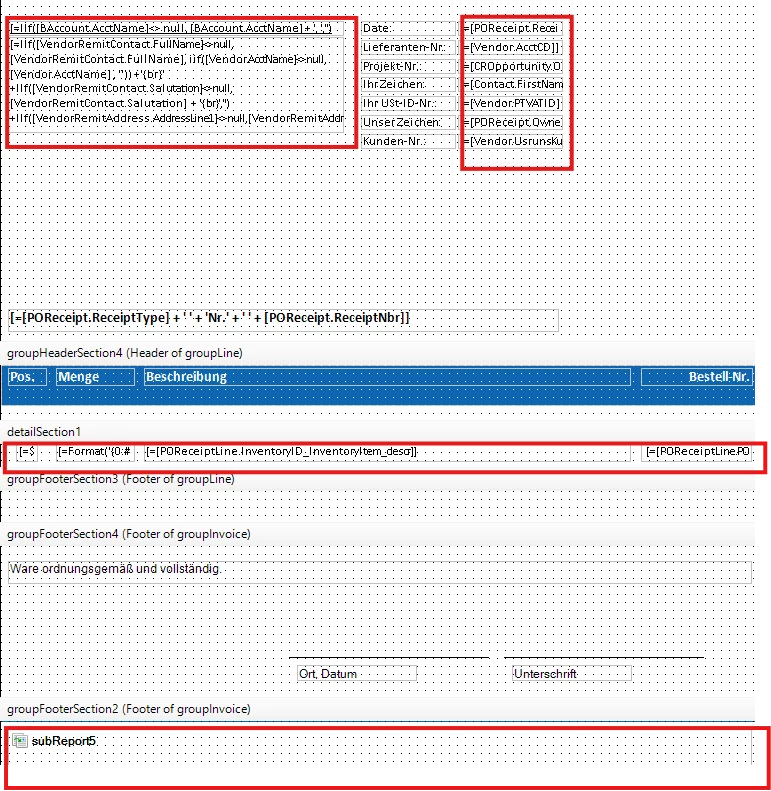
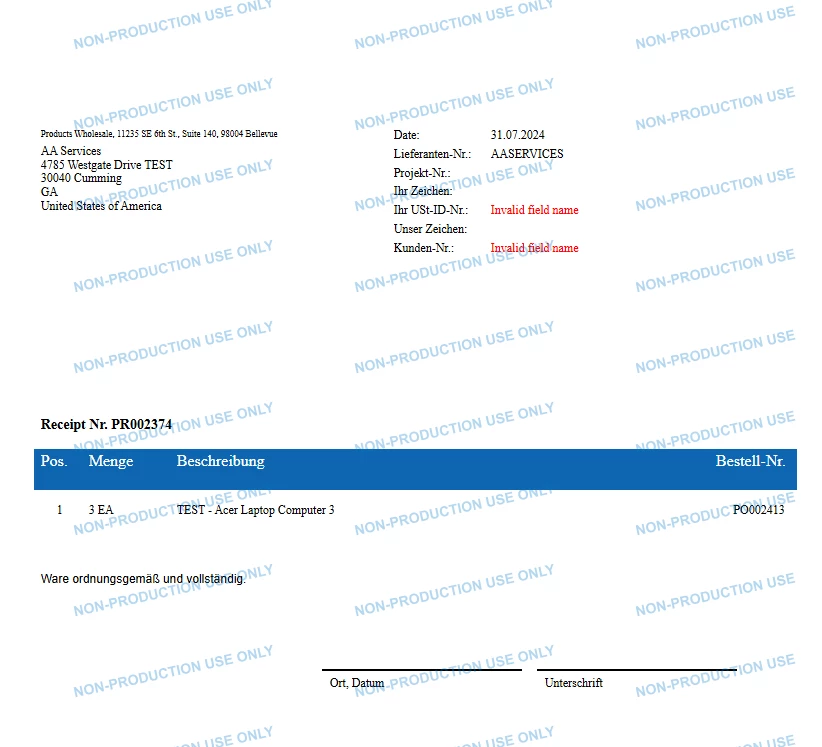
I’m working with the Acumatica Report Designer and have created a custom PO Receipt report. However, the report only displays static text – none of the data-bound fields show any values.

I’ve already checked the collections, data sources, and parameters – everything seems to be set up correctly. I even imported a working report from another customer’s instance as a reference, but the issue persists: fields that are linked to Haufe or database values are still not displayed.

What’s strange is that all other reports (e.g. quotes, sales orders, purchase orders, etc.) work perfectly fine – only this specific PO Receipt report has the issue.

The problem even affects subreports like the footer, and standard fields such as the company address (from BAccount) – none of them show up either.

Has anyone experienced something similar?
Any ideas on what could be causing this, or what else I could check?

Thanks in advance for your help!


Best answer by nhatnghetinh

Hi ​@PanteaShahrian 

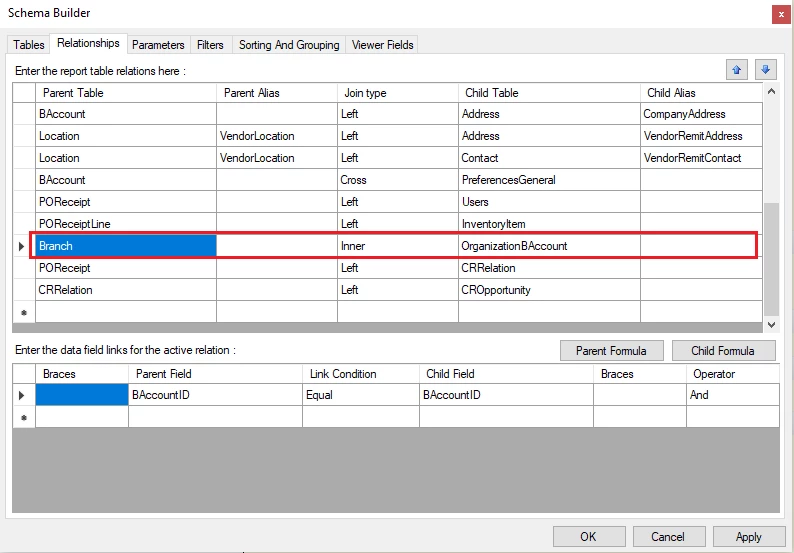
After I tried to delete "Branch Inner Join OrganizationBAccount" the data showed up.


Best Regards,

NNT

4 replies

nhatnghetinh
Captain II
Forum|alt.badge.img+11
  • Captain II
  • May 27, 2025

Hi ​@PanteaShahrian 

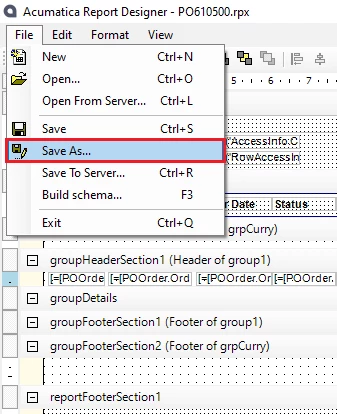
Please "Save As" on Report Designer your report file as .rpx file and attach this .rpx file.


Best Regards,

NNT


Forum|alt.badge.img
  • Author
  • Jr Varsity III
  • May 27, 2025

Sorry, .rpx is not supported, so I'm sending the report as a .zip file instead.


nhatnghetinh
Captain II
Forum|alt.badge.img+11
  • Captain II
  • Answer
  • May 27, 2025

Hi ​@PanteaShahrian 

After I tried to delete "Branch Inner Join OrganizationBAccount" the data showed up.


Best Regards,

NNT


Forum|alt.badge.img
  • Author
  • Jr Varsity III
  • May 27, 2025

Hi ​@nhatnghetinh ,

Thanks a lot – that really helped!
As soon as I removed the "Branch Inner Join OrganizationBAccount", the data finally showed up.

Appreciate your support!

Best Regards,
Pantea