Answer

Report Designer Help - label design - Issues getting data to display

  • June 6, 2025
  • 5 replies
  • 111 views

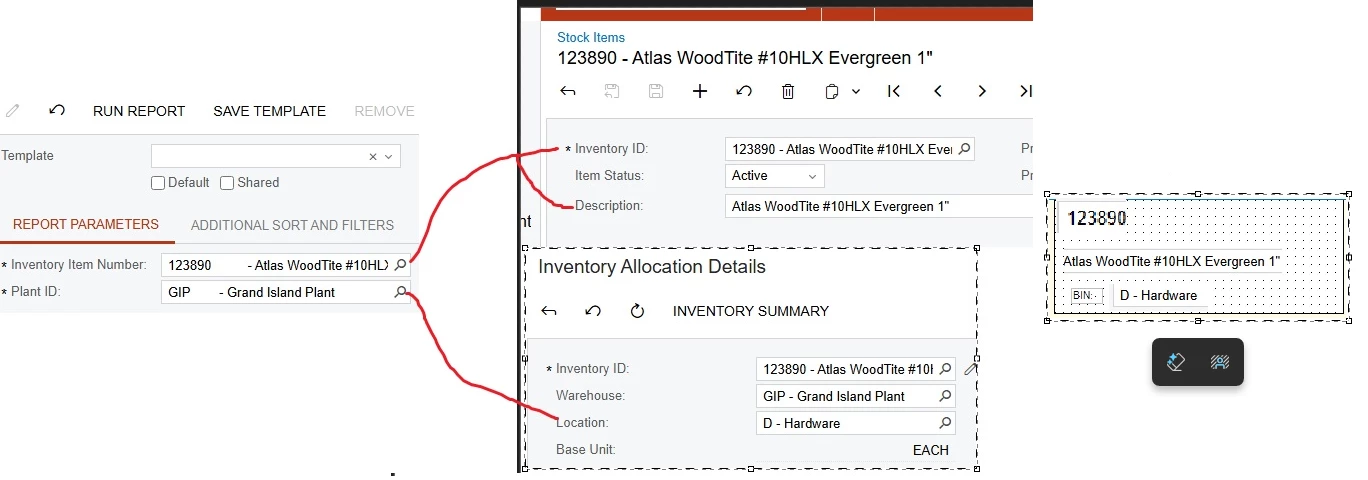
I am designing a report to spit out a label I think I have all the joins correct and the parameters appears like I want them to but all I am getting on the actual report is blanks instead of actual data. I am not certain what I am not doing correctly here.

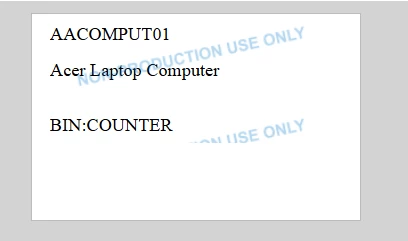
I am trying to get these 3 things to show our Item Number, the description for the item, and what Location the item is in for the Warehouse. I have 2 parameters the item number and which warehouse we are looking at but all i get in return is the Text box you can see in this screenshot none of the actual data I entered or the Location display. Any help or advice here would be great I feel like I am just missing one small thing to make this work.
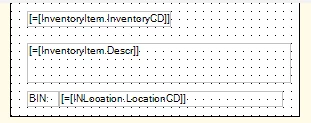

 

Best answer by mamtak26

Hello ​​@nheinber -Please refer to below version if this helps

5 replies

valentynbeznosiuk
Jr Varsity I
Forum|alt.badge.img+3

Hi ​@nheinber 

If your goal is to display manually selected values on the label, you don’t need any filters or joins. You can only select the InventoryItem table to get the Item Description and display parameters on the report itself. Please see my example attached


  • Author
  • Freshman I
  • June 6, 2025

Hi ​@nheinber 

If your goal is to display manually selected values on the label, you don’t need any filters or joins. You can only select the InventoryItem table to get the Item Description and display parameters on the report itself. Please see my example attached

That didnt quite work. The inventory item number itself returned but nothing else is right the descritpion is blank and the third slot we are trying for the Location which is a sub field for the Warehouse which is why I think we need the joins to get it to work.


Forum|alt.badge.img+5


Hello ​@nheinber , 

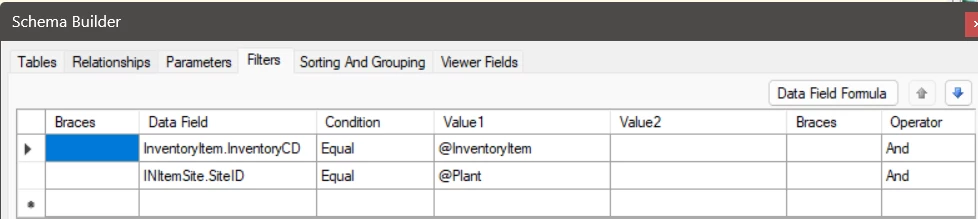
Can you please review your filters again as in parameter you want to give the item number and warehouse but in filter you are giving INLocation.LocationCD = @Plant which should be INItemSite.SiteID= @Plant.

I have modified the filter as below and for me data is coming now.


Hope this helps!


  • Author
  • Freshman I
  • June 9, 2025


Hello ​@nheinber , 

Can you please review your filters again as in parameter you want to give the item number and warehouse but in filter you are giving INLocation.LocationCD = @Plant which should be INItemSite.SiteID= @Plant.

I have modified the filter as below and for me data is coming now.


Hope this helps!

That looks like what I would expect mine to be but mine still returns no data when I run it would you be willing to attach your version?


mamtak26
Freshman III
  • Freshman III
  • Answer
  • June 10, 2025

Hello ​​@nheinber -Please refer to below version if this helps