Answer

Report Designer - Formatting formulas to 2 decimals

  • August 22, 2024
  • 9 replies
  • 1467 views

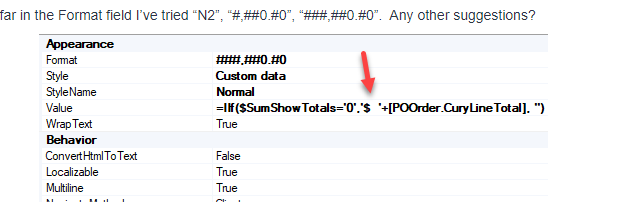
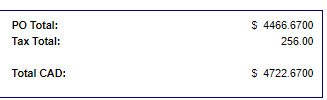
How do I modify the format in Report Designer to only print 2 decimal places when using formula’s.  It’s currently showing 4 decimal places.  We recently upgraded to 2024R1.

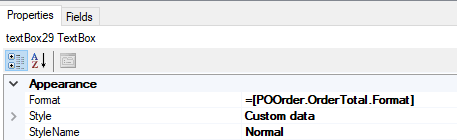
So far in the Format field I’ve tried “N2”, “#,##0.#0”, “###,##0.#0”.  Any other suggestions?
 

Best answer by Lanaswillow

Hello Denise,

Try:

  • Changing the format to c2


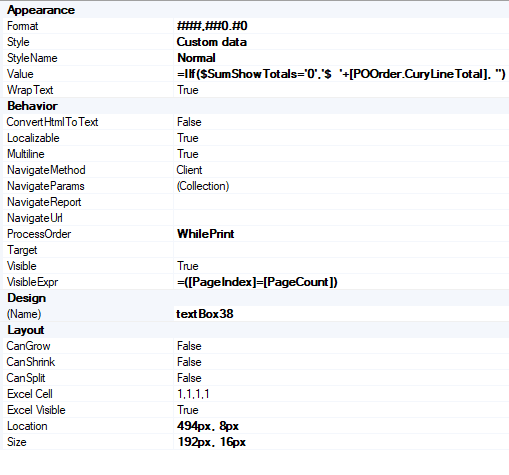
  • Lastly remove the ‘$’ + from your formula as c2 will bring in the correct formatting


9 replies

Laura03
Captain II
Forum|alt.badge.img+19
  • Captain II
  • August 23, 2024

Hello,

Try casting the field with CDbl or CDec, like

Cdbl([POOrder.CuryLineTotal])


Laura


nhatnghetinh
Captain II
Forum|alt.badge.img+11
  • Captain II
  • August 23, 2024

Hi @DeniseNeil89 

Please try the format below:


Best Regards,

NNT


DrewNisley
Pro I
Forum|alt.badge.img+3
  • Pro I
  • August 23, 2024

Using ###,##0.#0 allows the field to place as many numbers before the last zero as it wants to. 

Using ###,##0.00 should work, as well as what the others have suggested as well.


  • Author
  • Freshman I
  • August 27, 2024

Thank you for all the responses. I’ve tried them all and I’m still seeing 4 decimal places for both the PO Total & Total CAD.  There is a formula in the Tax Total but it’s never had an issue.


Any other suggestions?


nhatnghetinh
Captain II
Forum|alt.badge.img+11
  • Captain II
  • August 28, 2024

Hi @DeniseNeil89 

Please attach the .rpx file of the report.


Best Regards,

NNT


Lanaswillow
Freshman III
  • Freshman III
  • Answer
  • September 9, 2024

Hello Denise,

Try:

  • Changing the format to c2


  • Lastly remove the ‘$’ + from your formula as c2 will bring in the correct formatting


DipakNilkanth
Pro III
Forum|alt.badge.img+13

Hi @DeniseNeil89,

You can format the field in the properties of Appearance section.  You can use $ ###,##0.00 or “C” in the Format section.

Hope, it helps!


  • Author
  • Freshman I
  • September 18, 2024

Thanks Lanaswillow!

I just needed to remove the ‘$’ + from the formula as c2 will bring in the correct formatting.


Forum|alt.badge.img
  • Jr Varsity III
  • July 14, 2025

Hello Denise,

Try:

  • Changing the format to c2


  • Lastly remove the ‘$’ + from your formula as c2 will bring in the correct formatting


Thanks ​@Lanaswillow, your tip on removing ‘$’ in the value box also helped me. 

I however had to use  “$ ###,##0.00” instead of ‘c’ because my Report Designer kept returning ‘£’ instead of ‘$’ when using ‘c’.