Answer

Report Designer: Additional Sorting Conditions

  • July 2, 2025
  • 4 replies
  • 115 views

Forum|alt.badge.img

The Additional Sorting condition does not seem to be working. 


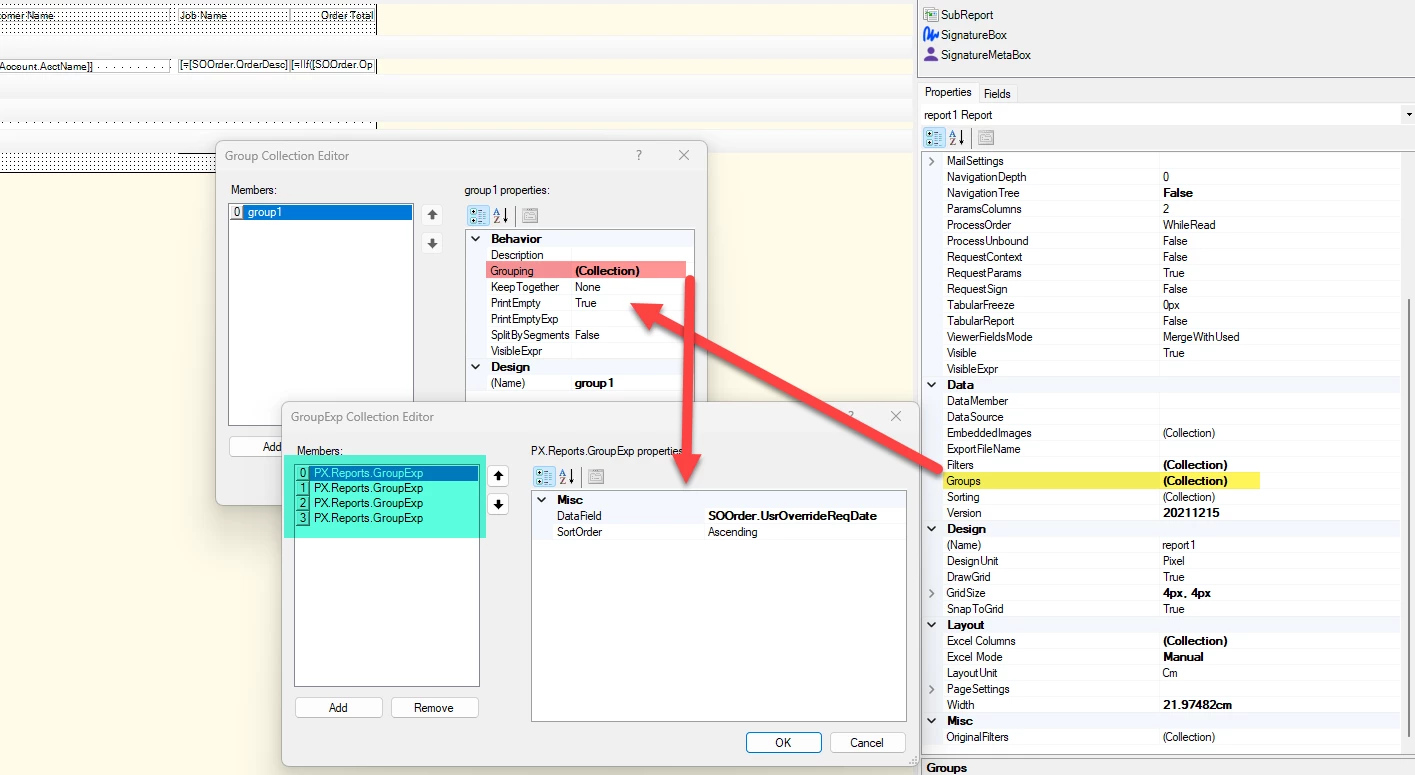
To explain further, here is the sorting/ grouping done in the report designer. 
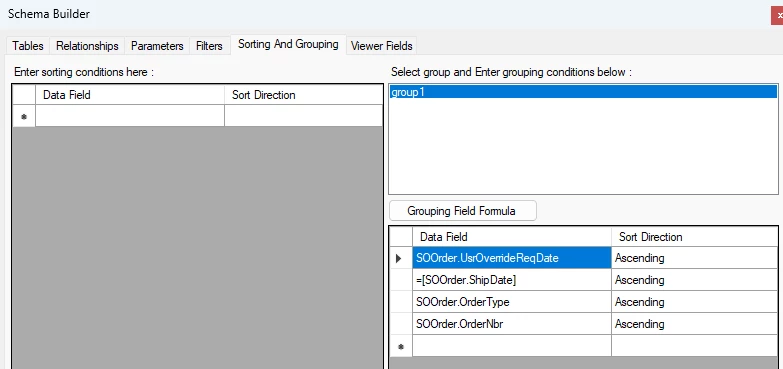
However, when we tried to use the ‘Sales Order.Sched. Shipment’ in the Additional Sort and Filters: Additional Sorting Condition which doesn’t seem to be working. 
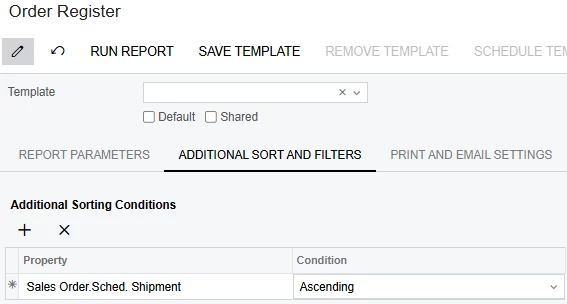
I even tried to output the Sched. Shipment Date in the report itself. I hope you can help Identify what I am doing wrong. 

I have attached the actual report just in case you may want to take a deep dive on the report. Thank you so much for your time in looking in to this.


 

Best answer by BenjaminCrisman

If you want users to be able to sort the data from the UI it must appear in Details section of the report. Sorting within groupings is not supported via the UI. There’s not really any other option here unfortunately, it’s just the way the reports are designed

4 replies

BenjaminCrisman
Acumatica Employee
Forum|alt.badge.img+4
  • Acumatica Support Team
  • July 2, 2025

@Crisel The reason for this is because the data is populating in a grouping section. The Additional Sort & Filters from the UI on the report printing screen will only affect data which appears in the Details. When checking the report the data populates in the groupHeaderSection1, so you won’t be able to use the UI sorting. Instead you’ll need to add the necessary sorting condition to the grouping collection editor and then it should work in order of the listed groupings:


Forum|alt.badge.img
  • Author
  • Jr Varsity III
  • July 3, 2025

@Crisel The reason for this is because the data is populating in a grouping section. The Additional Sort & Filters from the UI on the report printing screen will only affect data which appears in the Details. When checking the report the data populates in the groupHeaderSection1, so you won’t be able to use the UI sorting. Instead you’ll need to add the necessary sorting condition to the grouping collection editor and then it should work in order of the listed groupings:


I think I understand what you mean, however what if the users wanted the freedom to sort it to Sched. Shipment Date which would mean 1. The sorting would not be a default or optional and 2. The user would not have access to backend. 


BenjaminCrisman
Acumatica Employee
Forum|alt.badge.img+4
  • Acumatica Support Team
  • Answer
  • July 3, 2025

If you want users to be able to sort the data from the UI it must appear in Details section of the report. Sorting within groupings is not supported via the UI. There’s not really any other option here unfortunately, it’s just the way the reports are designed


Forum|alt.badge.img
  • Author
  • Jr Varsity III
  • July 3, 2025

If you want users to be able to sort the data from the UI it must appear in Details section of the report. Sorting within groupings is not supported via the UI. There’s not really any other option here unfortunately, it’s just the way the reports are designed

Alright, thanks so much for the clarification.