

Can we group in report designer using the Ref Number (custom column) as BOQ1 Prelim as total of 9 (order qty) and BOQ2-MAIN BUILDING as 4 ?
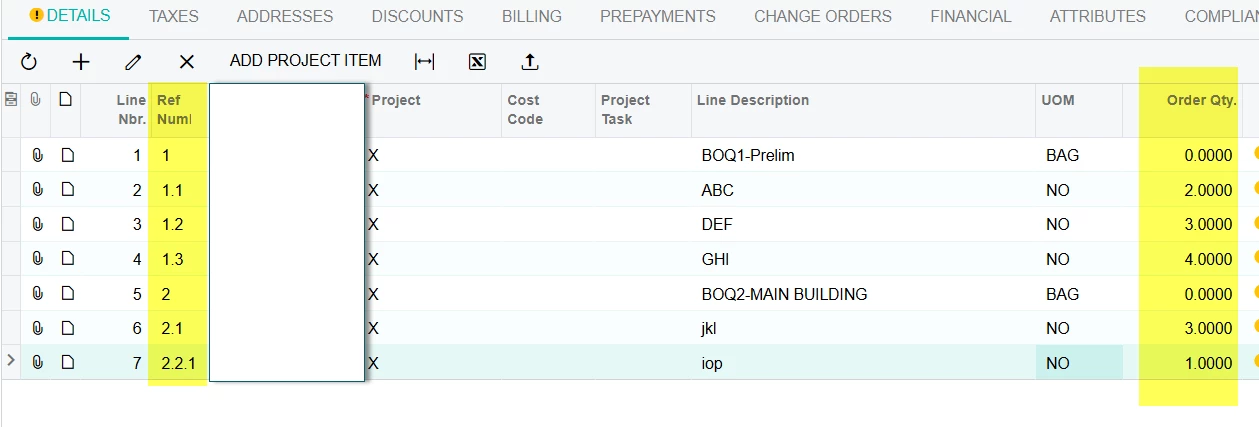
Can we group in report designer using the Ref Number (custom column) as BOQ1 Prelim as total of 9 (order qty) and BOQ2-MAIN BUILDING as 4 ?
Best answer by darylbowman
Possibly.
A gnarly formula like this MIGHT do the trick:
=Floor(CDec(IIf(InStr([Table.Field],'.')>0 And InStr([Table.Field],'.')<Len([Table.Field]),Concat(Substring([Table.Field],0,InStr([Table.Field],'.')+1),Replace(Substring([Table.Field],InStr([Table.Field],'.')+1,Len([Table.Field])-(InStr([Table.Field],'.')+1)))),[Table.Field])))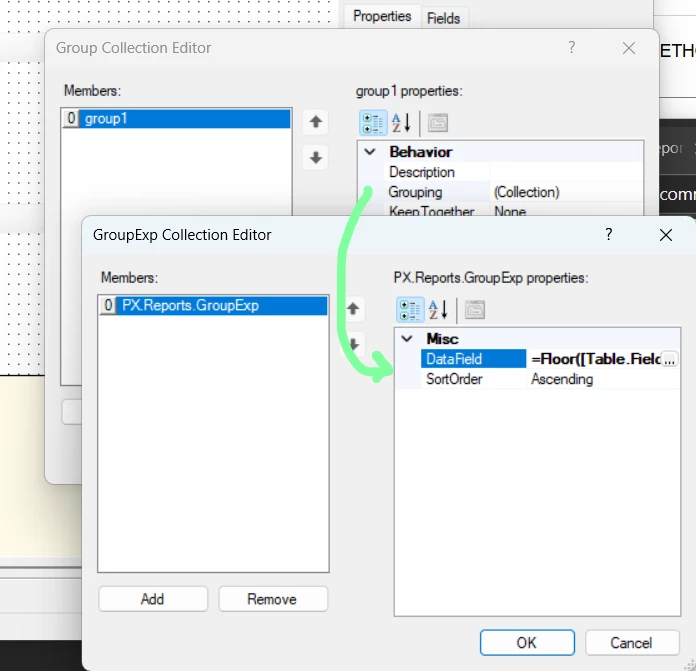
You have to replace [Table.Field] with your actual field (maybe use find and replace in a document editor) and it must be inside brackets.
The idea is that it will remove any instance of . except the first one, convert the result to a decimal, and use Floor() to get the smallest integer value. Assuming this works, it MAY actually work to group it.
No account yet? Create an account
Enter your E-mail address. We'll send you an e-mail with instructions to reset your password.




