Question

Report Definitions screen Customization

  • January 16, 2026
  • 8 replies
  • 98 views

Forum|alt.badge.img

Hi Everyone,

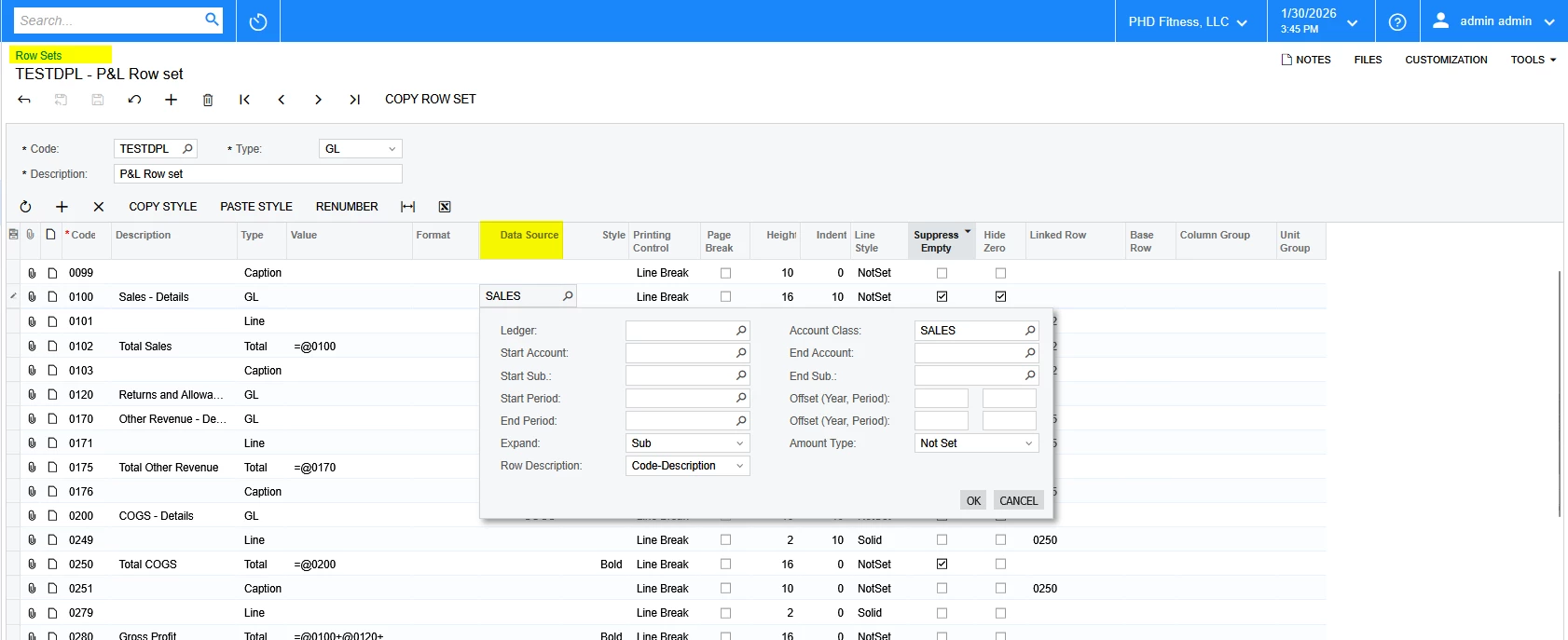
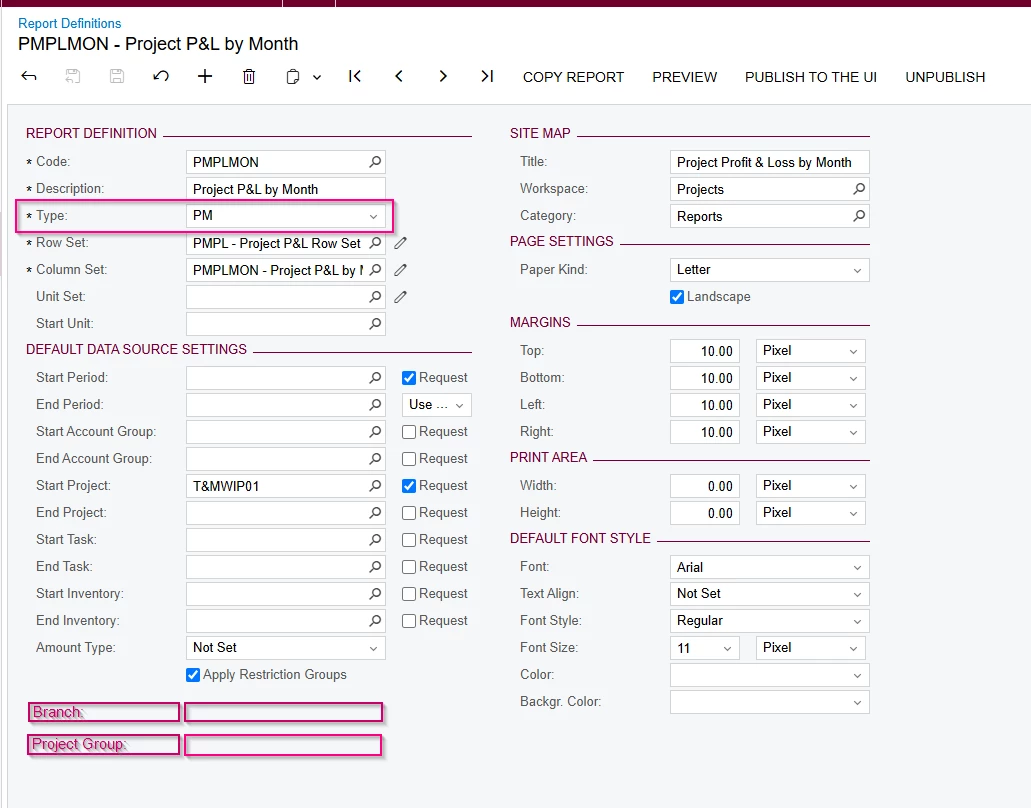
How to customize the Report Definitions screen to add the fields under the Default Data Source Settings for the PM Type.


8 replies

Forum|alt.badge.img
  • Author
  • Jr Varsity III
  • January 19, 2026

Just wanted to check with you all again this!!


Forum|alt.badge.img
  • Author
  • Jr Varsity III
  • January 21, 2026

@wfilipiak67  Can you please provide your inputs on this?


wfilipiak67
Captain II
Forum|alt.badge.img+3
  • Captain II
  • January 21, 2026

@nsmith51 ,
I do not have a lot to do with customizing this screen or building the financial reports beyond the basic needs. 
Sorry. 


nhatnghetinh
Captain II
Forum|alt.badge.img+13
  • Captain II
  • January 22, 2026

Hi ​@nsmith51 

Reports such as Project P&L are ARM reports (Report Definitions) in Acumatica.
These ARM reports are very convenient for creating financial statements. However, their limitation is that you cannot customize the available parameters as flexibly as you require.

You can use Report Designer, a powerful tool that provides extensive support and advanced customization through formula configurations, to fulfill your requirements.


Best Regards,

NNT


Forum|alt.badge.img
  • Jr Varsity II
  • January 30, 2026

Hi ​@nsmith51, You can achieve this by defining report-level parameters based on the tables mapped and then applying the required filters using those parameters in the report’s data source.


Forum|alt.badge.img
  • Author
  • Jr Varsity III
  • January 30, 2026

Hi ​@premalathan35  Have you done this customization before?

If yes, can you please share the sample code to use this parameters in data source?


Forum|alt.badge.img
  • Jr Varsity II
  • January 30, 2026

@nsmith51 I have not done exactly like this. But Create a parameter kind of PMProject table and add a filter like this. 

PMProject.BranchID = @BranchID
AND PMProject.ProjectGroupID = @ProjectGroupID.


Forum|alt.badge.img
  • Author
  • Jr Varsity III
  • January 30, 2026

@premalathan35  Sorry, I think you are not understanding my question.

How can we apply add these fields in the Row Sets → Data Source column?