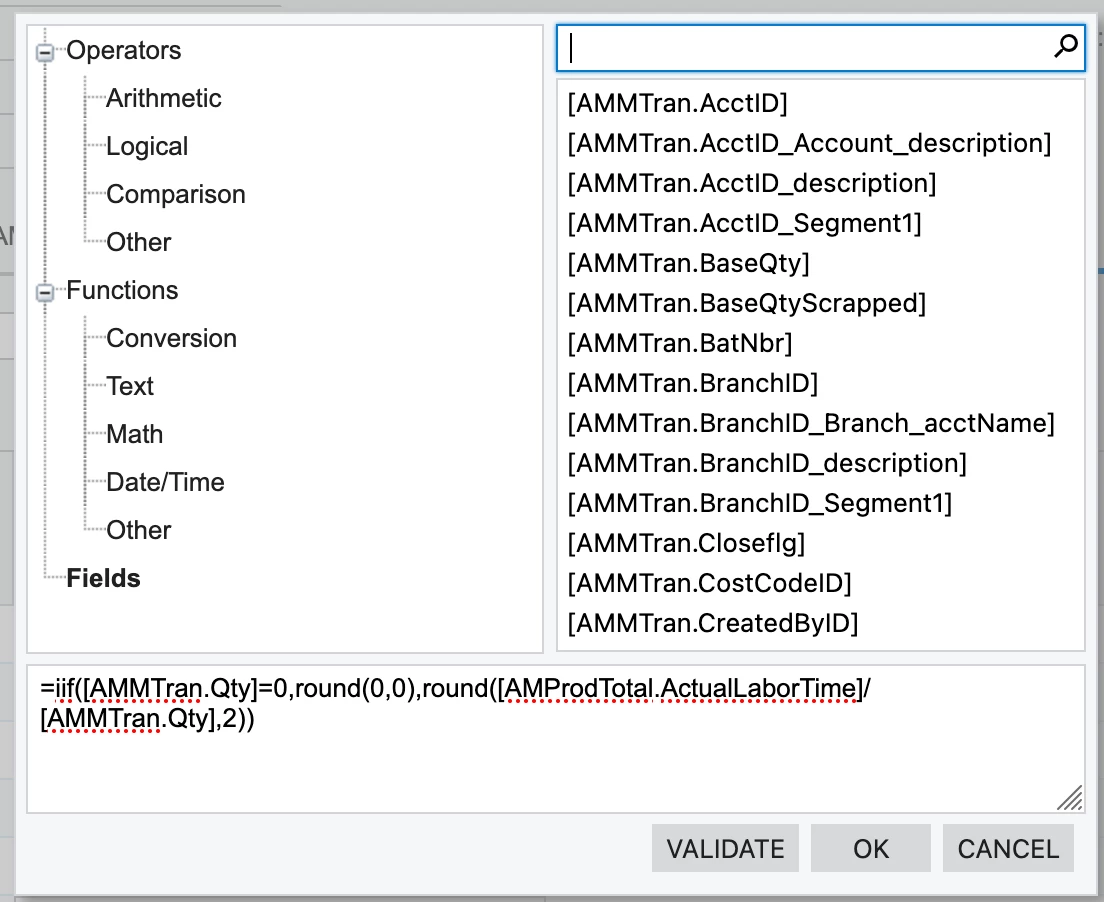
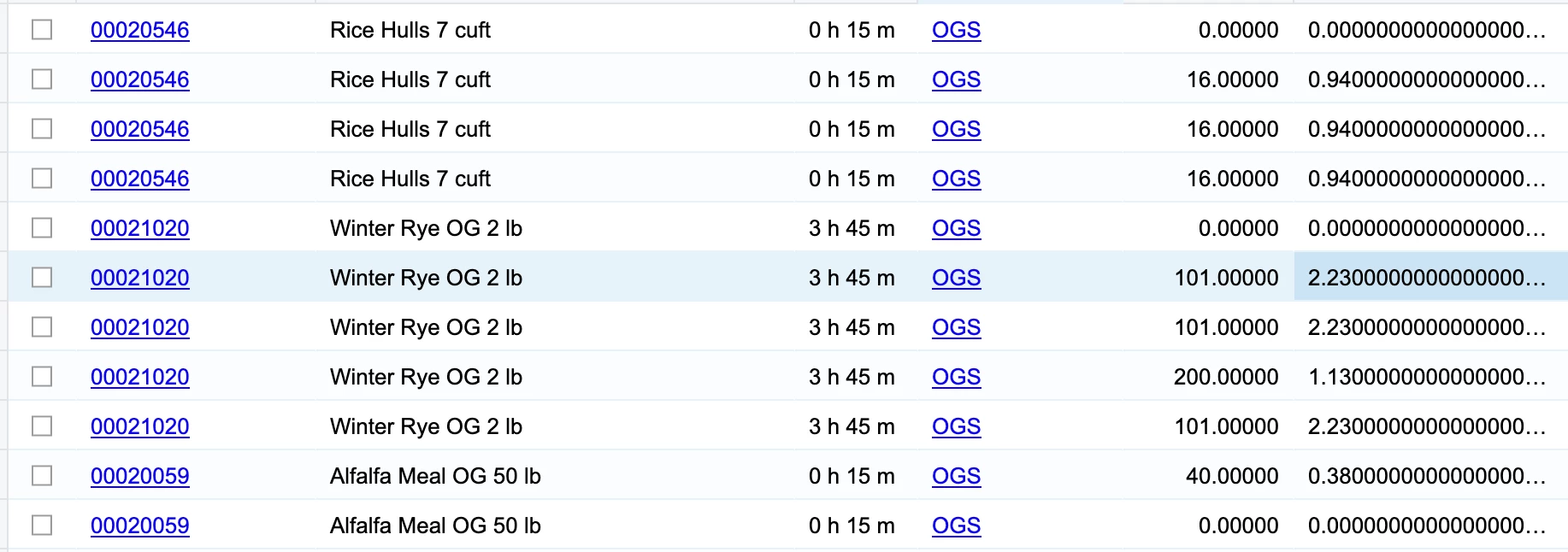
But I’m now seeing an infinite number of 0s after the rounding, and I only want to see 2 decimal places worth.
Best answer by BenjaminCrisman
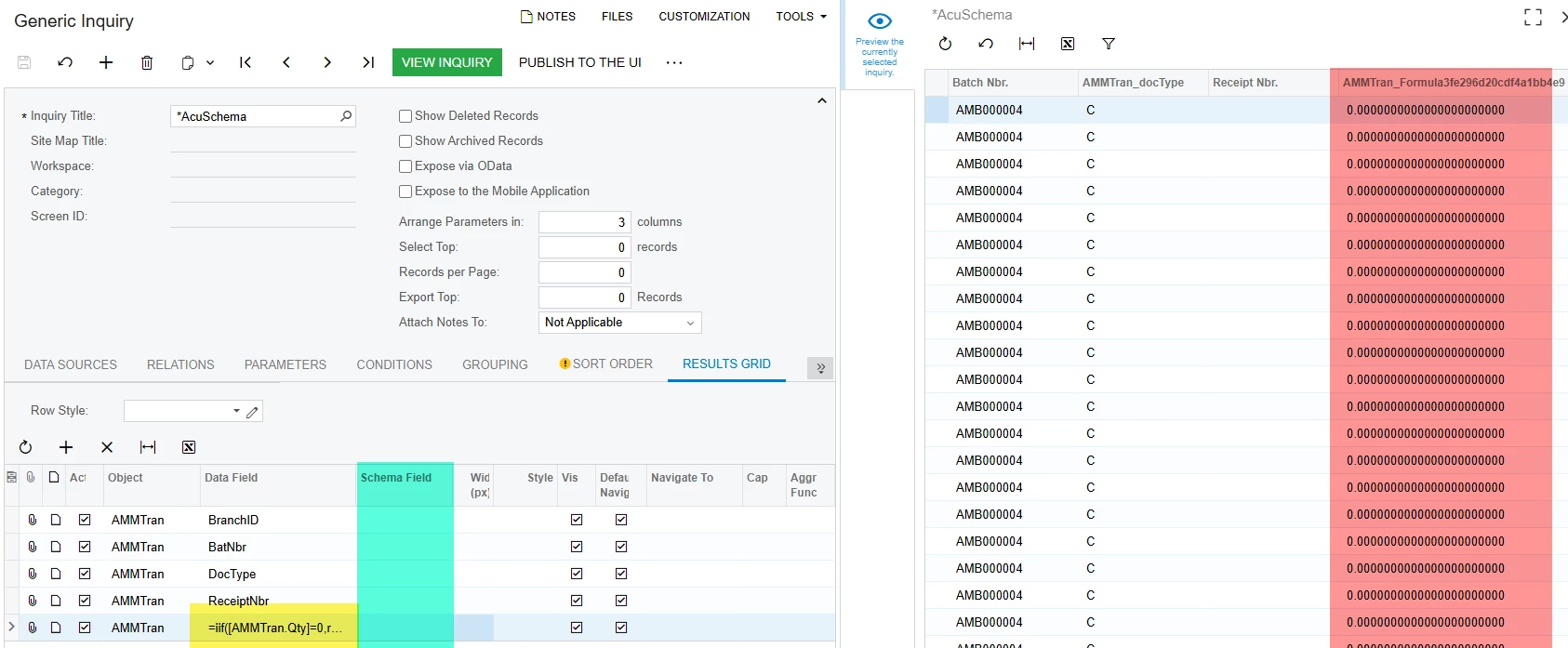
You bet! So the schema field option is in the Results Grid of the GI, should be available by default, but if you don’t see it, bring it out from the column configurator (top left cabinet looking button in the grid). The cool thing about using schemas is that you can use ANY table which can be brought into a GI and it doesn’t have to be joined in! So when I bring in the expression from above:
I see the infinite 0’s
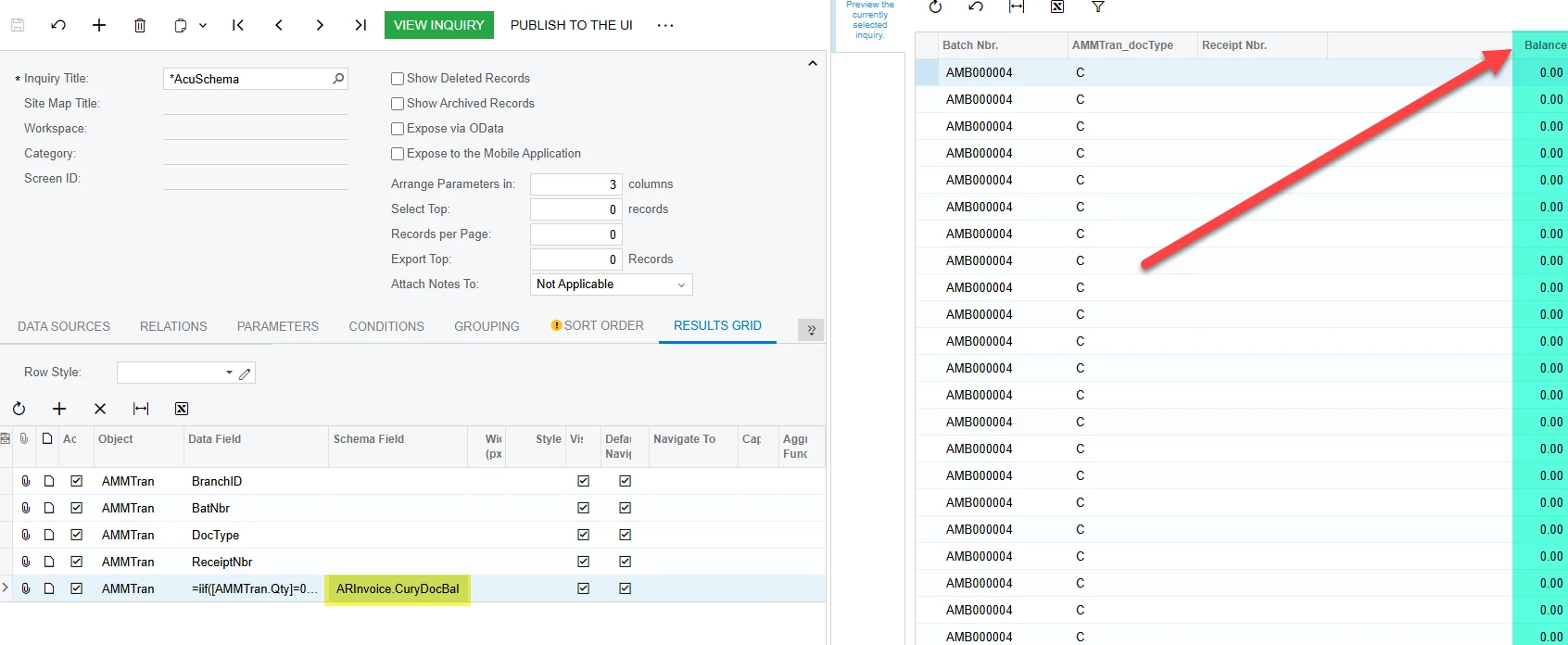
For me, probably the first schema I ever used was for ARInvoice.DocBal and so I’ve just always applied this one though there are probably hundreds to choose from throughout the DACs.
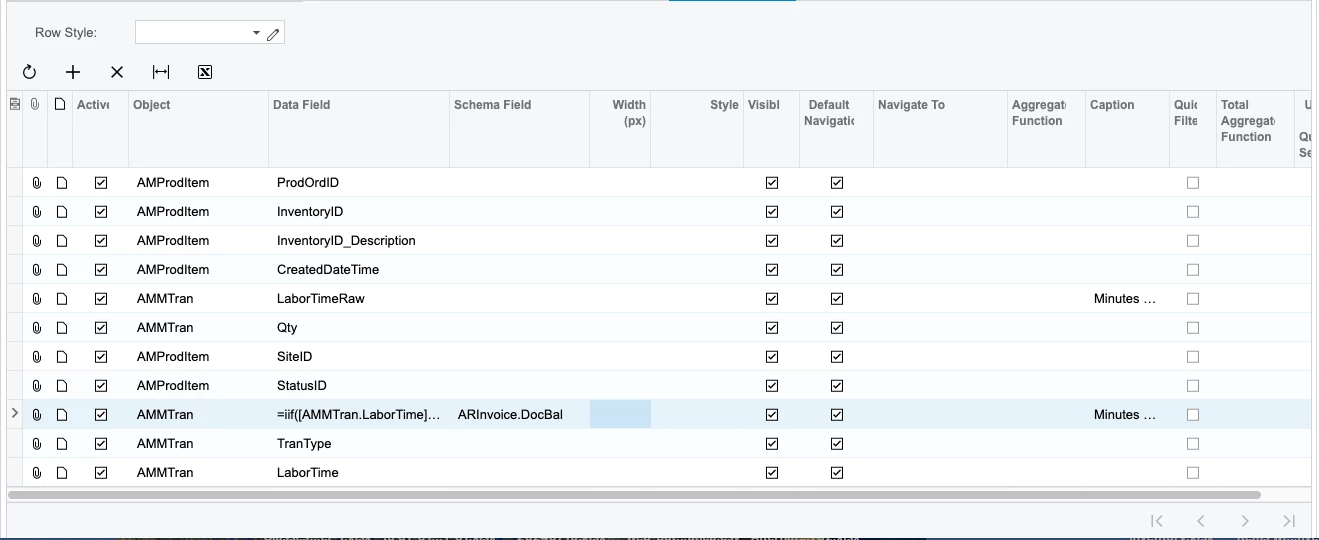
Apply the schema:
It’s worth noting that the title of the column will reflect the schema table used, so you’ll need to add a Caption from the Caption column (typically hidden by default)
@SBaldwin Unfortunately the Round() function doesn’t truncate the results, it just rounds decimal places but leaves trailing zeroes. For this you’ll need to apply a schema to the field, one which already has a two decimal precision applied.
You bet! So the schema field option is in the Results Grid of the GI, should be available by default, but if you don’t see it, bring it out from the column configurator (top left cabinet looking button in the grid). The cool thing about using schemas is that you can use ANY table which can be brought into a GI and it doesn’t have to be joined in! So when I bring in the expression from above:
I see the infinite 0’s
For me, probably the first schema I ever used was for ARInvoice.DocBal and so I’ve just always applied this one though there are probably hundreds to choose from throughout the DACs.
Apply the schema:
It’s worth noting that the title of the column will reflect the schema table used, so you’ll need to add a Caption from the Caption column (typically hidden by default)
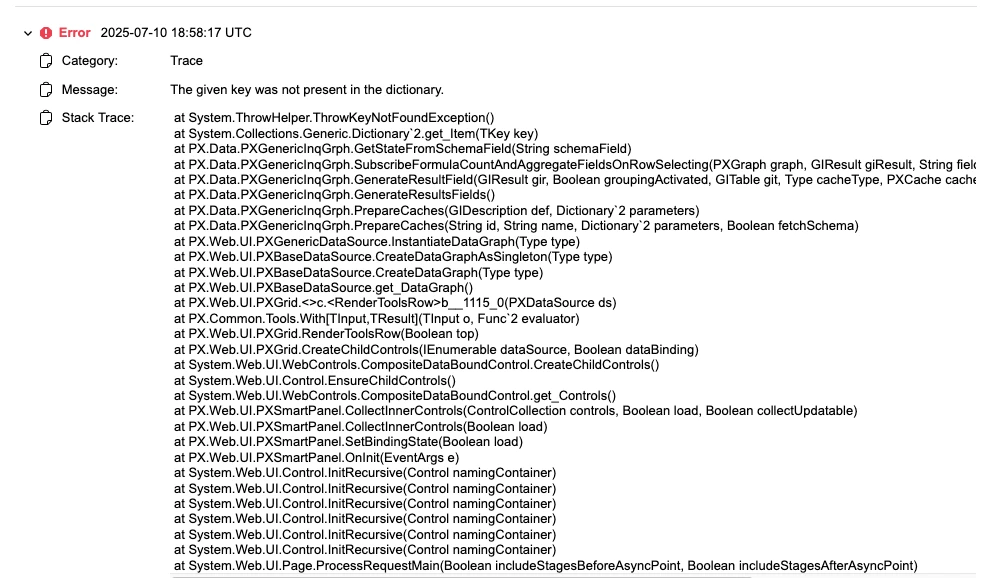
Huh, that’s really strange. Maybe try a different field? You can check like SOInvoice, FSServiceOrder or maybe something in Banking/Finance like a GL table. There are so many which show just two decimals, but this should certainly work. If the table was customized then that could explain part of it, but generally the error that the given key was not in the dictionary has typically pointed to the site needing a restart or there are customizations which are somehow conflicting.