Answer

Remove Export to Excel option from Customers

  • January 23, 2025
  • 4 replies
  • 131 views

Forum|alt.badge.img

Hello!
 

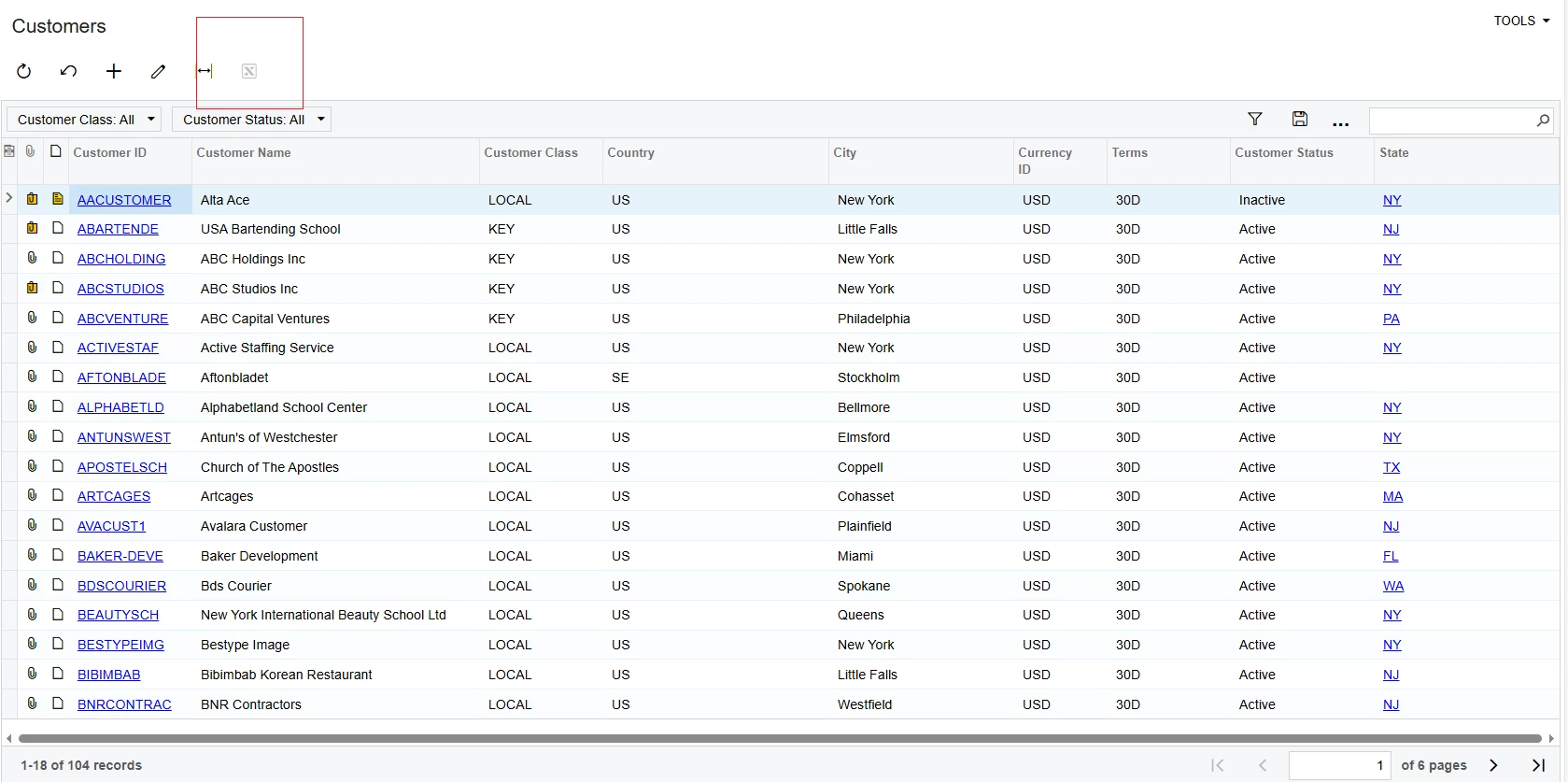
I am required to remove Export to Excel option from Customers (AR3030PL) screen. 
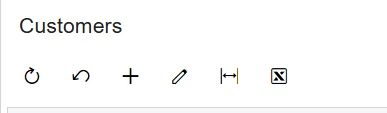
Is there any possibility of doing this?

Best Regards

Best answer by nhatnghetinh

Hi ​@apallawala21 

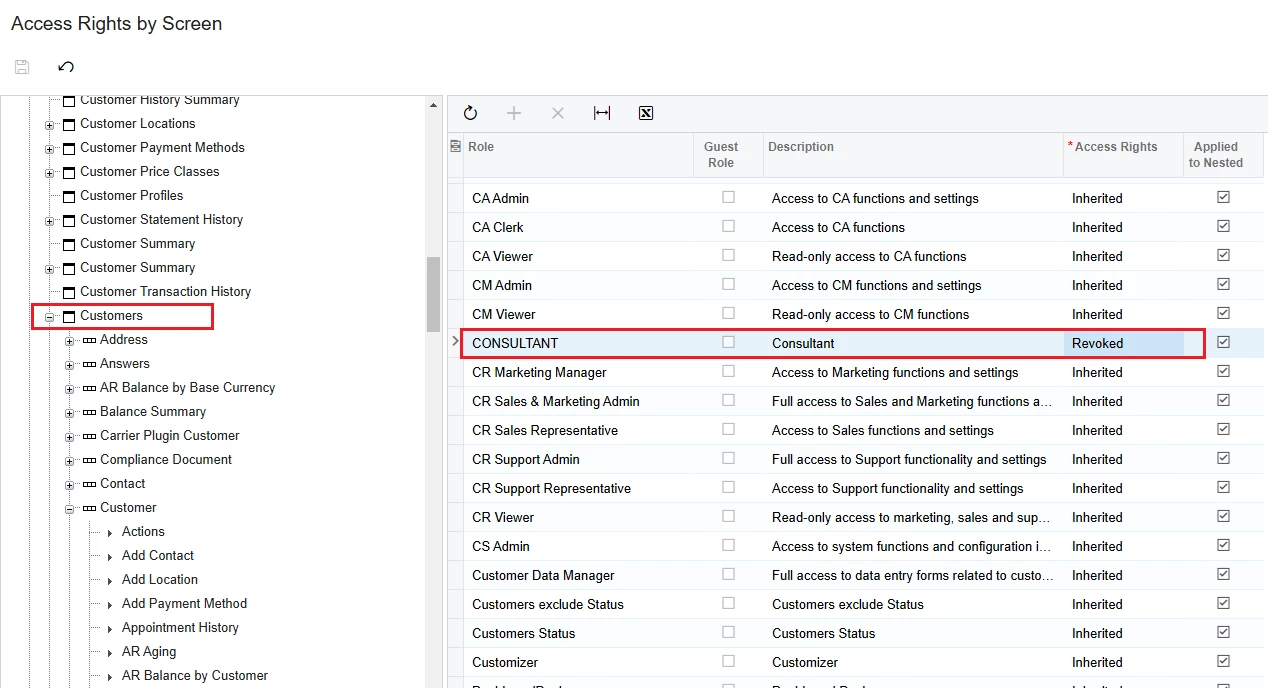
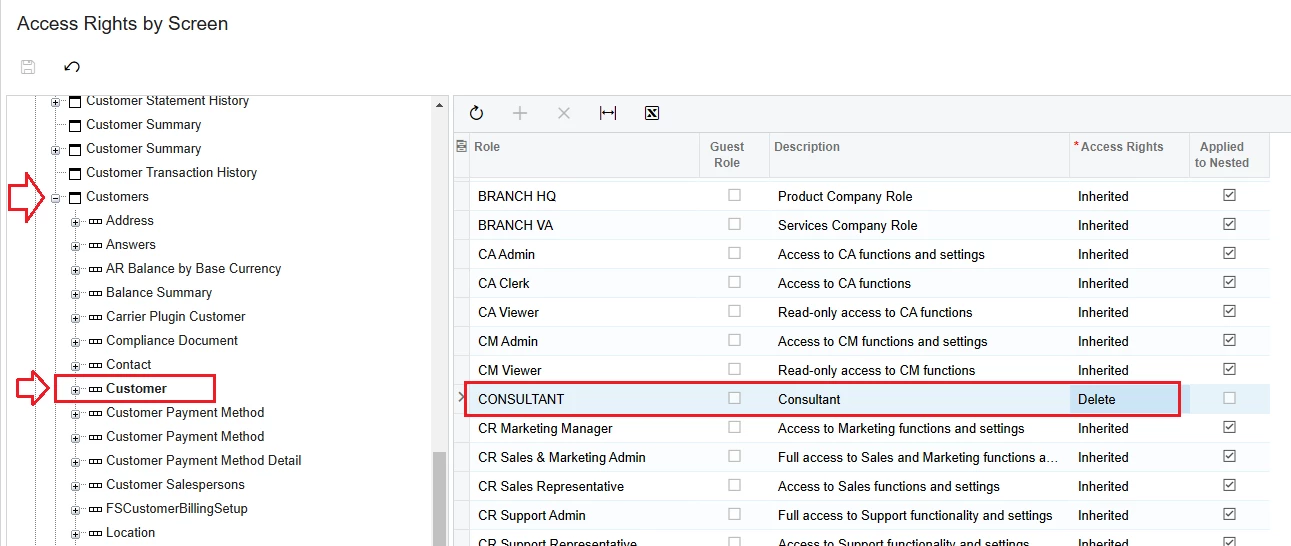
You use the Access Rights feature to block Export rights to Excel.
Please refer to the screenshots below.


Best Regards,

NNT

4 replies

Forum|alt.badge.img
  • Varsity I
  • January 23, 2025

Hi ​@apallawala21 This AI suggested try it once

Approach:

  1. Customization Project: Create a customization project to modify the screen behavior.

  2. Screen Extension: Extend the AR3030PL screen.

  3. Event Handler: In the screen extension, override the GetActions method.

  4. Action Removal: Within the GetActions method, filter out the "Export to Excel" action from the list of available actions.

Code Example (Illustrative):

C#


public class AR3030PLExtension : PXGraphExtension<AR3030PL>
{
public override IEnumerable<PXAction> GetActions()
{
var actions = base.GetActions();

// Remove the "Export to Excel" action
var exportToExcelAction = actions.FirstOrDefault(a => a.Name == "export");
if (exportToExcelAction != null)
{
actions = actions.Where(a => a != exportToExcelAction);
}

return actions;
}
}

Explanation:

  • The AR3030PLExtension class extends the AR3030PL graph, allowing you to customize its behavior.
  • The GetActions() method is overridden to control the actions displayed on the screen.
  • The code filters out the action with the name "export" (which typically corresponds to the "Export to Excel" action).
  • The modified list of actions is then returned, effectively removing the "Export to Excel" option from the screen.

Deployment:

  • After implementing the code and testing it thoroughly, compile the customization project.
  • Deploy the customization to your Acumatica instance.

Note:

  • The exact action name and the implementation details might vary slightly depending on your specific Acumatica version and customizations.
  • It's recommended to create a backup before making any customizations to your Acumatica system.

By following these steps, you should be able to successfully remove the "Export to Excel" option from the Customers (AR3030PL) screen in your Acumatica environment.

If you have any further questions or need more specific guidance, feel free to provide more context about your Acumatica version and any existing customizations.


profile picture


Forum|alt.badge.img+2

@apallawala21 

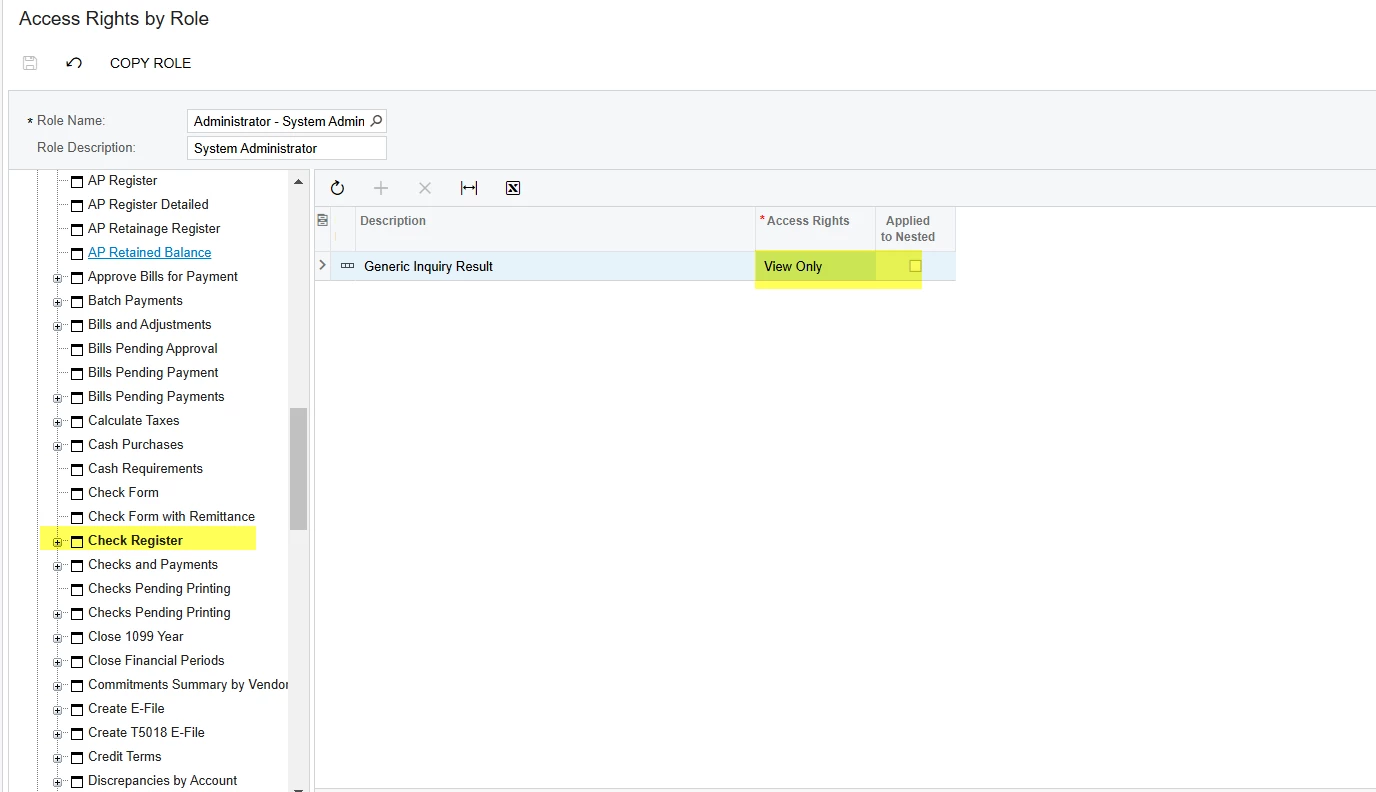
In the access rights by Role you can make Access to that Generic Inquiry as View only. This will stop the export function in GI.


Access Rights by Role screen.


Please let me know this answered your question.


nhatnghetinh
Captain II
Forum|alt.badge.img+11
  • Captain II
  • Answer
  • January 23, 2025

Hi ​@apallawala21 

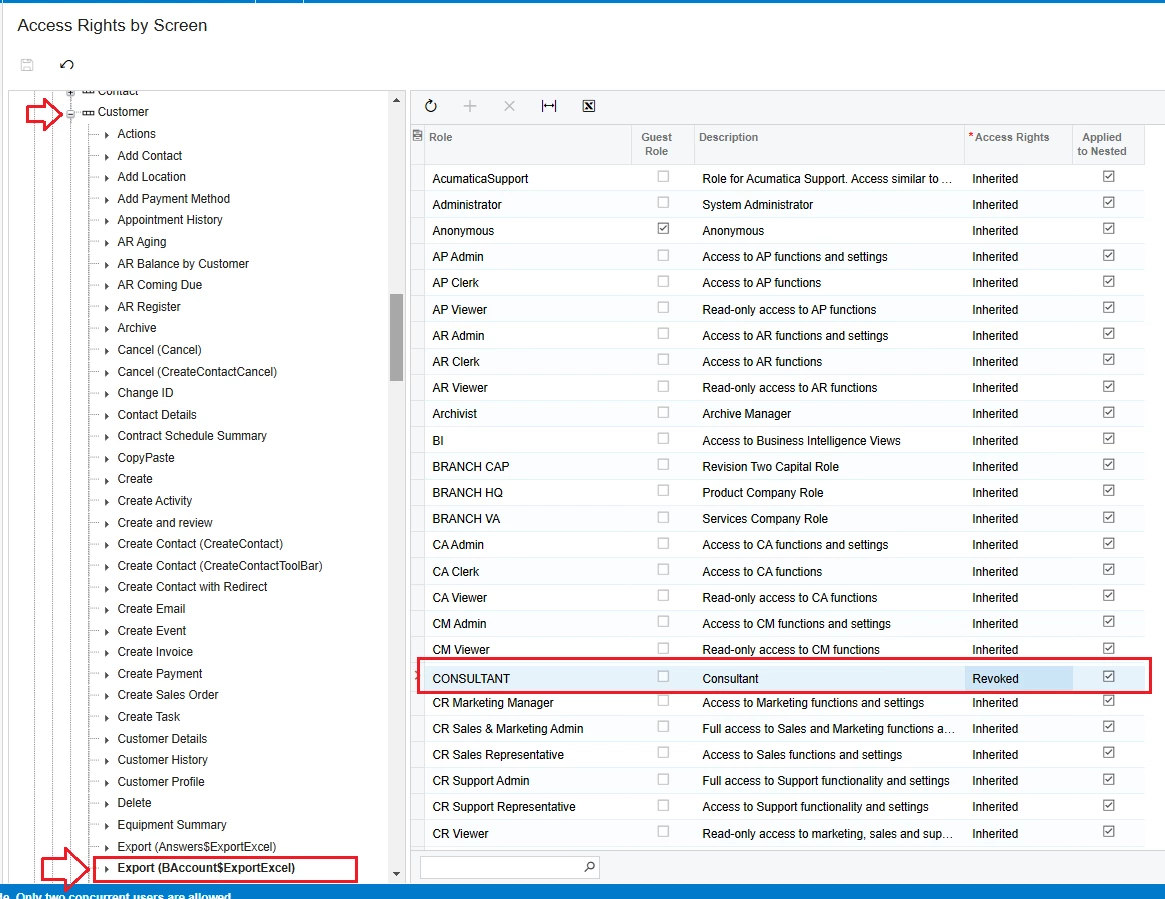
You use the Access Rights feature to block Export rights to Excel.
Please refer to the screenshots below.


Best Regards,

NNT


Forum|alt.badge.img
  • Author
  • Jr Varsity II
  • February 1, 2025

Access Rights (Export BAcoount...) worked for me. 


Thank You!