Answer

Relative Date in GI filter

  • November 23, 2022
  • 11 replies
  • 419 views

Jeff96
Captain II
Forum|alt.badge.img+4

I’m trying to filter results on a GI to @today but it returns 0 results. 


I attached the GI.

Best answer by Doug Johnson

Hi Folks. The Confirmed Date column keeps time information, the ShipDate does not. So perhaps date rounding is causing the issue.

Ship date stores date info, confirmed date stores date/time in UTC

For a quick fix, I did this with my filter … 
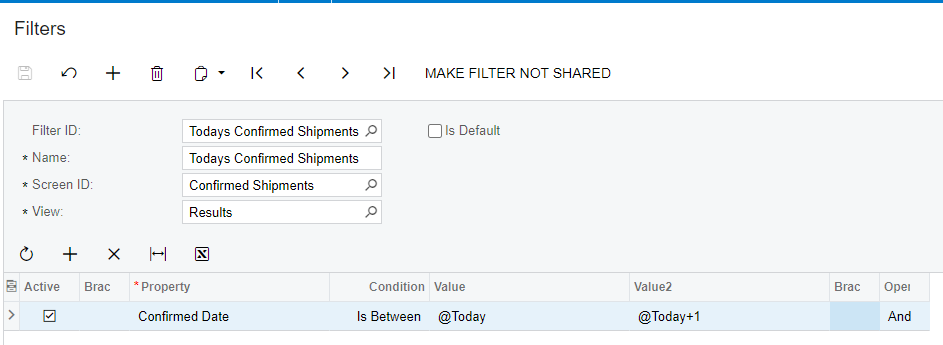
… but I should probably figure a way to remove the time from my ConfirmedDate Time field.

You can use the DAC Schema Browser if you want to know which date fields store time:

  • If the Type = datetime, then time and date are stored
  • If the Type = datetime2, then only the date is stored.


11 replies

Manikanta Dhulipudi
Captain II
Forum|alt.badge.img+15

Hi @Jeff96 

I am able to filter records with today.

Could you please help me to understand with some more inputs 

Thanks


Jeff96
Captain II
Forum|alt.badge.img+4
  • Author
  • Captain II
  • November 23, 2022

Hi @Jeff96 

I am able to filter records with today.

Could you please help me to understand with some more inputs 

Thanks


I meant through the filter settings. I want to create and save a filter view with the @today function.


Manikanta Dhulipudi
Captain II
Forum|alt.badge.img+15

Hi @Jeff96 

Thanks for the clarification 


Robert Sternberg
Captain II
Forum|alt.badge.img+7

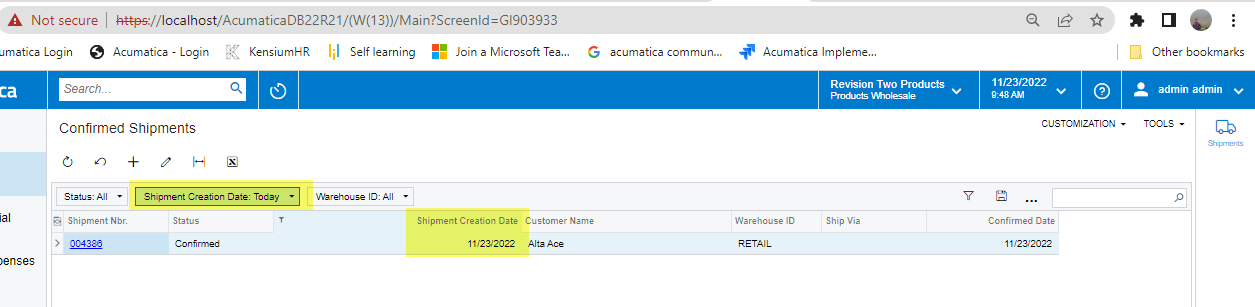
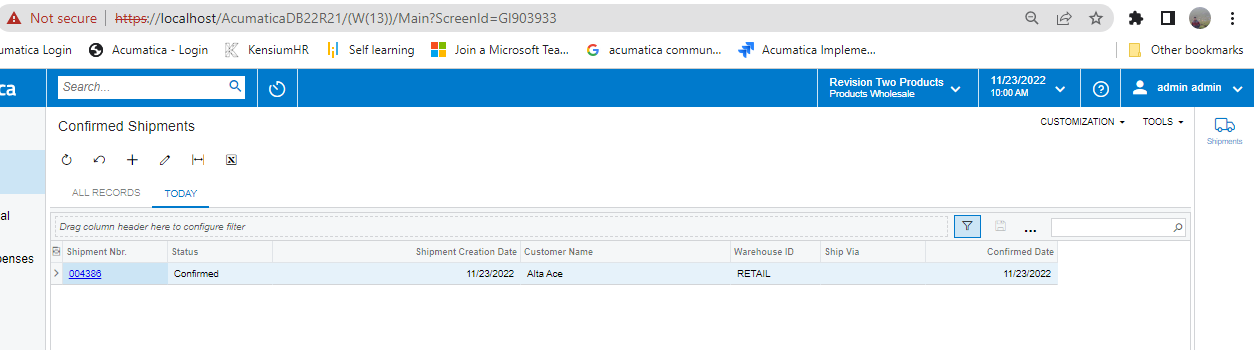
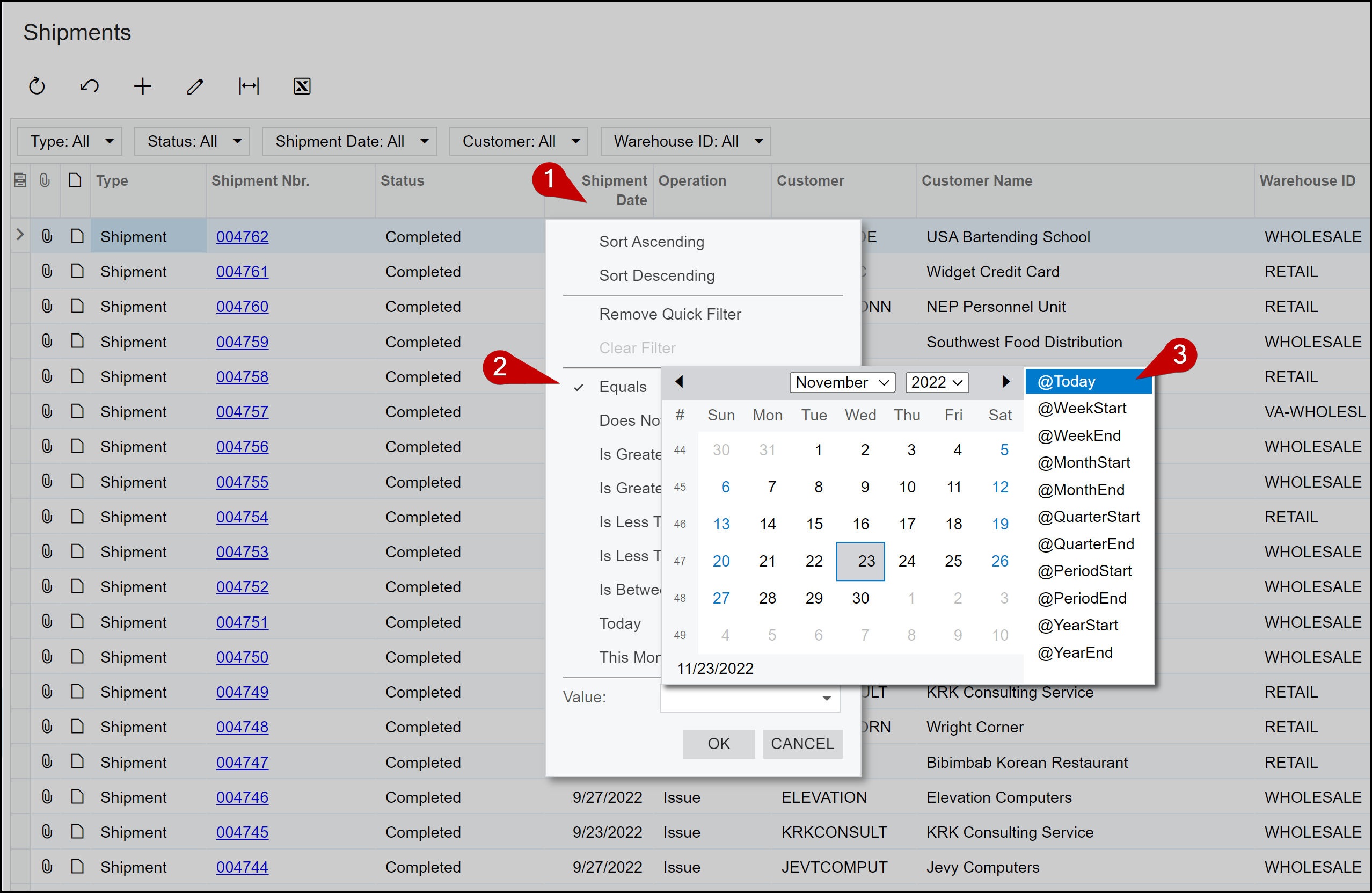
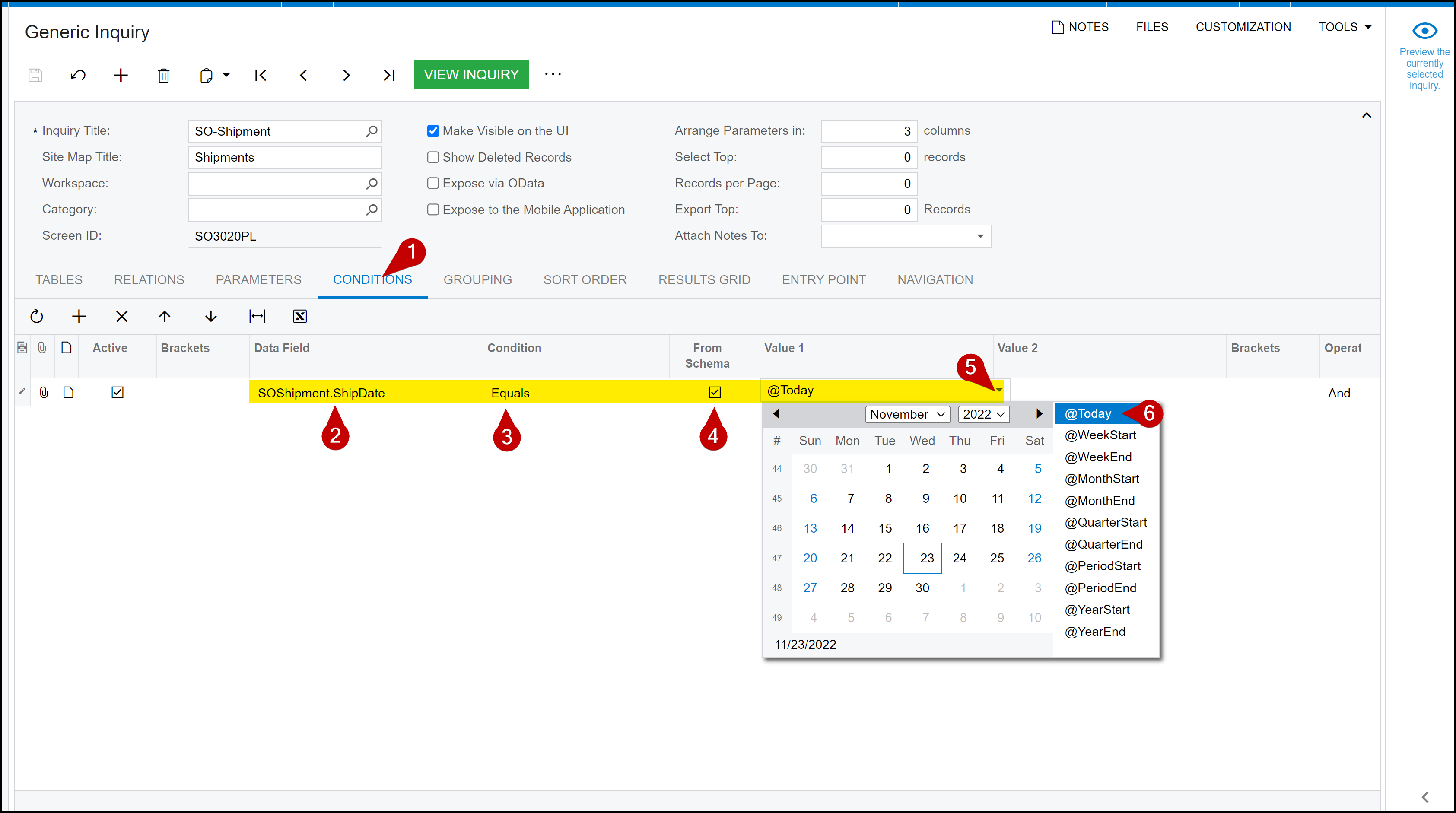
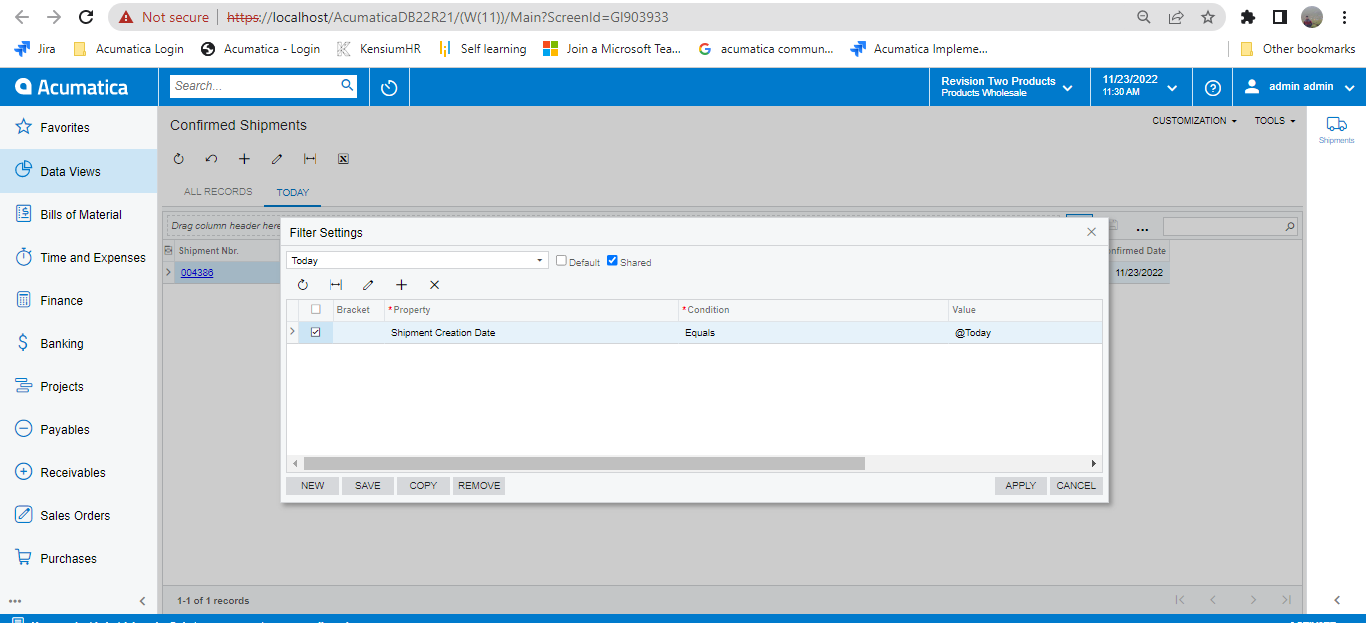
There are several ways to accomplish this.  Here are a couple of methods.  Let us know what you need more help with. 


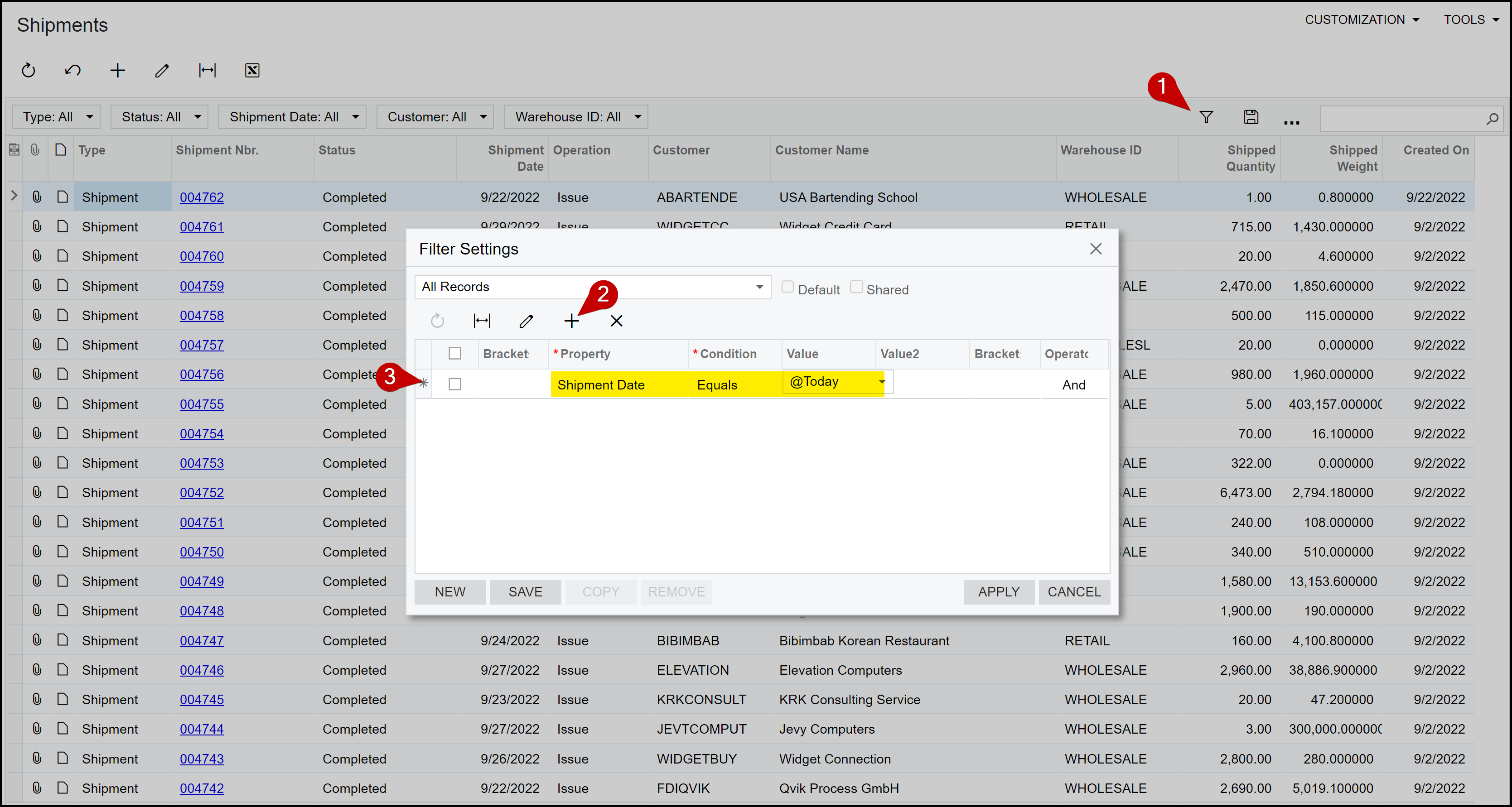
Quick Filter ‘Equals’ @Today


Quick Filter ‘Today’


Advanced Filter ‘Equals’ @Today 


Generic Inquiry Condition ‘Equals’ @Today


Jeff96
Captain II
Forum|alt.badge.img+4
  • Author
  • Captain II
  • November 23, 2022


Hi @Jeff96 

Thanks for the clarification 


Did you change anything? Because for me it doesn’t show any results. 


Manikanta Dhulipudi
Captain II
Forum|alt.badge.img+15

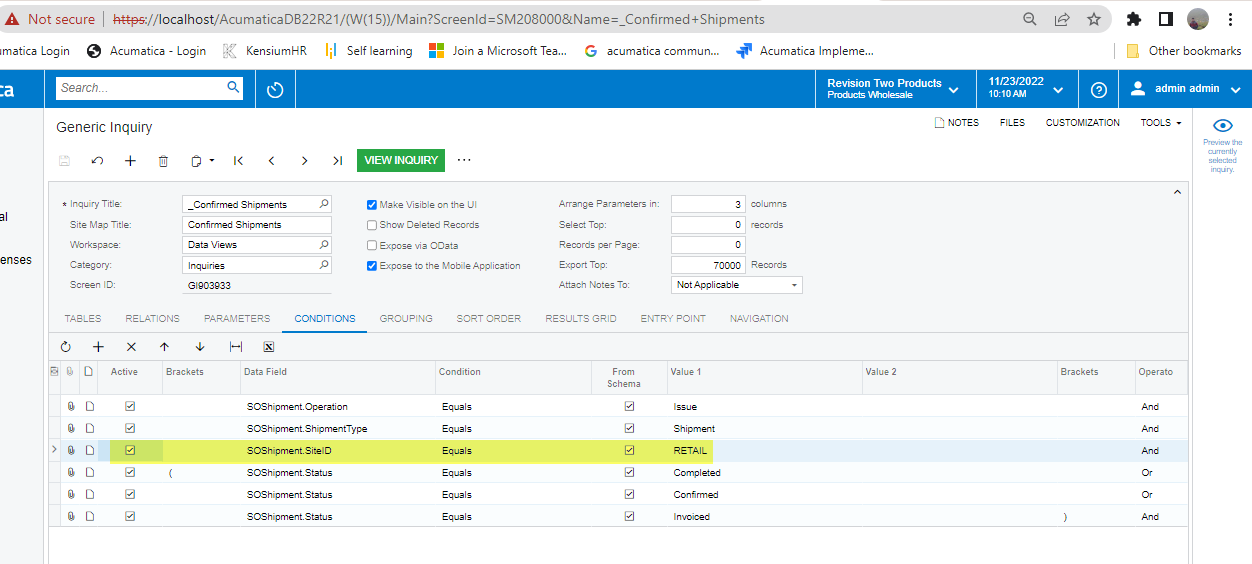
Hi @Jeff96 Please enable below highlighted condition in the shared GI


Jeff96
Captain II
Forum|alt.badge.img+4
  • Author
  • Captain II
  • November 23, 2022

Hi @Jeff96 Please enable below highlighted condition in the shared GI


It’s already enabled. 


Manikanta Dhulipudi
Captain II
Forum|alt.badge.img+15

Hi @Jeff96 

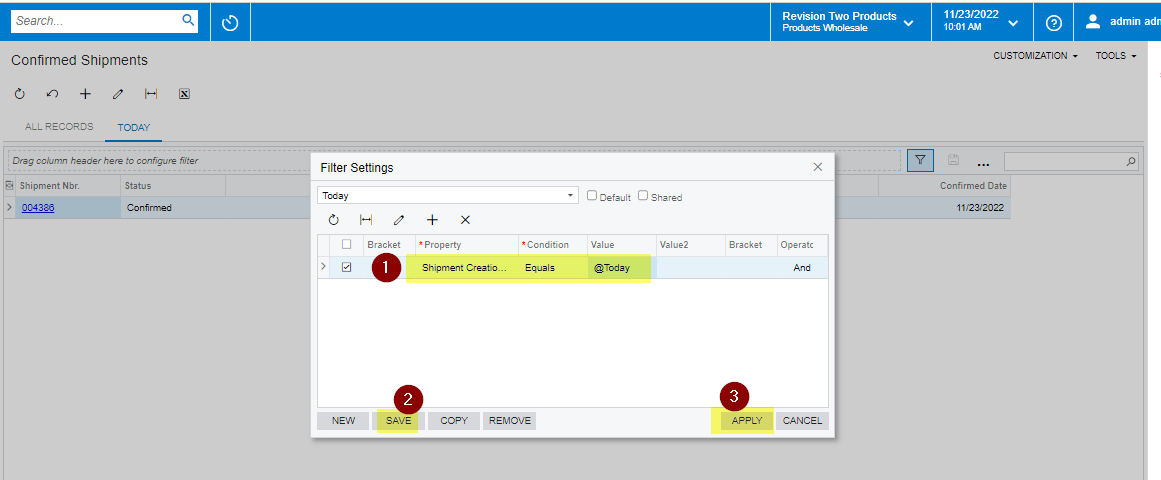
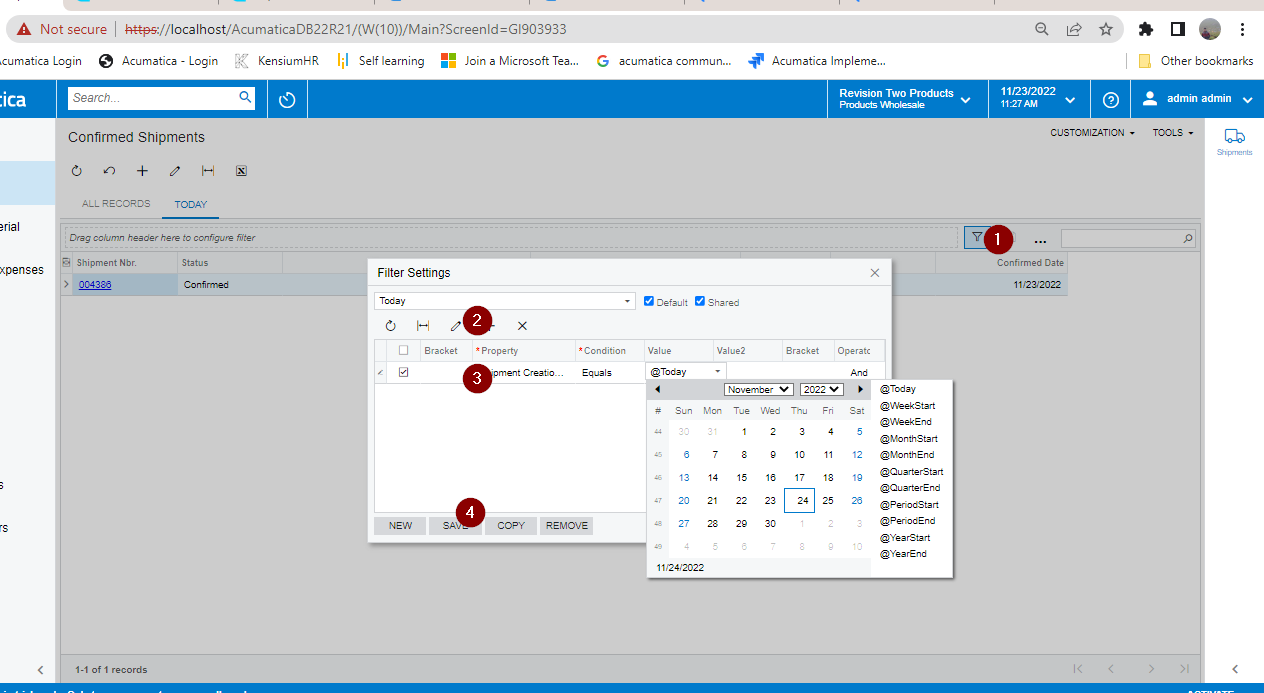
Please try this 

If still not able to see then follow the steps

  1. Click on the filter the button as shown as step-in in the below image
  2. Click on New and
  3. add the conditions as step 2
  4. Click on save
  5. Click on apply


Jeff96
Captain II
Forum|alt.badge.img+4
  • Author
  • Captain II
  • November 23, 2022

Hi @Jeff96 

Please try this 

If still not able to see then follow the steps

  1. Click on the filter the button as shown as step-in in the below image
  2. Click on New and
  3. add the conditions as step 2
  4. Click on save
  5. Click on apply


I’m trying to filter the Confirmed Date column; it doesn’t work for that one.


Doug Johnson
Acumatica Moderator
Forum|alt.badge.img+4
  • Acumatica VP, Product Management
  • Answer
  • November 23, 2022

Hi Folks. The Confirmed Date column keeps time information, the ShipDate does not. So perhaps date rounding is causing the issue.

Ship date stores date info, confirmed date stores date/time in UTC

For a quick fix, I did this with my filter … 

… but I should probably figure a way to remove the time from my ConfirmedDate Time field.

You can use the DAC Schema Browser if you want to know which date fields store time:

  • If the Type = datetime, then time and date are stored
  • If the Type = datetime2, then only the date is stored.


Jeff96
Captain II
Forum|alt.badge.img+4
  • Author
  • Captain II
  • November 23, 2022

Hi Folks. The Confirmed Date column keeps time information, the ShipDate does not. So perhaps time zones are causing the issue.

Ship date stores date info, confirmed date stores date/time in UTC

For a quick fix, I did this with my filter … 


Thank you!