

Solved

Relationships not working? 25 R2

  • November 14, 2025
  • 3 replies
  • 30 views

Forum|alt.badge.img

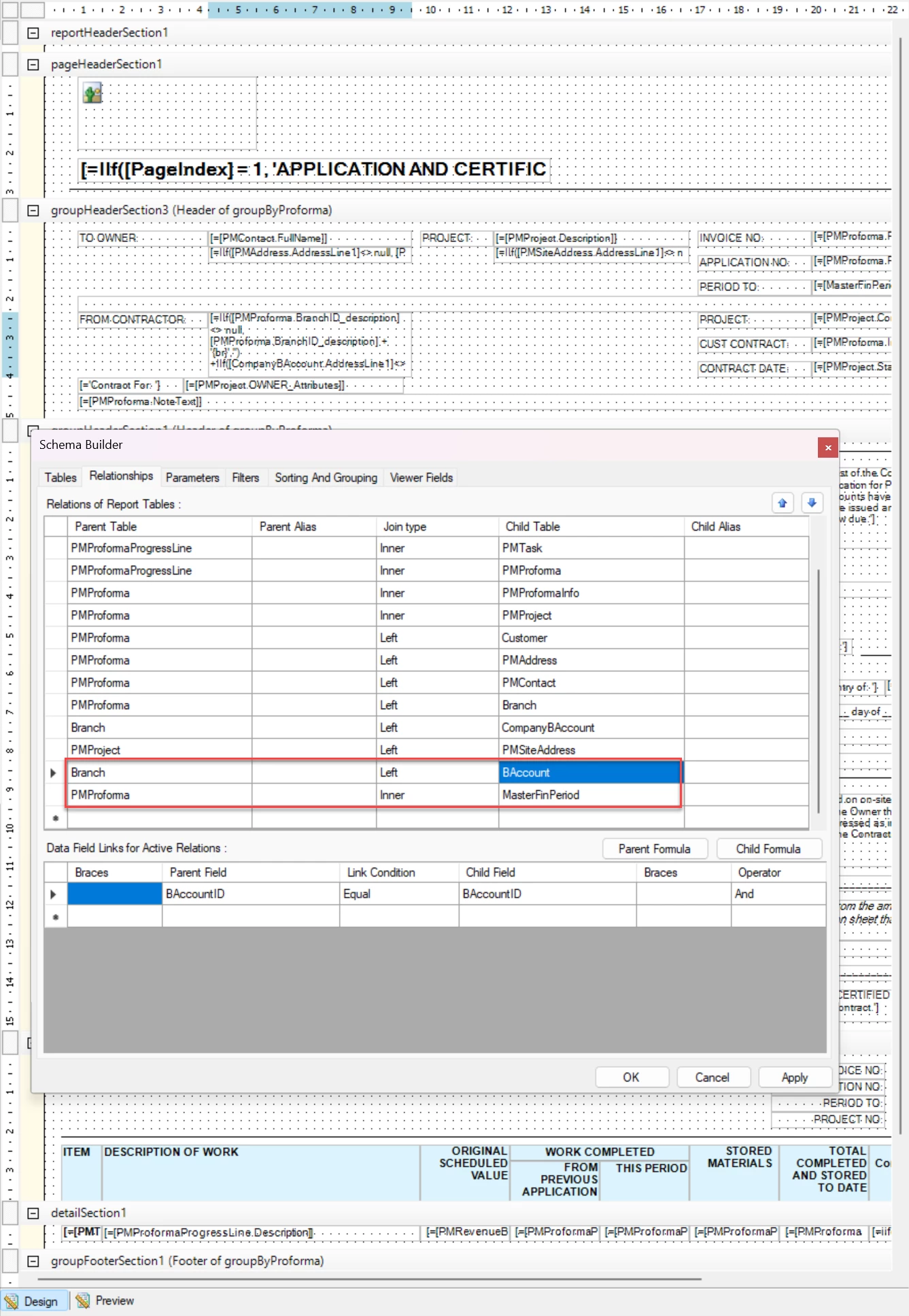
Anyone have any pointers as to why these two joins are not working? It seems that any new table/join I add to the AIA report on 25 R2 does not work. See below:


Best answer by BenjaminCrisman

@jamest62 The AIA is not really meant for editing. The form is pretty specific format and so the tables seen in the build schema are mostly just for reference to show what the resulting query output is generated from. The report itself is populated from incoming data and so even if the joins worked, the resulting tables wouldn’t be usable in the report, they would just print blank since they are not part of the query which actually feeds into the report.

3 replies

BenjaminCrisman
Acumatica Employee
Forum|alt.badge.img+4
  • Acumatica Support Team
  • Answer
  • November 14, 2025

@jamest62 The AIA is not really meant for editing. The form is pretty specific format and so the tables seen in the build schema are mostly just for reference to show what the resulting query output is generated from. The report itself is populated from incoming data and so even if the joins worked, the resulting tables wouldn’t be usable in the report, they would just print blank since they are not part of the query which actually feeds into the report.


Forum|alt.badge.img
  • Author
  • Jr Varsity II
  • November 14, 2025

@jamest62 The AIA is not really meant for editing. The form is pretty specific format and so the tables seen in the build schema are mostly just for reference to show what the resulting query output is generated from. The report itself is populated from incoming data and so even if the joins worked, the resulting tables wouldn’t be usable in the report, they would just print blank since they are not part of the query which actually feeds into the report.

So the tables have to exist in the ProForma “feed” to the AIA to be used?


BenjaminCrisman
Acumatica Employee
Forum|alt.badge.img+4
  • Acumatica Support Team
  • November 14, 2025

The tables have to be part of the query used to generate the report, but I’m not aware of any way to affect this query or add data to it.


