Answer

Question about hiding a field using multiple criteria

  • December 6, 2024
  • 11 replies
  • 108 views

Forum|alt.badge.img+1

We have a report that serves multiple functions. There is a NOTE field that we would like to display if the [SOOrder.OrderType] <> ‘RQ OR [Note.NoteText] <> “”. ChatGPT search came up with recommendations, but none of them are working. The formula that I have so far is =IIF([SOOrder.OrderType] <> ‘RQ’, OR [Note.NoteTest] <> “”) then the NOTE field should appear, if the [SOOrder.OrderType] = ‘RQ’ the NOTE field should disappear. The NOTE field is showing up no matter what the condition is. The Visible condition is set to True. If I run the code =[SOOrder.OrderType] <> ‘RQ’ the NOTE field does not show up. There is only an issue when there are two (or more) conditions.

Best answer by darylbowman

A few things:

  1. All my formulas were using a misspelled field name due to one of the formulas in your original post being misspelled:

    =IIF([SOOrder.OrderType] <> ‘RQ’, OR [Note.NoteTest] <> “”) 


  2. If the goal is to always hide the note for ‘RQ’ orders, this formula works for me:
     =[SOOrder.NoteText]<>Null And [SOOrder.NoteText]<>'' And [SOOrder.OrderType]<>'RQ' 
    (the null-check is just in case no note has been created yet)
     
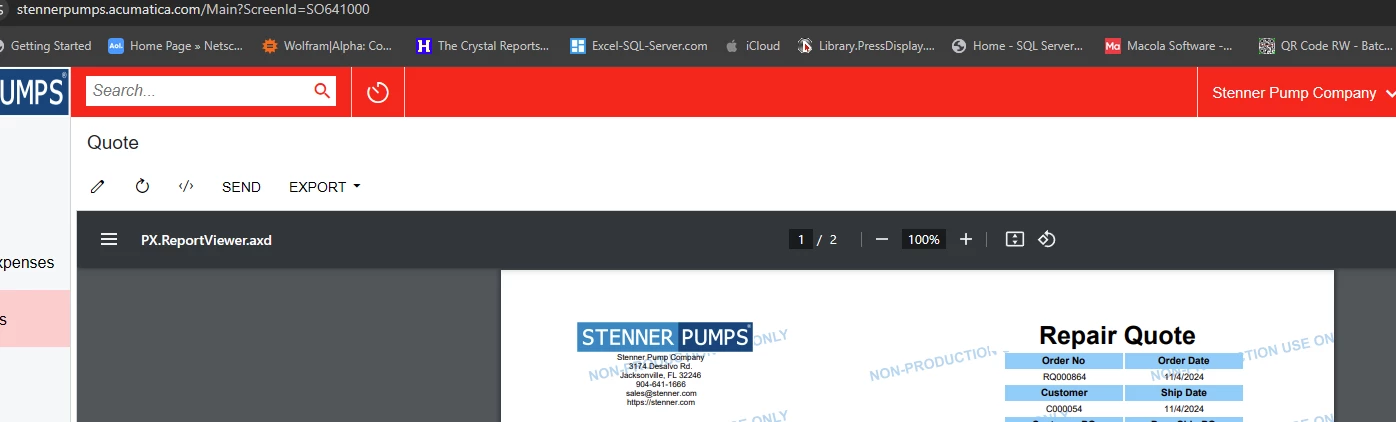
  3. Make sure you’re actually testing the SO641000 report. This was probably just me, but I was working on this for a bit before I realized the report launching from the Sales Order ‘print’ option was SO.64.10.10, not SO.64.10.00

     

11 replies

darylbowman
Captain II
Forum|alt.badge.img+15

This will show the note for any Orders except ‘RQ’ unless the note is not empty. Simply put, always show non-empty notes and always show any note when not an ‘RQ’ order:

=IIF([SOOrder.OrderType]<>'RQ' Or [Note.NoteTest]<>'')


I’m guessing you want this:

=IIF([SOOrder.OrderType]<>'RQ' And [Note.NoteTest]<>'')

which will show the note for any Orders except ‘RQ’ only if the note is not empty


Forum|alt.badge.img+1
  • Author
  • Semi-Pro I
  • December 6, 2024

The [Note.NoteText] needs to be OR because if the Quote is not an RQ, then the NOTE textbox needs to be shown in case there are notes in the [Note.NoteText]. I did try both logic earlier that you have shown, but for some reason, the NOTE textbox still showed up when used in conjunction with the OR and the AND. Any other suggestions? Thank you.


darylbowman
Captain II
Forum|alt.badge.img+15

Can you explain what you're expecting (in English, not code) and how you're testing?


darylbowman
Captain II
Forum|alt.badge.img+15

Sorry, I just realized the likely issue. Try this:

=[SOOrder.OrderType]<>'RQ' Or [Note.NoteTest]<>''


Or if that doesn't work:

=IIF([SOOrder.OrderType]<>'RQ' Or [Note.NoteTest]<>'',True,False)


Forum|alt.badge.img+1
  • Author
  • Semi-Pro I
  • December 7, 2024

I am able to get either of the conditions to work when they are not together, but together, as in your samples above, the NOTE textfield still shows up.


darylbowman
Captain II
Forum|alt.badge.img+15

Did you try these with an 'And'? 

...the NOTE textbox needs to be shown in case there are notes in the [Note.NoteText]. 

The whole point of checking <>'' is that the note doesn't need to be shown if it's empty.

This is definitely possible, but I think your logic is slightly askew.


Forum|alt.badge.img+1
  • Author
  • Semi-Pro I
  • December 7, 2024

ChatGPT and CoPilot both had the same suggestions that you suggested and which I have tried before reaching out to the Acumatica Community. I’ve tried OR, AND, IIF statements, and SWITCH. I am certainly open to any other suggestions, and appreciate any help I can get. Individually the statements work, put together they are flawed. Maybe I’m missing something?


darylbowman
Captain II
Forum|alt.badge.img+15

Could you attach the report please?


Forum|alt.badge.img+1
  • Author
  • Semi-Pro I
  • December 7, 2024

Attached is the report. Down in the left hand corner is the NOTE and another field for the [Note.NoteText], which will have the same logic behind it as the NOTE. I am planning to put a subreport where the NOTE currently resides only if the [SOOrder.OrderType] = ‘RQ’ since this report is multi purpose. I originally had it as a separate report, but that is not what the user wants or need, thus the extra coding for the OrderType and NOTE field(s).


darylbowman
Captain II
Forum|alt.badge.img+15
  • Answer
  • December 7, 2024

A few things:

  1. All my formulas were using a misspelled field name due to one of the formulas in your original post being misspelled:

    =IIF([SOOrder.OrderType] <> ‘RQ’, OR [Note.NoteTest] <> “”) 


  2. If the goal is to always hide the note for ‘RQ’ orders, this formula works for me:
     =[SOOrder.NoteText]<>Null And [SOOrder.NoteText]<>'' And [SOOrder.OrderType]<>'RQ' 
    (the null-check is just in case no note has been created yet)
     
  3. Make sure you’re actually testing the SO641000 report. This was probably just me, but I was working on this for a bit before I realized the report launching from the Sales Order ‘print’ option was SO.64.10.10, not SO.64.10.00
     

Forum|alt.badge.img+1
  • Author
  • Semi-Pro I
  • December 7, 2024

The report actually is SO641000 as it has been modified for any and all quotes we may have. There is also another subreport  (SO641000Sub.rpx) which we are using for the packing information. I just tried using your formulla above, and it appears to be working perfectly for not only the NOTE field but the {Note.NoteText] field also. I apologize for the misspelling of the word Text as Test. I thought I was copying an old formula. Thank you for your patience and working with me on this on a weekend. Now I just have to add a second subreport that has data from the CRRelation table to appear when the [SOOrder.OrderType] = ‘RQ’. Stay safe and many thanks.