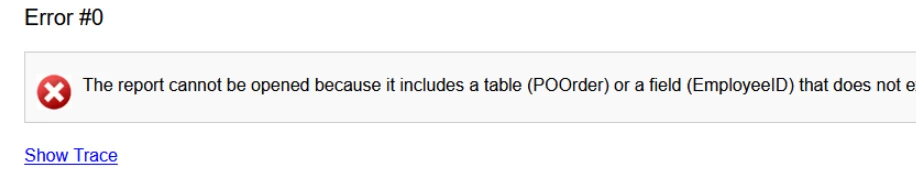
The error is occurring on printing a purchase order.
I have opened the report in Report Designer but have been unable to find the field that needs to amended.
I have been advised that the field that has changed is OwnerId. I cannot find OwnerId or EmployeeId on the fields used on the form template or in any of the relations.
Can anyone advise where else I can look to identify this on the form template or perhaps has specific information about what has changed in this version of Acumatica Purchase Orders on the database fields.
Best answer by Leahth
Hi @Leahth ,
As @nhatnghetinh suggests, it’s often helpful to export the rpx file. In addition to attaching the file to this thread, you can try to identify the issue yourself by opening the file in notepad and searching for the table and/or field names that are in the error message. There you may be able to see which control or formula is causing the problem.
Laura
Thank you for this tip, I will use in the future if needed :)
It has now been resolved by one of our report writers internally. I will update this thread when I get the details of what was wrong, in case it helps someone else.
As @nhatnghetinh suggests, it’s often helpful to export the rpx file. In addition to attaching the file to this thread, you can try to identify the issue yourself by opening the file in notepad and searching for the table and/or field names that are in the error message. There you may be able to see which control or formula is causing the problem.
As @nhatnghetinh suggests, it’s often helpful to export the rpx file. In addition to attaching the file to this thread, you can try to identify the issue yourself by opening the file in notepad and searching for the table and/or field names that are in the error message. There you may be able to see which control or formula is causing the problem.
Laura
Thank you for this tip, I will use in the future if needed :)
It has now been resolved by one of our report writers internally. I will update this thread when I get the details of what was wrong, in case it helps someone else.