Answer

Problem with sorted by CreatedDateTime

  • October 8, 2025
  • 13 replies
  • 102 views

Forum|alt.badge.img

I am looking to get the “CreatedDateTime” for when a customer was created. 

From my research i see you can use conditions like @today or @month. However, I cannot get my data to filter to those dates. 


When I have this condition turned off; my data pulls and groups correctly.

However, lets say I want to see customers orders for customers created in the past month. I know from looking at the data we have two new customers in Oct.

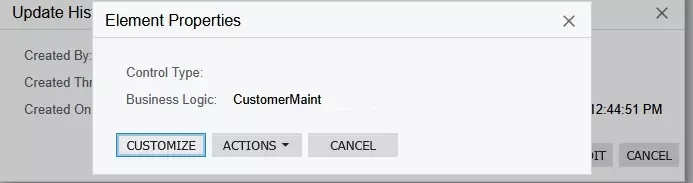
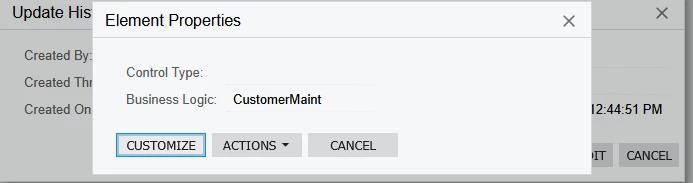
I think i may be referencing the wrong table though as I had to pull this info from another GI to see where they pull from. When looking at the audit history of the customer to determine when they were created; the element inspector has it’s data fields blank. 
 

Best answer by lauraj46

Hi ​@kdolgner ,

I was able to replicate this odd behavior with the schema for the Customer.CreatedDateTime field in my instance.  I’m not sure why this is, but instead of using the schema and the special schema variables you should be able to use the formula:

=DateAdd(Today(), ‘d’, -31)

I tested and this worked for me.

Hope this helps!

Laura

13 replies

lauraj46
Captain II
Forum|alt.badge.img+8
  • Captain II
  • October 8, 2025

Hi ​@kdolgner ,

When using @today and the other special date conditions, you need to check the From Schema checkbox on the condition line.  

Hope this helps!

Laura


Forum|alt.badge.img
  • Author
  • Freshman II
  • October 8, 2025

Hi ​@kdolgner ,

When using @today and the other special date conditions, you need to check the From Schema checkbox on the condition line.  

Hope this helps!

Laura

Do i have to declare data source then? or create a parameter? when i click “from Schema” the value boxes wont let me enter anything. 


lauraj46
Captain II
Forum|alt.badge.img+8
  • Captain II
  • October 8, 2025

Hi ​@kdolgner ,

Click into the Value field and on the right hand side a small calendar icon should appear.  Once you have selected an option from the dropdown then you can click into the field again and add an adjustment like -31.

Hope this helps!

Laura


Forum|alt.badge.img
  • Author
  • Freshman II
  • October 8, 2025

Hi ​@kdolgner ,

Click into the Value field and on the right hand side a small calendar icon should appear.  Once you have selected an option from the dropdown then you can click into the field again and add an adjustment like -31.

Hope this helps!

Laura

After a ton of trial and error I’ve come to find that “Customer.CreatedDateTime” cannot be sorted via schema?

It seems it has no data indexed to sort. but on another GI I am looking at, this is put in the results grid without any issues, on my created GI, it’s blank.

To be honest this is a pure guess that lines up to when a customer is created as i’m not entirely sure which element to reference

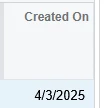
This is what i see when I Ctrl Alt click the “created on” when looking at history of the customer


lauraj46
Captain II
Forum|alt.badge.img+8
  • Captain II
  • Answer
  • October 8, 2025

Hi ​@kdolgner ,

I was able to replicate this odd behavior with the schema for the Customer.CreatedDateTime field in my instance.  I’m not sure why this is, but instead of using the schema and the special schema variables you should be able to use the formula:

=DateAdd(Today(), ‘d’, -31)

I tested and this worked for me.

Hope this helps!

Laura


bwhite49
Captain II
Forum|alt.badge.img+11
  • Captain II
  • October 8, 2025

@kdolgner 

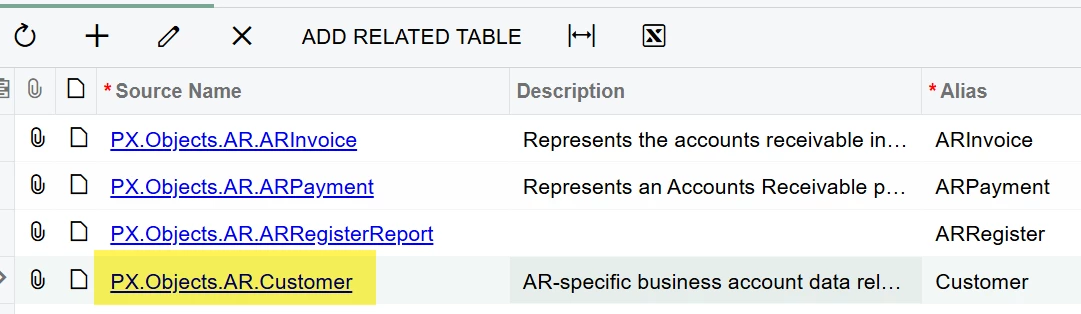
In your source tab, are you using PX.Object.AR.Customer? You should have no issues adding the @ time parameters to the created date time field in that table 


Forum|alt.badge.img
  • Author
  • Freshman II
  • October 8, 2025

Hi ​@kdolgner ,

I was able to replicate this odd behavior with the schema for the Customer.CreatedDateTime field in my instance.  I’m not sure why this is, but instead of using the schema and the special schema variables you should be able to use the formula:

=DateAdd(Today(), ‘d’, -31)

I tested and this worked for me.

Hope this helps!

Laura

ALRIGHT! we’re making some progress! 

I’m going to mark this as solved; as this exactly helped my original question. I have tested this with other variables and this works perfectly. however, i’m still getting blanks using “Customer.CreatedDateTime” so it has to be related to this data field. I will keep digging. Thank you so much for the help


Forum|alt.badge.img
  • Author
  • Freshman II
  • October 8, 2025

@kdolgner 

In your source tab, are you using PX.Object.AR.Customer? You should have no issues adding the @ time parameters to the created date time field in that table 


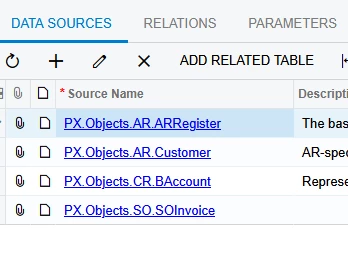
I am. here are my data sources


bwhite49
Captain II
Forum|alt.badge.img+11
  • Captain II
  • October 8, 2025

I didn’t read Laura’s last comment. Is this a 2025 bug? I had success testing in 2024 R2


Forum|alt.badge.img
  • Author
  • Freshman II
  • October 8, 2025

After some more testing it looks like “Customer.CreatedDateTime” was not what i wanted. On a weird whim i tried “BAccount.CreatedDateTime” and it got it down to the one of two orders i was looking for!


I think i have figured out my issues! Just some more testing and i think i’m done after the boss gives it hte green light.


Thank you ​@bwhite49 and ​@lauraj46 for your help


Forum|alt.badge.img
  • Author
  • Freshman II
  • October 10, 2025

So i thought i had it; i was wrong.

See attached for XML file.

I would like this to track if a customer has generated their very first invoice OR a new customer (<30 old) generates their very first invoice.

So far i can get it to show me all ‘first’ invoices from month start AND / OR new customers. I would like old to be hidden UNLESS it’s their first invoice. My issue is that customers already established are being shown up because their invoices are also being tagged as “DocDate.” It’s their first invoice of Oct, but not their first one, ever. 


The way i can see if it’s working is i know i have two customers that were made months ago; however, this is their first order / invoice and their not showing up because of my “last month” filter. or they’re being buried by the “old” customers that have invoiced in oct.


Sorry if i am being confusing here.


bwhite49
Captain II
Forum|alt.badge.img+11
  • Captain II
  • October 10, 2025

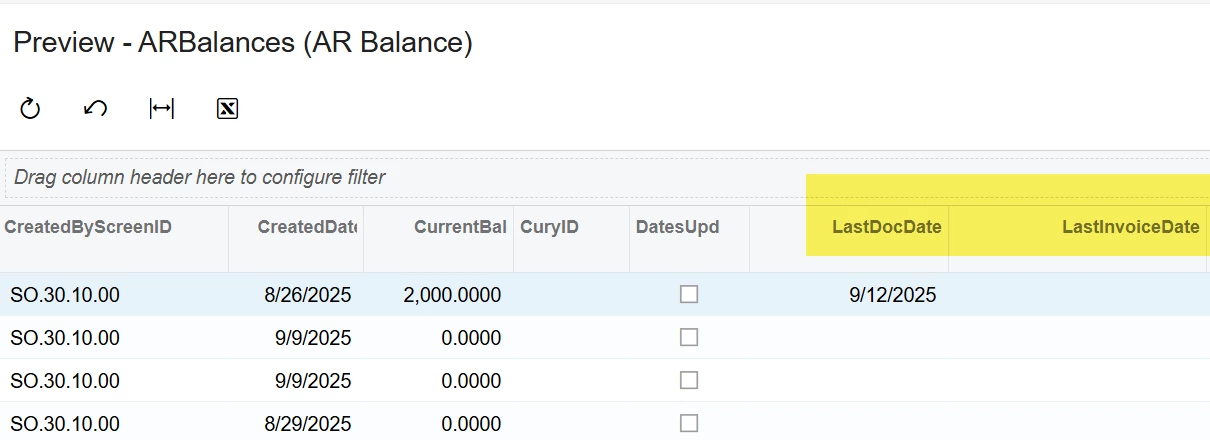
ARBalances should have what you need. This table has the last doc date and invoice date . The only issue is that it’s split by the customer location ID.

You would connect it to the customer table through the BAccountID and maybe default location ID.


Forum|alt.badge.img
  • Author
  • Freshman II
  • October 10, 2025

ARBalances should have what you need. This table has the last doc date and invoice date . The only issue is that it’s split by the customer location ID.

You would connect it to the customer table through the BAccountID and maybe default location ID.


Is there a way to get First Doc Date? I”m trying to sort down to that date because we have a few “old” customers that have just started ordering. 


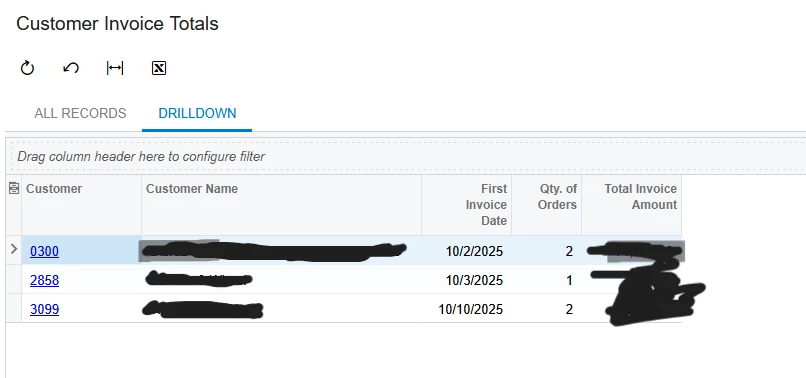
on the “sales manager” dashbord there’s a “new customers” area. It shows the above. However, when i try to create a business event it will not show that “drilldown” filter. So im attempting to make it myself in order to email it. I can only get one of those three to show because the other two have an older account than the third. The “drilldown” has a “custom filter” that filters down the “first invoice date” collumn, but i’m not sure how to do that in conditions