Answer

Problem using @WeekStart as a value in Schema Parameter

  • December 13, 2024
  • 10 replies
  • 134 views

Forum|alt.badge.img

Hello,

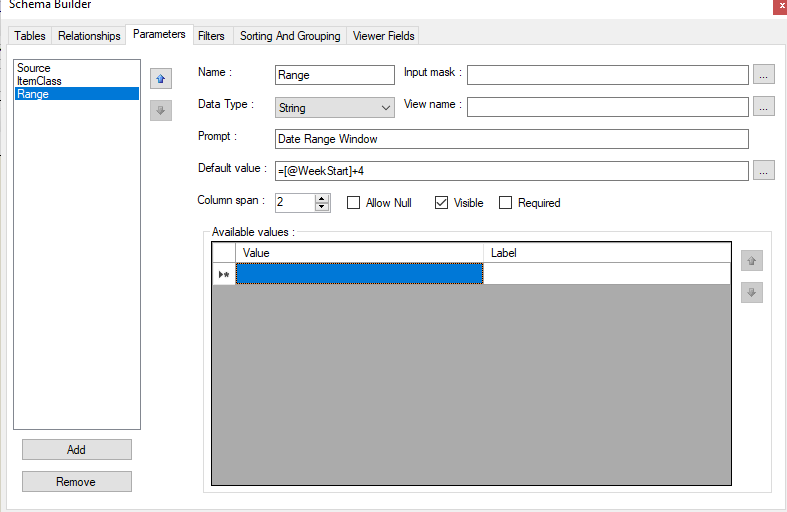
I am trying to configure the parameters on report to utilize @WeekStart+4 and @WeekStart+6 as values in a drop down but when I do this, I get a blank report.   If I clear the value table and put @WeekStart+4 in the default the report works correctly.  Can someone tell me what I am doing wrong from my screenshots below?

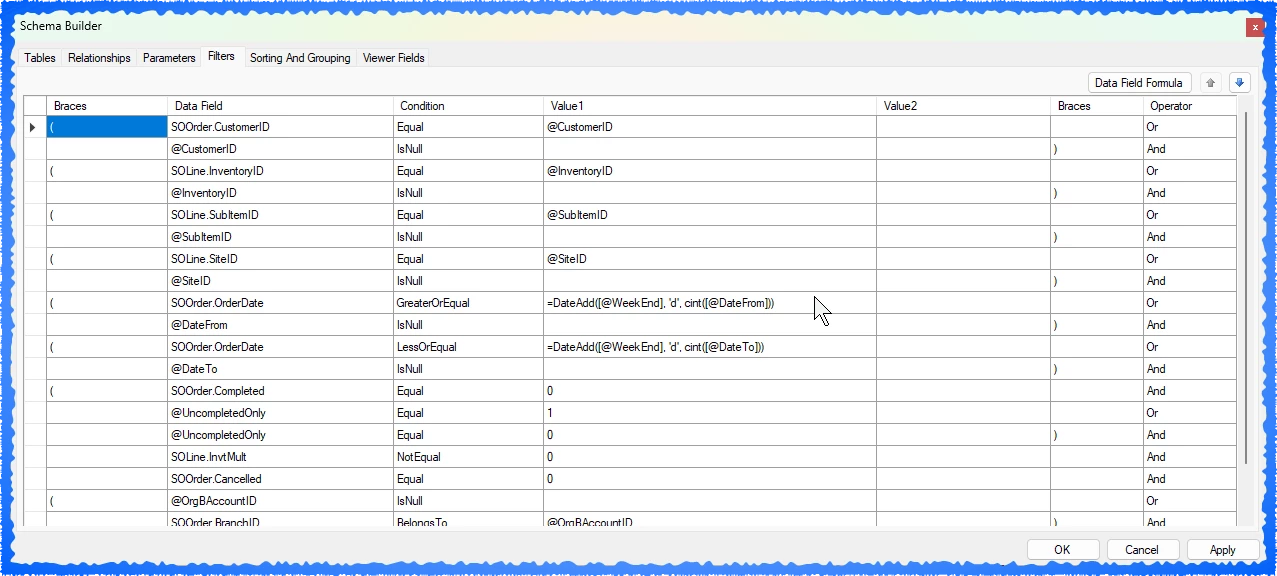
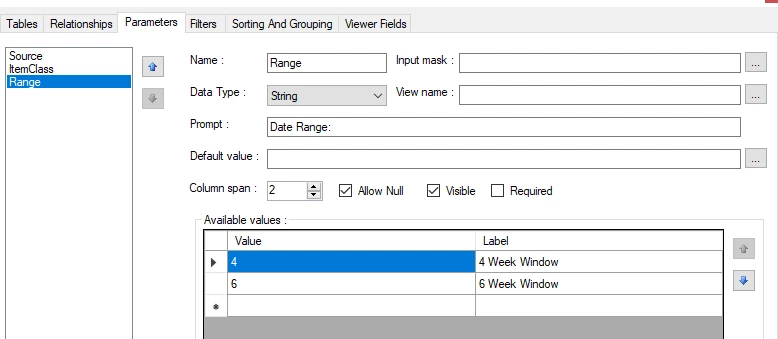
Here is the filter I have setup in the Schema:

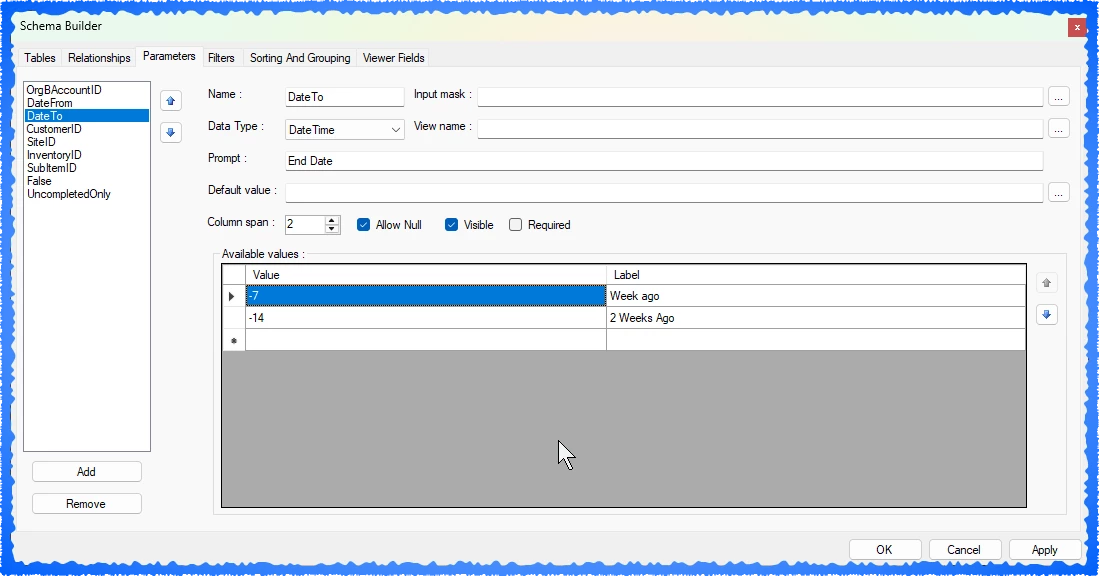
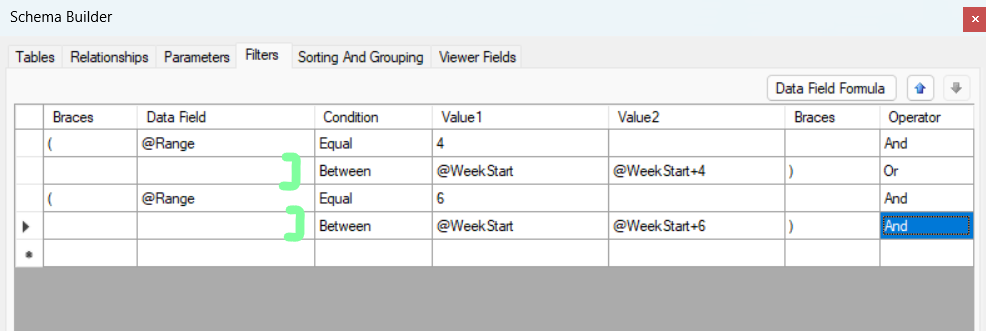
Here are the parameters I have setup in the Schema, these do not work:
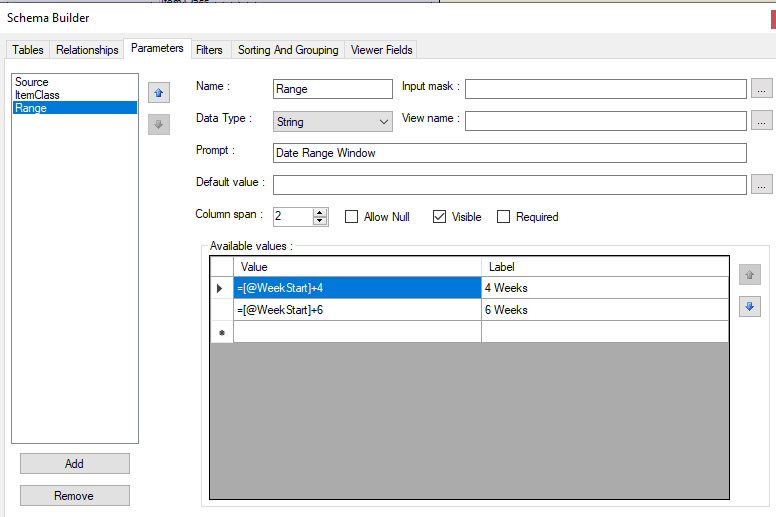

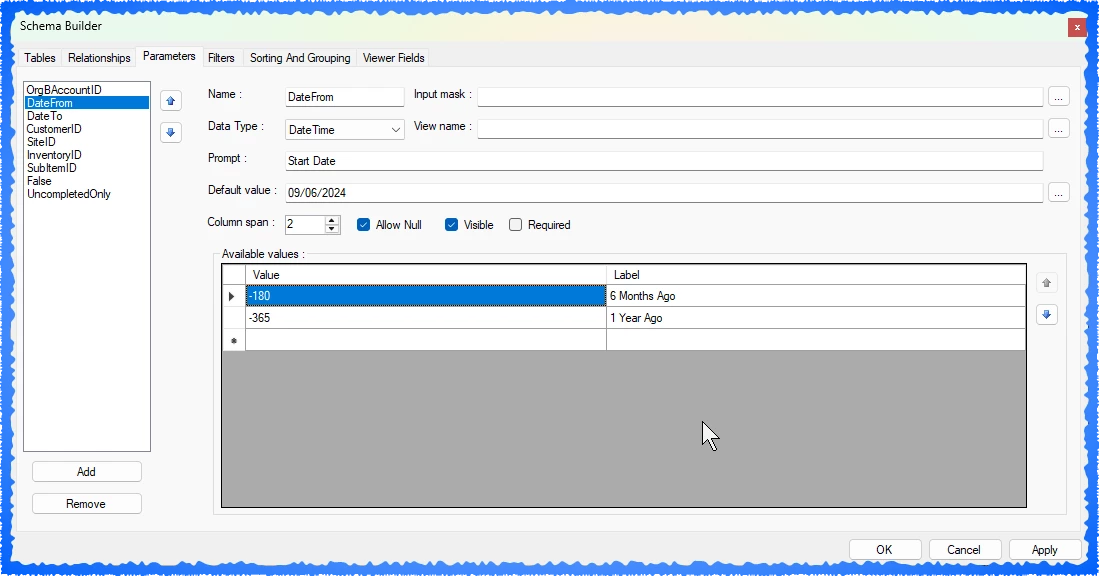
However if I set the parameters to this,  the default value works correctly:


Best answer by travislawson

Got it working.


You use the values as your days, months, years, etc.  -7 days would be 7 days back.  7 would be 7 days forward.  

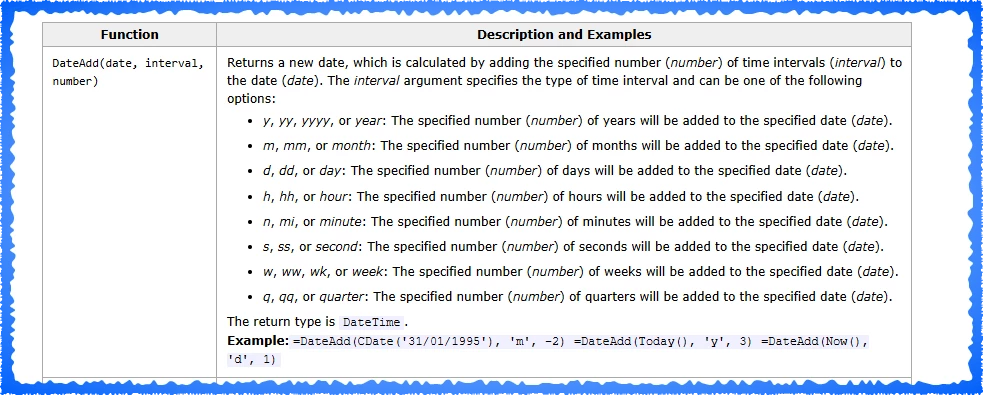
Then use the DateAdd function to do the math versus trying to do it directly.  Because it’s in the drop down it’s coming across as a string (I think - even though the datatype shows datetime) and we convert it with cint(). 

=DateAdd([@WeekEnd], 'd', cint([@DateFrom]))

Formula Functions


10 replies

darylbowman
Captain II
Forum|alt.badge.img+15
  • December 14, 2024

I never thought to do this with a combobox, so I'm not sure if this works. However, you could try making the parameter a date instead of a string.

If you're attempting to use this to filter the result, something that should work instead is to use the parameter ID in the Conditions to determine what arbitrary range to use there instead.


Forum|alt.badge.img
  • Author
  • Jr Varsity III
  • December 16, 2024

Daryl,

Thanks for the reply.  I had previsouly tried making the parameter a Date with no success.  The closest I got was using the string and setting the default value as shown in my screen shots.


Not sure I follow your comment about using the parameter ID in the Conditions.  Can you expand on that line of thinking? 


darylbowman
Captain II
Forum|alt.badge.img+15
  • December 16, 2024

I’m not sure if it’s possible to use @WeekStart in the Conditions, but if it is, you could do something like this (placing your field in the placeholders):


Forum|alt.badge.img+1

@MattWSM , can you clarify what your parameters are expected to be - a date range from 4th day of selected week through 6th day of the same week? Is it one Date parameter, and you calculate the range for these 3 days of selected week? 


Forum|alt.badge.img
  • Author
  • Jr Varsity III
  • December 16, 2024

@Yulia Steinberg 

The Date Range I am seeing is the Starting day (Sunday) of the current week through 4 additional weeks in the future.   So for example if I was looking at the range as of today (12/16/2024)  The range would be 12/15/2024 thru 01/12/2025 .  My current “default Value” of @WeekStart+4 is working as I desire,  however I would like to give the end user of the report the option to choose different ranges.   Ie: @WeekStart+4     or @WeekStart+6   so that they can quickly select the appropriate range for their needs. 


Forum|alt.badge.img
  • Author
  • Jr Varsity III
  • December 16, 2024

@darylbowman 

Thank you for the suggestion and illustration.  I will give that a try later today. 


Forum|alt.badge.img
  • Author
  • Jr Varsity III
  • December 19, 2024

@darylbowman 

I have played around with this unsuccessfully.   For now we have hardcoded the report to @Weekstart+4 and it is generally working for our purposes,  but it would be nice to allow the end user to select the range.  


Forum|alt.badge.img+1

Matt, 


Try to set the value to 4 and 6. 
 

in your conditions try @WeekStart-[Range]


Forum|alt.badge.img
  • Author
  • Jr Varsity III
  • December 20, 2024

Travis, 

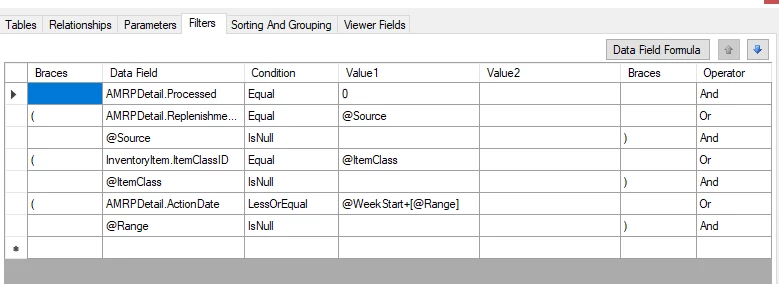
Gave that a try with both @WeekStart+[Range] and @WeekStart+[@Range]   .   Both of them yeild a blank report.

Here are my current Parameters and Filters:


Forum|alt.badge.img+1
  • Answer
  • January 31, 2025

Got it working.


You use the values as your days, months, years, etc.  -7 days would be 7 days back.  7 would be 7 days forward.  

Then use the DateAdd function to do the math versus trying to do it directly.  Because it’s in the drop down it’s coming across as a string (I think - even though the datatype shows datetime) and we convert it with cint(). 

=DateAdd([@WeekEnd], 'd', cint([@DateFrom]))

Formula Functions