Answer

Please need help adding the UPC xref to the AR Invoice form in Report Designer.

  • November 17, 2025
  • 5 replies
  • 55 views

Forum|alt.badge.img

Hi guys I need help with modifying the AR Invoice form by adding the Inventory items upc number from the xref table. Has anyone done this or will ing to assist me. I could really use some help on this.

Best answer by bwhite49

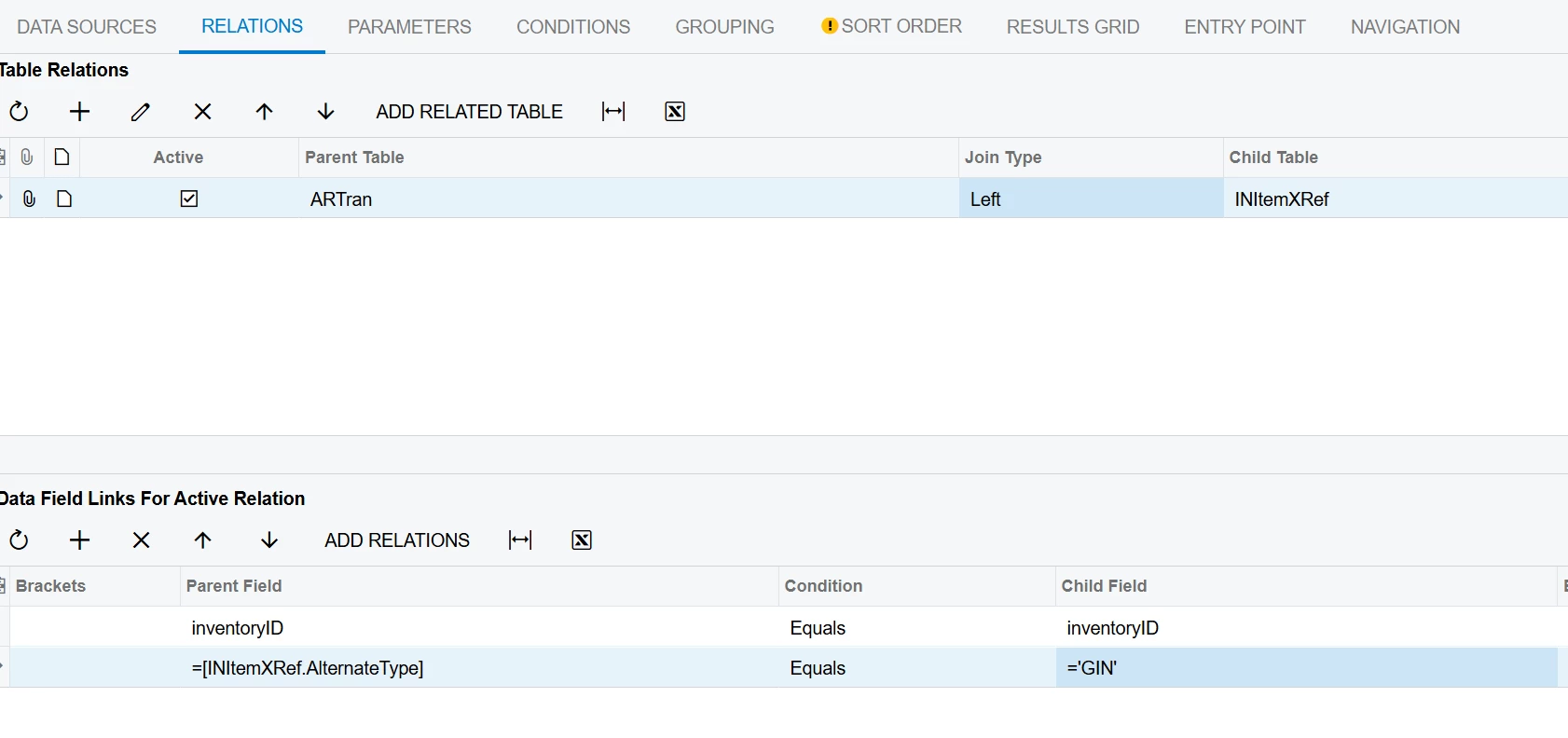
Add this join to your report to link to the item UPC code and use this field [INItemXRef.AlternateID] to display the value.
 

5 replies

bwhite49
Captain II
Forum|alt.badge.img+11
  • Captain II
  • Answer
  • November 17, 2025

Add this join to your report to link to the item UPC code and use this field [INItemXRef.AlternateID] to display the value.



Forum|alt.badge.img
  • Author
  • Freshman I
  • November 17, 2025

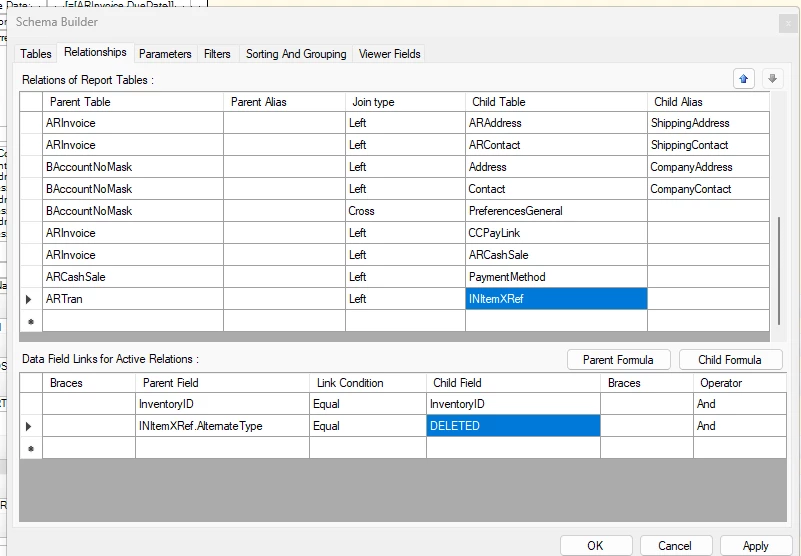
@bwhite49 When adding this the child field GIN changes to deleted.


Forum|alt.badge.img
  • Author
  • Freshman I
  • November 17, 2025

@bwhite49 I tried bracketing the Parent field as you showed above, but it deletes both the parent and child field.


bwhite49
Captain II
Forum|alt.badge.img+11
  • Captain II
  • November 17, 2025

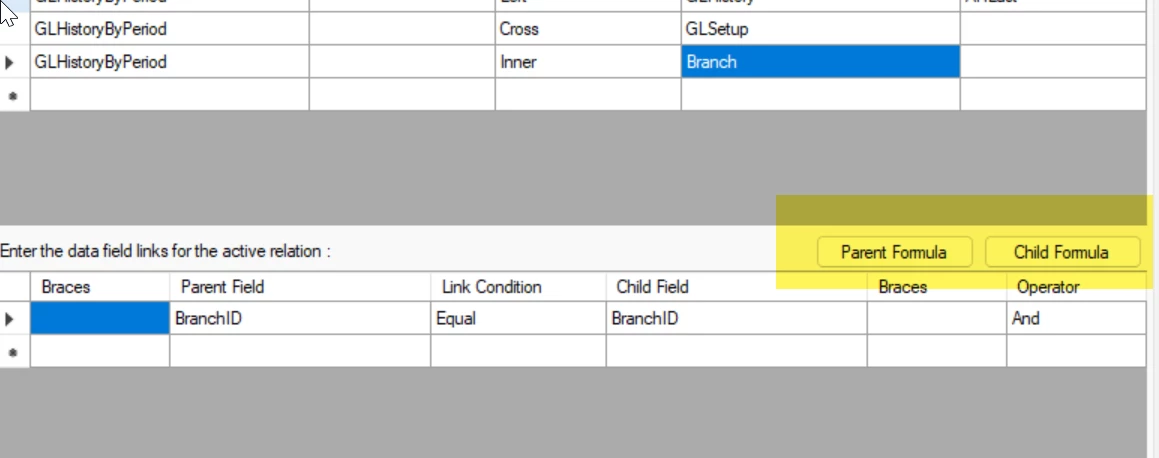
In report designer, you have to use these buttons to add customized joins. So click parent formula and add =[INItemXRef.AlternateType] and then save, and then click child formula and to add =’GIN’


Forum|alt.badge.img
  • Author
  • Freshman I
  • November 17, 2025

Got it! Thank you. You rock!!!