

Solved

percentage %

  • January 7, 2026
  • 3 replies
  • 42 views

Forum|alt.badge.img

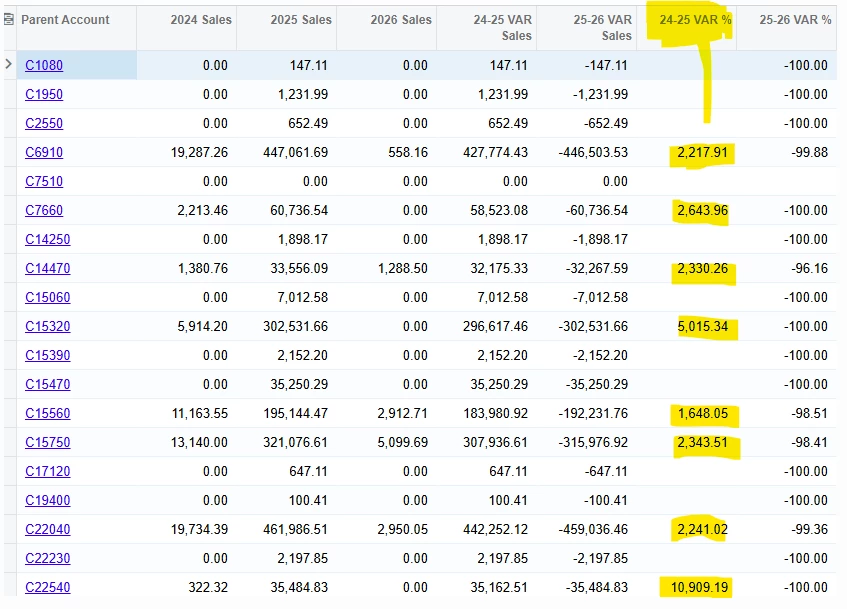
I have build this GI. Everything is good. I just want to get the result in % between 1 and 100. Can someone help me please.
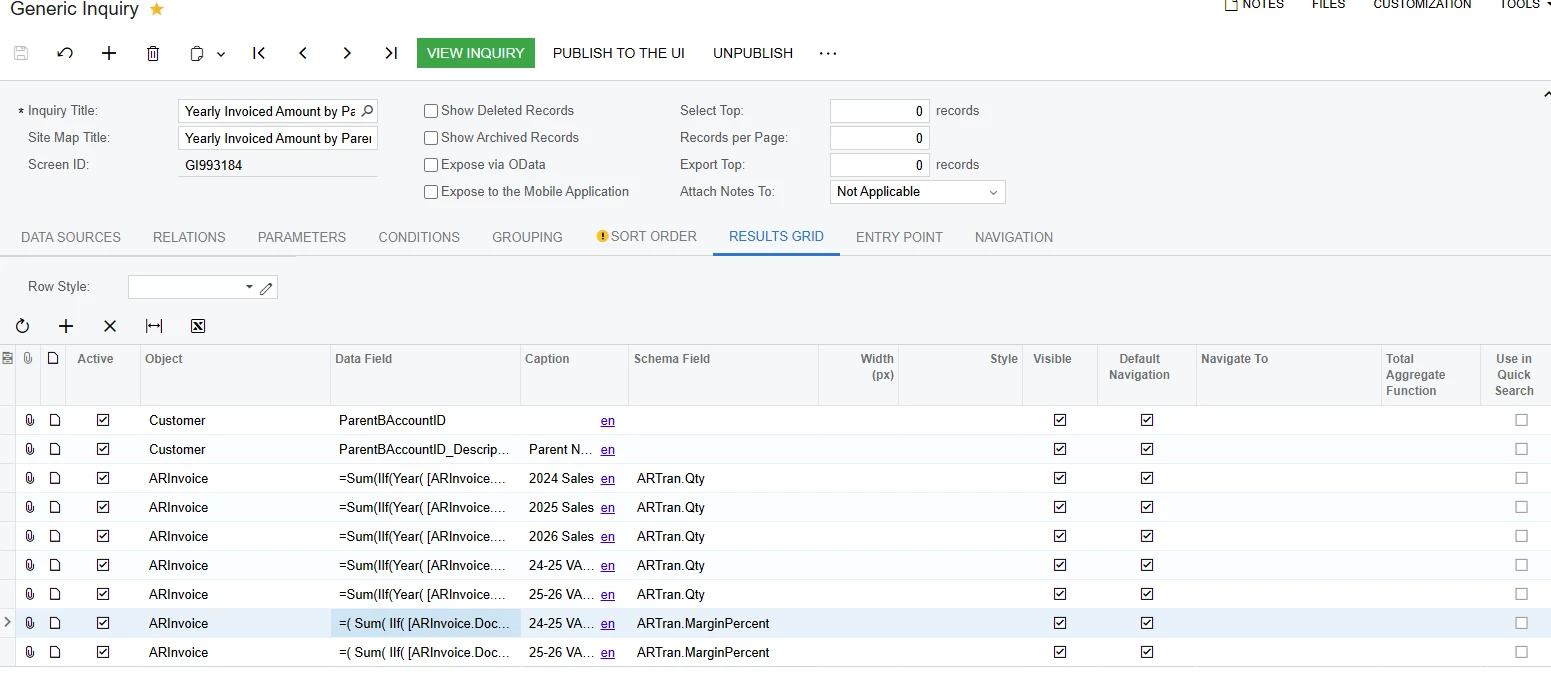
this the formula im using

=(  Sum(    IIf(      [ARInvoice.DocDate] >= '2025-01-01'      And [ARInvoice.DocDate] <  '2026-01-01',      [ARInvoice.CuryOrigDocAmt],      0    )  )  -  Sum(    IIf(      [ARInvoice.DocDate] >= '2024-01-01'      And [ARInvoice.DocDate] <  '2025-01-01',      [ARInvoice.CuryOrigDocAmt],      0    )  ))/NullIf(  Sum(    IIf(      [ARInvoice.DocDate] >= '2024-01-01'      And [ARInvoice.DocDate] <  '2025-01-01',      [ARInvoice.CuryOrigDocAmt],      0    )  ),0) * 100

this is the result i am getting now
 

Best answer by nickcerri32

@SandyA - You’re grouping is causing the percentage fields to aggregate.  What you could do is have a GI that only calculates yearly sales and groups by the Parent Account (GI 001).  Then you create another GI (GI 002) based on the first GI (GI 001) and then do percentages based on the aggregated values.  

3 replies

nickcerri32
Semi-Pro II
Forum|alt.badge.img+6
  • Semi-Pro II
  • January 7, 2026

@SandyA - I know you posted the formula, but can you provide the XML for the GI to confirm?  


Forum|alt.badge.img
  • Author
  • Freshman II
  • January 7, 2026

ok i will shear it


nickcerri32
Semi-Pro II
Forum|alt.badge.img+6
  • Semi-Pro II
  • Answer
  • January 7, 2026

@SandyA - You’re grouping is causing the percentage fields to aggregate.  What you could do is have a GI that only calculates yearly sales and groups by the Parent Account (GI 001).  Then you create another GI (GI 002) based on the first GI (GI 001) and then do percentages based on the aggregated values.

