Answer

One of Report Filters isn't filtering.

  • July 31, 2025
  • 4 replies
  • 53 views

Forum|alt.badge.img

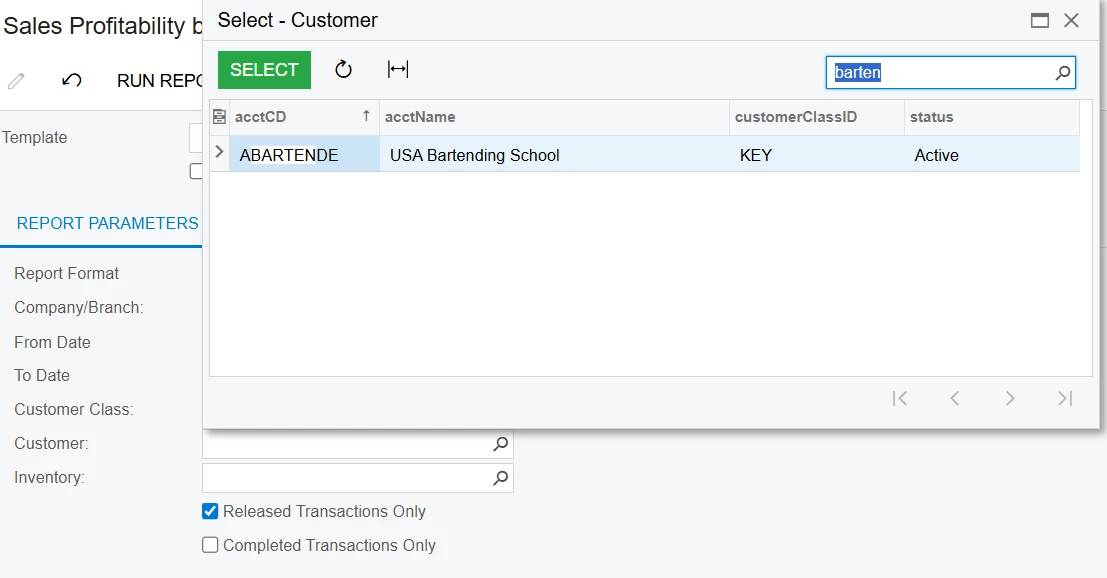
I have a report, attached below, that has several filters. However, One of the filter, Customer, can be selected, but doesn’t filter the report. Any reason why the report wouldn’t be filtering correctly?

Best answer by lauraj46

Hi ​@kkraus ,

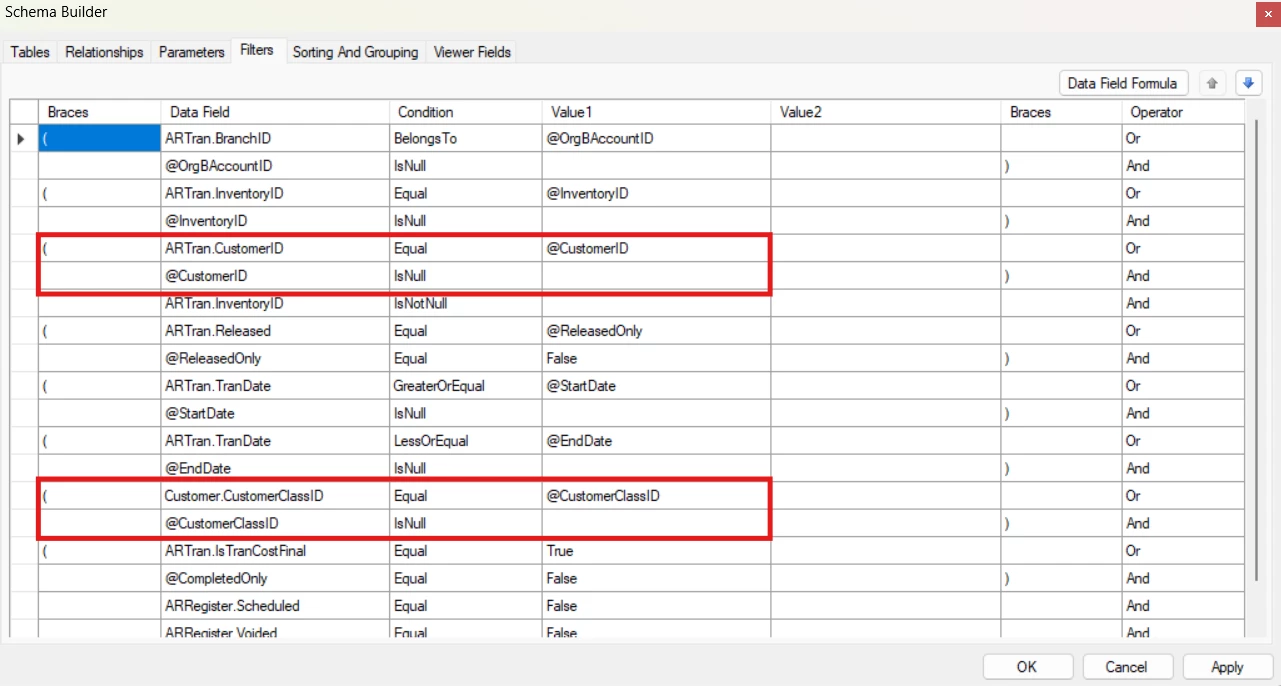
The formula in the View name for the @CustomerIDName parameter is not correct and therefore the parameter isn’t being displayed on the report screen.  You can see this if you specify different prompts for each of parameters.

The View name formula can be tricky.  The CustomerID is already a parameter on the standard AR675000 report. Why not use that logic? The CustomerID lookup lets the user search by code or name already. As designed on the original report, it filters based on the customer class above, or searches on all customers if no customer class is specified.  Copying parameters from existing reports is a good starting point unless you need something special.

If you want the user to enter all or part of a company name without any lookup, you could remove the View name from that parameter.  Then it will be just a freetext field and the filter should work as you have it.

This is the parameter setup from the standard report:
Hope this helps!

Laura

4 replies

lauraj46
Captain II
Forum|alt.badge.img+8
  • Captain II
  • July 31, 2025

Hi ​@kkraus ,

Please attached the .rpx file to this post.  The .rps file a link to open the report file from your server.


Forum|alt.badge.img
  • Author
  • Freshman II
  • July 31, 2025

Hi ​@kkraus ,

Please attached the .rpx file to this post.  The .rps file a link to open the report file from your server.

Done. Here is the RPX File


lauraj46
Captain II
Forum|alt.badge.img+8
  • Captain II
  • Answer
  • July 31, 2025

Hi ​@kkraus ,

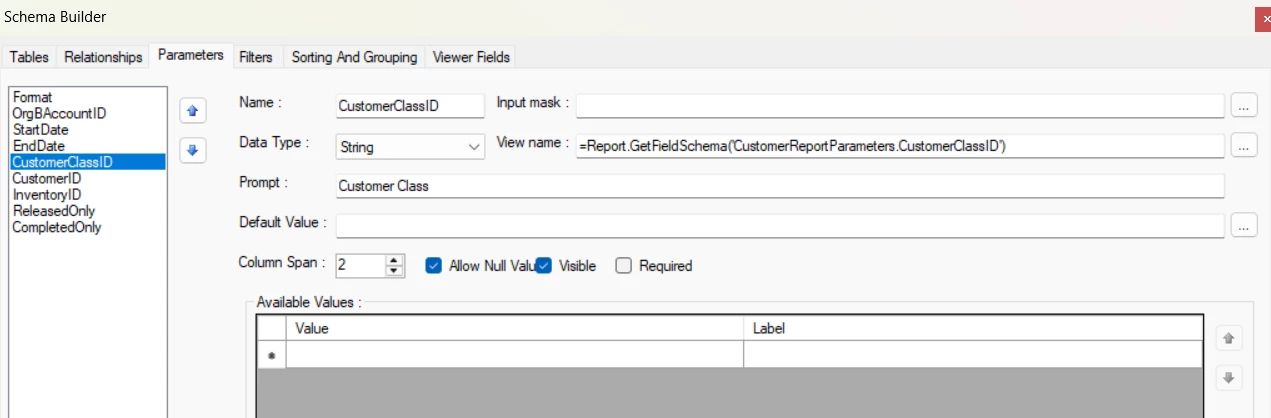
The formula in the View name for the @CustomerIDName parameter is not correct and therefore the parameter isn’t being displayed on the report screen.  You can see this if you specify different prompts for each of parameters.

The View name formula can be tricky.  The CustomerID is already a parameter on the standard AR675000 report. Why not use that logic? The CustomerID lookup lets the user search by code or name already. As designed on the original report, it filters based on the customer class above, or searches on all customers if no customer class is specified.  Copying parameters from existing reports is a good starting point unless you need something special.

If you want the user to enter all or part of a company name without any lookup, you could remove the View name from that parameter.  Then it will be just a freetext field and the filter should work as you have it.

This is the parameter setup from the standard report:
Hope this helps!

Laura


Forum|alt.badge.img
  • Author
  • Freshman II
  • July 31, 2025

Hi ​@kkraus ,

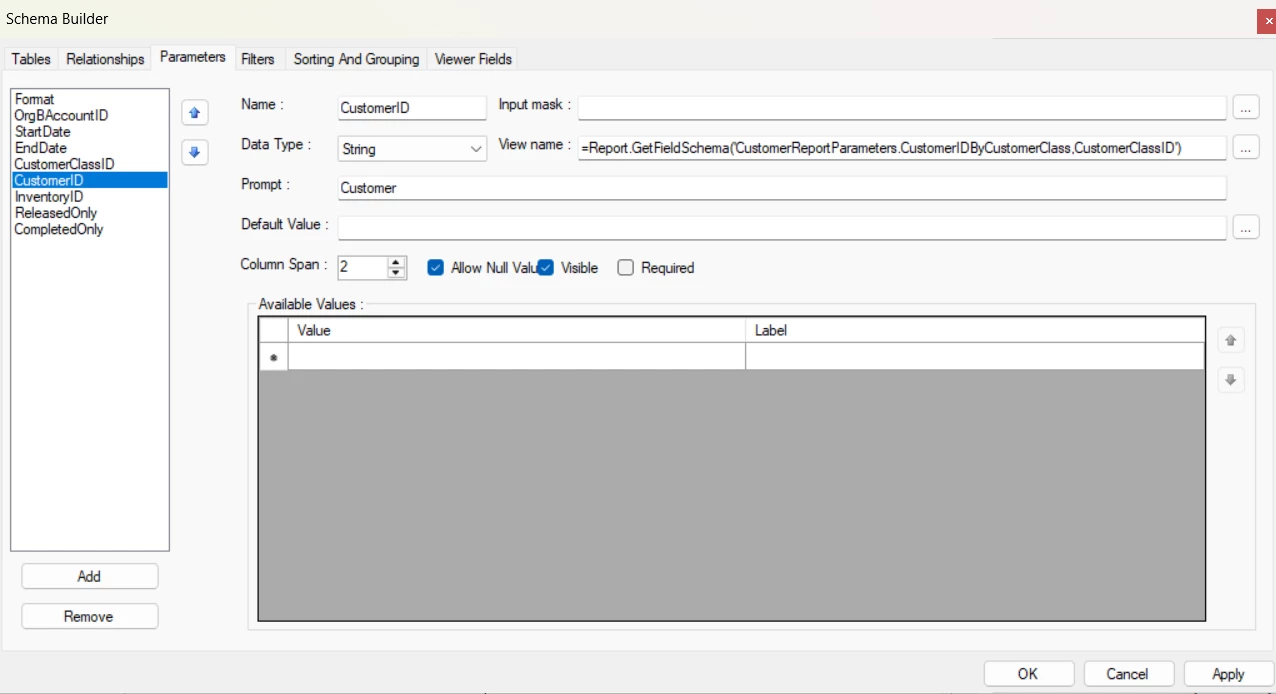
The formula in the View name for the @CustomerIDName parameter is not correct and therefore the parameter isn’t being displayed on the report screen.  You can see this if you specify different prompts for each of parameters.

The View name formula can be tricky.  The CustomerID is already a parameter on the standard AR675000 report. Why not use that logic? The CustomerID lookup lets the user search by code or name already. As designed on the original report, it filters based on the customer class above, or searches on all customers if no customer class is specified.  Copying parameters from existing reports is a good starting point unless you need something special.

If you want the user to enter all or part of a company name without any lookup, you could remove the View name from that parameter.  Then it will be just a freetext field and the filter should work as you have it.

This is the parameter setup from the standard report:
Hope this helps!

Laura

That fixed the issue. Thanks for the help.