Answer

Odd custom pack slip issue

  • April 8, 2025
  • 6 replies
  • 100 views

Forum|alt.badge.img

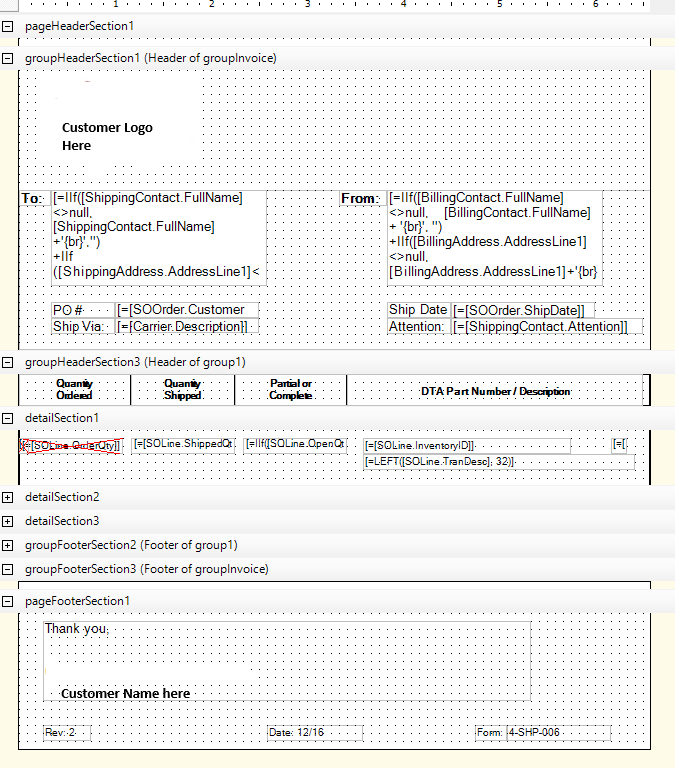
I created a custom Pack Slip, attached it to the Pick List and it prints as expected.

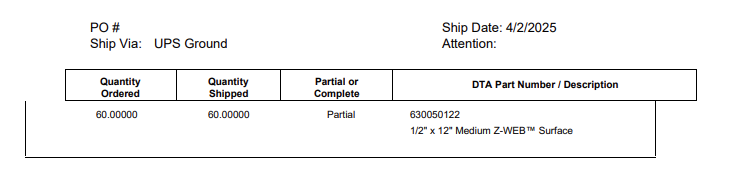
I went to do the same thing for a second customer and the border for one of the header sections is in the parent header section and the footer is missing, but only while it is in the Pick List form.  When it is printed separately it works fine.


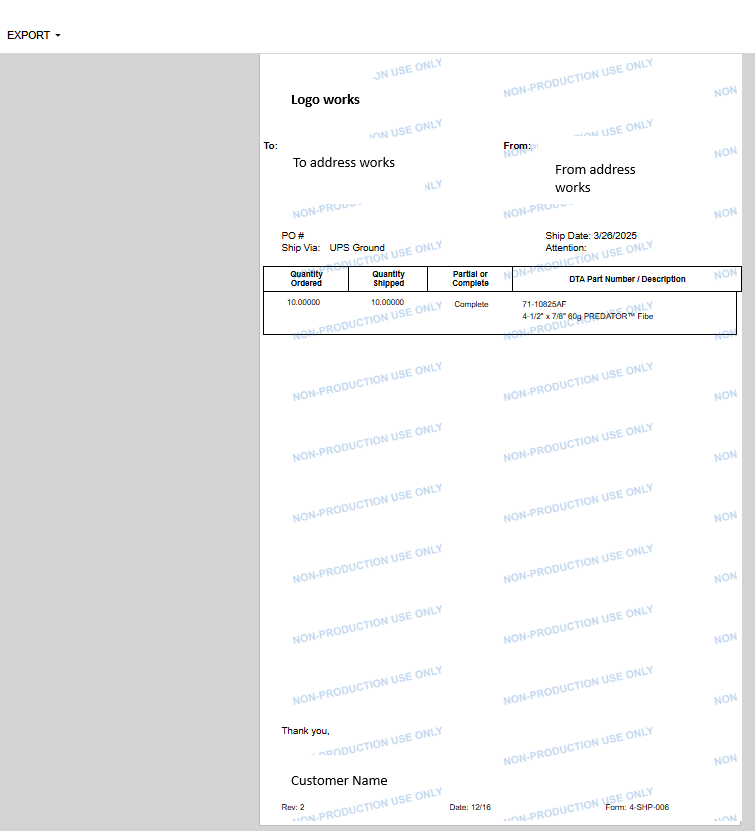
Previewed as the raw report
 

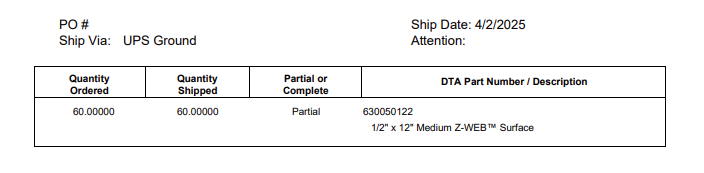
When it goes to the sub report it gets weird.
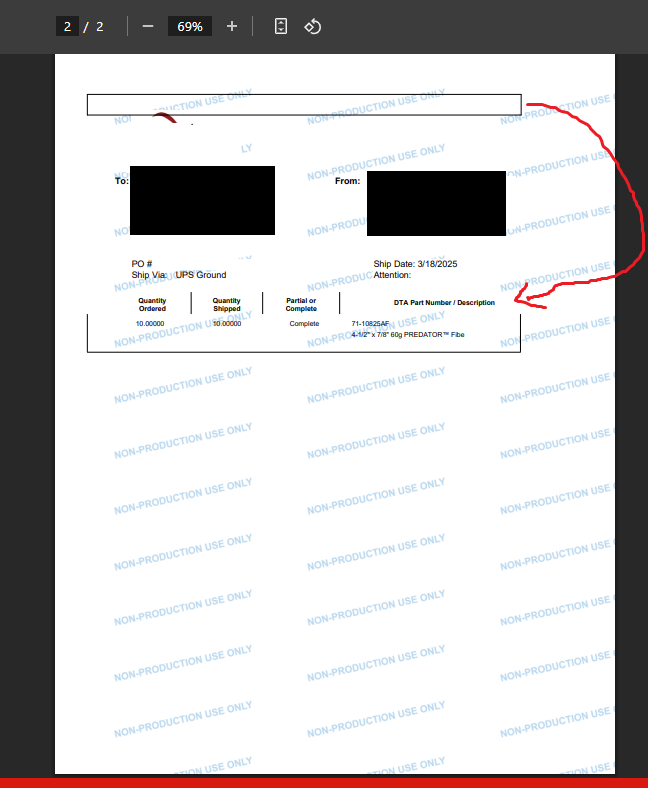
 

I used the standard pick list we use for our default pick report, and the other custom pack slip report.  If I turn off the header border the box goes away, but I need the box around the column headers.  I just replaced a working report in the sub report box.

Best answer by BenjaminCrisman

@DrewNisley This is intentional, the subreport should not be printing headers and footers. Think of the subreport as just adding extra pages to the report, but not an actual report in itself. So just like if you inserted pages into a book, it wouldn’t make sense to include the prologue, acknowledgements, table of contents...etc, it’s just meant to be adding these pages seamlessly. Additionally, there are a number of other options which do not get brought from the subreport to the main report because they are meant to be main report type controls.

6 replies

BenjaminCrisman
Acumatica Employee
Forum|alt.badge.img+4
  • Acumatica Support Team
  • April 8, 2025

@adaughenbaugh95 Have you tried using a panel instead of lines? If you are using lines I would recommend to make sure there is a style set for color and border, this will ensure that they still print in PDF.


Forum|alt.badge.img

@adaughenbaugh95 Have you tried using a panel instead of lines? If you are using lines I would recommend to make sure there is a style set for color and border, this will ensure that they still print in PDF.

Sorry, I was putting out a proverbial fire here; just tried your suggestion.

The errant borders disappeared from the header, but the panel borders did not show up in the expected spot.

And my footer is still missing.


Edit:  I messed around with some more settings and got the panel border to show.


Edit 2:
Panels for everything


BenjaminCrisman
Acumatica Employee
Forum|alt.badge.img+4
  • Acumatica Support Team
  • April 11, 2025

@adaughenbaugh95 So are there any lines still not showing or displaying incorrectly? Also, keep in mind it might look different between PDF and HTML renders


Forum|alt.badge.img

@adaughenbaugh95 So are there any lines still not showing or displaying incorrectly? Also, keep in mind it might look different between PDF and HTML renders

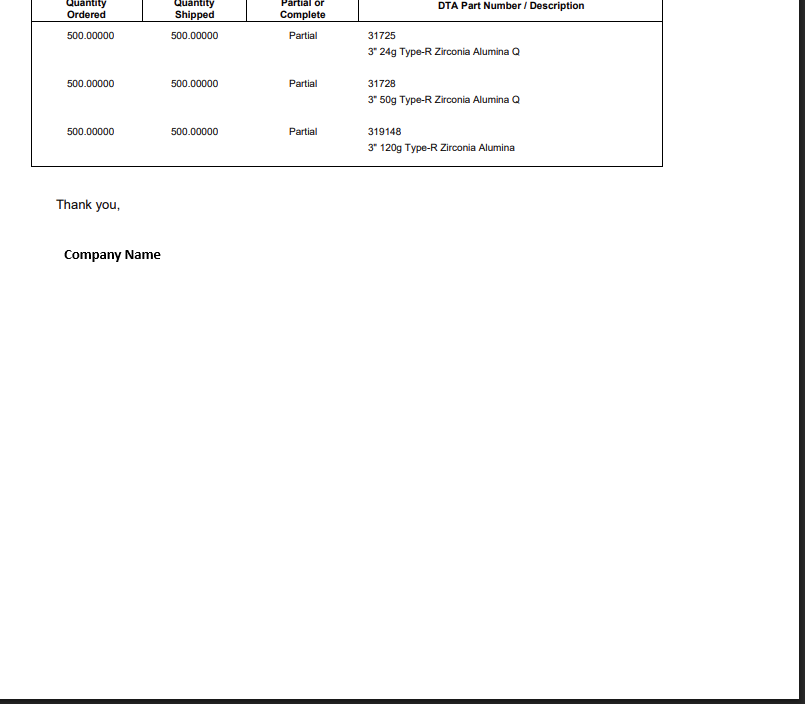
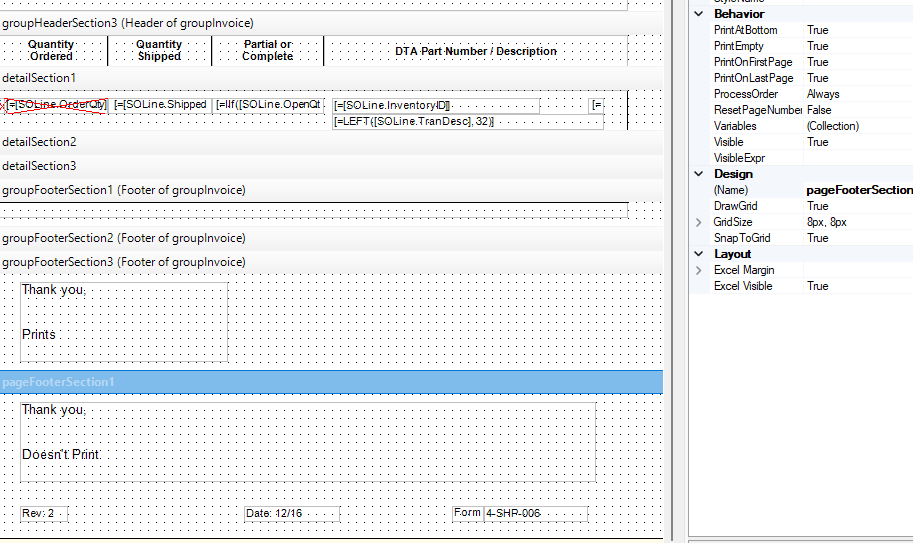
The report footer is not displaying.  I can get the page footer to print at the bottom of the populated fields, not the bottom of the 8.5x11” page.  


So for the pack slip reprints, we have the form set to pull directly from Acumatica so we don’t have to go back into the pick list.  It shows fine, but the same form, referenced as a sub form in the pick list only prints part of the form.

I rebuilt it a 3rd time by taking a working custom pack slip, and populated the fields from the customer’s format into it.

Top half still works fine, bottom half just doesn’t show.  No page or field settings changed between the working form and broken form.

Broken form still displays correctly as a standalone report.


DrewNisley
Pro I
Forum|alt.badge.img+3
  • Pro I
  • June 25, 2025

@adaughenbaugh95 This is a little late, but one thing that I have noticed with subreports is that page headers and footers do not print. Only group headers and footers. I am not sure if it is intended to work that way or not, but that has been my experience.


BenjaminCrisman
Acumatica Employee
Forum|alt.badge.img+4
  • Acumatica Support Team
  • Answer
  • June 30, 2025

@DrewNisley This is intentional, the subreport should not be printing headers and footers. Think of the subreport as just adding extra pages to the report, but not an actual report in itself. So just like if you inserted pages into a book, it wouldn’t make sense to include the prologue, acknowledgements, table of contents...etc, it’s just meant to be adding these pages seamlessly. Additionally, there are a number of other options which do not get brought from the subreport to the main report because they are meant to be main report type controls.