Answer

OData with parameters on URL

  • April 23, 2025
  • 13 replies
  • 450 views

I’m kind of lost on how to use OData with parameters on url using postman. Hoping someone could help me to make this work?
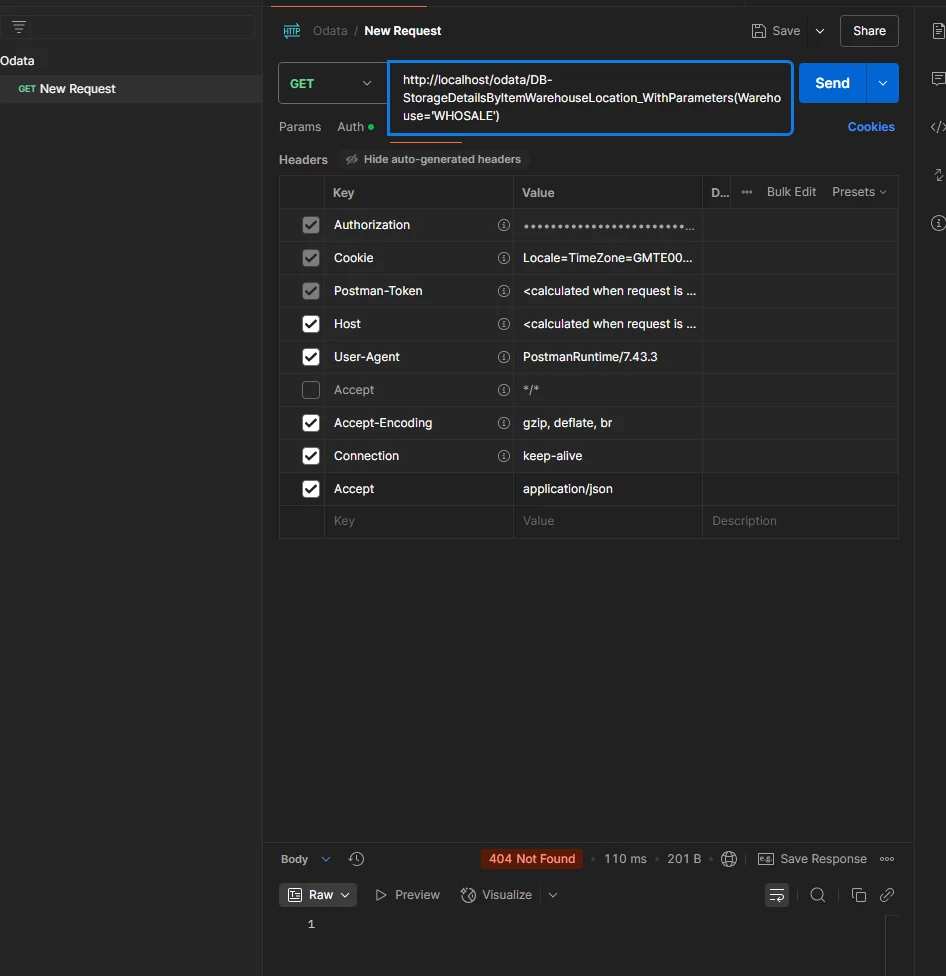


​​​​

Thank you

Best answer by bbohn

I would recommend double checking the parameter name and potentially copying the inquiry and changing the title to not use any special characters. I was having trouble getting it working with brackets in my inquiry title. For the parameter name, I see you have “PPeriod” that possibly should be “Period”?


Here is the exact example I got working on 24R2(verified that the parameter was indeed updating the inquiry results) with the customer data removed(AKTTrialBalanceDetailed is the inquiry title):

https://[customer].acumatica.com/odata/[tenant]/AKTTrialBalanceDetailed_WithParameters?Period=012025&$format=json

In order to be sure for the parameter name, i got the $metadata, 

 <FunctionImport Name="AR_TranPostGL_PeriodSensitive_WithParameters" ReturnType="Collection(PX.Data.AR_TranPostGL_PeriodSensitive)" IsSideEffecting="false" EntitySet="AR_TranPostGL_PeriodSensitive">

                    <Parameter Name="PPeriod" Type="Edm.String" Nullable="false" />

</FunctionImport>


I also tried replacing ‘ by %27 :  _WithParameters?PPeriod=%27092025%27&$format=json

I had the same experience as ​@mray53 .  The help files are completely inaccurate not to mention lazy in ignoring the obvious question of how to handle multiple parameters that aren’t defaulted.  I had to use the request profiler to view how the SQL was constructed for each variation that I tried.  Using the parameter(s) in the parentheses as in the help files just gave a “no resource found” error.  Moving them to the query string worked, but I had to remove the single quotes after viewing the SQL construct. I’m able to call a GI over OData now with one or multiple parameters as follows:


{{baseURL}}/OData/Test/SWAdvantageGetDealerCurrentBalance_WithParameters?Company=ADVANTAGE&Dealer=11650178&$format=json


13 replies

Forum|alt.badge.img+1
  • Jr Varsity II
  • April 23, 2025

HI ​@kcaldapai ,

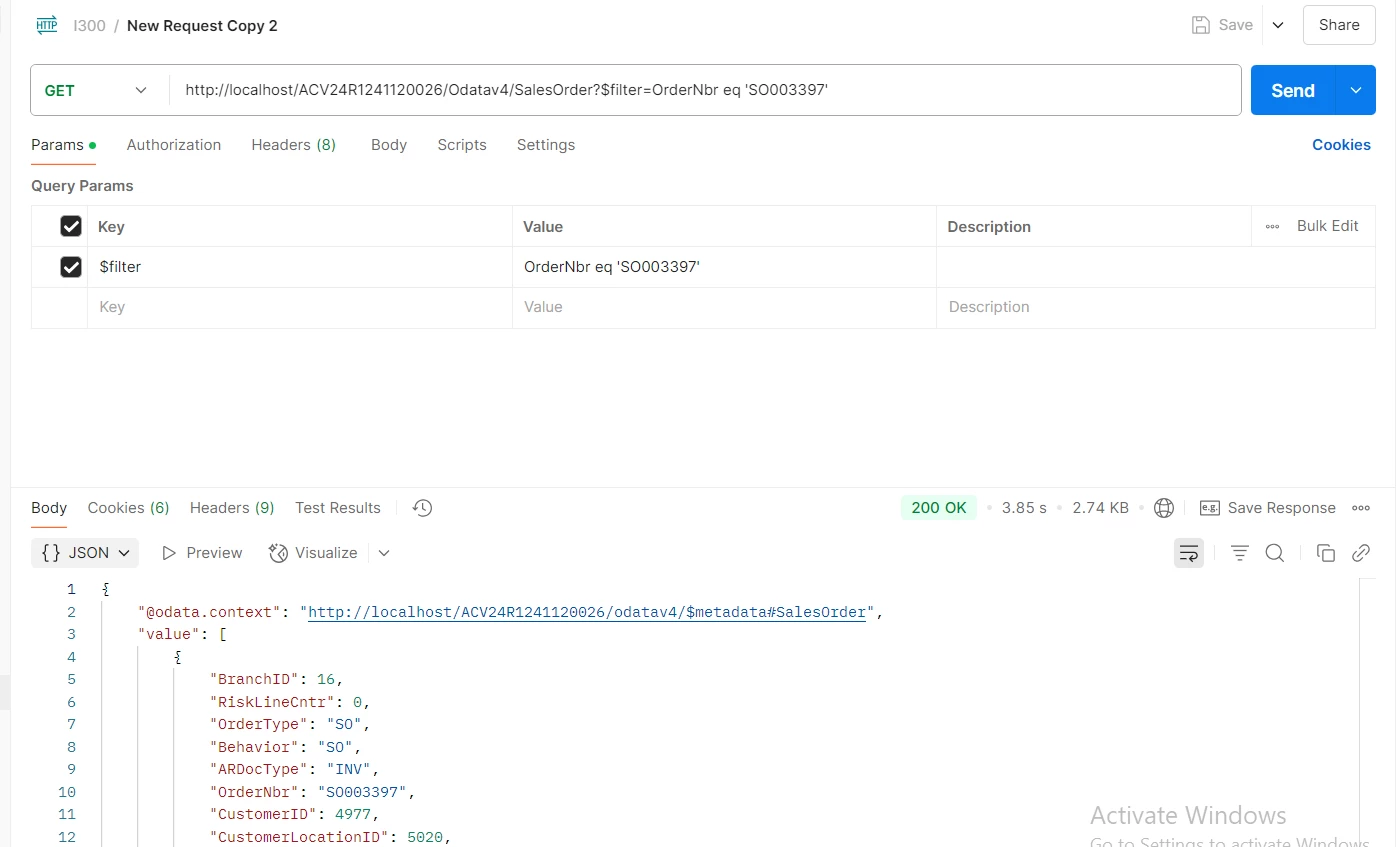
Can you try by passing parameters as below,


Hope above helps!!


  • Author
  • Freshman II
  • April 23, 2025

Hi ​@Rakshanda ,


Thank you for your response.

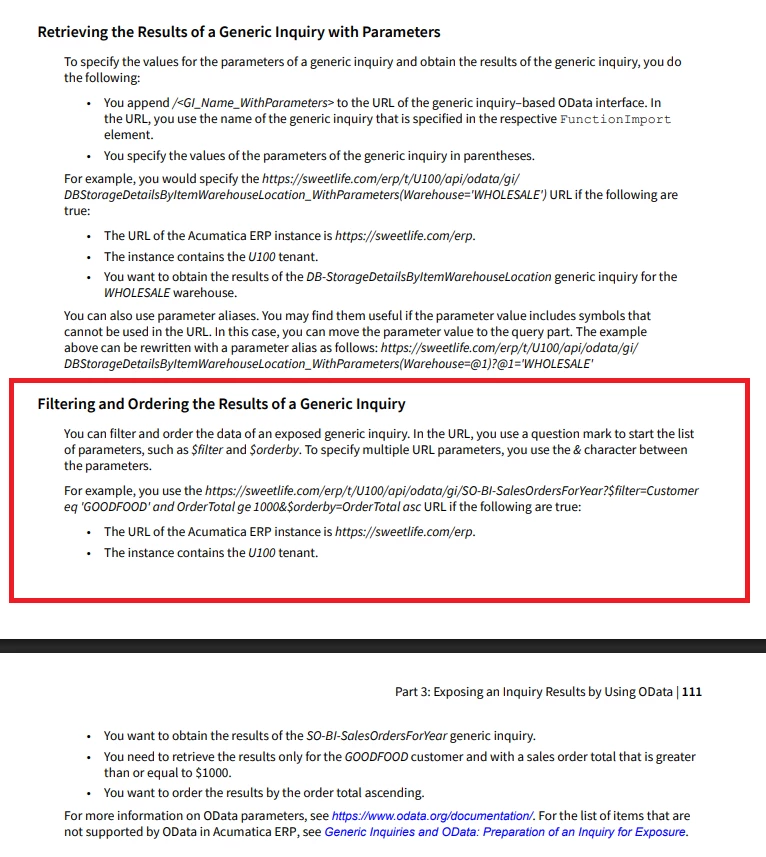
I think what you referring was a filtering.


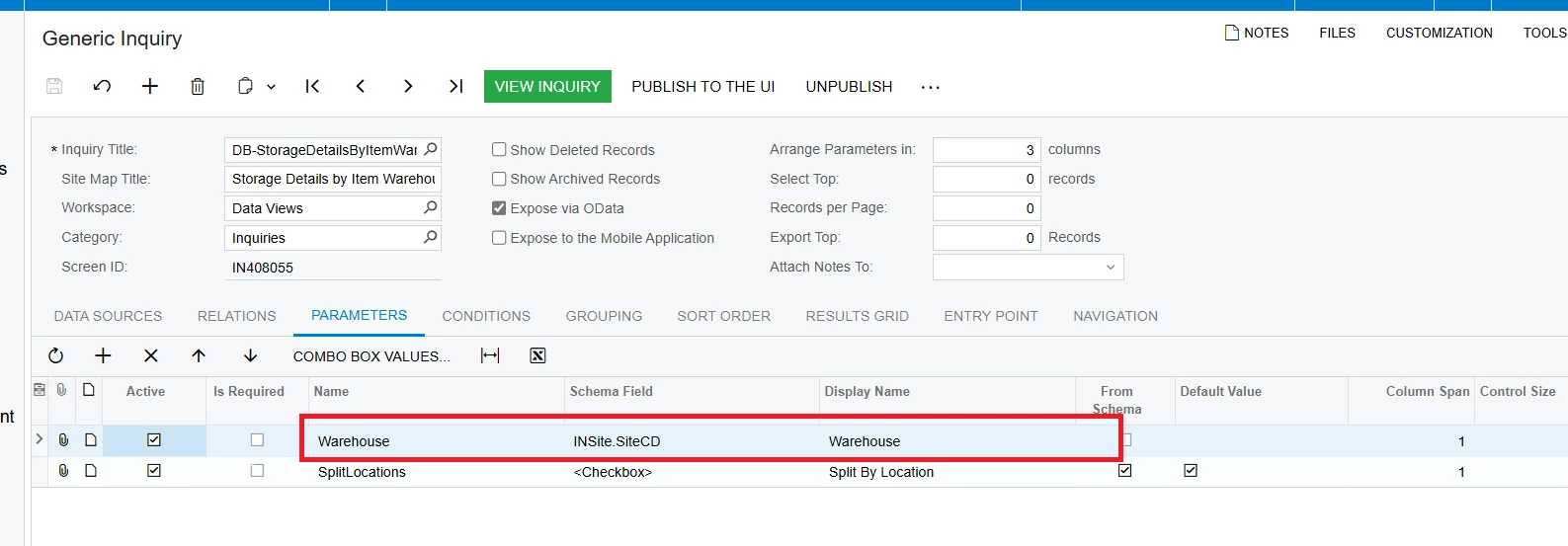
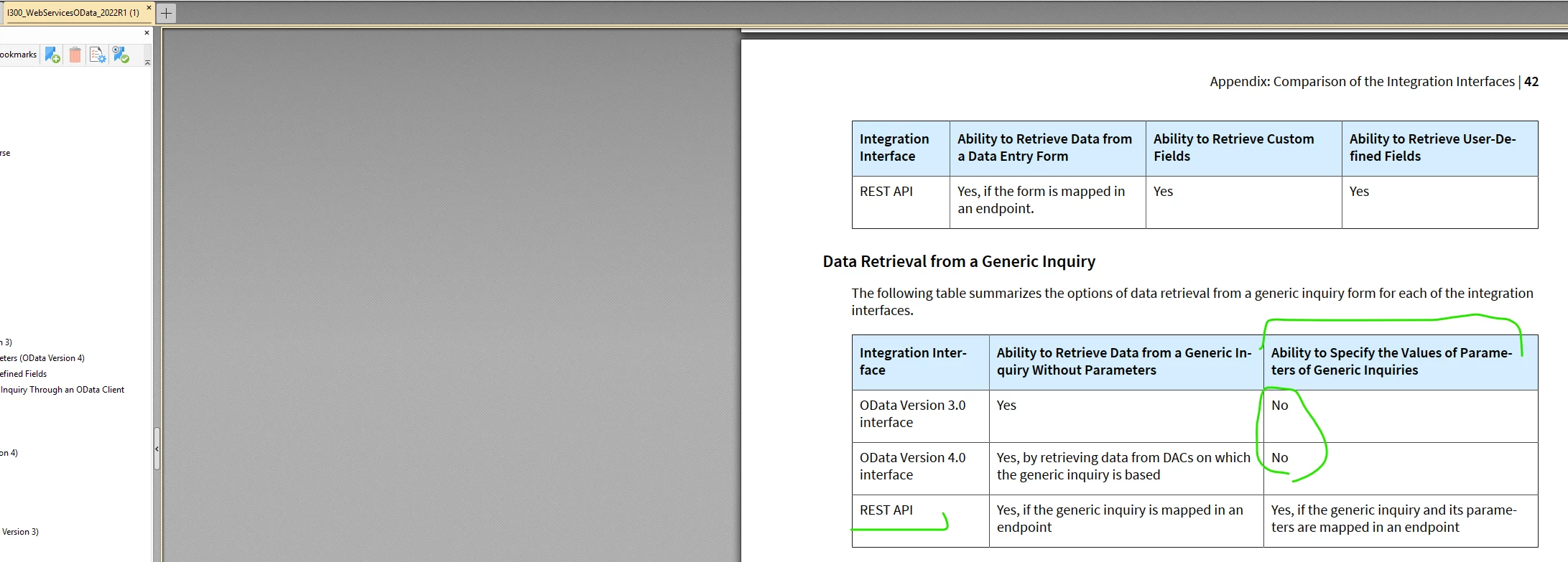
I don’t know If my understanding was right, because on the document it says parameters of generic inquiry, I was referring to this defined parameter in GI:

Is OData v3 now support GI defined parameters in 2024 R1? I was following the document guide, but it doesn’t work. Did I do something wrong? 


harutyungevorgyan
Jr Varsity I
Forum|alt.badge.img+2

Hello ​@kcaldapai ,

You're super close—great job so far! You’ve got almost everything right. The only thing you need to tweak is the URL structure. Just make sure you're following the same format as shown in the documentation.

So instead of using:
http://localhost/odata/DB-StorageDetailsByItemWarehouseLocation_WithParameters(Warehouse="WHOSALE")

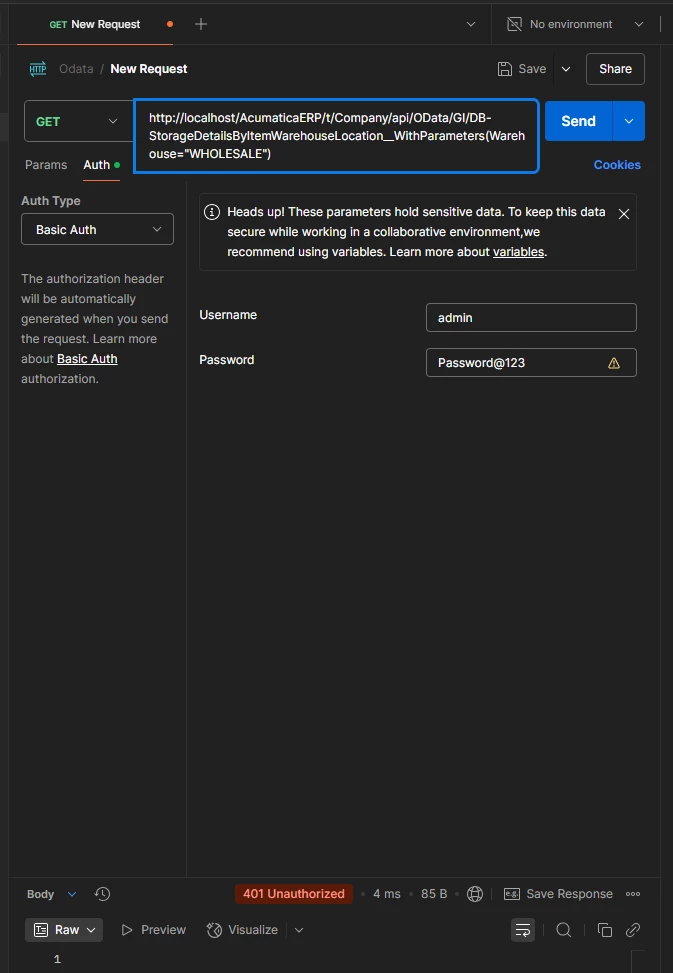
You should use something like this:
http://localhost/{{InstanceURL}}/t/{{Tenant}}/api/OData/GI/DB-StorageDetailsByItemWarehouseLocation_WithParameters(Warehouse="WHOSALE")

Also, I noticed you might have meant "WHOLESALE" instead of "WHOSALE"—just a quick fix there. 

It should work now as expected.


  • Author
  • Freshman II
  • April 23, 2025

Hi ​@harutyungevorgyan ,


Thank you very much for your response. I have tried your URL structure, but I got 401 error:


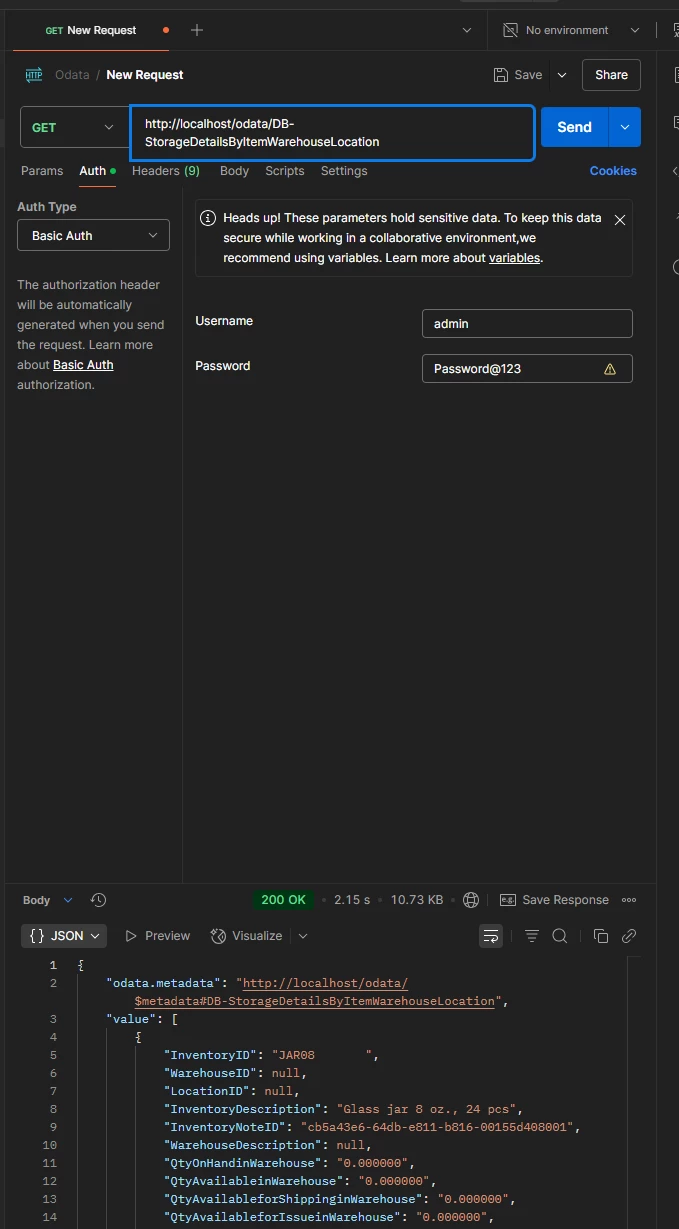
But using the short URL without the _WithParameters works will though. I’m confused now why it’s not working:


Chris Hackett
Community Manager
Forum|alt.badge.img
  • Acumatica Community Manager
  • July 2, 2025

Hi @vibindas were you able to find a solution? Thank you!


Forum|alt.badge.img+1
  • Captain I
  • July 9, 2025

Hi ​@harutyungevorgyan ,


Thank you very much for your response. I have tried your URL structure, but I got 401 error:


But using the short URL without the _WithParameters works will though. I’m confused now why it’s not working:


I have the exact same problem, how to resolve that? I follow the acumatica help without any result!


Forum|alt.badge.img+1
  • Captain I
  • July 9, 2025


Forum|alt.badge.img+1
  • Captain I
  • July 9, 2025

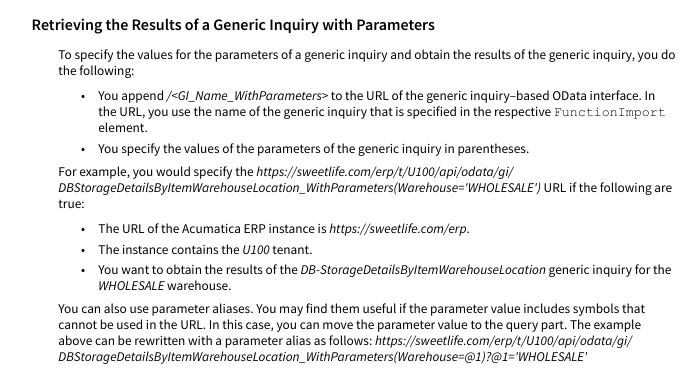
the upper capture from E300 disagree with current help https://help.acumatica.com/(W(1))/Help?ScreenId=ShowWiki&pageid=7990b4d9-1f40-4654-9494-7b2f6abfd023

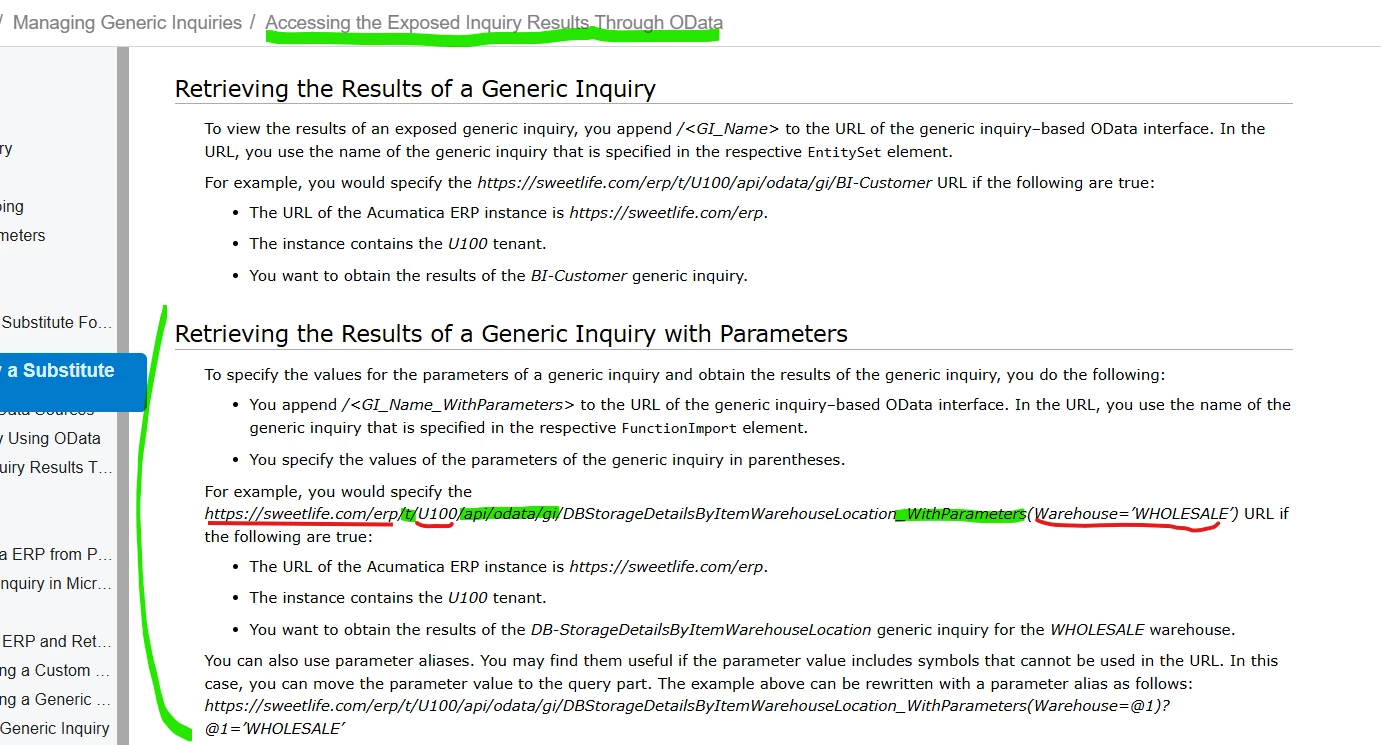
According to the help , it’s supposed to be possible to retrieving the Results of a Generic Inquiry with Parameters via Odata, i putted in red the thing to adapts according to your setup, but i don’t have good result with it !  : 


  • Freshman I
  • July 17, 2025

Acumatica’s help documentation seems to just be plain incorrect here.

I have only been able to get this working as:

https://[SITE URL]/odata/[TENANT]/[INQUIRY TITLE]_WithParameters?[PARAM]=[PARAM VALUE]&$format=json


Forum|alt.badge.img+1
  • Captain I
  • July 17, 2025

Acumatica’s help documentation seems to just be plain incorrect here.

I have only been able to get this working as:

https://[SITE URL]/odata/[TENANT]/[INQUIRY TITLE]_WithParameters?[PARAM]=[PARAM VALUE]&$format=json

thanks for your help, but i don’t have result on my side with a GET on https://[url]/odata/[Tenant]/AR_Documents_PeriodSensitive_WithParameters?PPeriod='092025'&$format=json . I got 200 OK status, but the data isn’t agree with the parameter.


Level 3 support : They informed me that it is not a system bug. They also included the following comment: "OData does not support GIs with parameters unless you set the parameters explicitly in the URL. Please refer to the Acumatica Help." 

I don't really understand what that means, I begin in this domain.


  • Freshman I
  • July 17, 2025

I would recommend double checking the parameter name and potentially copying the inquiry and changing the title to not use any special characters. I was having trouble getting it working with brackets in my inquiry title. For the parameter name, I see you have “PPeriod” that possibly should be “Period”?


Here is the exact example I got working on 24R2(verified that the parameter was indeed updating the inquiry results) with the customer data removed(AKTTrialBalanceDetailed is the inquiry title):

https://[customer].acumatica.com/odata/[tenant]/AKTTrialBalanceDetailed_WithParameters?Period=012025&$format=json


Forum|alt.badge.img+1
  • Captain I
  • July 17, 2025

I would recommend double checking the parameter name and potentially copying the inquiry and changing the title to not use any special characters. I was having trouble getting it working with brackets in my inquiry title. For the parameter name, I see you have “PPeriod” that possibly should be “Period”?


Here is the exact example I got working on 24R2(verified that the parameter was indeed updating the inquiry results) with the customer data removed(AKTTrialBalanceDetailed is the inquiry title):

https://[customer].acumatica.com/odata/[tenant]/AKTTrialBalanceDetailed_WithParameters?Period=012025&$format=json

In order to be sure for the parameter name, i got the $metadata, 

 <FunctionImport Name="AR_TranPostGL_PeriodSensitive_WithParameters" ReturnType="Collection(PX.Data.AR_TranPostGL_PeriodSensitive)" IsSideEffecting="false" EntitySet="AR_TranPostGL_PeriodSensitive">

                    <Parameter Name="PPeriod" Type="Edm.String" Nullable="false" />

</FunctionImport>


I also tried replacing ‘ by %27 :  _WithParameters?PPeriod=%27092025%27&$format=json


Forum|alt.badge.img
  • Varsity II
  • Answer
  • October 15, 2025

I would recommend double checking the parameter name and potentially copying the inquiry and changing the title to not use any special characters. I was having trouble getting it working with brackets in my inquiry title. For the parameter name, I see you have “PPeriod” that possibly should be “Period”?


Here is the exact example I got working on 24R2(verified that the parameter was indeed updating the inquiry results) with the customer data removed(AKTTrialBalanceDetailed is the inquiry title):

https://[customer].acumatica.com/odata/[tenant]/AKTTrialBalanceDetailed_WithParameters?Period=012025&$format=json

In order to be sure for the parameter name, i got the $metadata, 

 <FunctionImport Name="AR_TranPostGL_PeriodSensitive_WithParameters" ReturnType="Collection(PX.Data.AR_TranPostGL_PeriodSensitive)" IsSideEffecting="false" EntitySet="AR_TranPostGL_PeriodSensitive">

                    <Parameter Name="PPeriod" Type="Edm.String" Nullable="false" />

</FunctionImport>


I also tried replacing ‘ by %27 :  _WithParameters?PPeriod=%27092025%27&$format=json

I had the same experience as ​@mray53 .  The help files are completely inaccurate not to mention lazy in ignoring the obvious question of how to handle multiple parameters that aren’t defaulted.  I had to use the request profiler to view how the SQL was constructed for each variation that I tried.  Using the parameter(s) in the parentheses as in the help files just gave a “no resource found” error.  Moving them to the query string worked, but I had to remove the single quotes after viewing the SQL construct. I’m able to call a GI over OData now with one or multiple parameters as follows:


{{baseURL}}/OData/Test/SWAdvantageGetDealerCurrentBalance_WithParameters?Company=ADVANTAGE&Dealer=11650178&$format=json