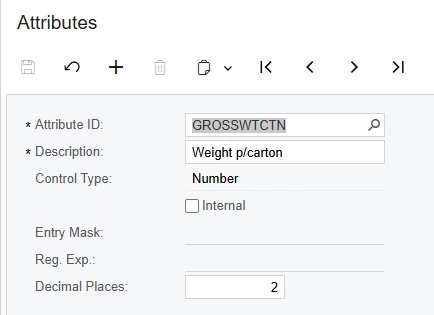
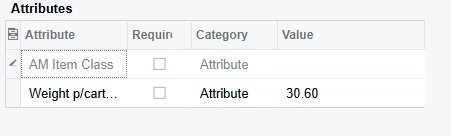
Recently set up a numeric attribute and a combo attribute. My intent was to add these attributes to the Shipment Confirmation Report (SO642000.rpx). After loading the schema and hitting the Refresh All button in the report designer, I found that only the combo attribute had been added to the InventoryItem DAC. That said, I haven’t been able to get the numeric attribute to show up. Does anyone know if numeric attributes show up somewhere else, or am I just missing something?
Best answer by Dipak Nilkanth
Hi @RyanBostwick,
You can add the newly created attribute on the Shipments screen by following these steps:
Navigate to Customization → Manage User-Defined Fields.
Click Add User-Defined Field and add your attribute with the Number type.
After that, open the Report Designer:
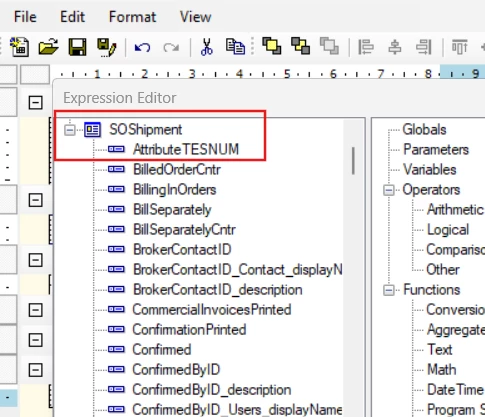
Re-add the SOShipment DAC.
Click Refresh Fields.
You should now see your newly created attribute available.
Add it to your report layout, and you will be able to view its value in the report.
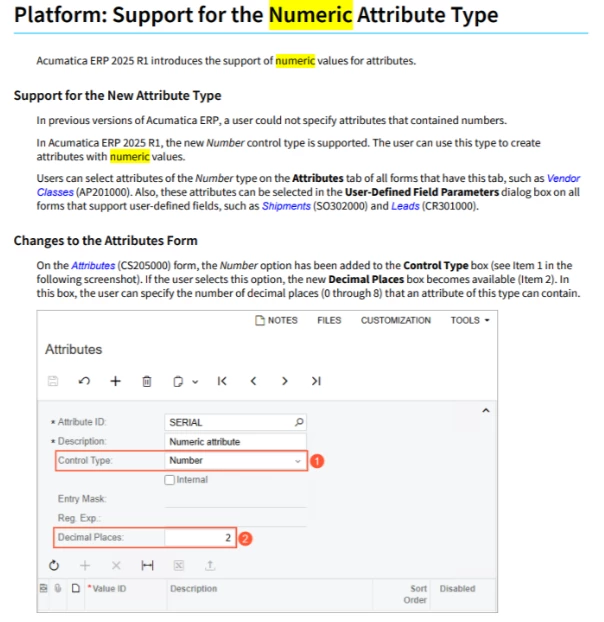
@RyanBostwick I might be missing something, but what is Control Type = Number? I’ve never seen this before and typically all INT values would just go into a Text control type:
If you did something via customization and added other control types then this could be why it isn’t showing. Maybe try making a Text attribute and see if it works, otherwise I would recommend to remove the InventoryItem table from the report and then re-add it, I just test this locally and all my attributes showed up.