Answer

Non Stock Item Disappearing post adding SOH join for Pick list form

  • March 18, 2025
  • 8 replies
  • 58 views

Forum|alt.badge.img

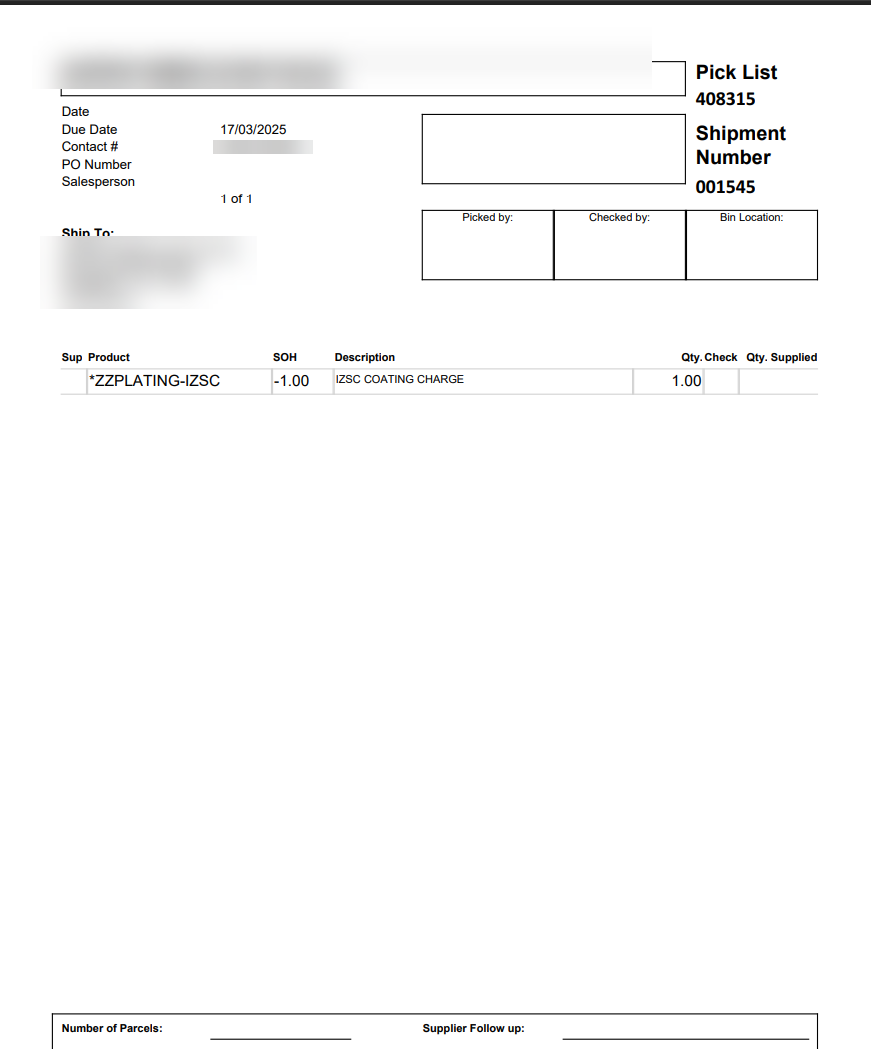
I had a request to add a stock on hand to the Pick list which was done successfully.

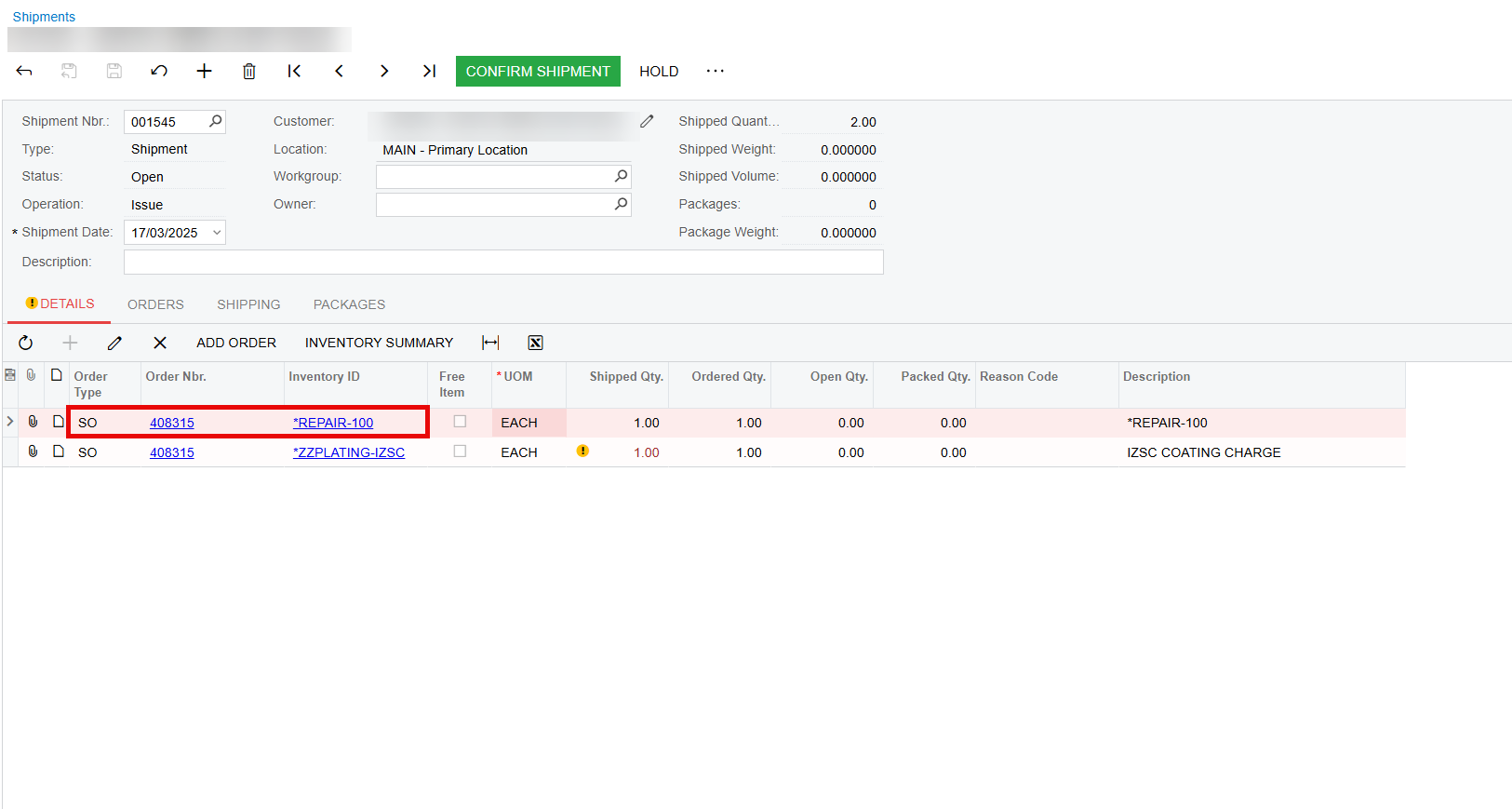
Post this development my non stock item don't show on the picklist.

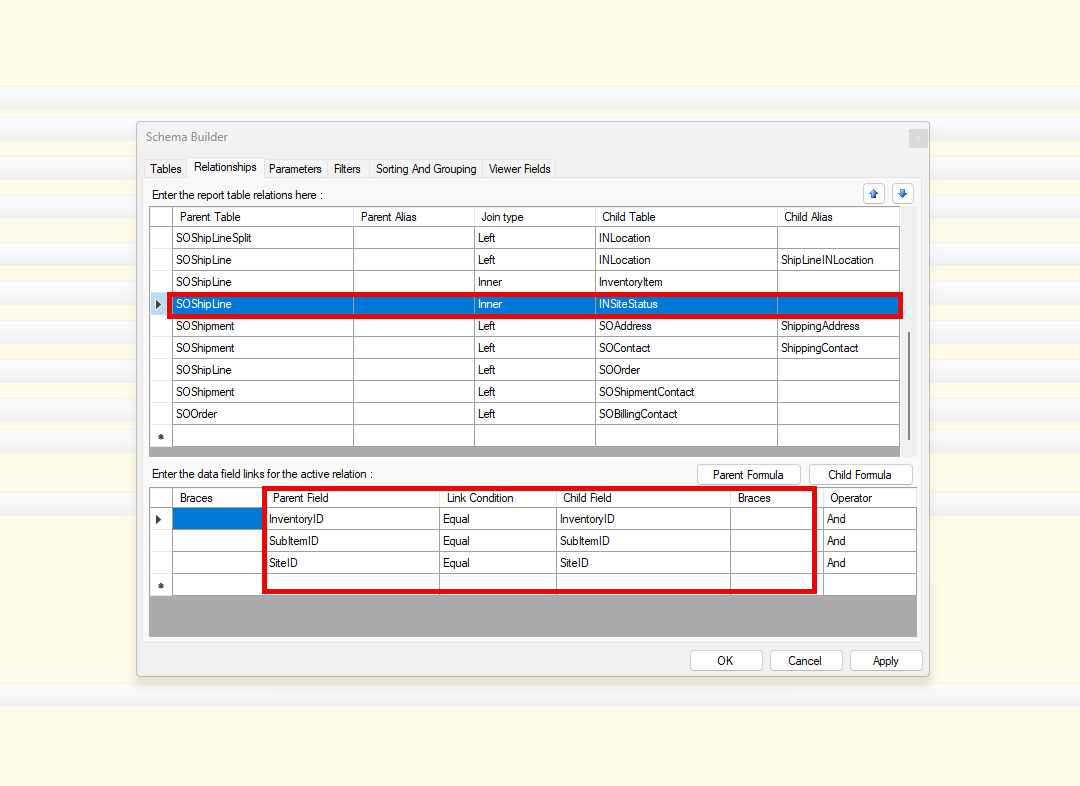
I am aware that this is because of my join as below:

I have tried a full join against inner as below to no avail. Not sure what could be a good workaround for this.

SOshipline inner Insitestatus (last screenshot)

Any guidance would be appreciated.


​​​
​​​​


Best answer by lauraj46

Hi ​@amitkaryekar ,

If you change the Inner join to a Left join, the results will include records that do not have a related record in INSiteStatus.  Also make sure that your filters don't include criteria from INSiteStatus.

Hope this helps!

Laura 


8 replies

lauraj46
Captain II
Forum|alt.badge.img+8
  • Captain II
  • Answer
  • March 18, 2025

Hi ​@amitkaryekar ,

If you change the Inner join to a Left join, the results will include records that do not have a related record in INSiteStatus.  Also make sure that your filters don't include criteria from INSiteStatus.

Hope this helps!

Laura 


Forum|alt.badge.img
  • Author
  • Varsity I
  • March 18, 2025

Hi ​@lauraj46 ,

Thanks for prompt response. I have already tried the Left join and Full join.

Left join gives me non stock items back but then my SOH is wrong. Always defaults to -1 even when the actual are far below this value.

Full join doesn't work either.


lauraj46
Captain II
Forum|alt.badge.img+8
  • Captain II
  • March 18, 2025

Hi ​@amitkaryekar ,

What formula are you using in the SOH field?  Needless to say, for a non stock item there won’t be any quantity on hand :)

Laura


Forum|alt.badge.img
  • Author
  • Varsity I
  • March 18, 2025

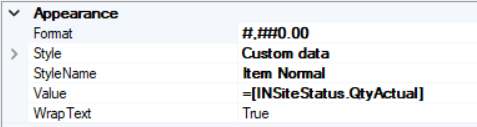
@lauraj46 No formula being used, this is a normal DAC field =[INSiteStatus.QtyActual]


lauraj46
Captain II
Forum|alt.badge.img+8
  • Captain II
  • March 18, 2025

Hi ​@amitkaryekar ,

Can you attach your report?

Laura


Forum|alt.badge.img
  • Author
  • Varsity I
  • March 18, 2025

Please see attached


lauraj46
Captain II
Forum|alt.badge.img+8
  • Captain II
  • March 19, 2025

Hi ​@amitkaryekar ,

Have you tried setting the format string on the SOH field something like this?  

Laura


Forum|alt.badge.img
  • Author
  • Varsity I
  • March 19, 2025

I think the SOH showing was correct my apologies :)

I was expecting it show Qty available for shipping than QtyActuals.

This was clarified from Inventory allocation report.