This seems to be an interesting function but we dont know what business case it would be helpful in.
As it provides a string of all values it has limited value but there must be some reason why it was added.
I would be interested to know if anyone has found a use for this.
Thanks
James
Best answer by gbrazelton14
I have not used the new StringAgg function yet, but I can see it would be really helpful when reporting Serial numbers as a list - for example you don’t want to see a record for every unique serial number but a GI could show a single line for the item with Qty of 8, and sounds like StringAgg would allow you to concatenate all 8 serial numbers in one column, which has been asked for by multiple customers.
Platform: New Aggregate Function for Flexible Data Presentation in Generic Inquiries Acumatica ERP 2025 R2 introduces a new function for generic inquiries that outputs the aggregated records as a single string. The new StringAgg function retrieves the values of individual records that comprise aggregated data field and concatenates them into a single string. Thus, you can enhance the readability of your data inquiries.
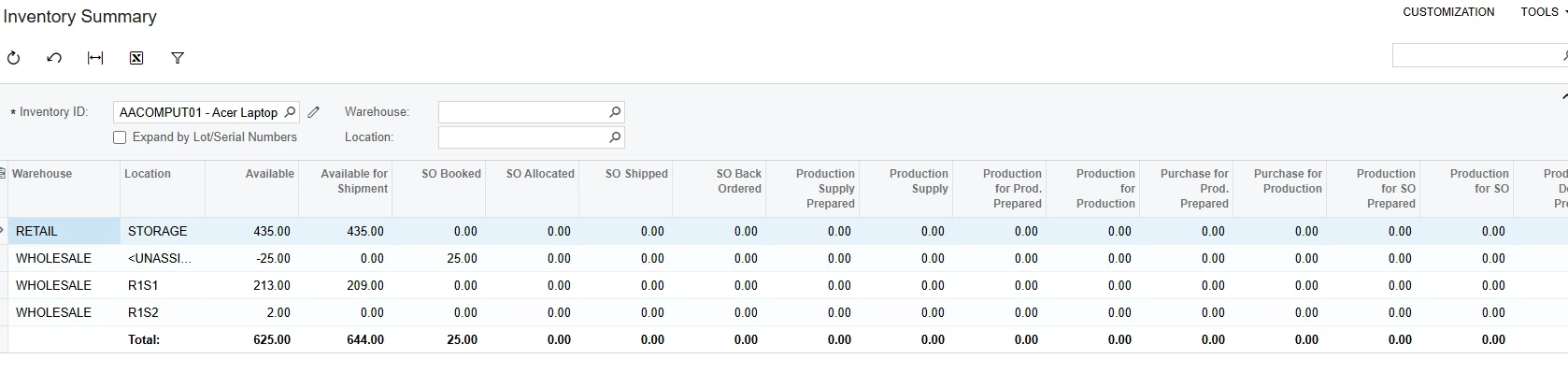
you are totally right, it is fully about having a line with aggregated values. It is like the Total row in Inventory summary, just have other available functions besides Sum.
Oh, I am a little sorry, I was talking about total aggregate function, the aggregate function just shows aggregated values in one column. The reason to use this is if you don’t have some total field on the record header like Sales order, and you need to calculate total from lines you just put it.it also allows to get Max, min and some other values. At the end it is just an aggregation, and as an example if you want to get total discounted discounted amount from the order you just sum it and show on the gi
In Acumatica 2025 R2, the STRINGAGG aggregate function in Generic Inquiries allows multiple aggregated row values to be concatenated into a single string for display purposes.
This is useful when grouping data (for example, by OrderNbr or RefNbr) and you need visibility into underlying detail values—such as item IDs, descriptions, or amounts—without drilling into line-level records.
Typical business use cases include:
Displaying multiple line-level values (such as item IDs, descriptions, or amounts) in a single row per document (Sales Order, Invoice, PO, etc.).
Providing better summary views for users who want context without drilling into detail screens.
Reducing the need for custom SQL views or code that were previously required to achieve similar output.
In your example I would have a GI that has one line per invoice and in the aggregated field it will show the item descriptions (for example) of every item on that invoice.
I can’t think of a place where this would be useful but this does confirm my understanding.
Perhaps it would be useful if you wanted to pick up notes that are made against an invoice when calling to collect payment and a number of calls are made.
I have not used the new StringAgg function yet, but I can see it would be really helpful when reporting Serial numbers as a list - for example you don’t want to see a record for every unique serial number but a GI could show a single line for the item with Qty of 8, and sounds like StringAgg would allow you to concatenate all 8 serial numbers in one column, which has been asked for by multiple customers.
@jmorgan - You made me curious so I went ahead and built one out in my local 2026 R1 beta site.
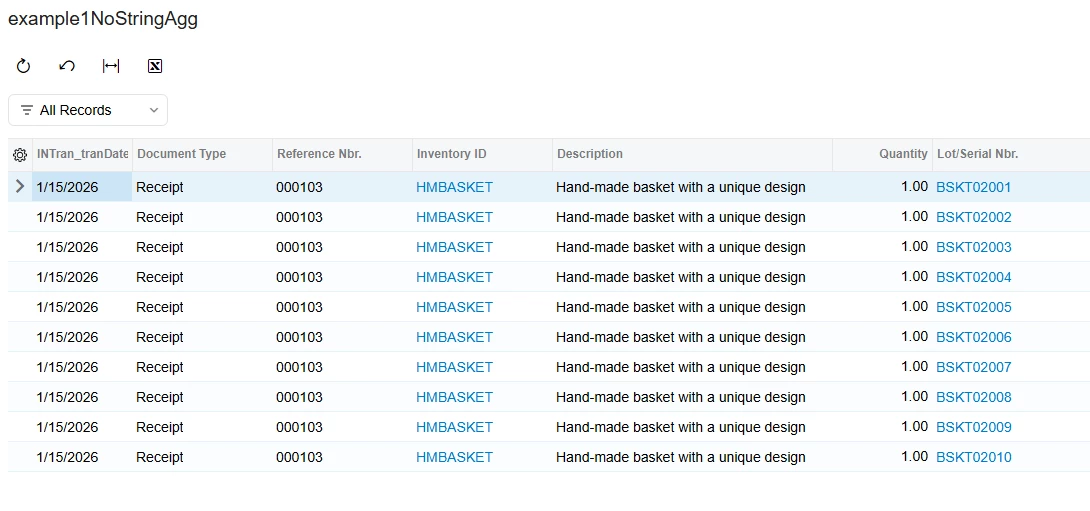
Old style, no StringAgg:
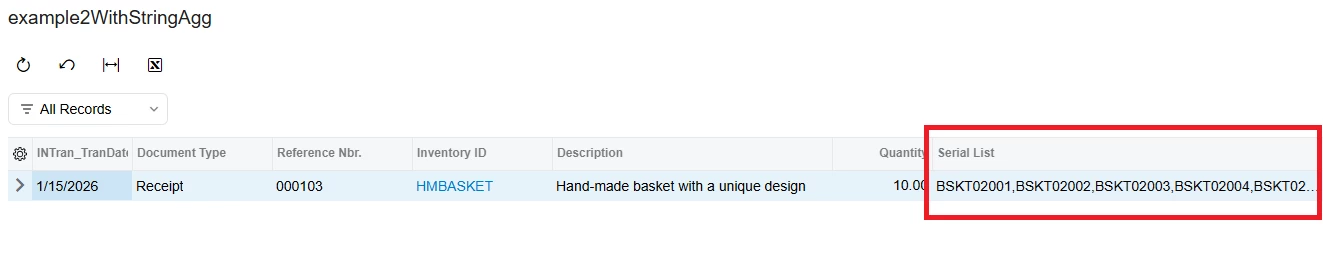
Using StringAgg to help accumulate to one line but see all serial numbers:
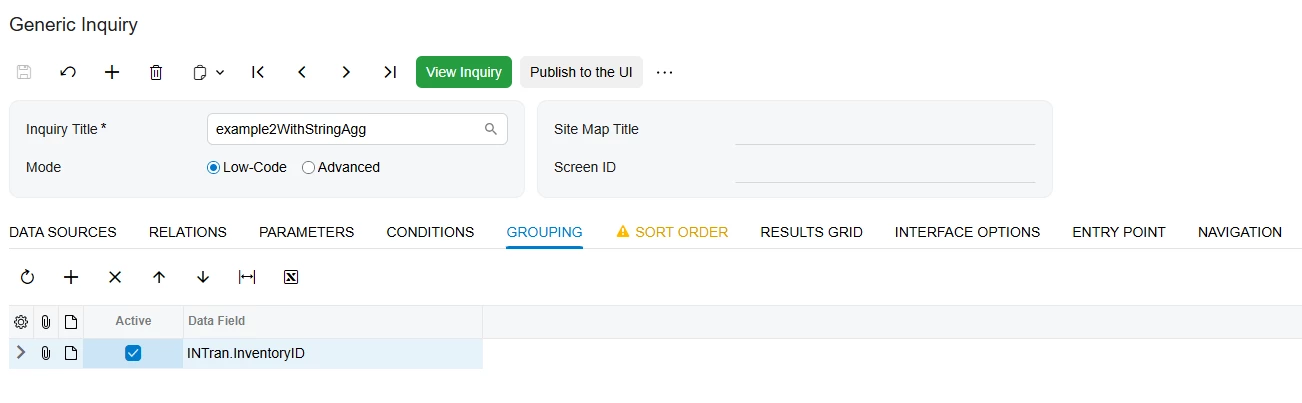
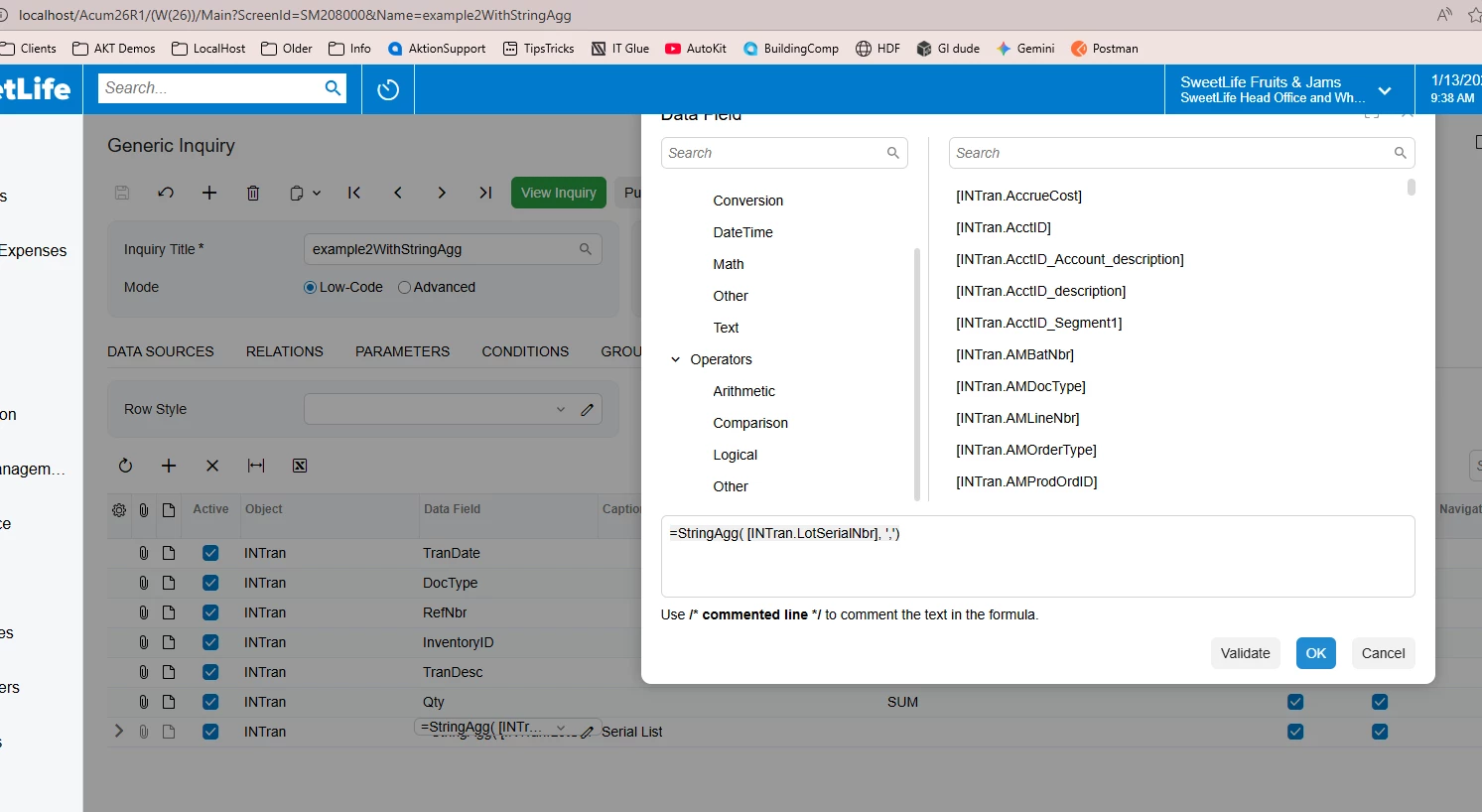
GI design -
Group by INTran.InventoryID:
On Results tab, SUM the Qty and add a calculated expression =StringAgg([INTran.LotSerialNbr], ‘,’) in the format of StringAgg( expr, delimiter ). I put ‘,’ in for the delimiter to put a comma in between values.