Answer

Need help with a subreport - Report Designer

  • April 9, 2025
  • 9 replies
  • 143 views

Forum|alt.badge.img

I have a client that would like to view all of their fixed assets and their calculated depreciation for the next 12 months in a single report. I have edited a copy of the Fixed Asset Balance report (FA630000) and I made a custom report (FA63001D) to use as a subreport that will list the financial period, calculated depreciation, and YTD calculated deprecation. 


The subreport takes 2 parameters: [FixedAsset.AssetCD] and [FABookBalance.BookID]. Passing the BookID works fine but for some reason it doesn’t like how the AssetCD is passed to the subreport. If I hardcode a value for it like 1000-001, it works but I want it to run the subreport for each asset in the main report. I’ve also tried basing the subreport on [FixedAsset.AssetID] but this gives the same result. The stack trace only gives this for a SQL message: 

 @@DBTS, IDENT_CURRENT('WatchDog') OPTION (OPTIMIZE FOR UNKNOWN)/*  */



Best answer by dgranger70

@Nilkanth Dipak ​@BenjaminCrisman I figured this out. There was an issue with variable definitions in the subreport. I was trying to assign a variable to CInt(Substring([FABookHistory.FinPeriod]), 0, 2) for visibility logic and kept getting an “Input string was not in the correct format” exception. Removing CInt() fixed the issue. 

9 replies

BenjaminCrisman
Acumatica Employee
Forum|alt.badge.img+4
  • Acumatica Support Team
  • April 9, 2025

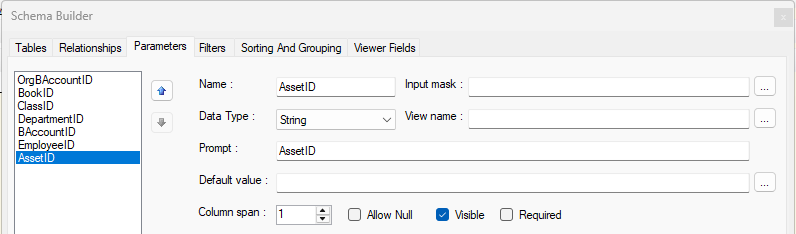
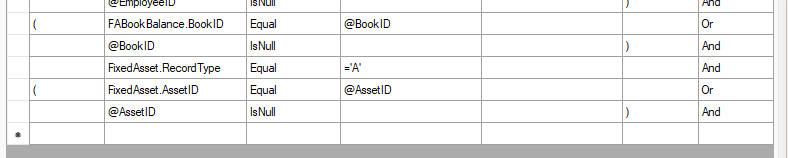
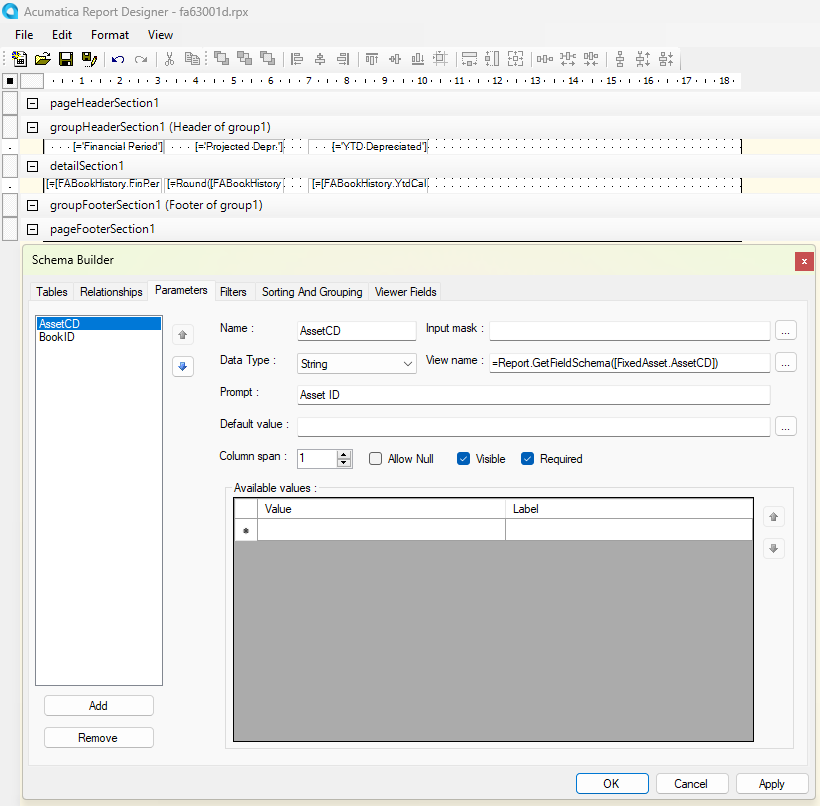
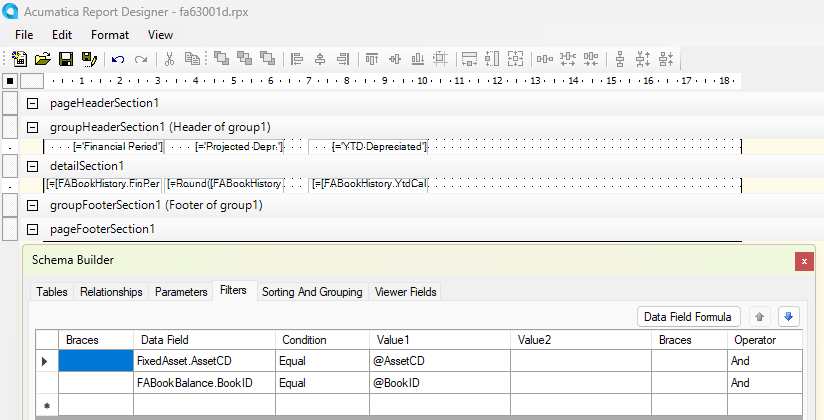
@dgranger70 In your subreport do you have a parameter for AssetID or AssetCD defined? I did a quick mockup and all I did was add the AssetID to the subreport and the associated filter conditions and it worked:

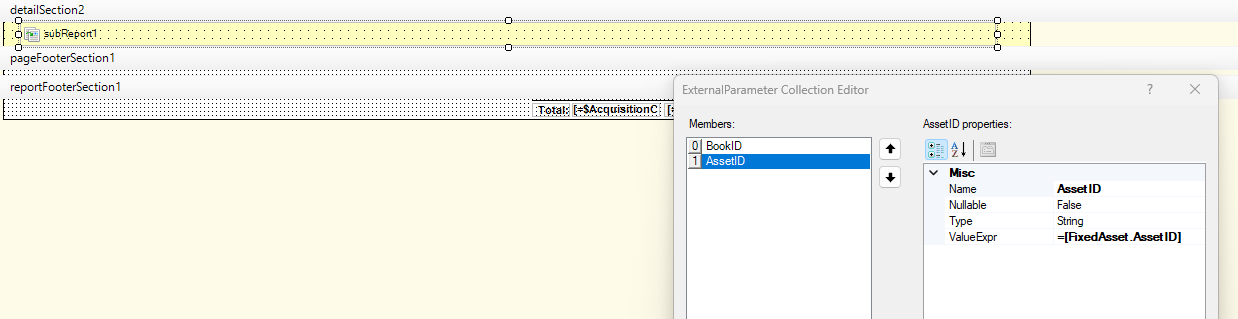
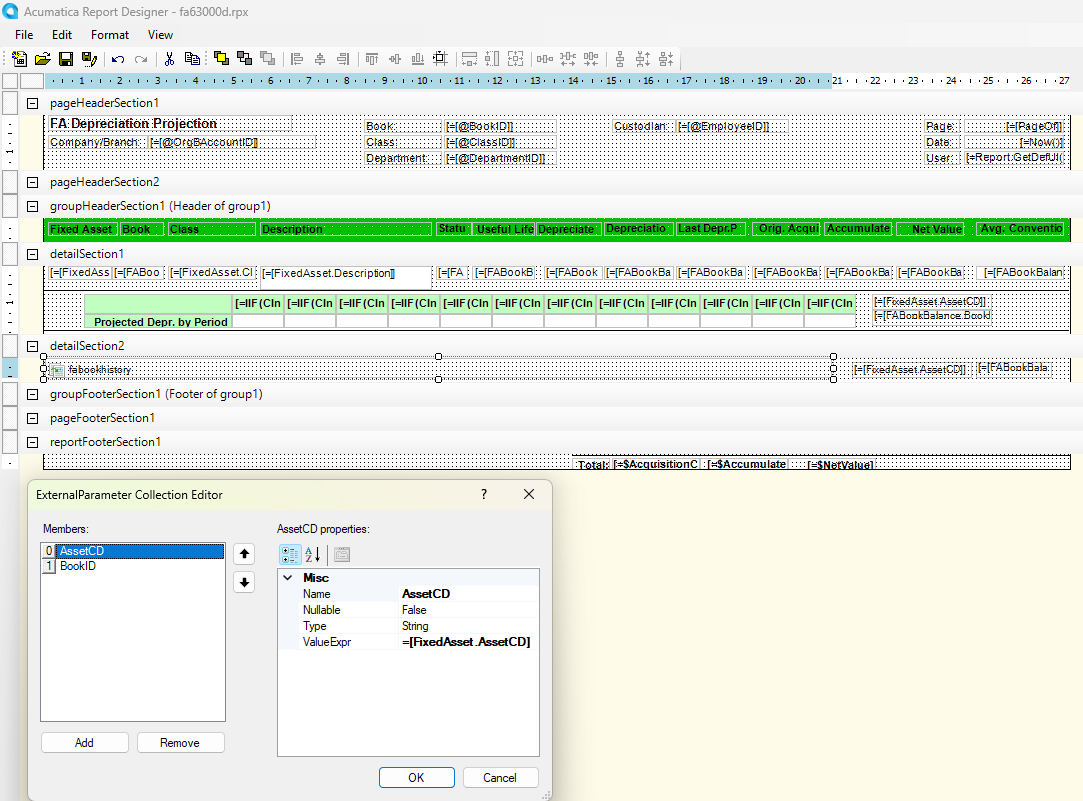
Then in the main report:

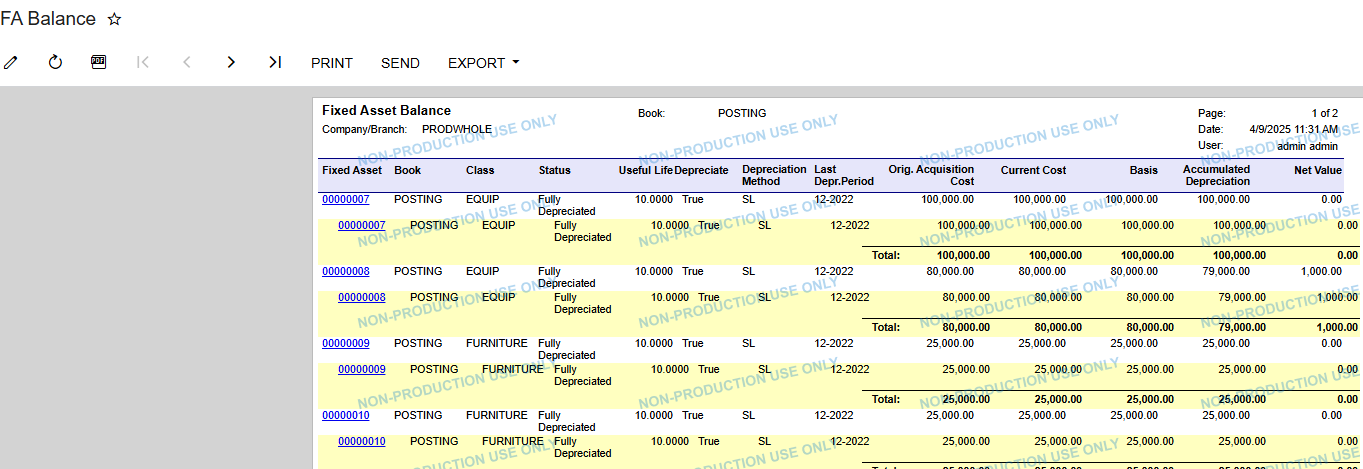
Printed:


Forum|alt.badge.img
  • Author
  • Varsity I
  • April 9, 2025

@BenjaminCrisman yes, I do. I’m able to run my subreport by itself, it just won’t run in the main report. 


BenjaminCrisman
Acumatica Employee
Forum|alt.badge.img+4
  • Acumatica Support Team
  • April 9, 2025

@dgranger70 I don’t think that FixedAsset.AssetCD has a schema, so I think you need to remove the function on the View Name in the subreport. Typically, views will not be necessary for subreports since it’s just inserting specific data and since the subreport is not typically ran independently there is no need to use actual selectors. Otherwise I may need to check the reports locally to see if I could get them to work


DipakNilkanth
Pro III
Forum|alt.badge.img+13

Hi ​@dgranger70,

You are using AssetCD instead of AssetID. Please replace AssetCD with AssetID.
 

Hope, it helps!


Forum|alt.badge.img
  • Author
  • Varsity I
  • April 9, 2025

@Nilkanth Dipak Thanks for the suggestion! I’ve tried it both ways and I’m getting the same error. 


Forum|alt.badge.img
  • Author
  • Varsity I
  • April 9, 2025

@dgranger70 I don’t think that FixedAsset.AssetCD has a schema, so I think you need to remove the function on the View Name in the subreport. Typically, views will not be necessary for subreports since it’s just inserting specific data and since the subreport is not typically ran independently there is no need to use actual selectors. Otherwise I may need to check the reports locally to see if I could get them to work

I removed the functions from the view name and I’m still getting the same error. 


Forum|alt.badge.img
  • Author
  • Varsity I
  • April 9, 2025

Also, I’ve noticed that it works just fine in the preview window in report designer. 


Forum|alt.badge.img
  • Author
  • Varsity I
  • Answer
  • April 14, 2025

@Nilkanth Dipak ​@BenjaminCrisman I figured this out. There was an issue with variable definitions in the subreport. I was trying to assign a variable to CInt(Substring([FABookHistory.FinPeriod]), 0, 2) for visibility logic and kept getting an “Input string was not in the correct format” exception. Removing CInt() fixed the issue. 


Chris Hackett
Community Manager
Forum|alt.badge.img
  • Acumatica Community Manager
  • April 14, 2025

Thank you for sharing your solution with the community ​@dgranger70!