Hi all,
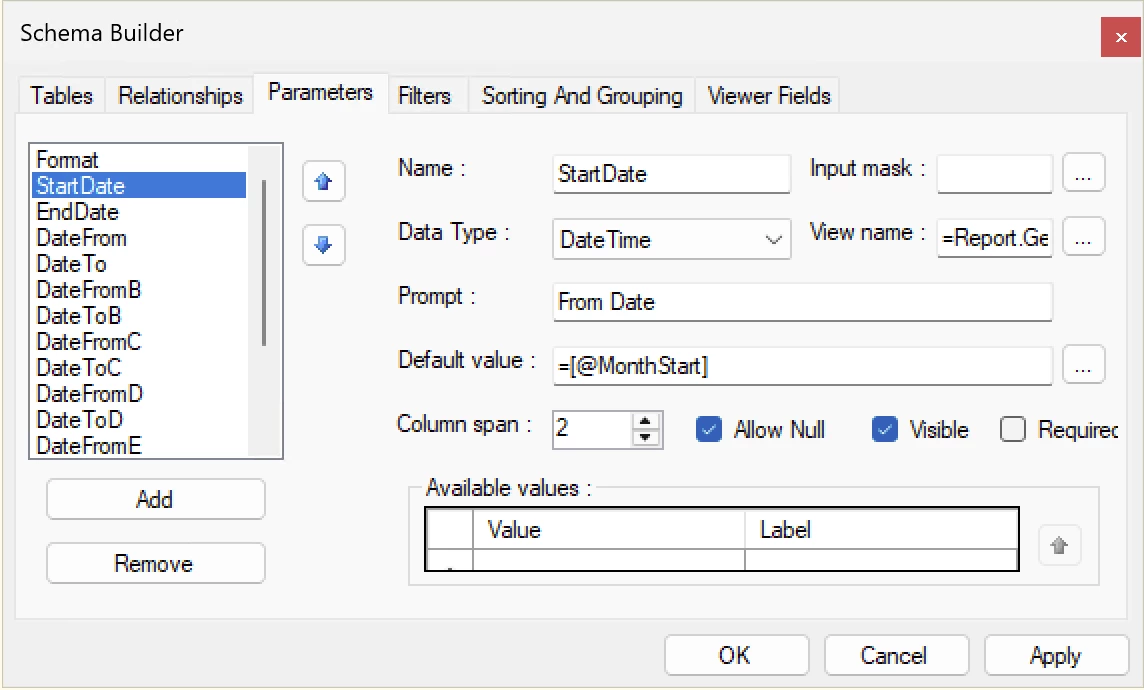
I have a simple report that has a parameter date range, StartDate (defaults to @MonthStart) and EndDate (defaults to @Today). This reports sums the total of orders for that range:
=sum([ARTran.NetSalesAmount])
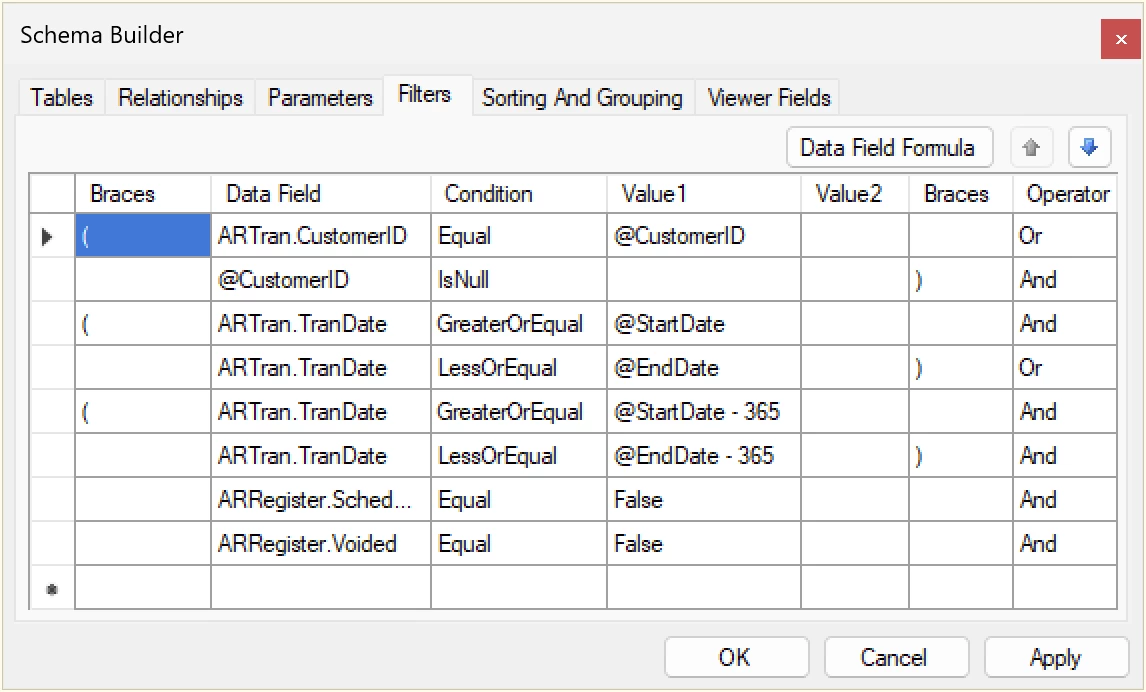
The filter is a simple range like this:
(ARTran.TranDate >= @StartDate and ARTran.TranDate <= @EndDate)
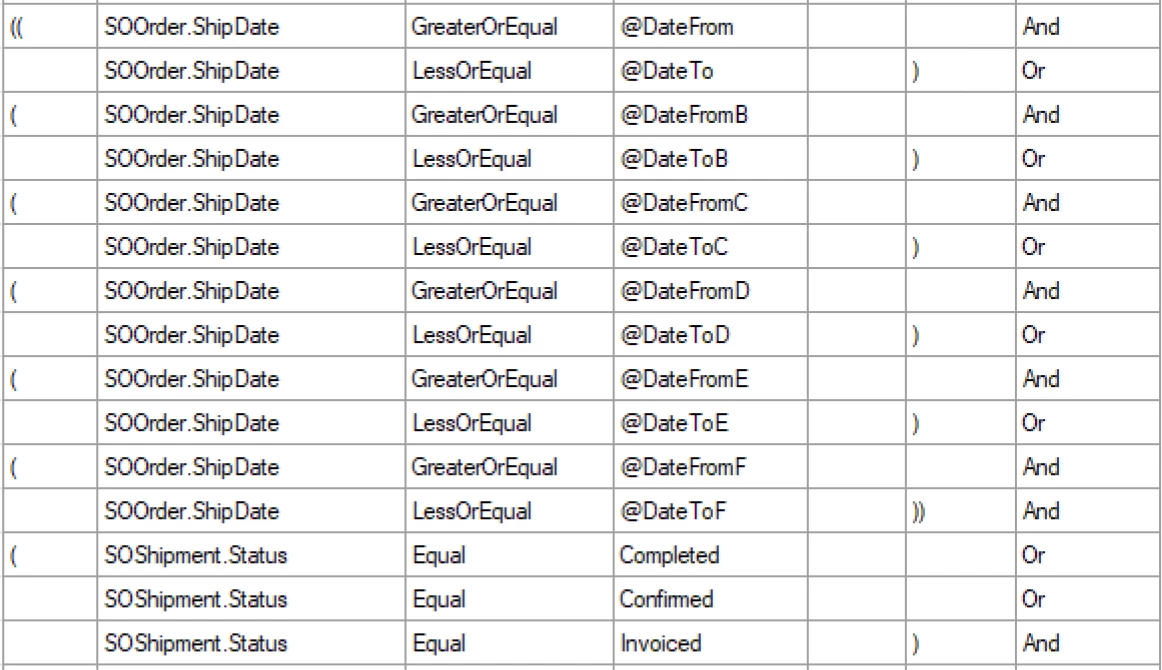
But now I’ve been tasked to turn this into a 6 year range… essentially, A-F date ranges.
I thought I could use something like this for the other ranges to pull the numbers:
=Sum(
  IIf(
    [ARTran.TranDate] >= DateAdd(@StartDate, 'y', -1) AND
    [ARTran.TranDate] <= DateAdd(@EndDate, 'y', -1),
    [ARTran.NetSalesAmount],
    0
  )
)
But nothing pulls… and I realized it’s because my primary filter is still set to >=@StartDate and <=@EndDate.
At this point I’m just confused. I’d prefer to just have one data range parameter and then base the other 5 off the primary (-1 year, -2 year, etc). But it might be simpler to just have 6 date range parameters and wire that up (which I’m unsure how to do lol).
I could set up filters to handle ranges A, B etc, but then how do I put those ranges into the appropriate buckets (summed total fields)?
I’ll post some screenshots of my misguided attempts.
Any help is appreciated!