Hello,
I am building a GI screen specifically meant for our merchandising team to be able to review matrix/stock items of a certain status, to see if the item status needs updating. The main intent would be for archiving/deactivating products or otherwise moving them out of active status if they meet the criteria.
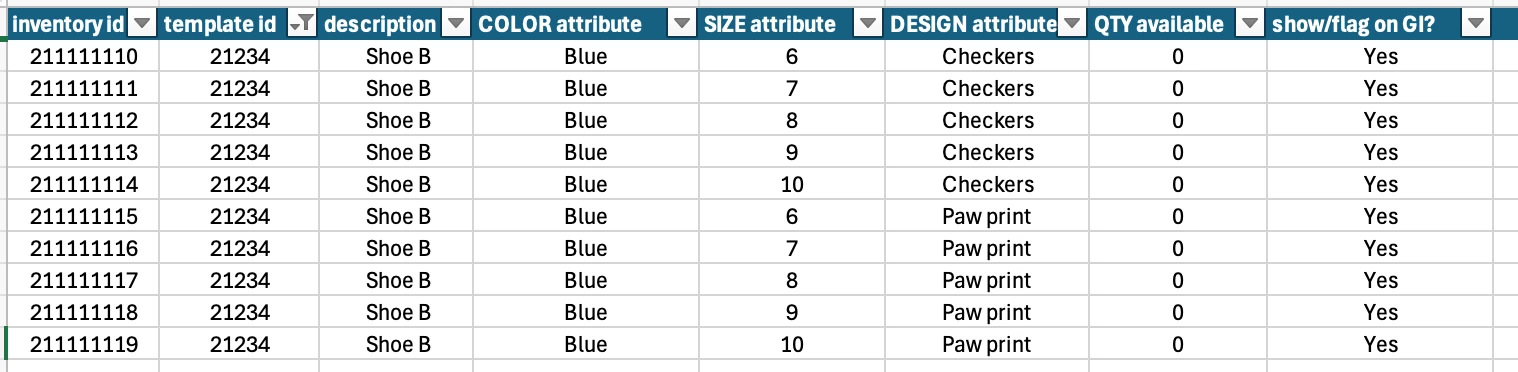
The struggle I’m having is looking for a filter solution around attributes, since we only retire, reorder, etc full color or design lines as a group.
The use case example would be:
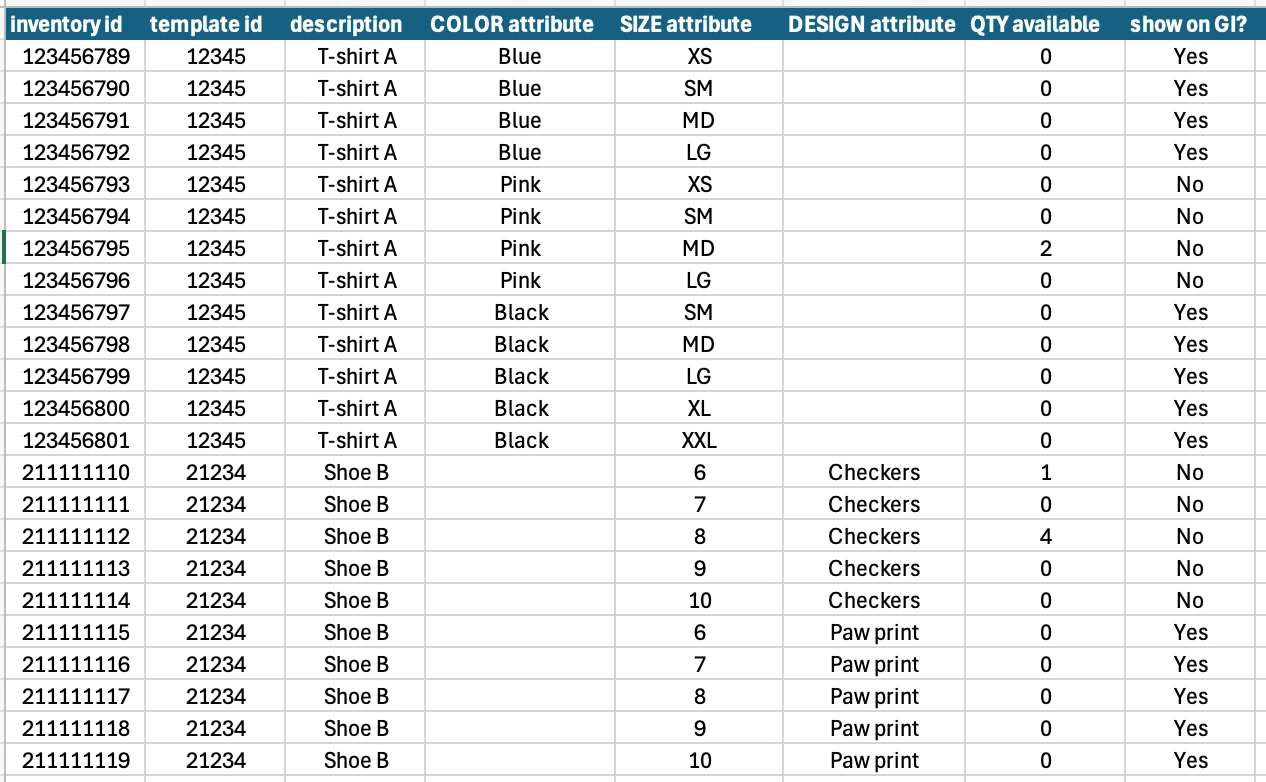
On a t-shirt product, which has “color” and “size” attributes– when all of the matrix SKUs of the same color under the same template id have sold out, that color line should be reviewed to see if that color specifically should be archived, reordered, not reordered, etc.
(So if t-shirt BLUE size small is sold out, but t-shirt BLUE size large still has a lot of inventory, we don’t want the BLUE matrix/stock items to show up in the review. Only when the whole color line is sold out.)
I am puzzled how to make a filter that does something of the following to make this work:
- A boolean true/false on the stock/matrix item row if QTY available = 0 on ALL of {X} attribute of the same template id
- A GI level filter where stock items will only be visible on the GI results if the QTY available, template id, and 1 attribute of the stock/matrix item all match
- ? Some other filter or boolean that would allow further GI filters to accomplish the same?
Here’s some example of filters I already set on the screen, but it is pulling in all stock item/matrix items regardless if it’s the whole attribute line or not, which is what I need to improve on.
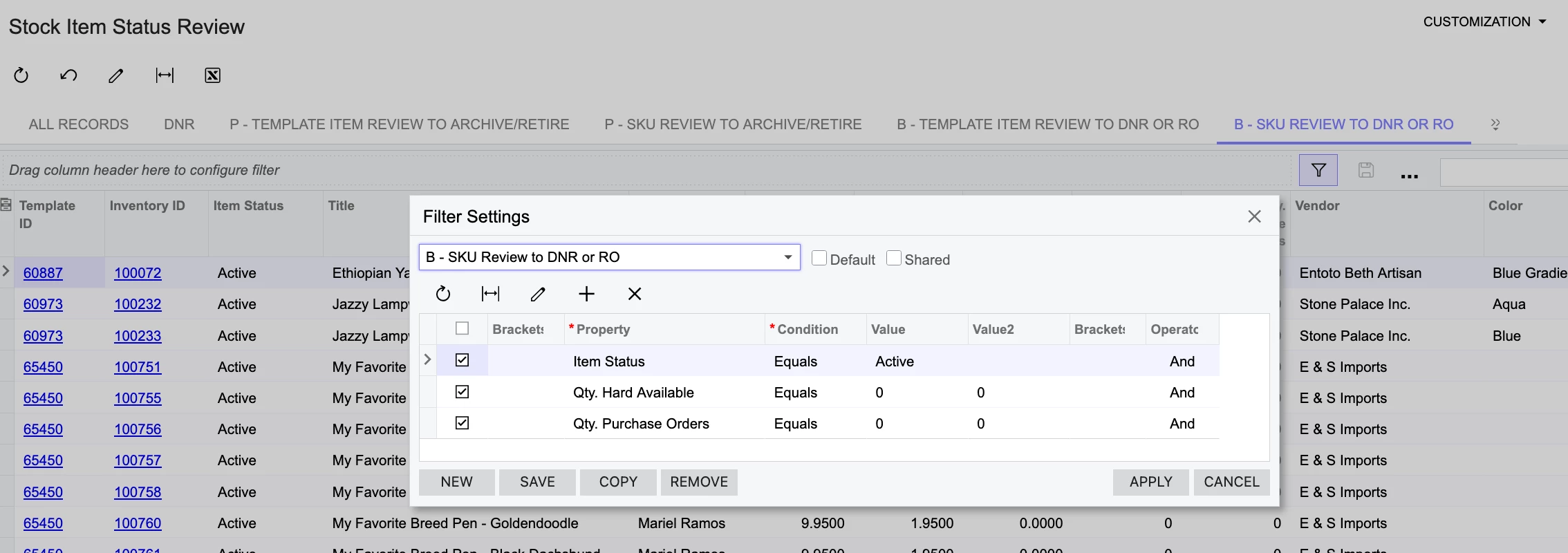
“Review to see if we want to mark it DNR (no not reorder = no purchases), or RO/reorder the line”
QTY available = 0
QTY on purchase orders = 0
Item status = active
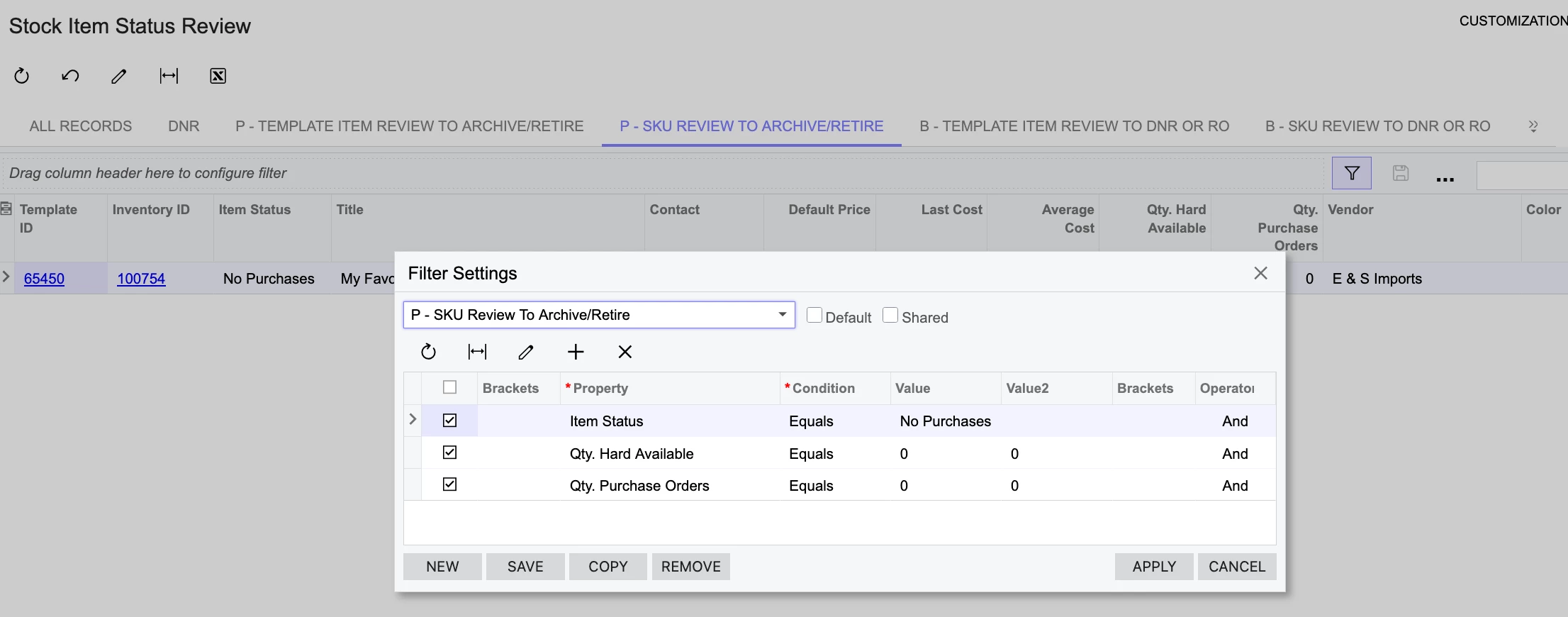
“Review items that are already not being reordered, to see if they should be archived/retired”
item status = no purchases (DNR/don’t reorder)
QTY available = 0
QTY on purchase orders = 0
We just need the improvement to filter down to full attribute lines only or at least signify them with true/false or such.
Otherwise it may not be obvious if the whole line is there or not. (Else a t-shirt might have S-XL sizes showing since they’re all OutOfStock, but there’s actually a XXL size not showing that still has inventory…. etc)
I’ve attached the XML for anyone interested or if that helps guide an answer.
Thank you for any input!