Answer

Last day of the month for Date in Import Scenario

  • June 30, 2025
  • 3 replies
  • 95 views

Forum|alt.badge.img

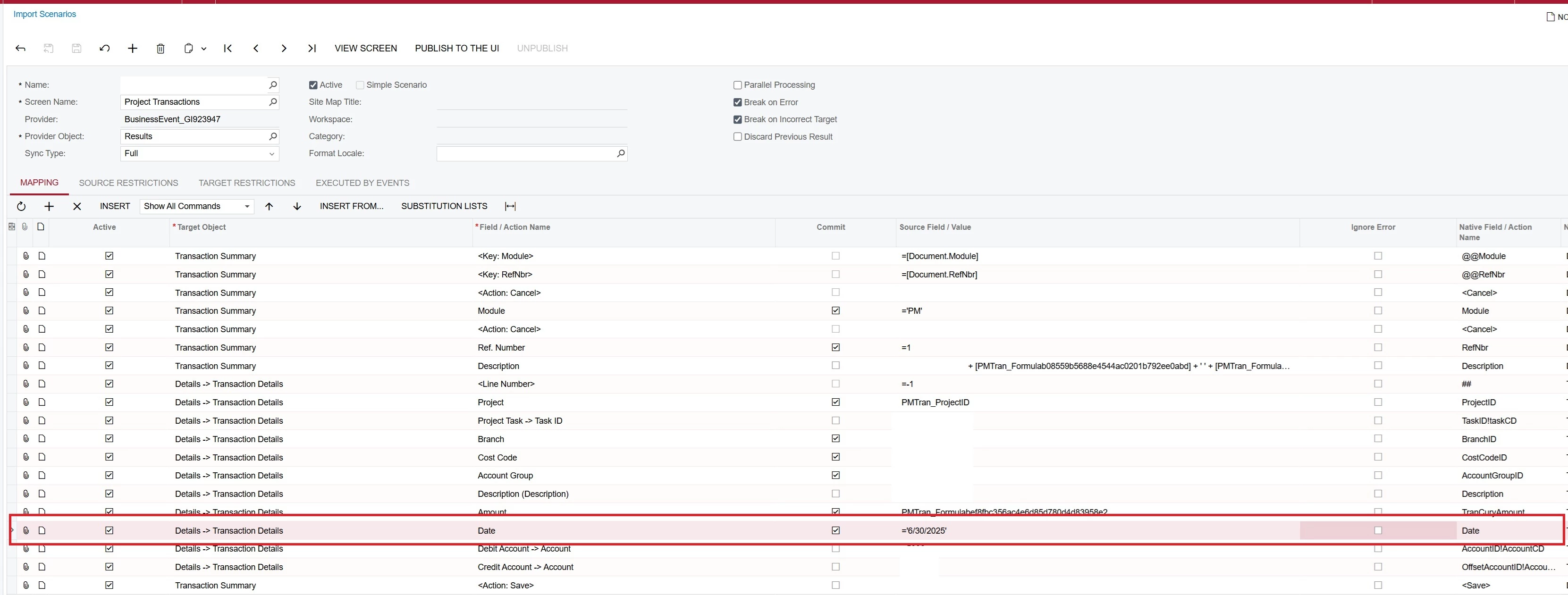
We have a Business Event that triggers once a month and executes an Import Scenario. The Import Scenario references a Generic Inquiry that pulls from the PMProject and PMTran tables. This process automatically generates and posts project costs.

The Business Event is scheduled to run on the second Wednesday of each month, but we need the Transaction Date on the generated records to default to the last day of the previous month.
For example: If the scenario runs on July 9th, the Transaction Date should be 6/30/2025.

Currently, we are manually adjusting the Transaction Date after it runs. I’m looking for a way to automate this so that the Details → Transaction Details → Date field defaults to the correct value.

My assumption is that the best approach would be to add a calculated column to the GI, but I haven’t found the right expression or combination to make it work reliably.

 

Best answer by BenjaminCrisman

@brandontfrank Maybe you could add a parameter which pulls the last day of the previous month:

Then have an expression in the field to check to see if the day is less than 30 and then switch the value to the parameter instead of the transaction date:

=IIf( Day([ARInvoice.DocDate]) < 30, [Date]-1, [ARInvoice.DocDate])


Likely your solution will need to be a bit more complex if there is a need to have it check for 30 or 31 days, but that shouldn’t be too hard because you can add an AND Day([Date])=30 or something like this. Just trying to get a stepping stone for a possible workaround

3 replies

BenjaminCrisman
Acumatica Employee
Forum|alt.badge.img+4
  • Acumatica Support Team
  • Answer
  • June 30, 2025

@brandontfrank Maybe you could add a parameter which pulls the last day of the previous month:

Then have an expression in the field to check to see if the day is less than 30 and then switch the value to the parameter instead of the transaction date:

=IIf( Day([ARInvoice.DocDate]) < 30, [Date]-1, [ARInvoice.DocDate])


Likely your solution will need to be a bit more complex if there is a need to have it check for 30 or 31 days, but that shouldn’t be too hard because you can add an AND Day([Date])=30 or something like this. Just trying to get a stepping stone for a possible workaround


Forum|alt.badge.img
  • Author
  • Jr Varsity III
  • June 30, 2025

@brandontfrank Maybe you could add a parameter which pulls the last day of the previous month:

Then have an expression in the field to check to see if the day is less than 30 and then switch the value to the parameter instead of the transaction date:

=IIf( Day([ARInvoice.DocDate]) < 30, [Date]-1, [ARInvoice.DocDate])


Likely your solution will need to be a bit more complex if there is a need to have it check for 30 or 31 days, but that shouldn’t be too hard because you can add an AND Day([Date])=30 or something like this. Just trying to get a stepping stone for a possible workaround

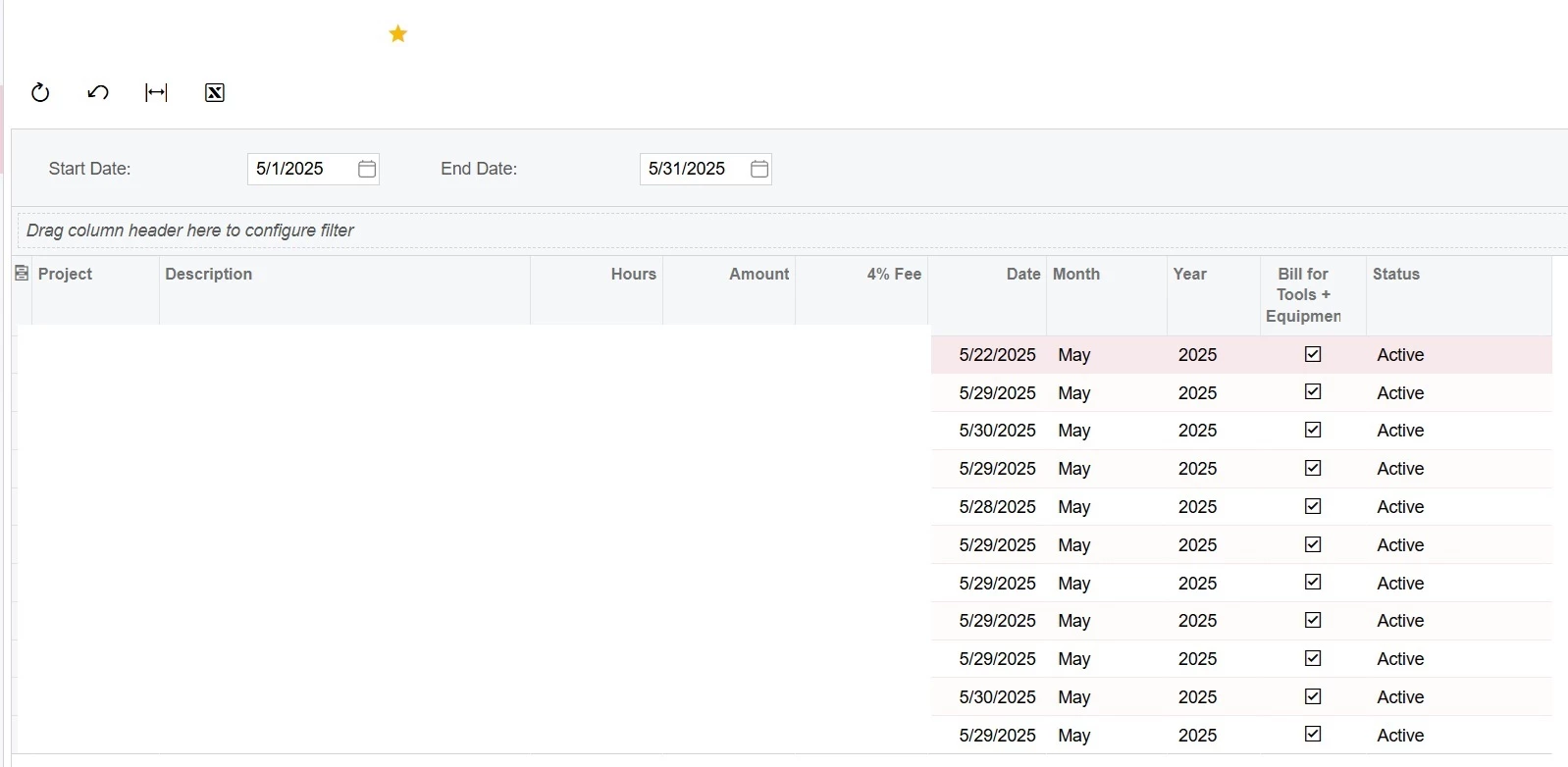
Thanks ​@BenjaminCrisman - we do have parameters in place that already default StartDate and EndDate using @MonthStart-1 and @MonthEnd-1. However… I didn’t know I could simply put =[EndDate] into the result grid so this might be an easy one!


In my screenshot you can see the end date is showing 5/31/2025 - which is great. But if I just put =[EndDate] in the result grid… it returns 6/1/2025. Do you know why that would be? I think simply putting [EndDate]-1 might do the trick for me.


BenjaminCrisman
Acumatica Employee
Forum|alt.badge.img+4
  • Acumatica Support Team
  • June 30, 2025

It’s because all date/time fields are stored in the DB as UTC times (SQL standard). I suspect that @MonthEnd is actually showing something like 5/31/25 11:59:59, which after UTC stamp is applied it bumps it forward to the next day.