



Hello everyone,
I’m experiencing an issue with the invoice reports: the invoice discount is currently displayed as a separate line item. This causes two main problems:
-
The line numbers in the invoice start incorrectly at 2, because the discount is counted as a regular line item.
-
The sales order number (SOOrder.OrderNbr) and customer contact information (Customer.ContactInfo) are not displayed correctly when a discount is present.
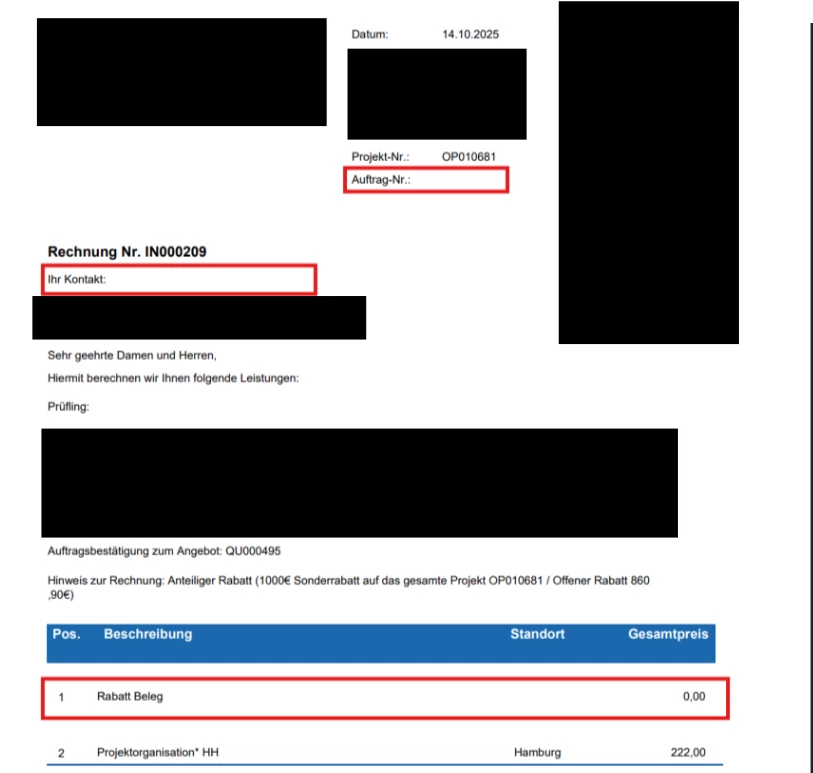
I tried to fix the line numbering issue by adding a filter to the detail section in the Report Designer:
=IIf(Not IsNull([ARTran.InventoryID]) And [ARTran.TranType] <> "Document Discount" And [ARTran.LineNbr] >= 1, True, False)
This hides the discount line, but the line numbers still start at 2 instead of 1, and the sales order number and customer contact information still don’t show correctly.
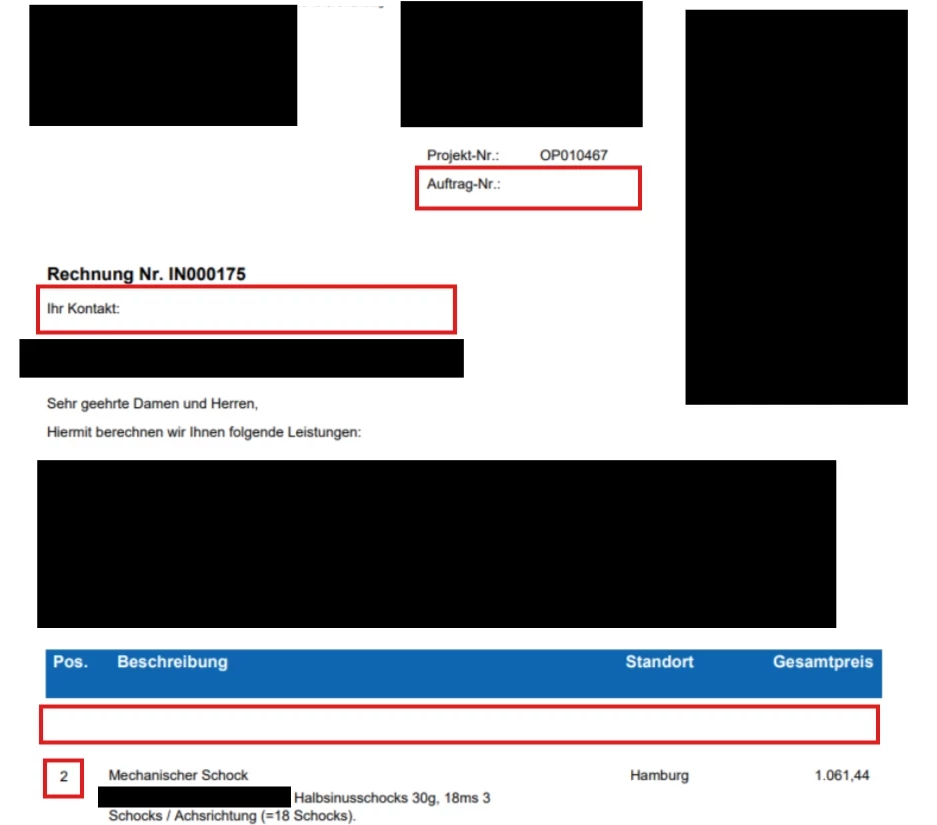
Expected Behavior:
-
The invoice discount should not appear as a separate line item.
-
Line numbers should always start at 1, regardless of whether a discount exists.
-
The sales order number from SOOrder and customer contact details from Customer should always be displayed correctly, even if a discount is applied.
Could someone please help me with this? Thank you in advance for your support!
Best regards,
Pantea