Question

Issue exposing order note pop-up contents in GI results grid

  • February 16, 2026
  • 4 replies
  • 2 views

Forum|alt.badge.img

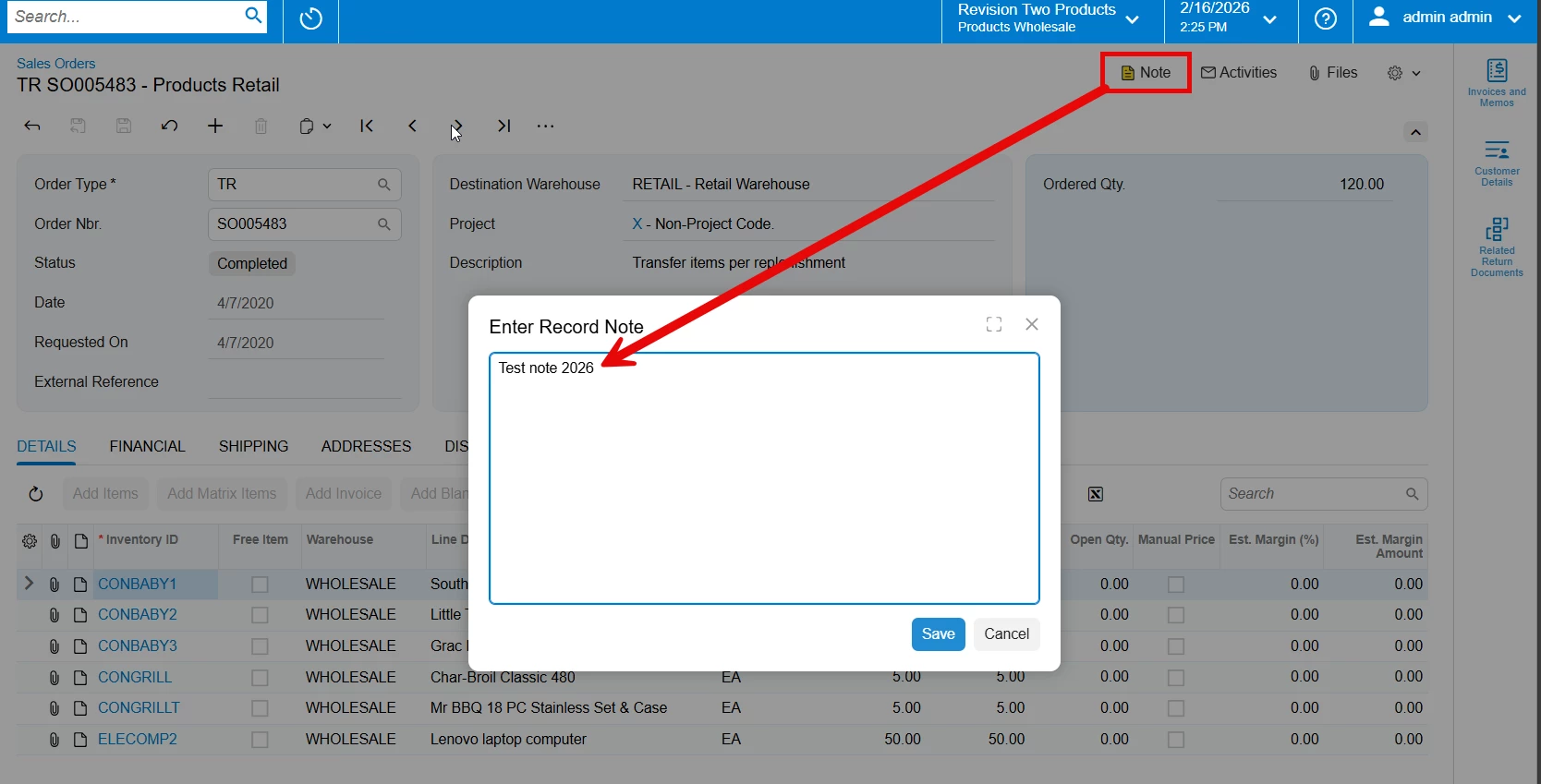
I am building a GI to track OutOfStocks from sales orders, but have gotten stumped on the inclusion of the sales order pop-up notes. (We track our OOS via notes, since the backordered SKUs get removed from shipment and then cleared out so the backorder status etc is not able to be tracked for just those SKU as it gets completed still.)


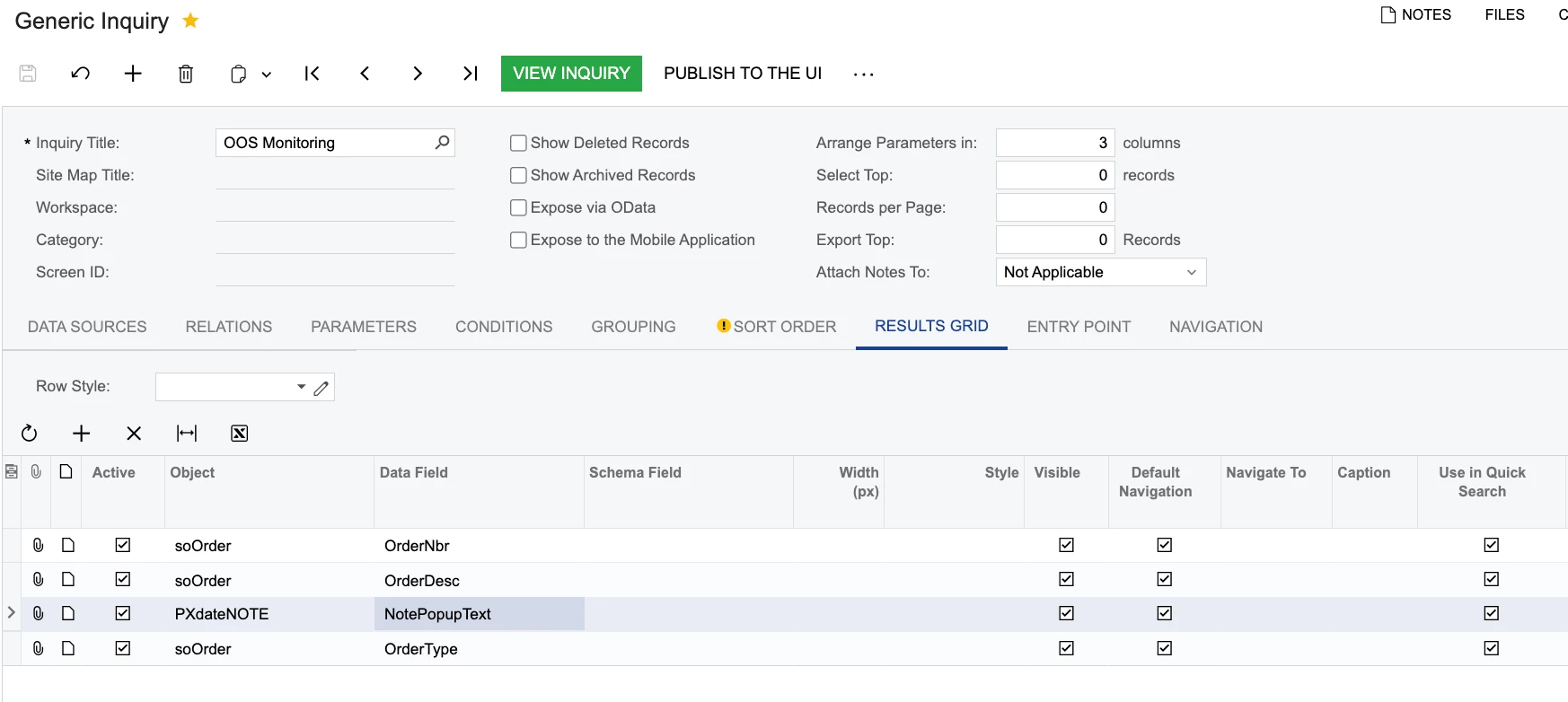
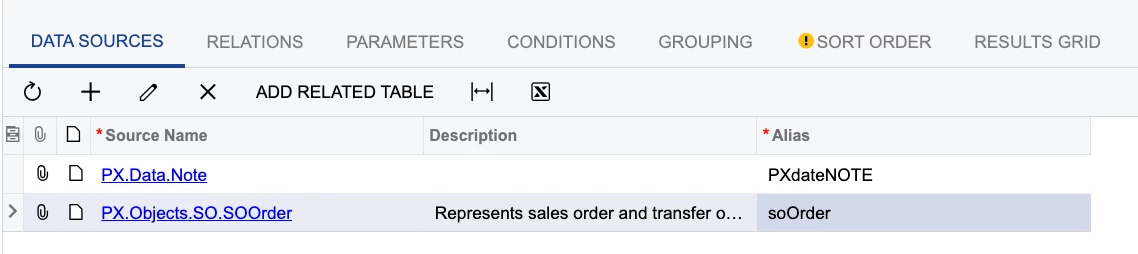
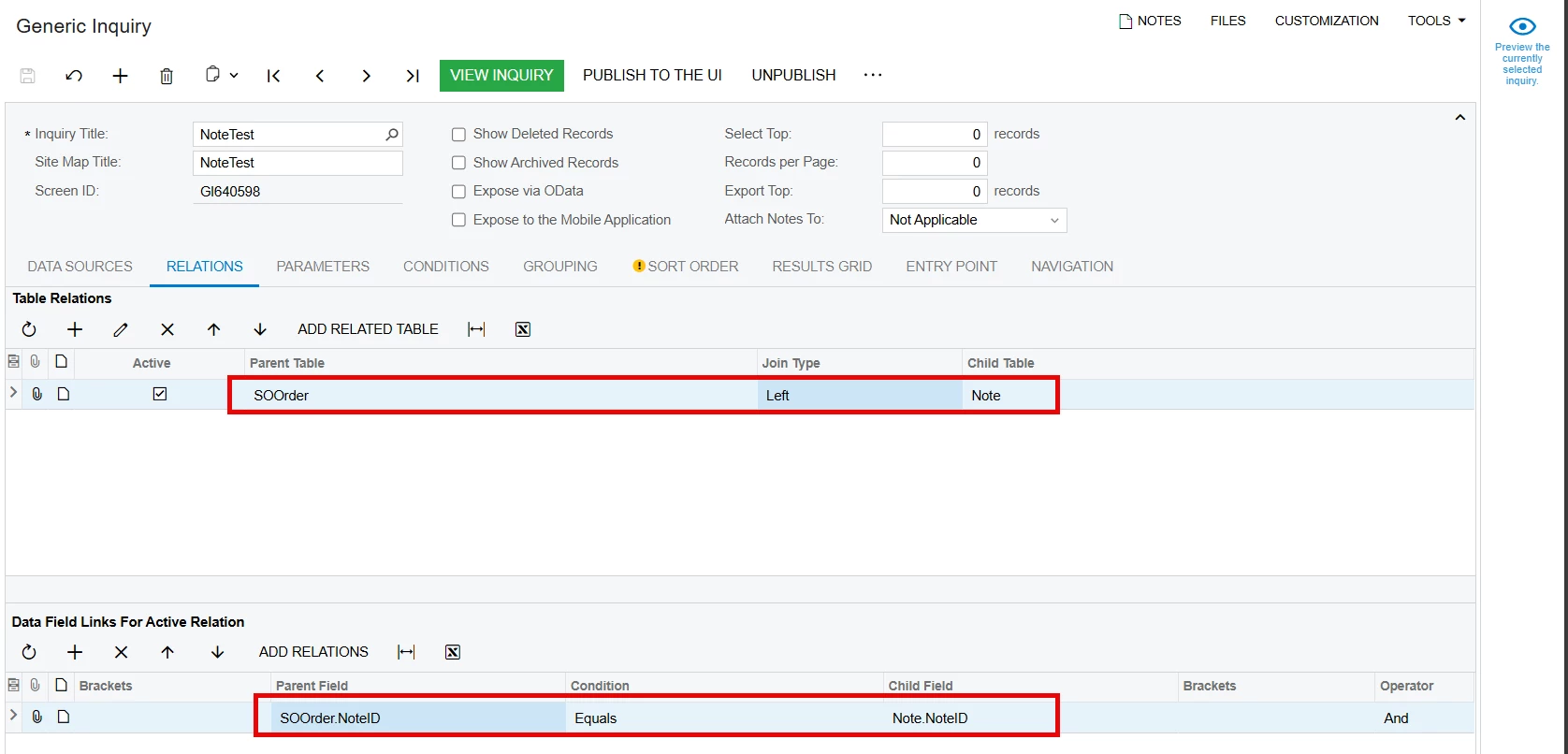
It seemed like I only need PX.Objects.SO.SOOrder + PX.Data.Note, but when I access those note text fields it is not correct. When I use “inspect element” it doesn’t work on the open popup, only clicking the note symbol which only gives me “NoteShow”
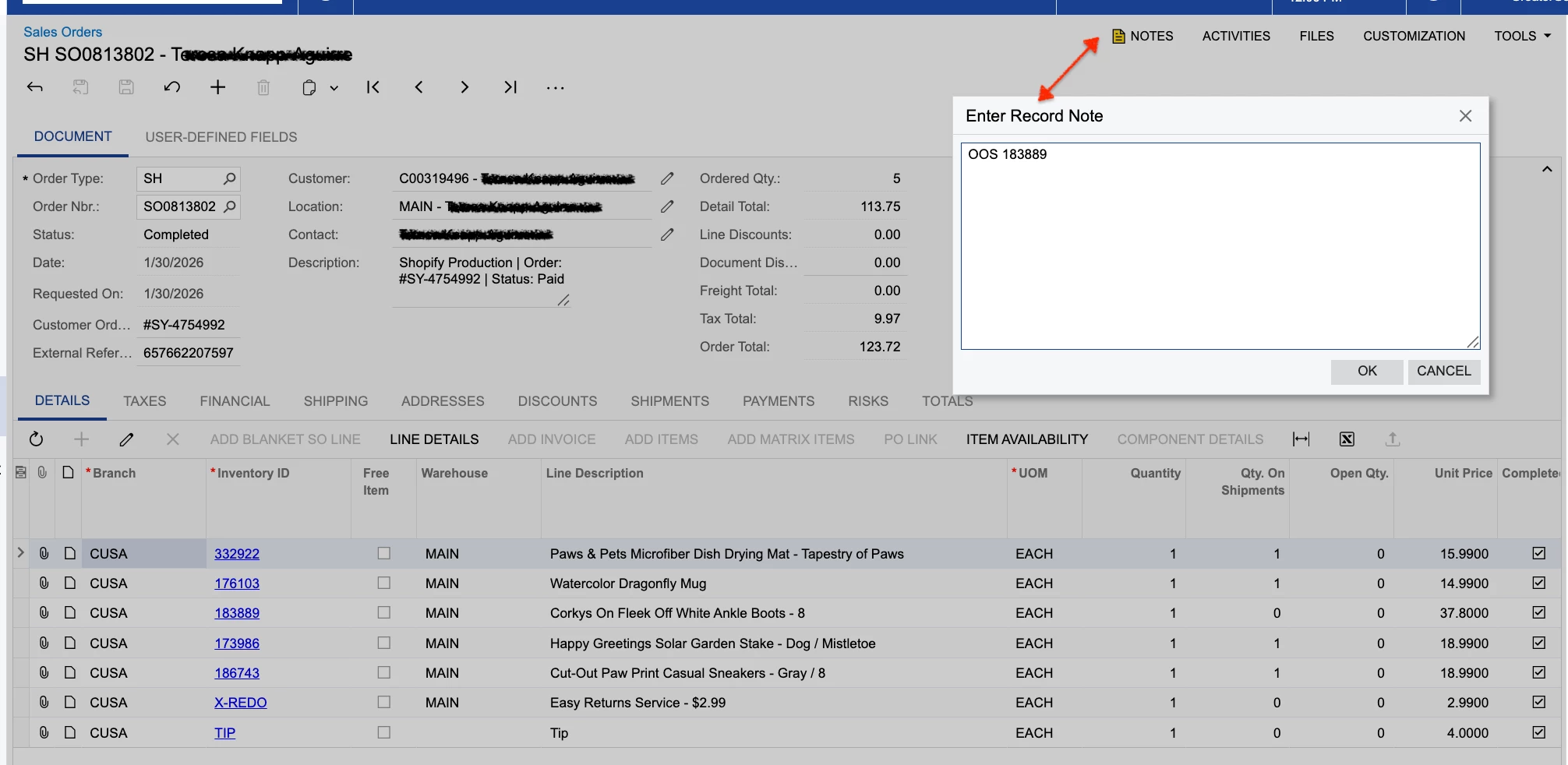


Per the screencap above, I’m trying to get “OOS 183889” to show in the GI, but I can’t seem to target THAT note field.

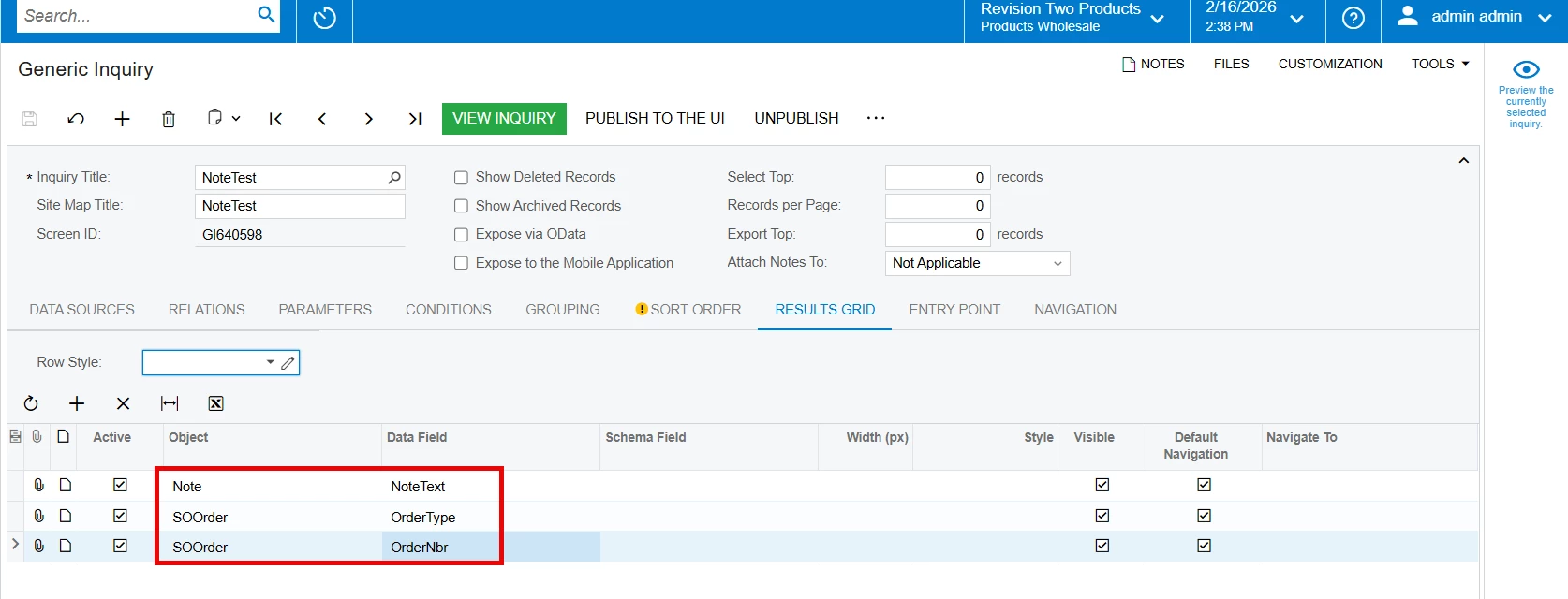
Note.NoteText pulled in the origin sales order notes from the external system and/or AP, not the notes in the pop-up record in Acumatica.
Note.NotePopupText found no text to display, even though I can clearly see them on the sales order.

Is this the wrong table?


Here are my settings:
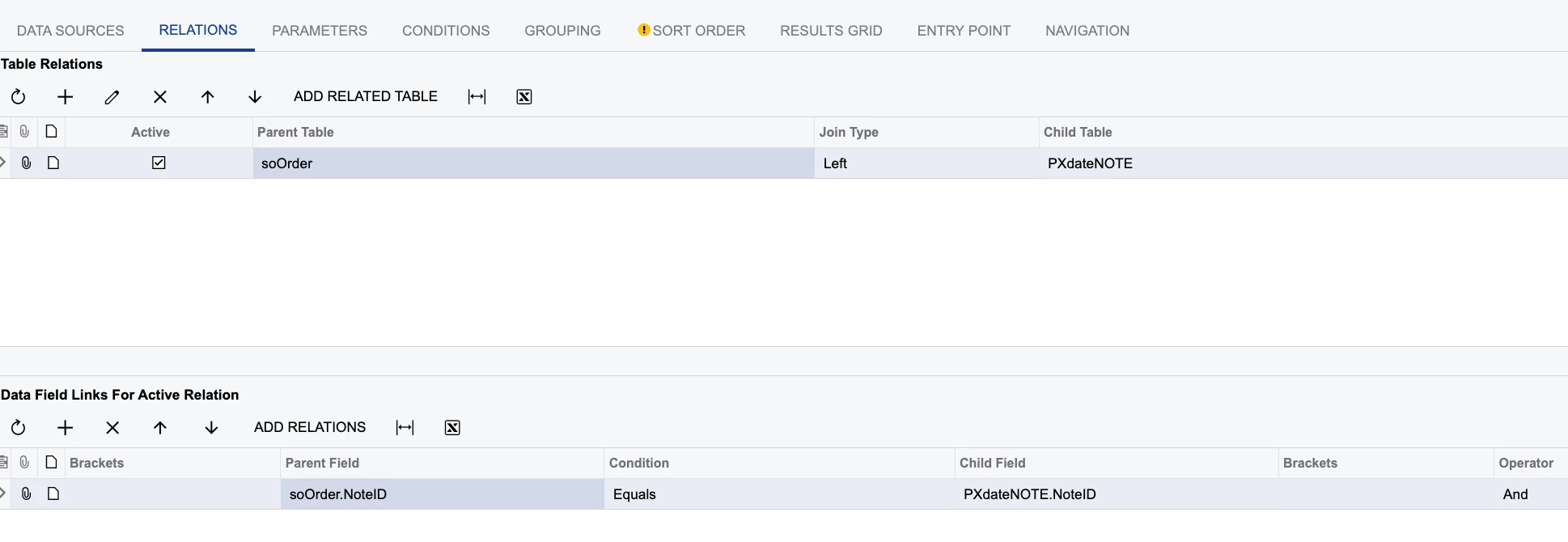
 

Thank you for taking a look. 

4 replies

Samvel Petrosov
Jr Varsity II
Forum|alt.badge.img+9

Can you export your GI as an XML and post here?

Note.NoteText is the field your are looking for.


MissyMain41
Jr Varsity I
Forum|alt.badge.img
  • Jr Varsity I
  • February 16, 2026

Hey there, 

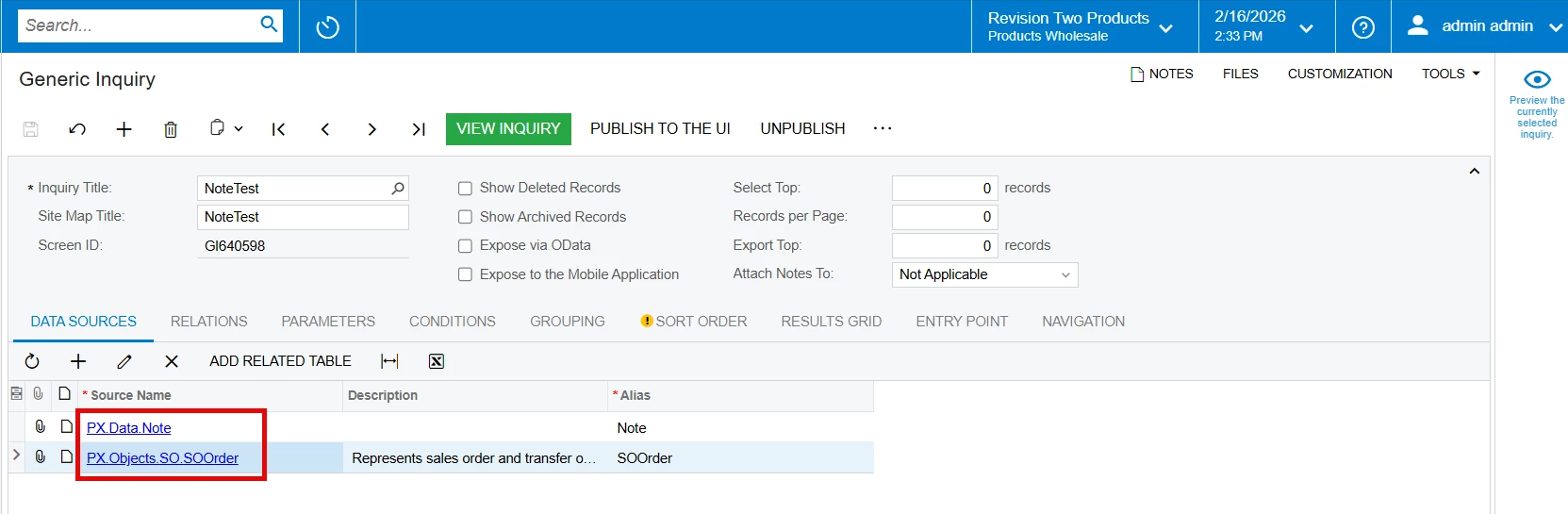
I was able to make this work, same configurations, I will include images below. 
Since this is not working for you I recommend doing the following:
1. Test without customizations
2. Test on 25.201 on sales demo data to ensure it works properly
3. Try clearing caches of site by using “Reset Caches” on the “Apply Updates” screen 

Images from 25.201 Sales Demo data (NO CUSTOMIZATIONS)

Example notes from SO Order Record 


Tables Used: 


Relation: 


Fields: 


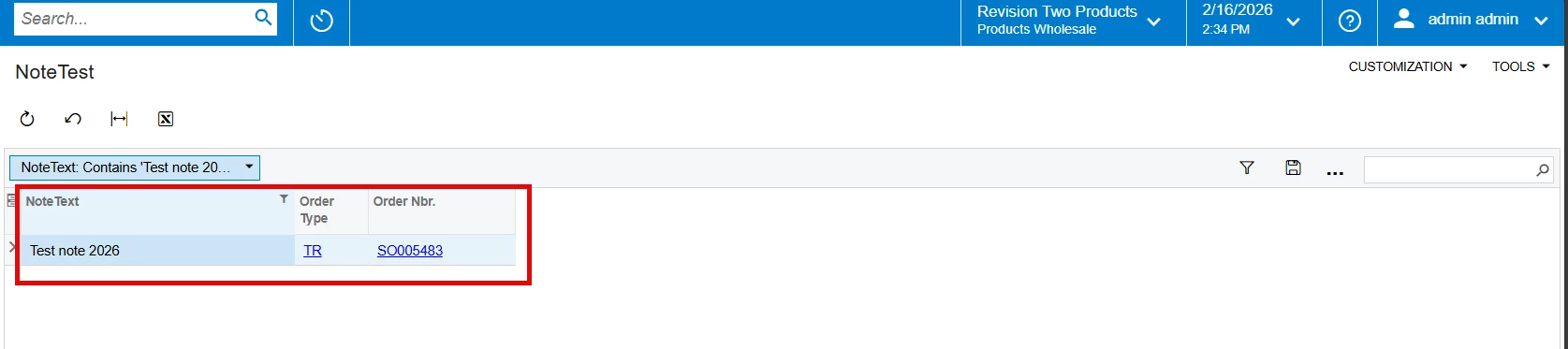
Result:


  • Freshman II
  • February 17, 2026

Hi ​@AHanke 
I see that everything you did regarding the tables and joins is correct. The only change needed is in the ResultsGrid—use NoteText instead of NotePopupText. It worked for me after making this change. Hope this helps.


darylbowman
Captain II
Forum|alt.badge.img+16

...Note.NoteText pulled in the origin sales order notes from the external system and/or AP, not the notes in the pop-up record in Acumatica.
Note.NotePopupText found no text to display, even though I can clearly see them on the sales order.

The note field on the Sales Order screen is not a pop-up note. As others have said, the note field should be found in NoteText, unless you’re actually trying to get the value of a Customer pop-up note, which is displayed on a Sales Order when the Customer is chosen.