Solved

Issue exposing GI to API usage

  • March 26, 2026
  • 2 replies
  • 59 views

Forum|alt.badge.img

We recently extended our default endpoint into a new endpoint for our Financial app partner Cube to use. Since some of the financial queries were so large, I ended up building a new GI to summarize transactions down to totals by period, by subaccount, by account for them to use. 


The GI is working as expected, and I added a parameter to try and make it more ingestible by API. However, whenever our Cube dev tries to access the screen via API they get a 200 but null response, even though the screen when queried the same gets data. The webservice endpoint of this GI says to use a PUT method, though both PUT and GET have been attempted. Could someone please advise?


Info:

Webservice endpoint flag:
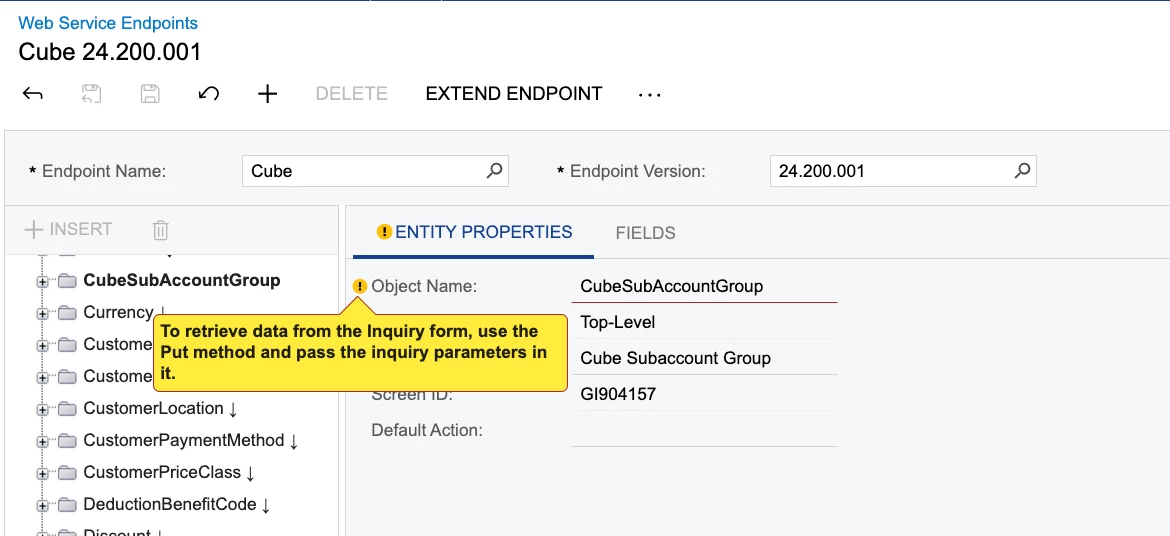
 

Fields has the filter available:

 

GI has OData permission, xml attached as well:
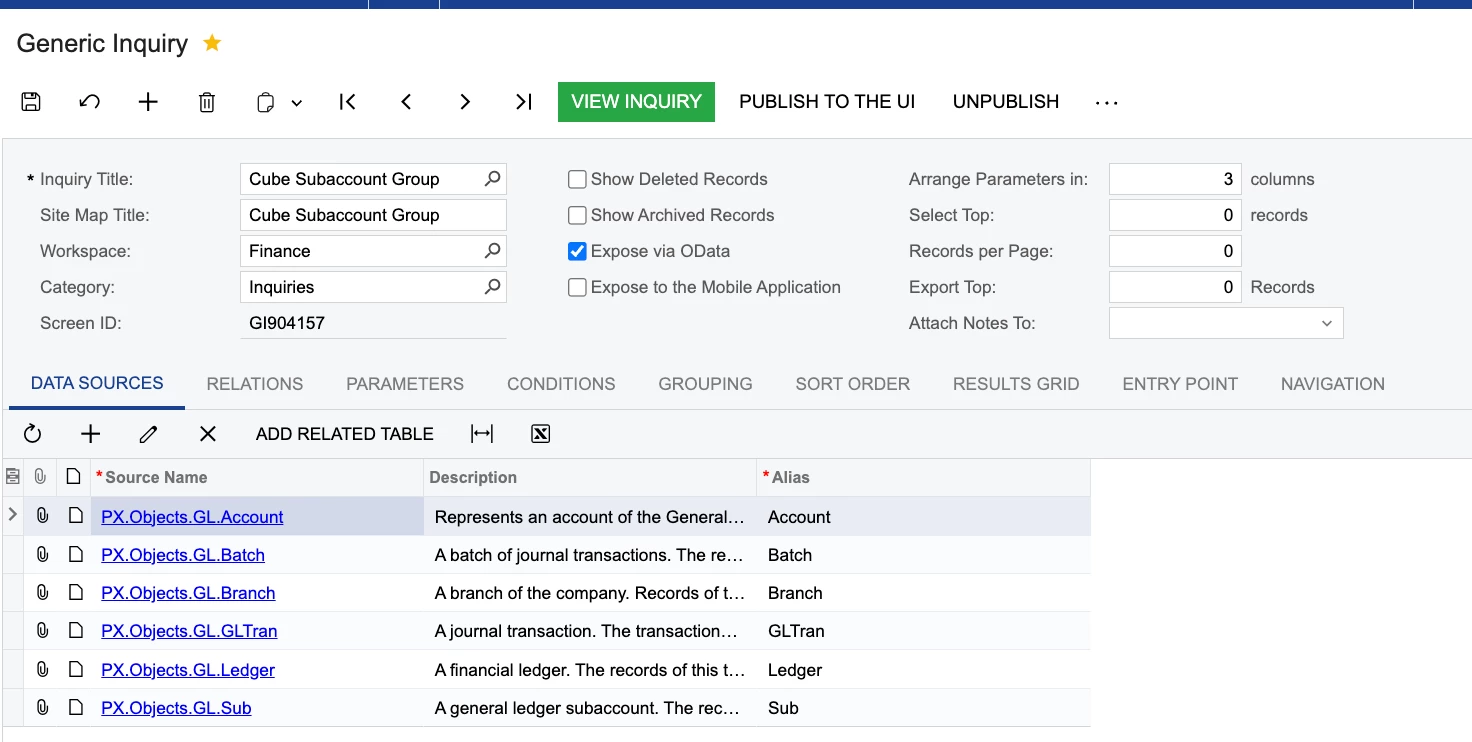
GI loads as expected:
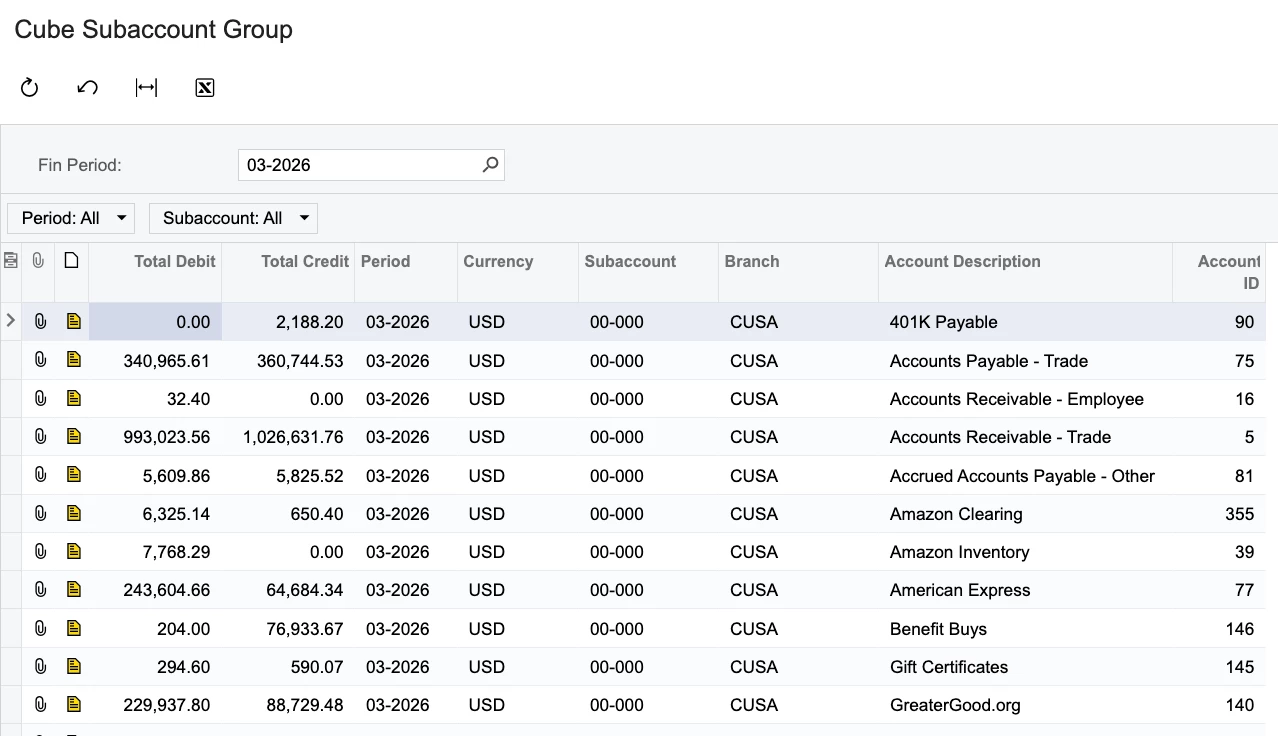
GI XML (attached to ticket)


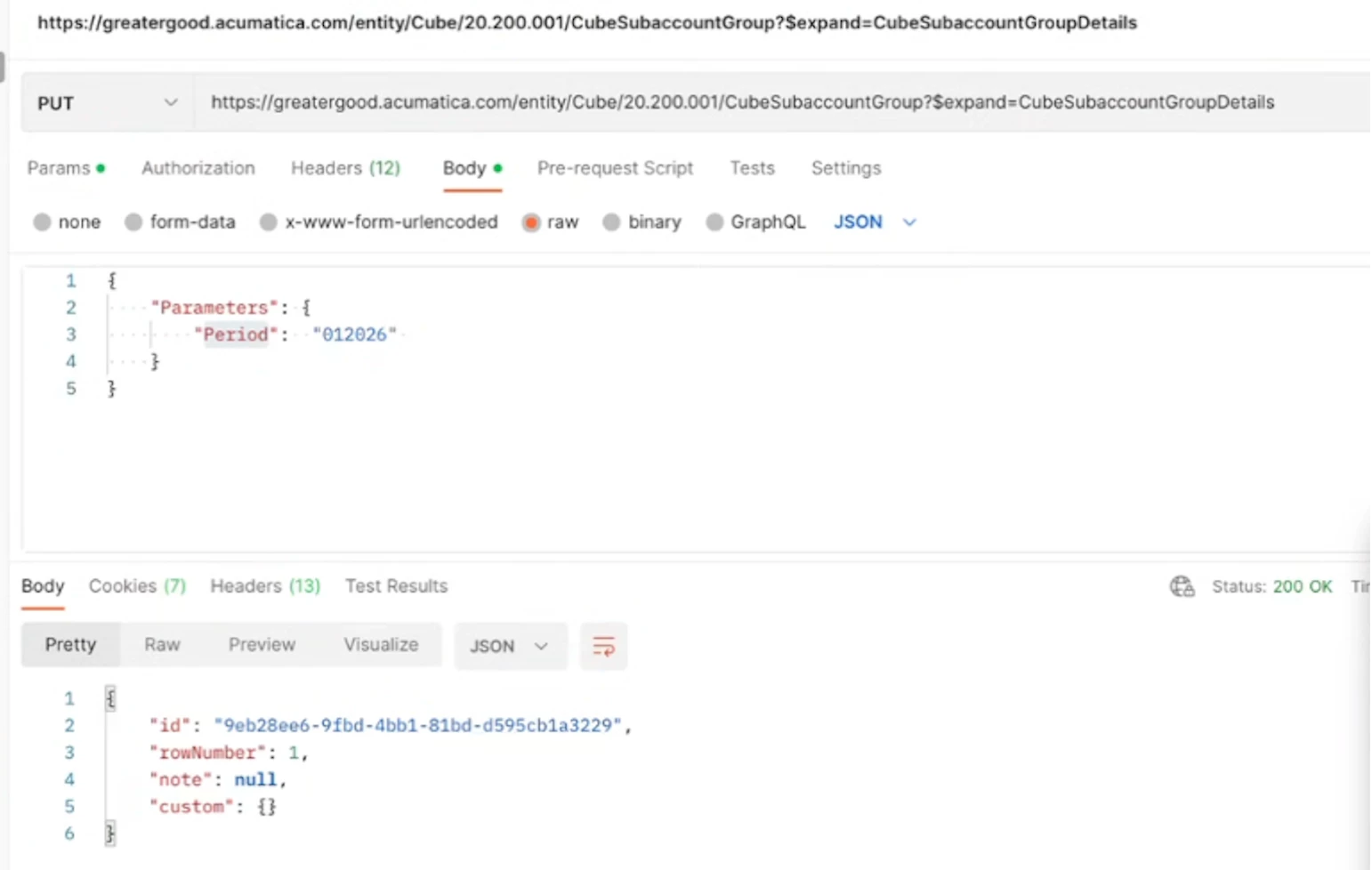
API call attempted (getting 200, null)

https://greatergood.acumatica.com/entity/Cube/24.200.001/CubeSubaccountGroup?$expand=CubeSubaccountGroupDetails

PUT

{

    "Parameters": {

        "Period":  "01-2026"

    }

}

(note that in the below screencap the version has since been updated 20-->24 in the url and that financial period 012026 + 01-2026 format has been tried)
 

Best answer by KrunalDoshi

Hi ​@AHanke,

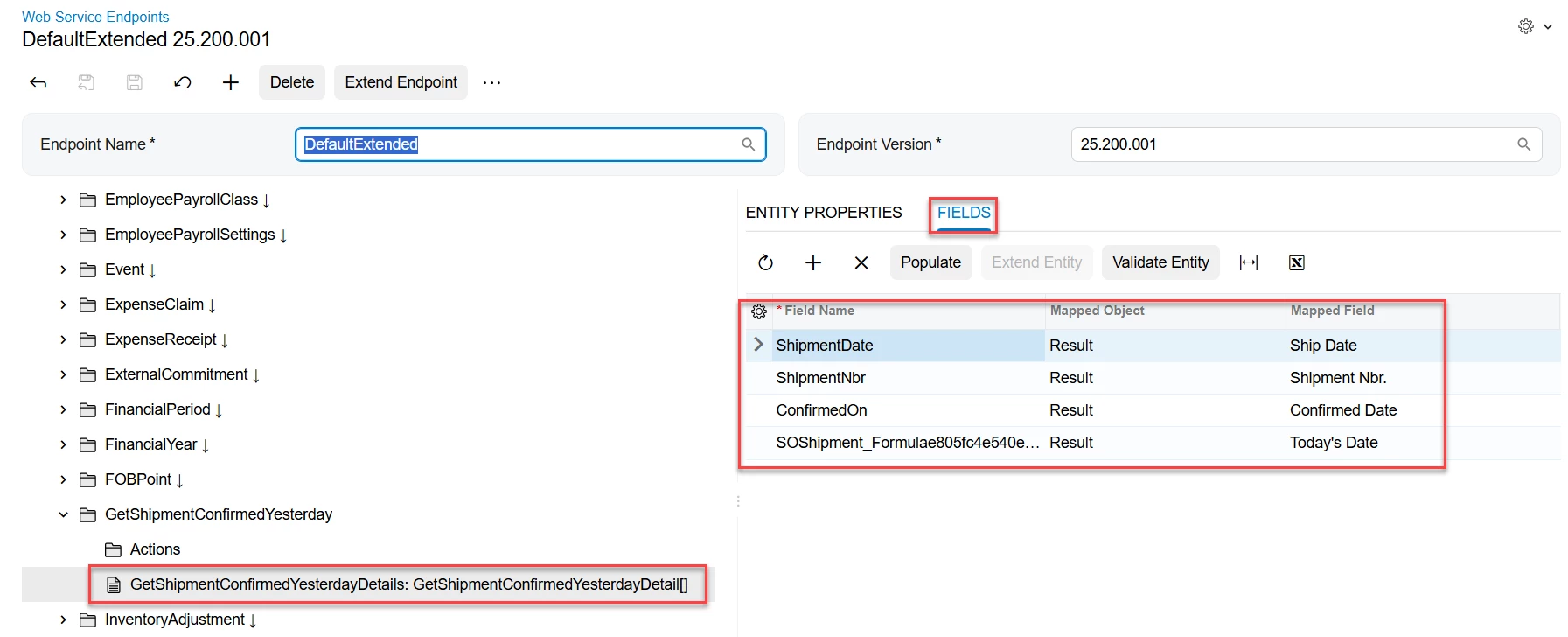
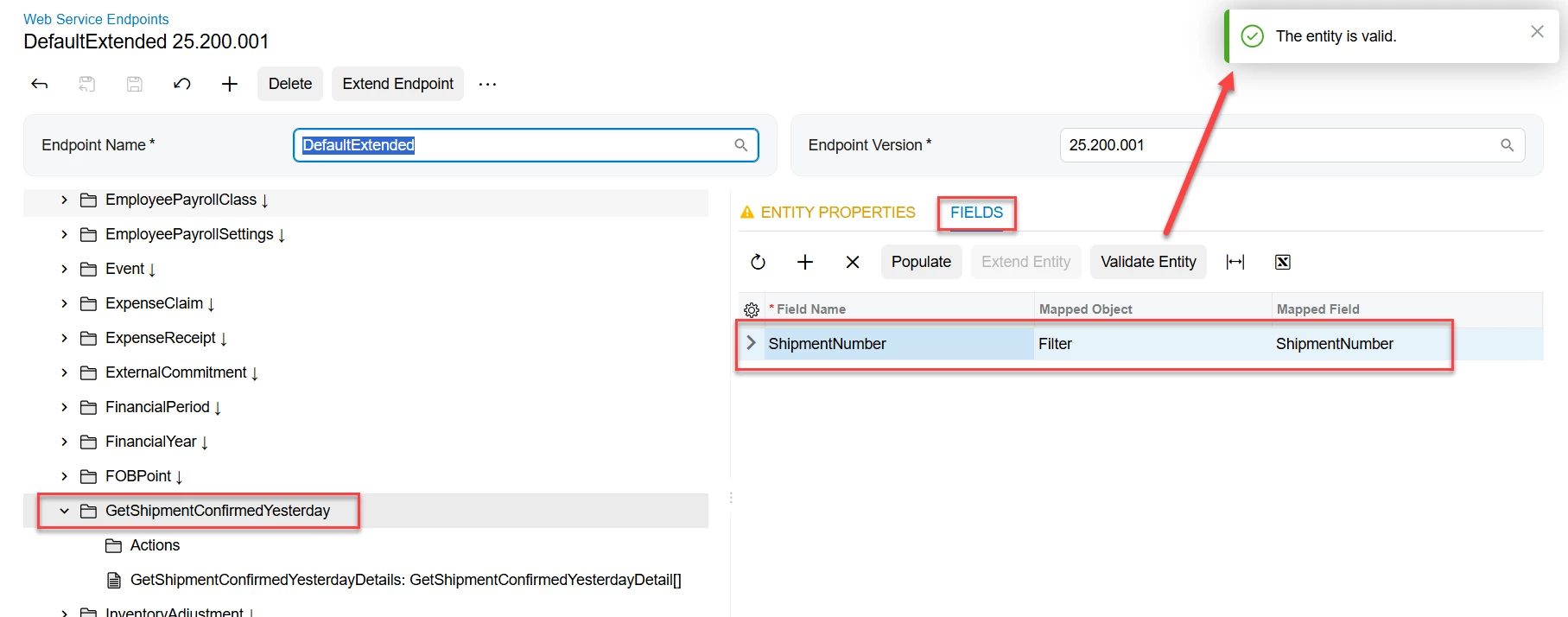
I have created a simple GI to retrieve Shipments which are confirmed yesterday for testing this issue purpose. I have added Shipment Number as a parameter. I have then added the GI into my default extended endpoint. For the filter and result make sure you follow a particular pattern. Meaning, filter will go into the top-level object, and all fields will go into the details. Once you have set this and validated your entity, you are ready to test that from Postman.

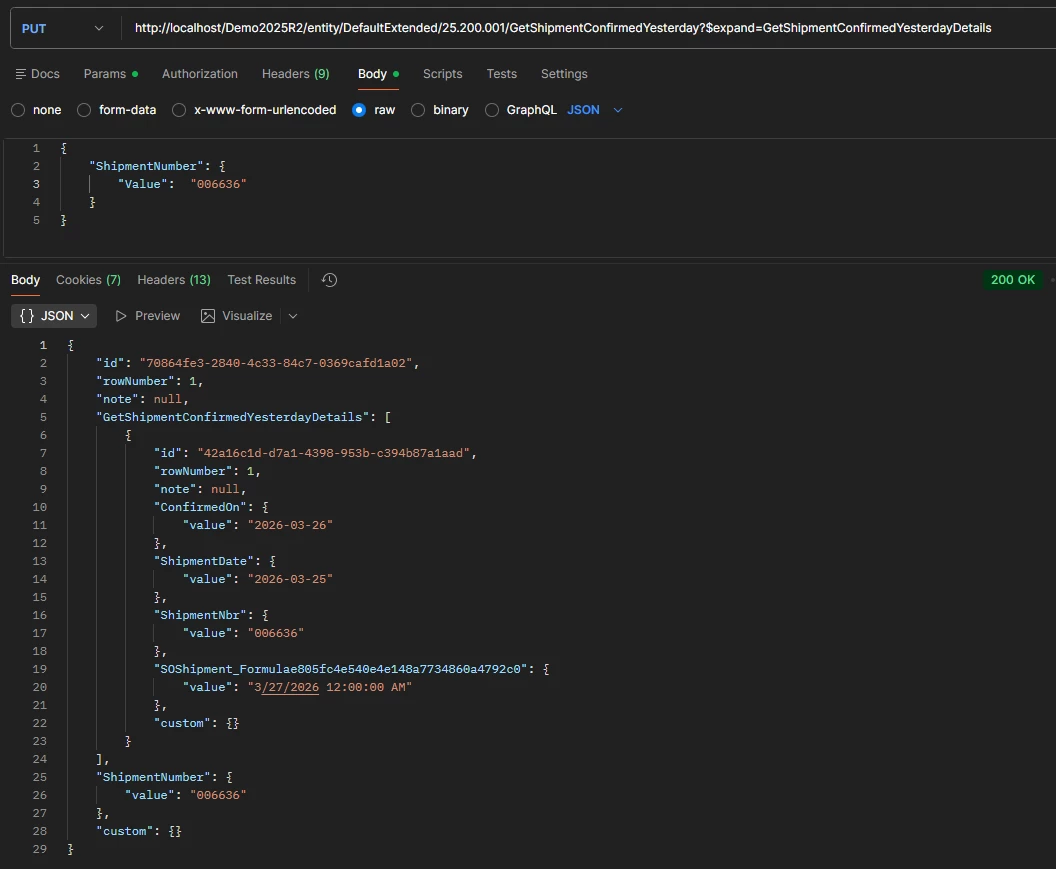
Notice that you have to use PUT for GI request and use $expand. Also see how the Filter condition is passed into the request body.

It should be in the form of

{
"<ParameterName>": {
"Value": "<ParameterValue>"
}
}

See below screenshot for your reference.

Hope that helps.

GI added to the Top-Level in Extended Webservice Endpoint
All other fields from GI Results are added to the Details
Request send to get GI Result


2 replies

KrunalDoshi
Varsity III
Forum|alt.badge.img
  • Varsity III
  • Answer
  • March 27, 2026

Hi ​@AHanke,

I have created a simple GI to retrieve Shipments which are confirmed yesterday for testing this issue purpose. I have added Shipment Number as a parameter. I have then added the GI into my default extended endpoint. For the filter and result make sure you follow a particular pattern. Meaning, filter will go into the top-level object, and all fields will go into the details. Once you have set this and validated your entity, you are ready to test that from Postman.

Notice that you have to use PUT for GI request and use $expand. Also see how the Filter condition is passed into the request body.

It should be in the form of

{
"<ParameterName>": {
"Value": "<ParameterValue>"
}
}

See below screenshot for your reference.

Hope that helps.

GI added to the Top-Level in Extended Webservice Endpoint
All other fields from GI Results are added to the Details
Request send to get GI Result


Forum|alt.badge.img
  • Author
  • Freshman I
  • March 31, 2026

Thank you ​@KrunalDoshi  that resolved our issue!