Answer

Is it possible to add user defined fields to Production Order Maintenance?

  • January 2, 2025
  • 3 replies
  • 94 views

Forum|alt.badge.img

I’m try to add a user defined field to the production order page, so our employees can enter certain data on Production Orders. However, under the customization tab, I don’t see the option for user defined fields like in Sales Orders. Is user defined fields an option in POs, and if so, how can it be activated?

Best answer by DipakNilkanth

Hi ​@kkraus,

UDF’s are nothing but the Attributes.

On Production Order Maintanance(AM201500) screen, there is an tab called Attributes where you can able to add the Attributes to your Production Order.
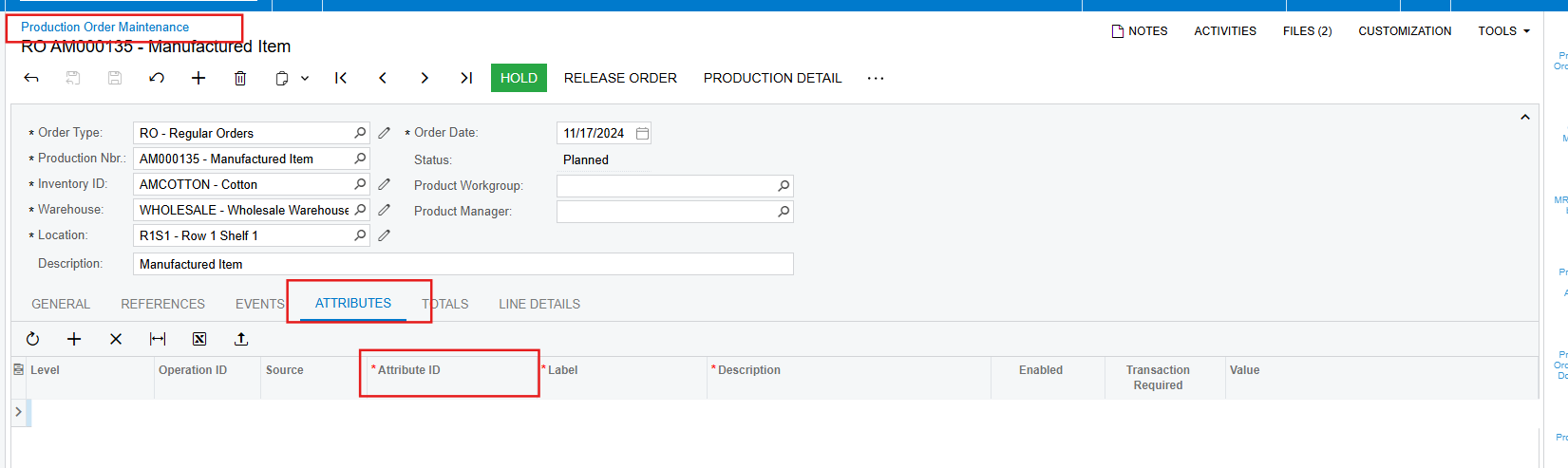
Hope, it helps!

3 replies

DipakNilkanth
Pro III
Forum|alt.badge.img+13
  • Pro III
  • Answer
  • January 3, 2025

Hi ​@kkraus,

UDF’s are nothing but the Attributes.

On Production Order Maintanance(AM201500) screen, there is an tab called Attributes where you can able to add the Attributes to your Production Order.

Hope, it helps!


Forum|alt.badge.img
  • Author
  • Freshman II
  • January 3, 2025

That makes sense. Is there a way to add these attributes to the Generic Inquiry of the Production Orders? For Sales Orders, I could just choose SOOrder as the Object and Attributex as the data field. Is there some way to do that with Production Order Attributes?


DipakNilkanth
Pro III
Forum|alt.badge.img+13

Hi ​@kkraus,

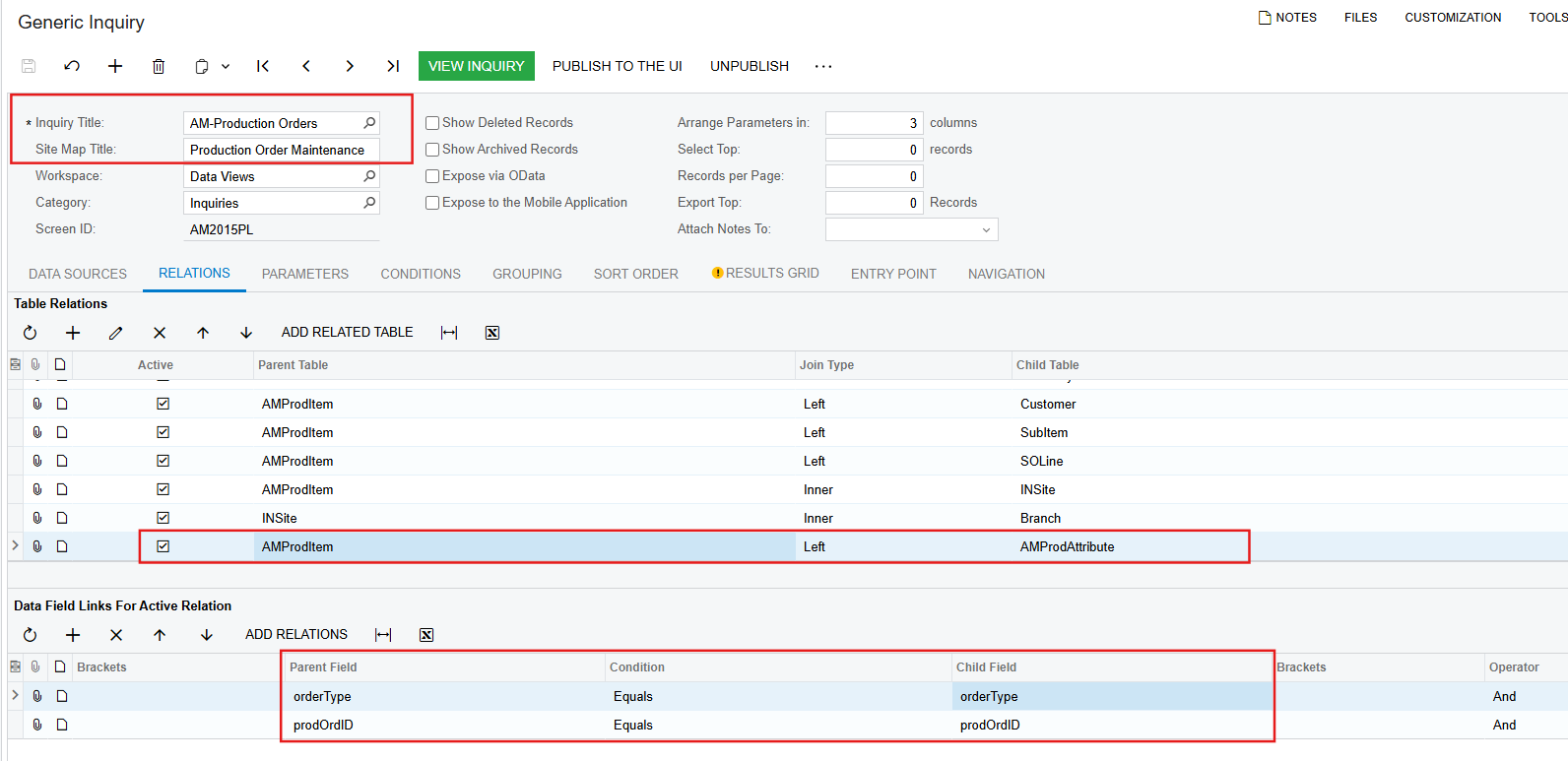
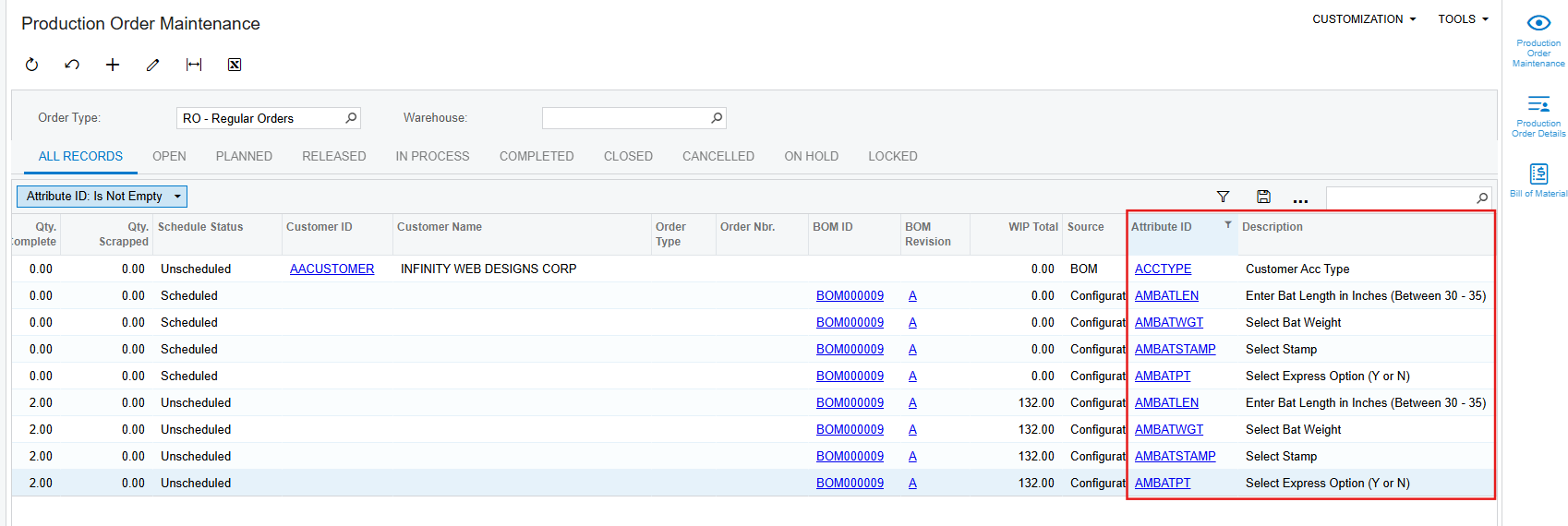
To get the Attribute value in GI for Production Order you need to follow the below steps.

  1. Add PX.Objects.AM.AMProdAttribute DAC to Data Sources tab in GI.
  2. Add the mapping relation between AMProdItem and AMProdAttribute using DocType and ProdOrdID.
  3. Add the AttributeID and Descr field from AMProdAttribute DAC in Results Grid tab.


Hope, it helps!