



Answer

Invoice report truncating text

  • February 21, 2025
  • 2 replies
  • 54 views

jhouser
Captain II
Forum|alt.badge.img+6

Hi everyone,

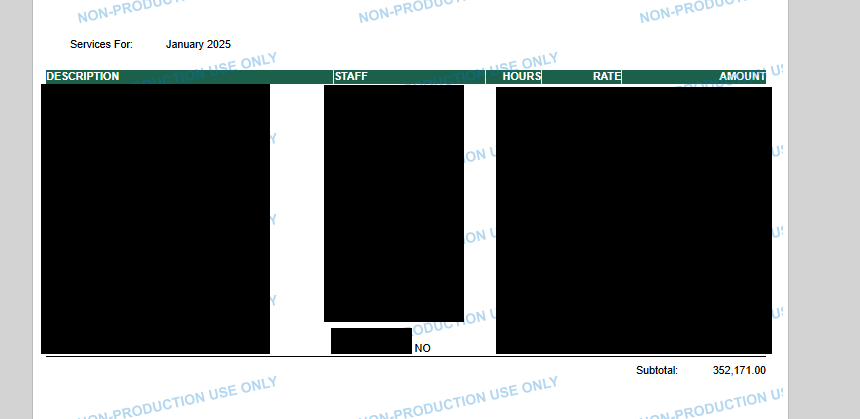
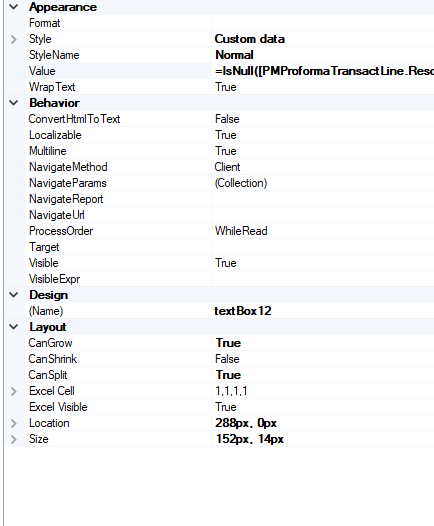
I have an invoice report that is truncating text for no apparent reason. In screenshot below I blacked everything out except the “NO”. On the actual invoice, transaction description shows “NOV2024”. As you can see, there’s plenty of space for 5 more characters. I set field to “CanGrow” (see settings in second screenshot). Any ideas?


Best answer by jhouser

@BenjaminCrisman No, using HTML. I figured out the issue. I had this formula in the field and ResourceID field is limited to 15 characters: =IsNull([PMProformaTransactLine.ResourceID],[PMProformaTransactLine.Description])

I added [PMProformaTransactLine.Description] to the Format, and that solved the issue. 

2 replies

BenjaminCrisman
Acumatica Employee
Forum|alt.badge.img+4
  • Acumatica Support Team
  • February 21, 2025

@jhouser Is the report printing into PDF format? PDF doesn’t really have the ability to use the CanShrink and CanGrow correctly and so the field needs to be as long as the longest text which could populate the field. That’s been my experience at least. Try viewing in HTML and see if it works as expected.


jhouser
Captain II
Forum|alt.badge.img+6
  • Author
  • Captain II
  • Answer
  • February 21, 2025

@BenjaminCrisman No, using HTML. I figured out the issue. I had this formula in the field and ResourceID field is limited to 15 characters: =IsNull([PMProformaTransactLine.ResourceID],[PMProformaTransactLine.Description])

I added [PMProformaTransactLine.Description] to the Format, and that solved the issue.

