Answer

Invoice File Name Different if sent through email template vs Exporting Directly

  • September 15, 2025
  • 5 replies
  • 59 views

Forum|alt.badge.img+1

In Report Designer, I am able to change the ExportFileName to be what I want, (mostly just including the Reference number in the file name).  Which works when generating the file from the Invoice/Memo Report screen AR641000


However, if an invoice is processed and the email template sends out to the customer, it includes the same Invoice file, however the file name is overridden. And only contains, Invoice_Memo -(9-12-2025).pdf.


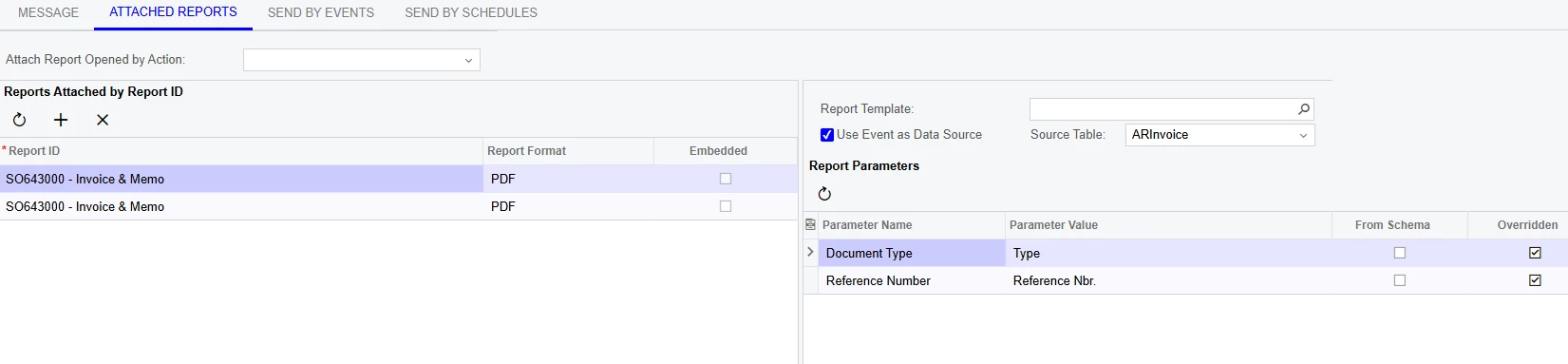
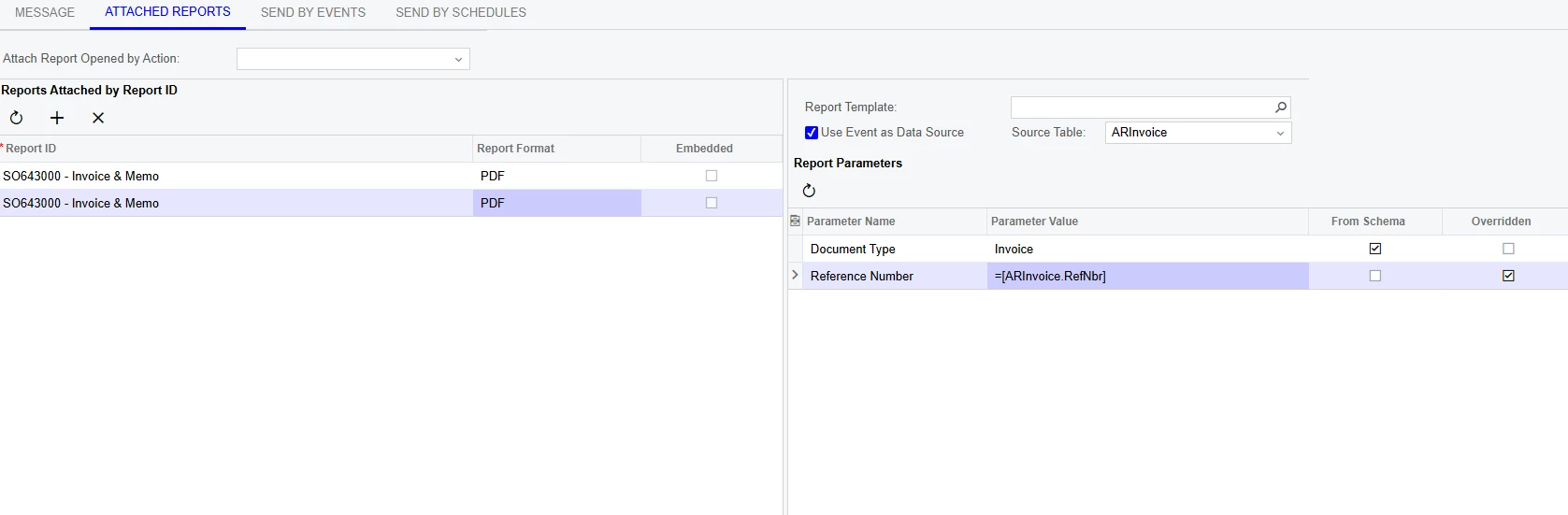
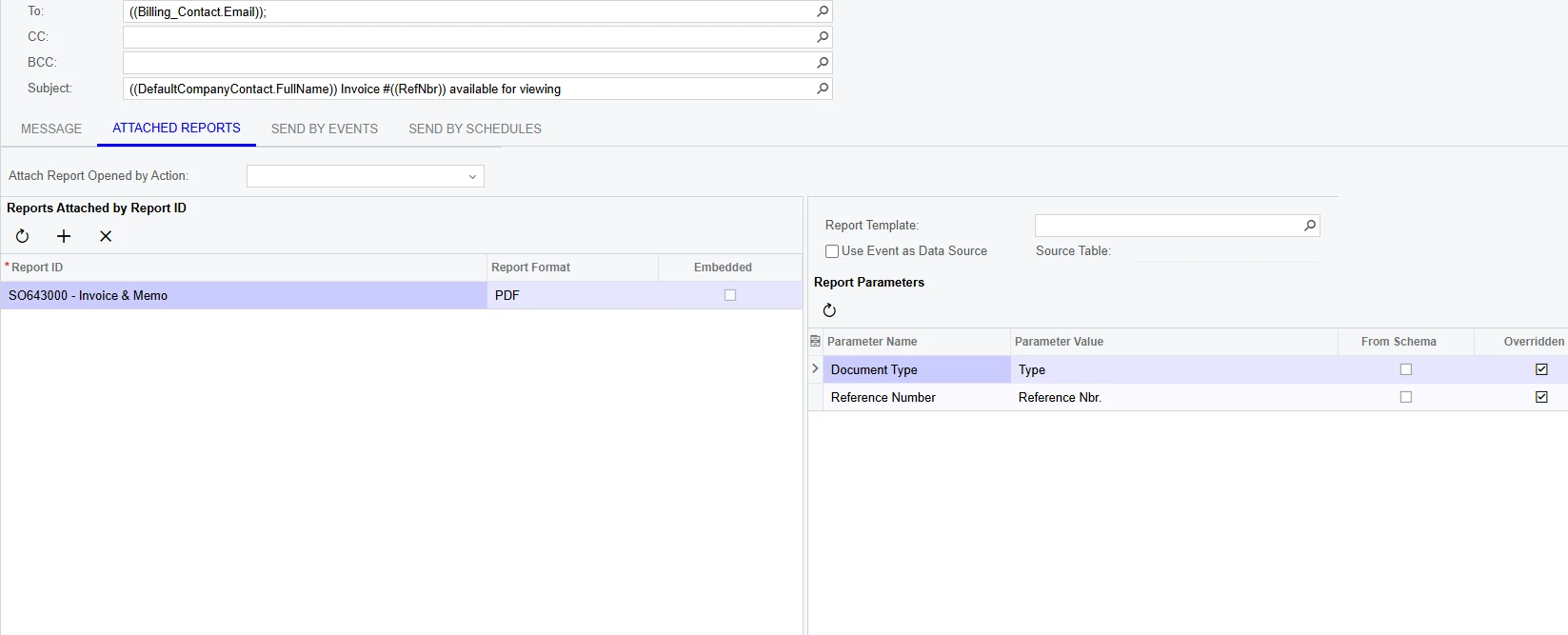
Is there any way I can stop this override from happening? Or some spot in the email template named “InvoiceNotification”  I don’t see anywhere that I can change this, the only Report Parameters I can put on the attachment is Document Type and Reference Number. I cannot add a line for the file name.


Best answer by bodiec

Yes ​@Chris Hackett thank you ​@lauraj46 switching to ARInvoice.RefNbr instead of SOInvoice.RefNbr did work. 


The final export file name that I got was: 

='PRC ' + Switch([SOInvoice.DocType]='INV', 'Invoice', [SOInvoice.DocType]='DRM', 'Debit Memo', [SOInvoice.DocType]='CRM', 'Credit Memo', [SOInvoice.DocType]='FCH', 'Fin Change', [SOInvoice.DocType]='CSL', 'Cash Sale', [SOInvoice.DocType]='RCS', 'Void Cash Sale', 1=1, '') + ' ' + [ARInvoice.RefNbr] 


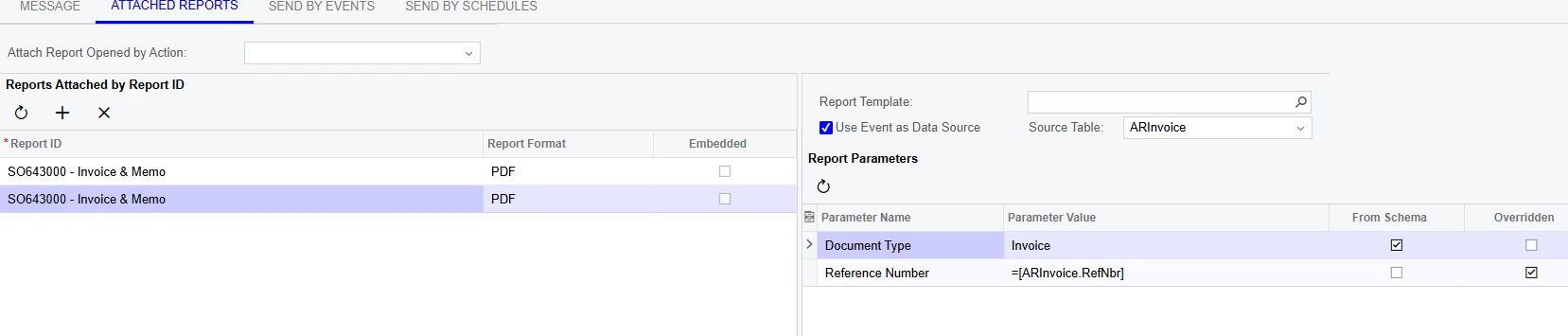
And in my email template, it looks like I actually left 2 reports on it, And now I am not actually sure which is working correctly. 


But they are sending as intended, so I don’t want to touch it.

5 replies

lauraj46
Captain II
Forum|alt.badge.img+8
  • Captain II
  • September 16, 2025

Hi ​@bodiec ,

You are in the correct spot to configure the export file name.  Instead of using the @RefNbr parameter in your export filename formula, try using [ARInvoice.RefNbr].  Since the report is being run in batch, the @RefNbr parameter may not be populated.

Hope this helps!

Laura


Forum|alt.badge.img+1
  • Author
  • Semi-Pro II
  • September 16, 2025

@lauraj46 thank you for your response, 


Just to clarify, are you saying to use ARInvoice.RefNbr in my export file name like this 


='PRC ' + Switch([SOInvoice.DocType]='INV', 'Invoice', [SOInvoice.DocType]='DRM', 'Debit Memo', [SOInvoice.DocType]='CRM', 'Credit Memo', [SOInvoice.DocType]='FCH', 'Fin Change', [SOInvoice.DocType]='CSL', 'Cash Sale', [SOInvoice.DocType]='RCS', 'Void Cash Sale', 1=1, '') + ' ' + [SOInvoice.RefNbr] ([ARInvoice.RefNbr])

*Old*                          *New*


Or are you talking about using ARInvoice.RefNbr somehow in these parameters of the email template?


Like this:


lauraj46
Captain II
Forum|alt.badge.img+8
  • Captain II
  • September 16, 2025

Hi ​@bodiec ,

I was referring to the first, but it looks like you are already using a field name and not a parameter in the formula.  I don’t think ARInvoice.RefNbr will work any better than SOInvoice.RefNbr.  You can give it a try, but it may be back to the drawing board. 

Laura


Chris Hackett
Community Manager
Forum|alt.badge.img
  • Acumatica Community Manager
  • November 5, 2025

Hi ​@bodiec were you able to find a solution? Thank you!


Forum|alt.badge.img+1
  • Author
  • Semi-Pro II
  • Answer
  • November 5, 2025

Yes ​@Chris Hackett thank you ​@lauraj46 switching to ARInvoice.RefNbr instead of SOInvoice.RefNbr did work. 


The final export file name that I got was: 

='PRC ' + Switch([SOInvoice.DocType]='INV', 'Invoice', [SOInvoice.DocType]='DRM', 'Debit Memo', [SOInvoice.DocType]='CRM', 'Credit Memo', [SOInvoice.DocType]='FCH', 'Fin Change', [SOInvoice.DocType]='CSL', 'Cash Sale', [SOInvoice.DocType]='RCS', 'Void Cash Sale', 1=1, '') + ' ' + [ARInvoice.RefNbr] 


And in my email template, it looks like I actually left 2 reports on it, And now I am not actually sure which is working correctly. 


But they are sending as intended, so I don’t want to touch it.