

Answer

I need a conditional statement please

  • January 6, 2023
  • 4 replies
  • 102 views

Forum|alt.badge.img+1

Hello,

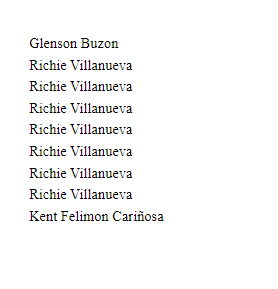
I’m not using any filter because I’m not using any parameter, how can I format this in RD visible expression so that I can only display the same name once? Thanks!

Best answer by ChandraM

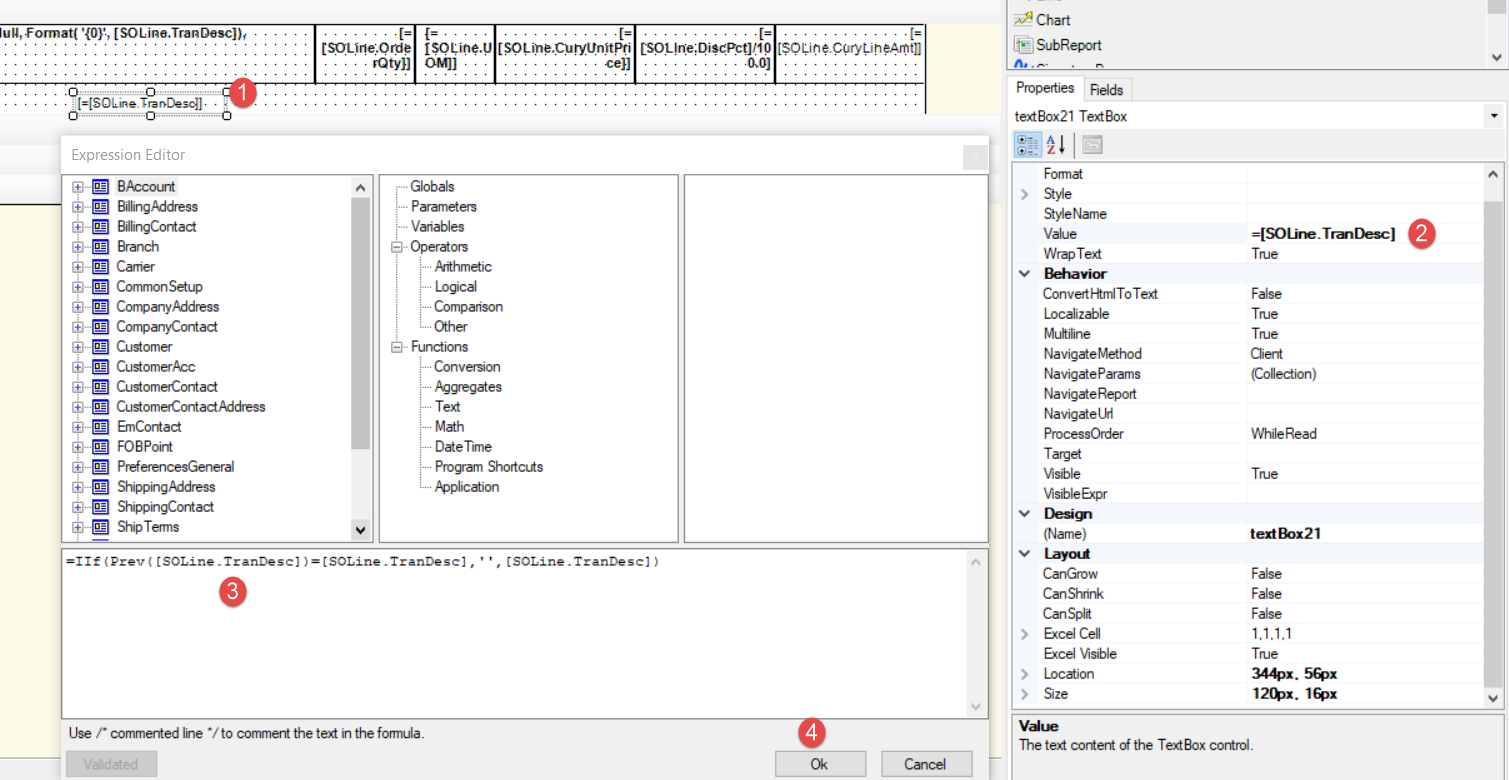
Hi @paula012 Please check the steps in the below screenshot and the expression as an example.


4 replies

Forum|alt.badge.img+8
  • Semi-Pro I
  • January 6, 2023

Hi @paula012 Try using the Previous function. The logic would be to verify the previous record field value and the current recorded field value and make it ‘’(empty string).

Hope this helps.


Thanks


Forum|alt.badge.img+1
  • Author
  • Semi-Pro II
  • January 6, 2023

Hi @paula012 Try using the Previous function. The logic would be to verify the previous record field value and the current recorded field value and make it ‘’(empty string).

Hope this helps.


Thanks

Thanks but sorry, I’m really new into using this. Where’s that previous function and where do I state the ‘empry string’? Thanks a lot @ChandrasekharM !


Forum|alt.badge.img+8
  • Semi-Pro I
  • Answer
  • January 6, 2023

Hi @paula012 Please check the steps in the below screenshot and the expression as an example.


BenjaminCrisman
Acumatica Employee
Forum|alt.badge.img+4
  • Acumatica Support Team
  • January 6, 2023

Hi @paula012! Have you considered moving this field into a grouping section? For issues with duplicating data like names, items, or locations then it can be easy to group by the name field and then you’ll only see one.

This can be an issue though if you are also showing amounts or any number values which populate alongside the names because then these will become grouped and SUM will be applied to the grouping, causing the numbers to be overstated.

If no number values are to be used then grouping will be your quickest and easiest option

