Question

How to use more than four decimals in a formula

  • November 29, 2023
  • 8 replies
  • 138 views

Forum|alt.badge.img

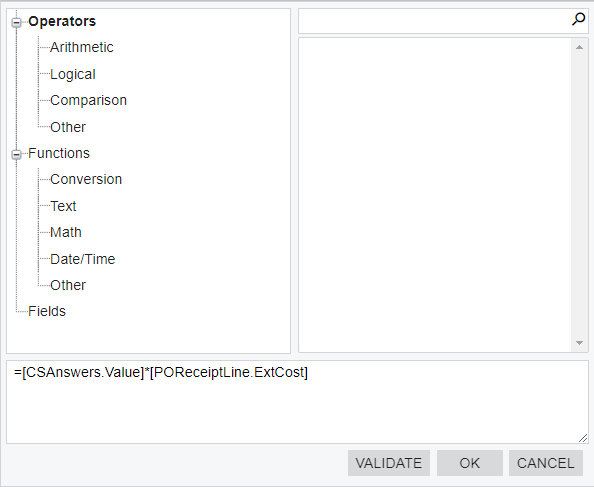
I added the following formula to a GI: =[CSAnswers.Value]*[POReceiptLine.ExtCost]

The value of CSAnswers.Value for one of the records is 0.204714, and the POReceiptLine.ExtCost for that record is 11,117.76. The value I get in the cell with the formula is 2,275.805472.

The product of 0.204714*11,117.76 is 2275.96112064.

After closer examination I realized that the formula is only using the first four decimals of CSAnswers.Value. So the value in the cell with the formula is the product of 0.2047*11,117.76 which is indeed 2275.805472.

How do I get the formula to calculate the value using the additional decimals?
 

8 replies

darylbowman
Captain II
Forum|alt.badge.img+16

How about

=CDec([CSAnswers.Value])*[POReceiptLine.ExtCost]


Forum|alt.badge.img
  • Author
  • Freshman I
  • November 30, 2023

@darylbowman what does CDec do?

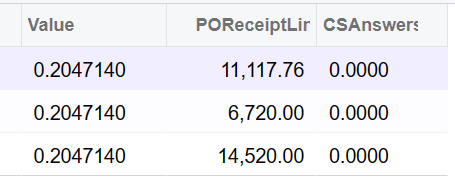
I added it to my formula and now I’m getting 0.0000


darylbowman
Captain II
Forum|alt.badge.img+16

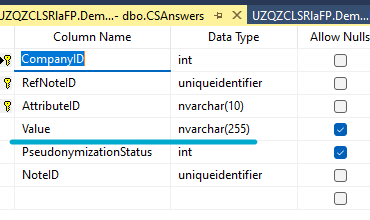
CDec converts a string to a decimal. CSAnswers.Value is a string in the database:

How about:

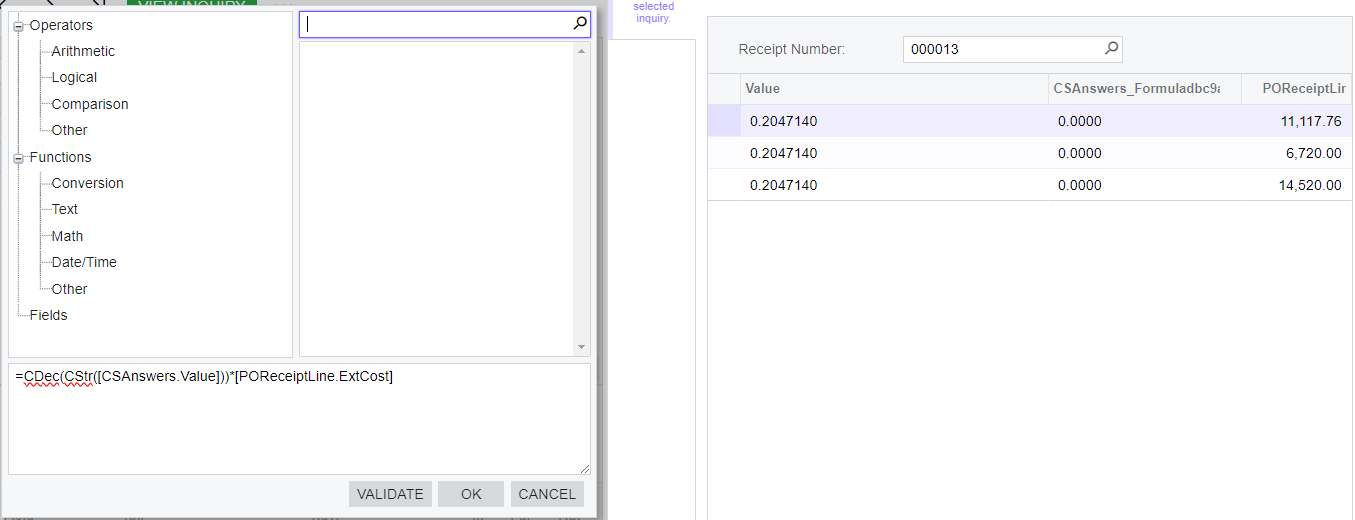
=CDec(CStr([CSAnswers.Value]))*[POReceiptLine.ExtCost]


Forum|alt.badge.img
  • Author
  • Freshman I
  • November 30, 2023

@darylbowman thanks for the explanation. I tried 

=CDec(CStr([CSAnswers.Value]))*[POReceiptLine.ExtCost]

And I’m still getting 0.000.


Chris Hackett
Community Manager
Forum|alt.badge.img
  • Acumatica Community Manager
  • December 20, 2023

Hi @aaronsilber were you able to find a solution? Thank you!


Forum|alt.badge.img
  • Author
  • Freshman I
  • December 22, 2023

Hi @Chris Hackett thanks for checking in. Unfortunately, I was not able to solve for my use case yet.


Forum|alt.badge.img
  • Jr Varsity III
  • February 4, 2026

@aaronsilber Can you try with CDbl([CSAnswers.Value]) * [POReceiptLine.ExtCost].

If you get still 0, then try to modify above to, CDbl(Trim([CSAnswers.Value])) * [POReceiptLine.ExtCost]


KrunalDoshi
Freshman II
Forum|alt.badge.img
  • Freshman II
  • February 11, 2026

Hi ​@aaronsilber,

Can you upload your GI XML so I can verify and suggest you the solution.

If you are using the Attribute then you should be able to use “Attributexxxxx” from your main DAC, where xxxxx is your attribute name. You do not have to join with CSAnswers. I have tried this in 25 R2 demo instance and it is working for me. Let me know if this helps.

=CDec([POReceipt.AttributeCUSTPRVAL])*[POReceiptLine.ExtCost]