Question

How to turn this table into a Generic Inquiry?

  • July 1, 2025
  • 3 replies
  • 58 views

Forum|alt.badge.img

I’m trying to turn the attached Table into a GI, however, some of the fields I’m not sure how to convert. I’m not even sure how the fields “=IIf([@ReportFormat] = 'D', $TotalQtyByLayers, $TotalQty)”/ “=IIf([@ReportFormat] = 'D', $TotalCostByLayers, $TotalCost)” or how they would be reproduced in a GI? Is there a possible way to create this?

3 replies

BenjaminCrisman
Acumatica Employee
Forum|alt.badge.img+4
  • Acumatica Support Team
  • July 1, 2025

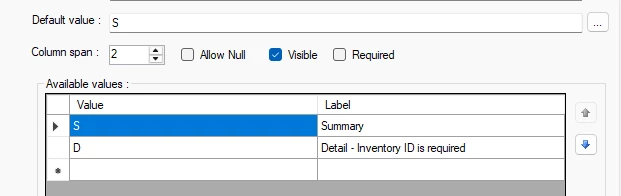
@kkraus The report format refers to the parameter selected at report running. If you open the Build Schema you can see them:

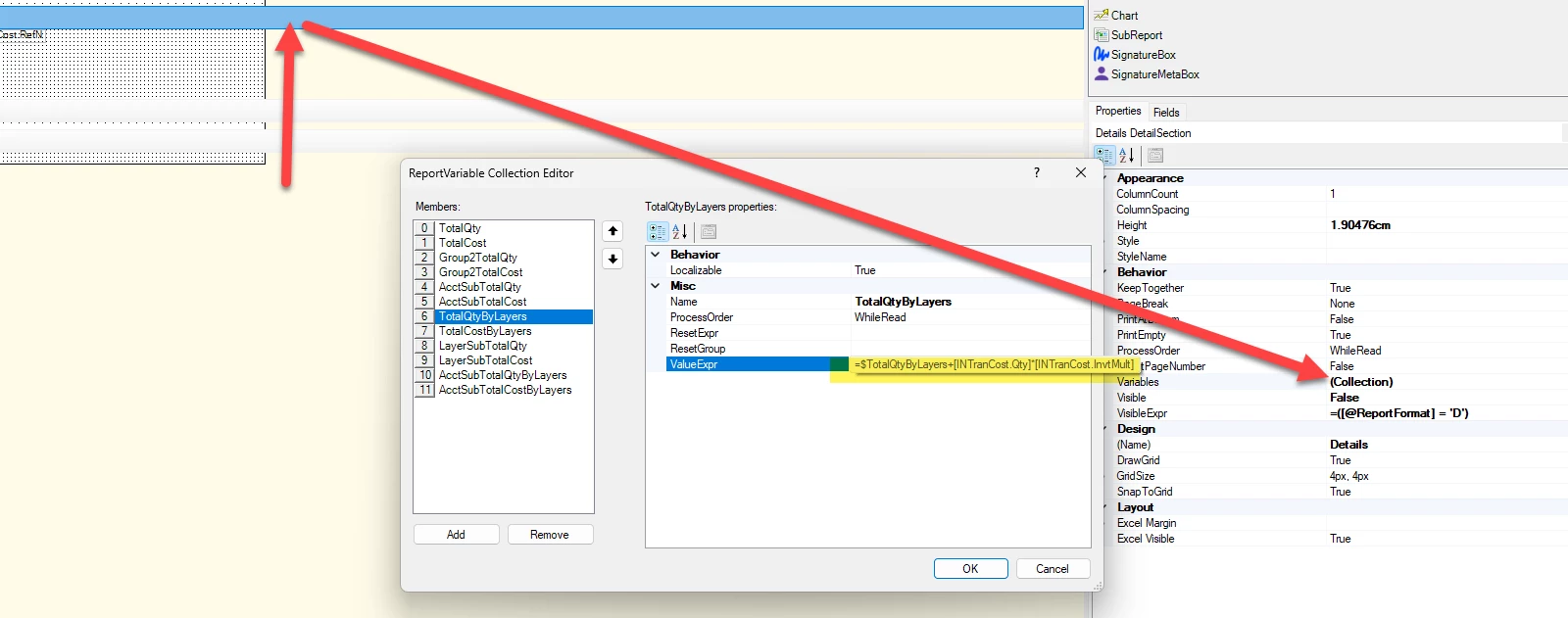
The values with $ in front of them are variables and you can see what these are by clicking on the Details section then clicking the ellipses on the Collection and you’ll see the window of variables and which calculations make up the variable:


Forum|alt.badge.img
  • Author
  • Freshman II
  • July 2, 2025

@kkraus The report format refers to the parameter selected at report running. If you open the Build Schema you can see them:

The values with $ in front of them are variables and you can see what these are by clicking on the Details section then clicking the ellipses on the Collection and you’ll see the window of variables and which calculations make up the variable:


Ah, yep, there they are.


However, using the field listed brings in larger values than I’m expecting. I don’t see a filter anywhere either that would be lowering the result.


Chris Hackett
Community Manager
Forum|alt.badge.img
  • Acumatica Community Manager
  • September 24, 2025

Hi ​@kkraus were you able to find a solution? Thank you!