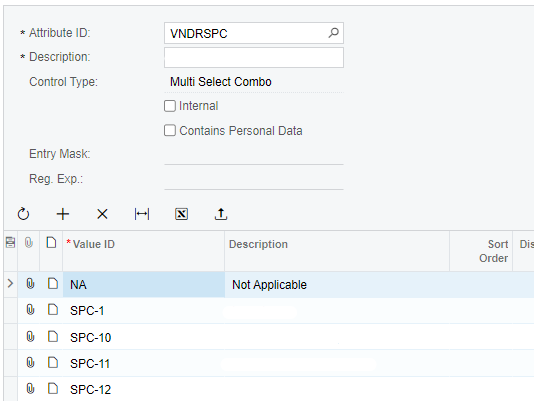
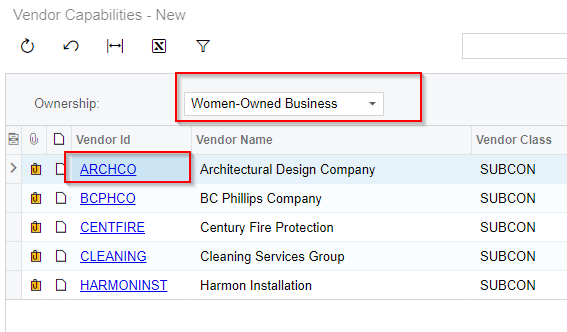
We have few attributes with multi-select control type.
Attribute
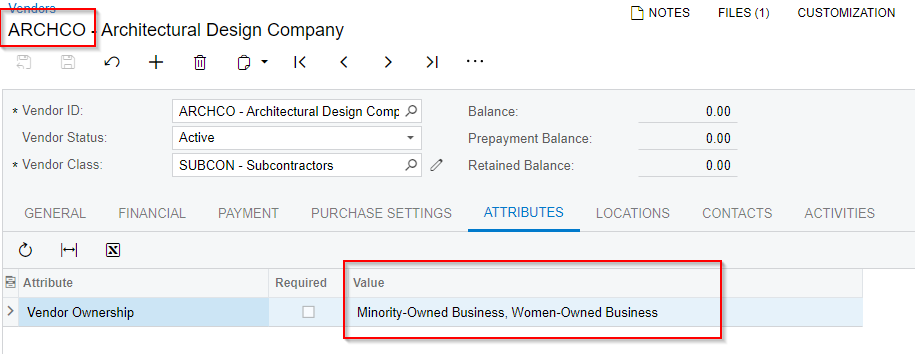
However, when multiple values are selected, the values are concatenated in the database.
Below is a database snapshot:
Db snapshot
We have a GI that is using this attribute as a parameter. We would like to filter based on individual attribute and not look for a specific combination. It doesn’t work right now as it keeps looking for a specific combination of attributes
Is there a way to store this differently in the database or a way to separate them?
Best answer by RohitRattan88
@kanupindi
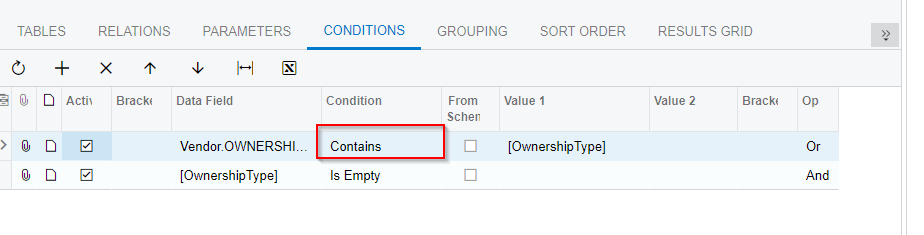
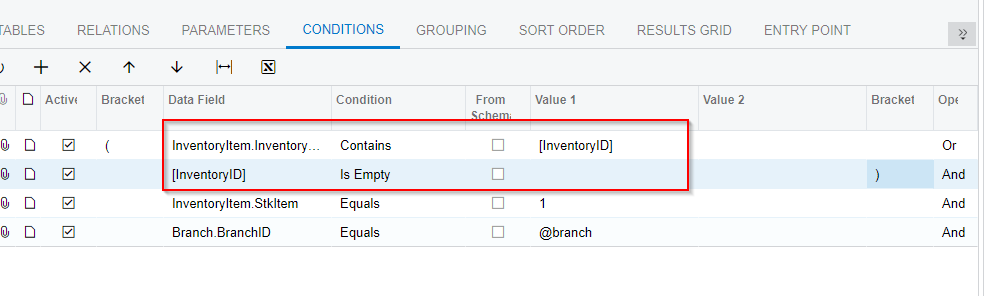
Is your condition a “Contains” or equal.
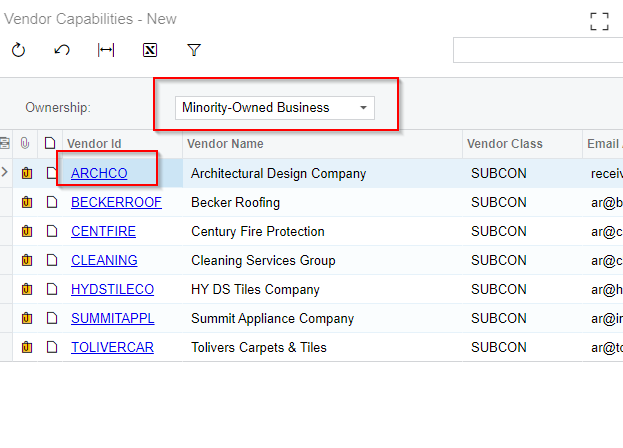
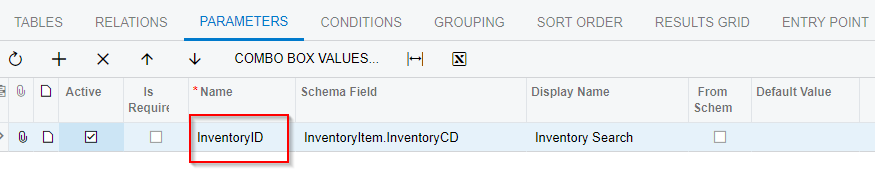
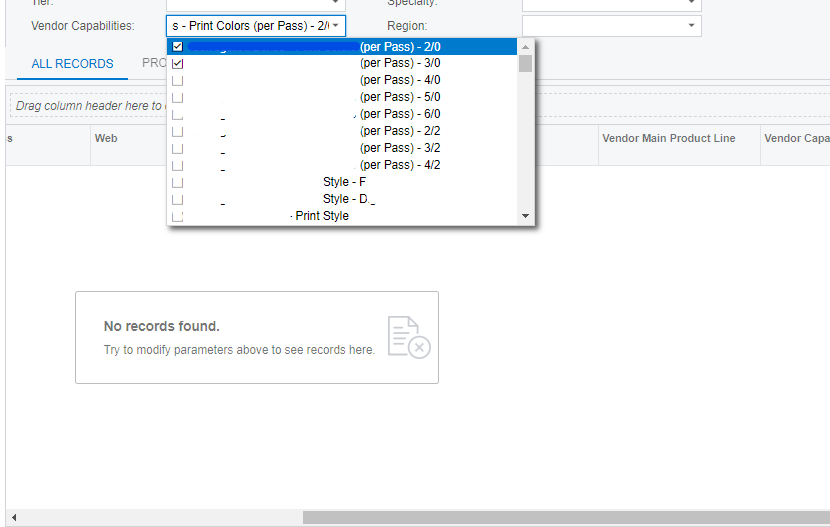
I reviewed GI I posted above again and it seems to be behaving the way you wish:
Hi @RohitRattan88 , thank you for the feedback. The multi- select works for us as well. But our concern here is each account has different attributes selected. So when we use the multi-select - it always looks for that combination.
example: Account ABC - has attributes : Pencils, pen, notebook Account XYZ - has attributes: Pencils, Bottle When we just select pencils - it does not display ABC or XYZ unless you have all the attributes selected.
We want acumatica to recognize each attribute as a unique selector and not look for the same combination - but unsure how to do that
@RohitRattan88 - I do have the parameters set up in the conditions tab as well (similar to your screenshot). However, when individual values are selected in the GI - it does not display any records.
Hi @RohitRattan88 , thank you for the feedback. The multi- select works for us as well. But our concern here is each account has different attributes selected. So when we use the multi-select - it always looks for that combination.
example: Account ABC - has attributes : Pencils, pen, notebook Account XYZ - has attributes: Pencils, Bottle When we just select pencils - it does not display ABC or XYZ unless you have all the attributes selected.
We want acumatica to recognize each attribute as a unique selector and not look for the same combination - but unsure how to do that
I reviewed GI I posted above again and it seems to be behaving the way you wish:
Hi @RohitRattan88 , thank you for the feedback. The multi- select works for us as well. But our concern here is each account has different attributes selected. So when we use the multi-select - it always looks for that combination.
example: Account ABC - has attributes : Pencils, pen, notebook Account XYZ - has attributes: Pencils, Bottle When we just select pencils - it does not display ABC or XYZ unless you have all the attributes selected.
We want acumatica to recognize each attribute as a unique selector and not look for the same combination - but unsure how to do that
We have the similar GI we are working on for our client. Is there a way to add a column to the GI to count how many attribute values are selected for the account?
@RohitRattan88 I’m trying to accomplish this same thing on a dashboard but it doesn’t seem to work with dashboard parameters. I was able to replicate what you did on that GI and it works fine in that application, but doing the same thing on a dashboard does not work.
Any idea why this would be the case and how to accomplish this on a dashboard?