Answer

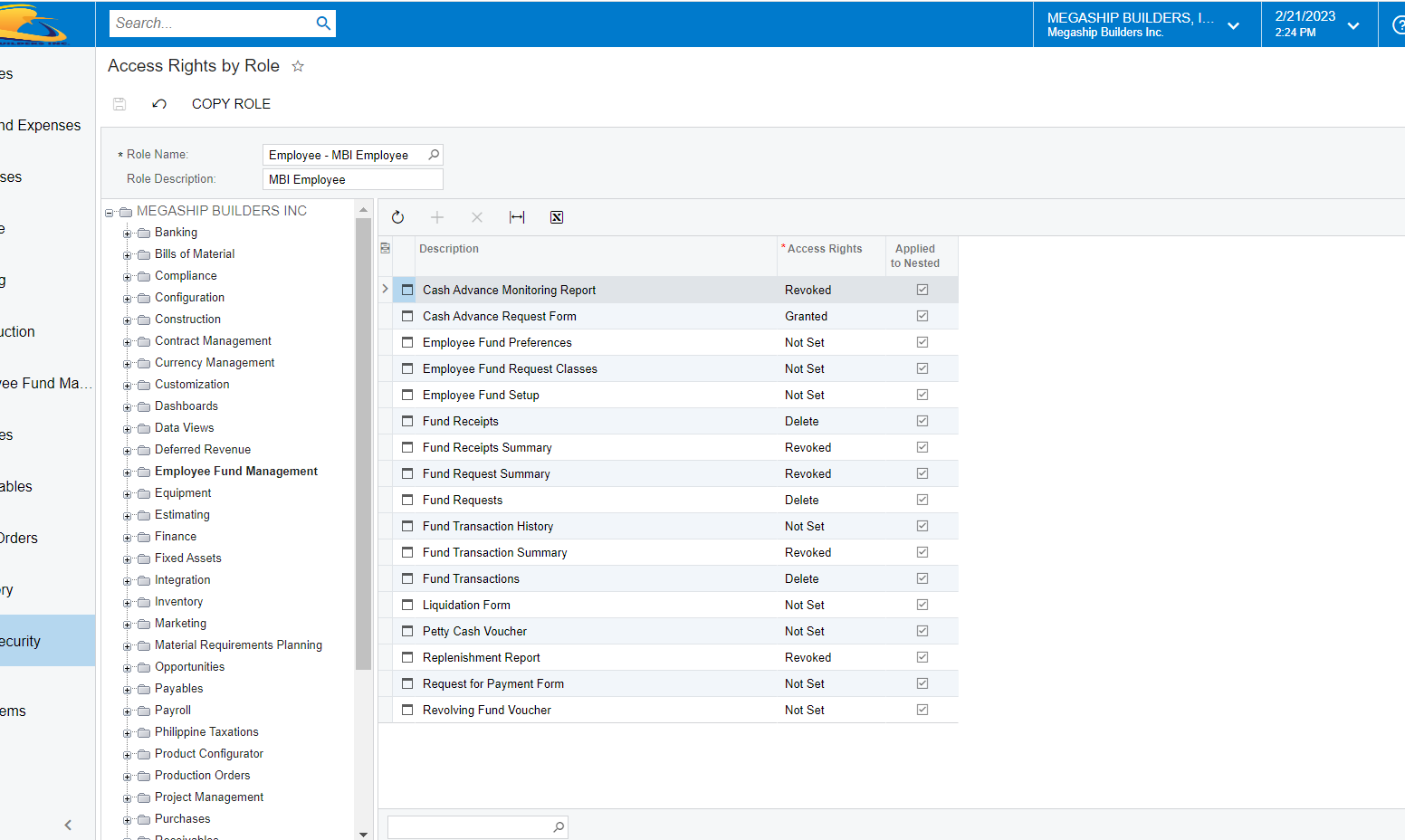
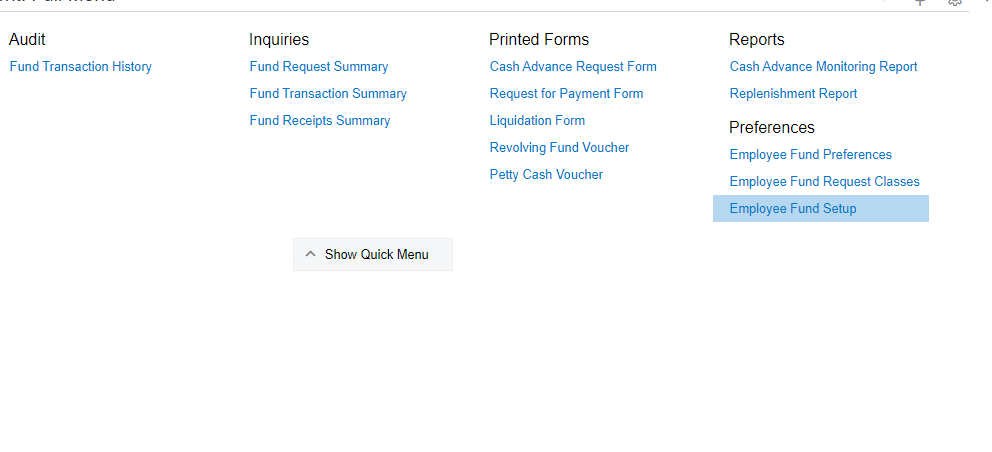
How to remove report, preferences, Audit, Inquiries for all the user only admin can access this?

  • February 20, 2023
  • 8 replies
  • 123 views

Forum|alt.badge.img


Best answer by Laura03

Hello,

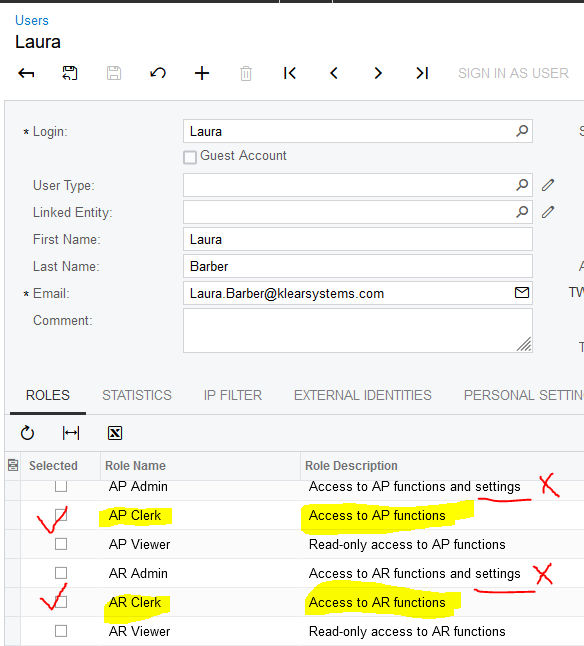
Remove User from Administrator Role.

Add user to existing roles with no Settings, and Internal User (for Help access).

To remove ALL reports then you will need a custom role that grants only the screens you need.
 

8 replies

Laura03
Captain II
Forum|alt.badge.img+19
  • Captain II
  • February 20, 2023

@fdomingo ,

Create a new Role in User Security, Roles screen.Revoke access to the above screens for the new role. Add the role to users for whom the above screens should be hidden.


Forum|alt.badge.img
  • Author
  • February 20, 2023

do I need? to create new User Role? there is no other option?


Laura03
Captain II
Forum|alt.badge.img+19
  • Captain II
  • February 20, 2023

Hi,

The most restrictive Role takes precedence, and therefore I thought of the above solution first because it involves adding just one simple role to those who should not have access.

Alternatively, you may remove the access to the above screens from all roles that have it but should not. You may change all roles that should not have the access to “not set” while leaving at least one role with higher-level access (higher than Not Set) to the screens above.


miguel80
Semi-Pro III
Forum|alt.badge.img+3
  • Semi-Pro III
  • February 20, 2023

Laura is right. Alternatively, you can deny access to an existing role instead of creating a new one. That should work too.


Forum|alt.badge.img
  • Author
  • February 21, 2023

I already deny the access but nothing happens


Forum|alt.badge.img
  • Author
  • March 9, 2023

Hello Community for this question this not yet solve I also try all the suggested answer or solution but is not working still the same. More ideas?


Forum|alt.badge.img
  • Varsity I
  • August 7, 2023

I already deny the access but nothing happens


Hi @fdomingo 


Have you tried checking with a user that has no admin role and has MBI Employee role only to see if they still have access to the screens you mentioned?


Laura03
Captain II
Forum|alt.badge.img+19
  • Captain II
  • Answer
  • August 7, 2023

Hello,

Remove User from Administrator Role.

Add user to existing roles with no Settings, and Internal User (for Help access).

To remove ALL reports then you will need a custom role that grants only the screens you need.