Answer

how to put 2 IIF statement together

  • February 10, 2025
  • 6 replies
  • 109 views

Forum|alt.badge.img
  • anytime i  join and validate this statement it good.
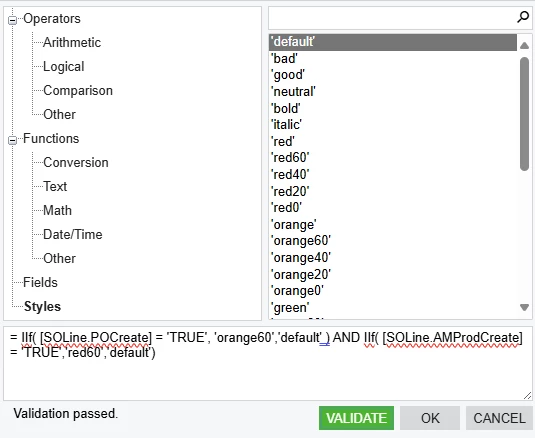
  • but when i save and try to people the sales order tab this show up

  • i am trying to put the statement on the statuse column to get different colors.
  • i need help?

Best answer by BenjaminCrisman

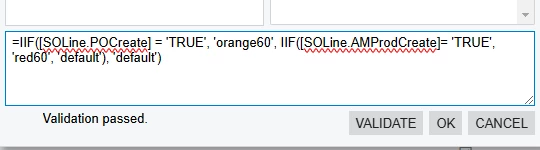
@SandyA It worked for me but I had to replace each of the single quotes:

=IIF([SOLine.POCreate] = 'TRUE', 'orange60', IIF([SOLine.AMProdCreate]= 'TRUE', 'red60', 'default'), 'default')
 

6 replies

BenjaminCrisman
Acumatica Employee
Forum|alt.badge.img+4
  • Acumatica Support Team
  • February 10, 2025

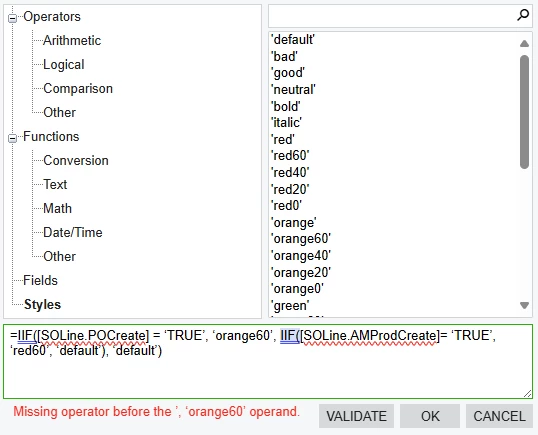
@SandyA You could try something like =IIF([SOLine.POCreate] = ‘TRUE’, ‘orange60’, IIF([SOLine.AMProdCreate]= ‘TRUE’, ‘red60’, ‘default’), ‘default’)


Have you already tried something like that?


Forum|alt.badge.img
  • Author
  • Freshman II
  • February 10, 2025

@BenjaminCrisman this is what showed up


BenjaminCrisman
Acumatica Employee
Forum|alt.badge.img+4
  • Acumatica Support Team
  • February 10, 2025

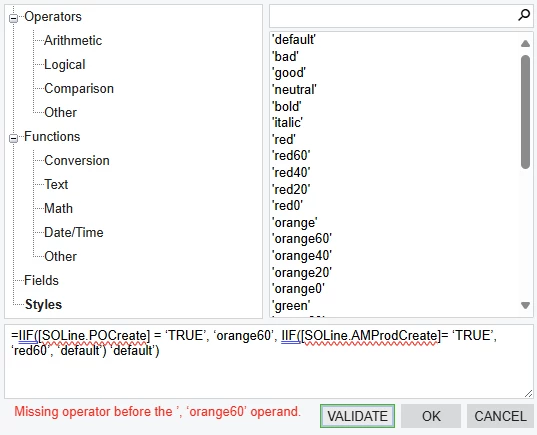
@SandyA Oh I think I had an extra comma before the last default, it should just be like ...’default’) ‘default’)


Forum|alt.badge.img
  • Author
  • Freshman II
  • February 10, 2025

@BenjaminCrisman i took the comma away, and it still gave me this


BenjaminCrisman
Acumatica Employee
Forum|alt.badge.img+4
  • Acumatica Support Team
  • Answer
  • February 10, 2025

@SandyA It worked for me but I had to replace each of the single quotes:

=IIF([SOLine.POCreate] = 'TRUE', 'orange60', IIF([SOLine.AMProdCreate]= 'TRUE', 'red60', 'default'), 'default')


Forum|alt.badge.img
  • Author
  • Freshman II
  • February 10, 2025

@BenjaminCrisman thanks, it worked