Answer

How to pull activity notes into GI?

  • November 27, 2024
  • 11 replies
  • 312 views

Forum|alt.badge.img

Hi! Is there a way to pull activity notes from the PO screen into a GI?

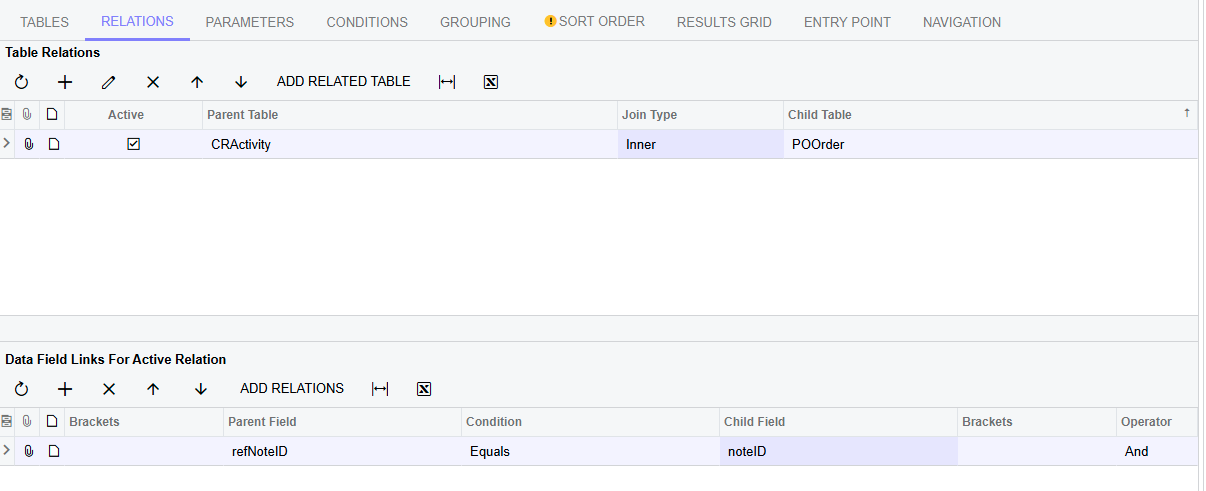
I wasn’t able to use inspect element to find the table that the Tasks & Activities belong to. I know activity is on the CRActivity DAC, but I couldn’t relate it to the POOrder table. 

I know there is a Note ID field in POOrder, however I am looking for this column in the GI to display the actual body of notes instead of just the title or the note ID. 

Any idea if this is possible?

 

Thanks!!
Best answer by schneur96

Try the following


Relations 


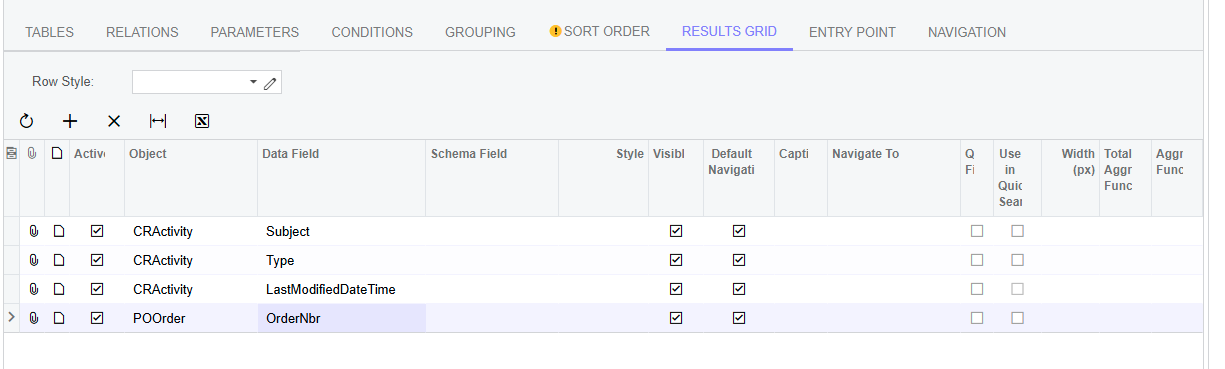
Result Grid


11 replies

Forum|alt.badge.img
  • Semi-Pro III
  • Answer
  • November 27, 2024

Try the following


Relations 


Result Grid


Forum|alt.badge.img
  • Author
  • Semi-Pro III
  • December 2, 2024

@schneur96 Thank you for your help! 

Is there a way to only show the most recent activity for that PO? Right now I am grouping by PO #, and the aggregate function for last modified date is set to Max. But while the date is pulling in as most recent, the activity subject is not right. 


Forum|alt.badge.img
  • Semi-Pro III
  • December 3, 2024

You need todo the MAX on the results grid data field not on the aggregated function fields. 


=MAX([CRActivity.Subject])


Forum|alt.badge.img
  • Author
  • Semi-Pro III
  • December 3, 2024

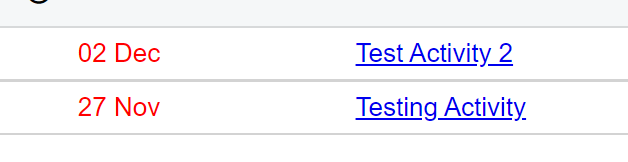
Hi ​@schneur96 I tried that as well, unfortunately it did not work. It is still giving the most recent date but not the right subject. The first line should be Test Activity 2 not Testing Activity.


Forum|alt.badge.img
  • Semi-Pro III
  • December 17, 2024

If you share your GI i can take a look. 


Forum|alt.badge.img
  • Author
  • Semi-Pro III
  • December 17, 2024

If you share your GI i can take a look. 


Hi ​@schneur96 , thank you! Still trying to figure out how to aggregate the subject field to show most recent...


Forum|alt.badge.img
  • Captain I
  • December 17, 2024

Hello ​@schneur96  and ​@jzhu ,


Have you found any solutions for this? I am in need of something similar.


Thanks,

RJ


Forum|alt.badge.img
  • Semi-Pro III
  • December 18, 2024

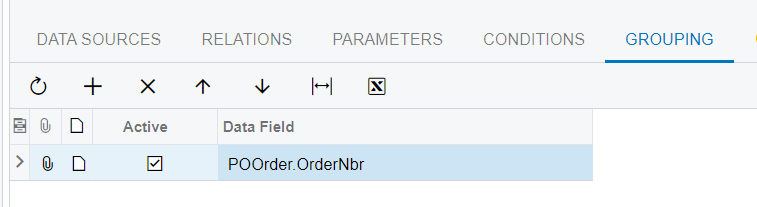
I reviewed the GI and noticed that you had a grouping for both POOrder.orderNbr and CRActivity.Subject. If you are only looking to have one row for each activity then only do a grouping on the POOrder.orderNbr.


I tested setting the Data Field with both =MIN([CRActivity.Subject]) and =MAX([CRActivity.Subject]) and with the grouping just on POOrder.orderNbr its working as expected. 


Forum|alt.badge.img
  • Author
  • Semi-Pro III
  • December 18, 2024

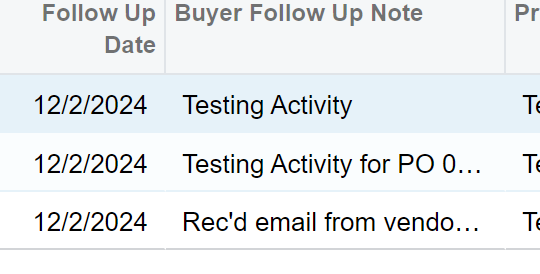
@schneur96 I have tried grouping only by POOrder.OrderNbr and using =MAX([CRActivity.Subject]), however it only gives me the latest date and not the note subject associated with it: 


Forum|alt.badge.img
  • Captain I
  • December 18, 2024

Hello ​@jzhu and ​@schneur96,

I have tried setting my =MAX([CRActivity.Subject]), and still no success with my most recent Credit Hold Notes (CHN) activity. Do you have any suggestions?

Thanks!


plambert
Semi-Pro I
Forum|alt.badge.img+2
  • Semi-Pro I
  • September 23, 2025

This can be accomplished by joining the Activities DAC onto itself with the extra condition of “CreatedDate < CreatedDate”. This will leave the record that has the maximum created date without a match. Then add a condition to only include records that don't have a match and you’re left with the most recent Activity.

Efficiency-wise, this is not the best approach. There’s a discussion on this Stack Overflow thread about how using NOT EXISTS instead of ID2 IS NULL is more efficient, but I don’t know how to finagle the Generic Inquiry screen to write such a query, or if the optimizer will pick up this adjustment. Expect a performance impact if you have a lot of Activities.

See the attached proof of concept. This lists the most recent Activity per related entity.