Answer

How to make fields Uppercase in Report Designer

  • October 9, 2025
  • 3 replies
  • 77 views

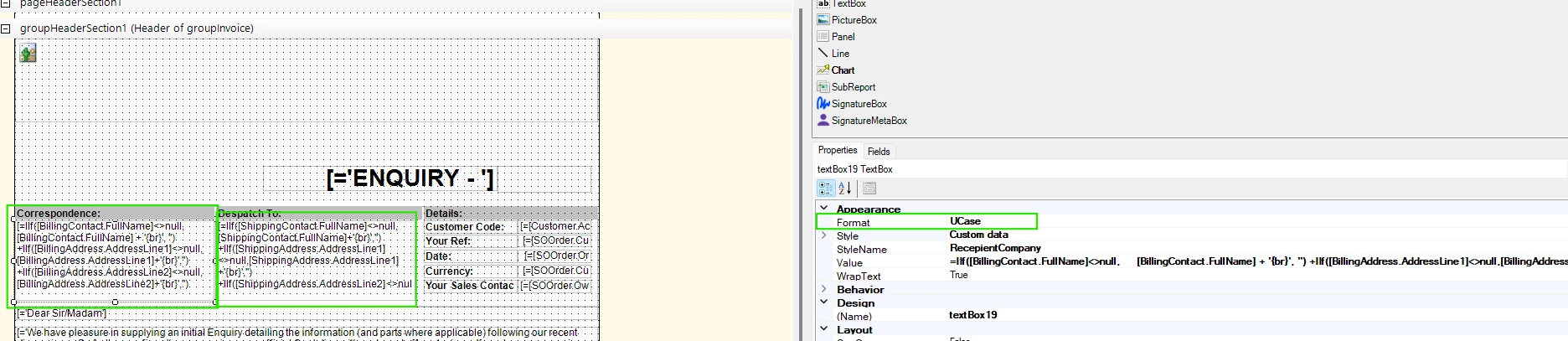
We have address fields on a lot of paperwork and instead of going through each one and amending the formula, is there a way to format the field.  When we have a number field I know that you can set the format with the number of decibel places in the format box etc, and I'm hoping its the same for text.

I have tried just simply adding UCase to the format box but it didn't work.

Thanks
 

Best answer by mohammadnawaz51

@MelSmith 


Please review above suggestions

3 replies

mohammadnawaz51
Jr Varsity I
Forum|alt.badge.img+4

@MelSmith 


Please review above suggestions


lauraj46
Captain II
Forum|alt.badge.img+8
  • Captain II
  • October 9, 2025

Hi ​@MelSmith ,

As mentioned in the post by ​@mohammadnawaz51 , the Ucase function is what you want.  Instead of using it in the format field you should use the function in the value field, for example:

=IIf([BillingContact.Fullname]<>null, Ucaae([BillingContact.FullName])+{br}, ''))

You may be able to wrap the Ucase function around the entire expression, but I'm not sure if {br} is case sensitive or not.

Hope this helps!

Laura 


  • Author
  • Freshman I
  • October 10, 2025

Thank you both.  Yes I have tried that and although it does work I just thought there might have been quicker way via format, instead of adding it to the parts within formulas.

If you wrap it around it all, the {br} is put into caps as well and appears in the address as a word BR.

Maybe it will be something that will be developed in the future for formatting fields

😊


