

Answer

How to Load Beginning Balance and Ending Balance Records After Removing the Account ID Filter from the Account Details Screen

  • December 4, 2024
  • 1 reply
  • 65 views

Hi Team,

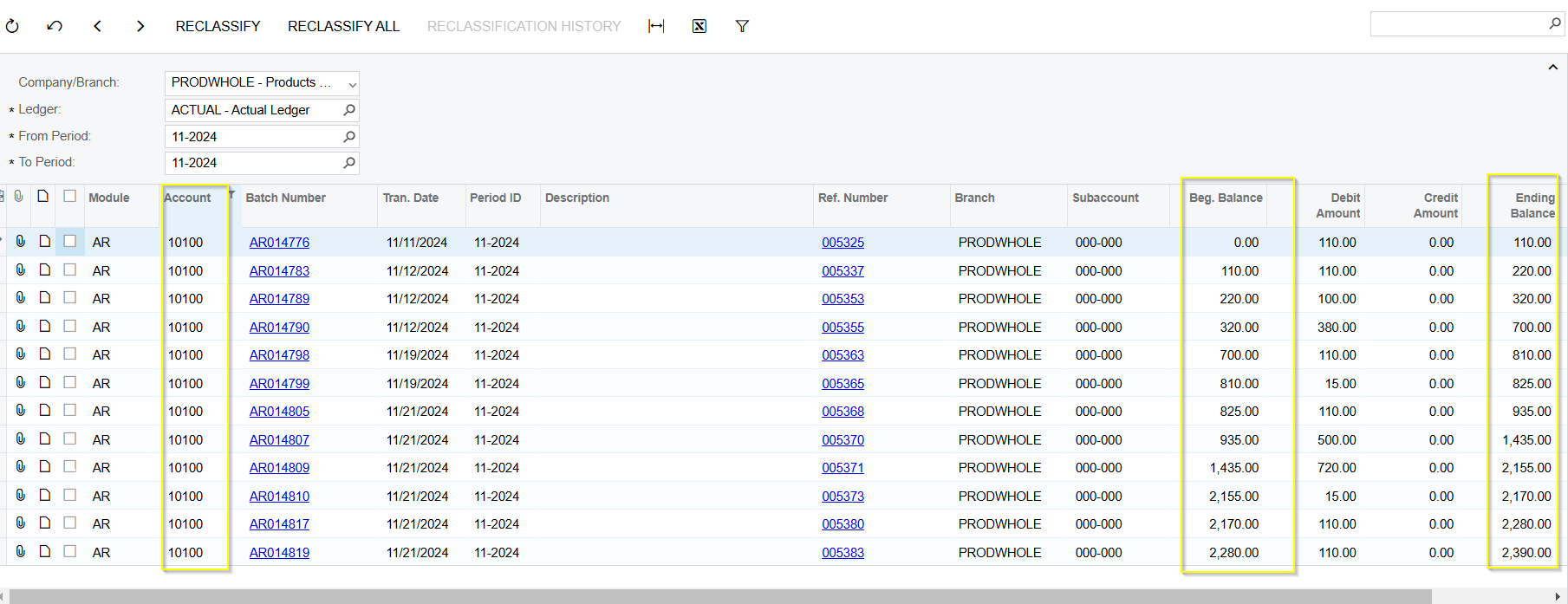
We have a requirement to load all account records from the Account Details screen without the Account ID filter. We are using the same graph as a reference and have created a new screen where we removed the Account ID filter and the respective conditions in the code. However, on the new screen, we are unable to load the Beginning Balance and Ending Balance values correctly for all accounts. Could you please share your thoughts

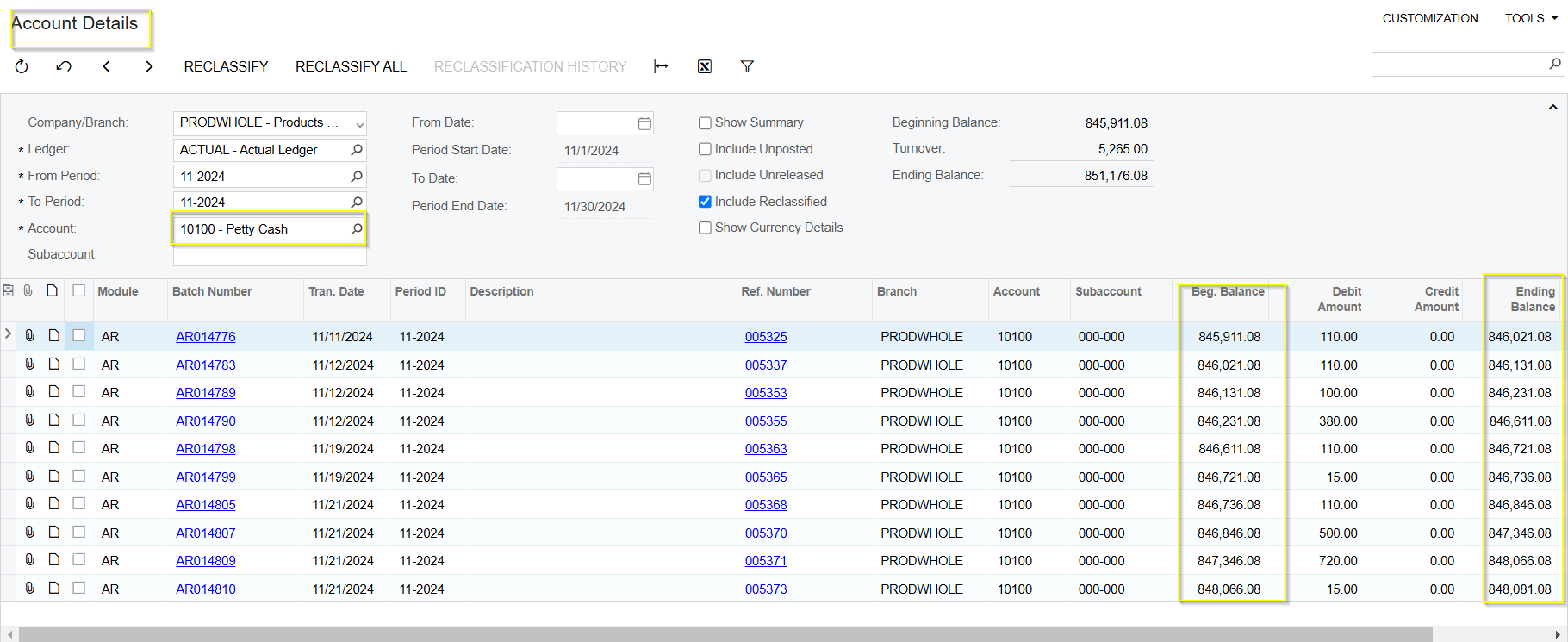
Please Find the Screenshots for reference:

Account Details Screen:


New Custom Screen:


Thank you,

Best answer by arthia

Hi ​@sagarb13 , Please make below changes in the customization code

    Comment Filter view delegate
    Comment GlTranEnq view delegate - Method: RetrieveGLTran
    
Modification in RetrieveGLTran:
        Loop though all accounts
        Assign the AccountID to the Filter.AccountID, it is used through out the code
        Loop though GLTranR with filtered condition and sorting
        Get the calulated Beginning Balance
        Using the formula: tran.SignEndBalance = tran.SignBegBalance + tran.DebitAmt - tran.CreditAmt; calculate Ending Balance
        Assign the Current Ending Balance to future Beginning Balance and using this value to calculate further Ending Balance
        Loop though all records in GLTranR and adding it in list
        Loop through all accounts and add it in same list
        Assign the list to IEnumerable and return all records

1 reply

Forum|alt.badge.img+3
  • Varsity I
  • Answer
  • December 5, 2024

Hi ​@sagarb13 , Please make below changes in the customization code

    Comment Filter view delegate
    Comment GlTranEnq view delegate - Method: RetrieveGLTran
    
Modification in RetrieveGLTran:
        Loop though all accounts
        Assign the AccountID to the Filter.AccountID, it is used through out the code
        Loop though GLTranR with filtered condition and sorting
        Get the calulated Beginning Balance
        Using the formula: tran.SignEndBalance = tran.SignBegBalance + tran.DebitAmt - tran.CreditAmt; calculate Ending Balance
        Assign the Current Ending Balance to future Beginning Balance and using this value to calculate further Ending Balance
        Loop though all records in GLTranR and adding it in list
        Loop through all accounts and add it in same list
        Assign the list to IEnumerable and return all records
