Question

How to highlight Sales Order GI Rows when the Sales Order Pick List has been printed?

  • November 28, 2025
  • 4 replies
  • 38 views

 I have a requirement where I want to highlight the Sales Order Generic Enquiry data when the Sales Order is created by a certain user and the Sales Order Pick List has been printed. How do I extract the status of the print, and other information like date of print, printed by whom etc.

4 replies

nhatnghetinh
Captain II
Forum|alt.badge.img+11
  • Captain II
  • November 28, 2025

Hi ​@meet1504 

Can you explain more what you mean by "the Sales Order Pick List has been printed"?
To create Highlight of the lines on GI you can refer to the Youtube Video below.


Best Regards,

NNT


  • Author
  • Freshman II
  • December 1, 2025

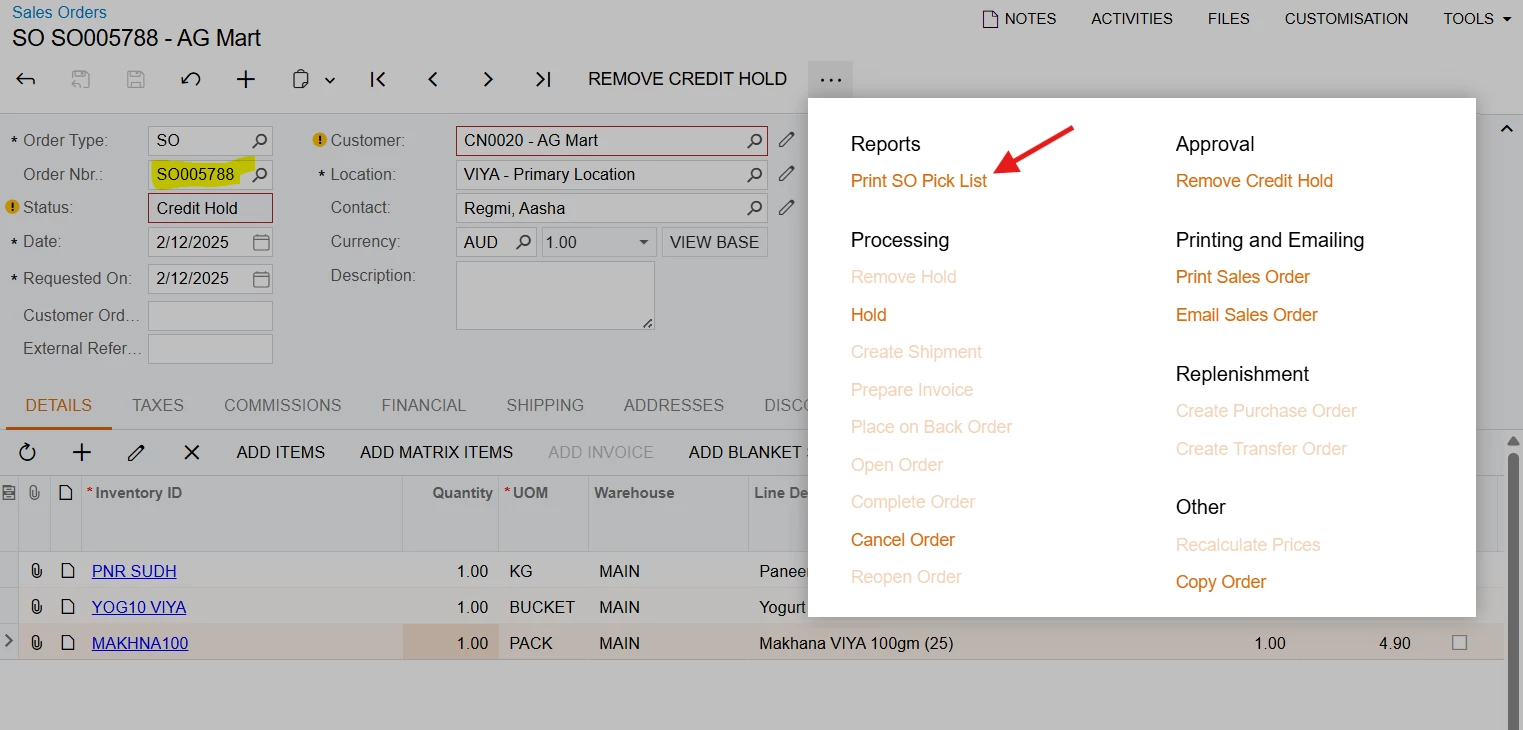
Thank you for the reply. The below image represents a new sales order which is created by an employee in a different country (eg. India). The personnel then clicks on Print SO Pick List and the print arrives in the business country (eg. Australia). The details of the Sales order is saved along with the details of the user who created it.

My requirement is to highlight all the Sales Order that have been printed. The SO Pick List report is maso6440.rpx. I want to basically know the status of the print, whether the sales order has been printed or not.


nhatnghetinh
Captain II
Forum|alt.badge.img+11
  • Captain II
  • December 2, 2025

Hi ​@meet1504 

As far as I know, Acumatica has a status field to update data changes on forms. However, viewing the report or clicking Print does not change the data, so there is currently no field to manage the status of whether it has been printed or not.

I suggest the following:

1/. Send an email instead of printing, and Acumatica will store a log. When you use “Email Sales Order” (Send Email). The system records an activity in Activities. It also stores the email log. You can see whether the email was sent or not, but this does not apply to printing.

2/. You may need Customization to have this feature.


Best Regards,

NNT


Forum|alt.badge.img
  • Jr Varsity III
  • December 2, 2025

Hi ​@meet1504 

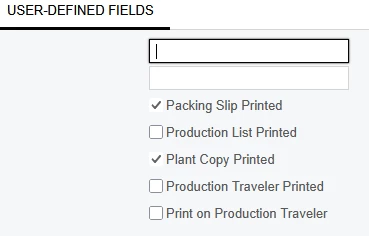
There is a checkbox on the Financial tab that will show if the sales order has been printed (but not the Pick List).  We created a pretty simple customization for our customer that does similar for other forms related to the SO.  The customization will check a box (that is a UDF) when a form is printed:


Then this information can be leveraged in reports, GIs, etc.  Was the Pick List added to the SO screen via a customization?  If so, you can use the same one to create an action to tick a box (UDF).  Then use the information in GIs.