Solved

how to grouping 2 data field

  • December 19, 2025
  • 10 replies
  • 120 views

Forum|alt.badge.img

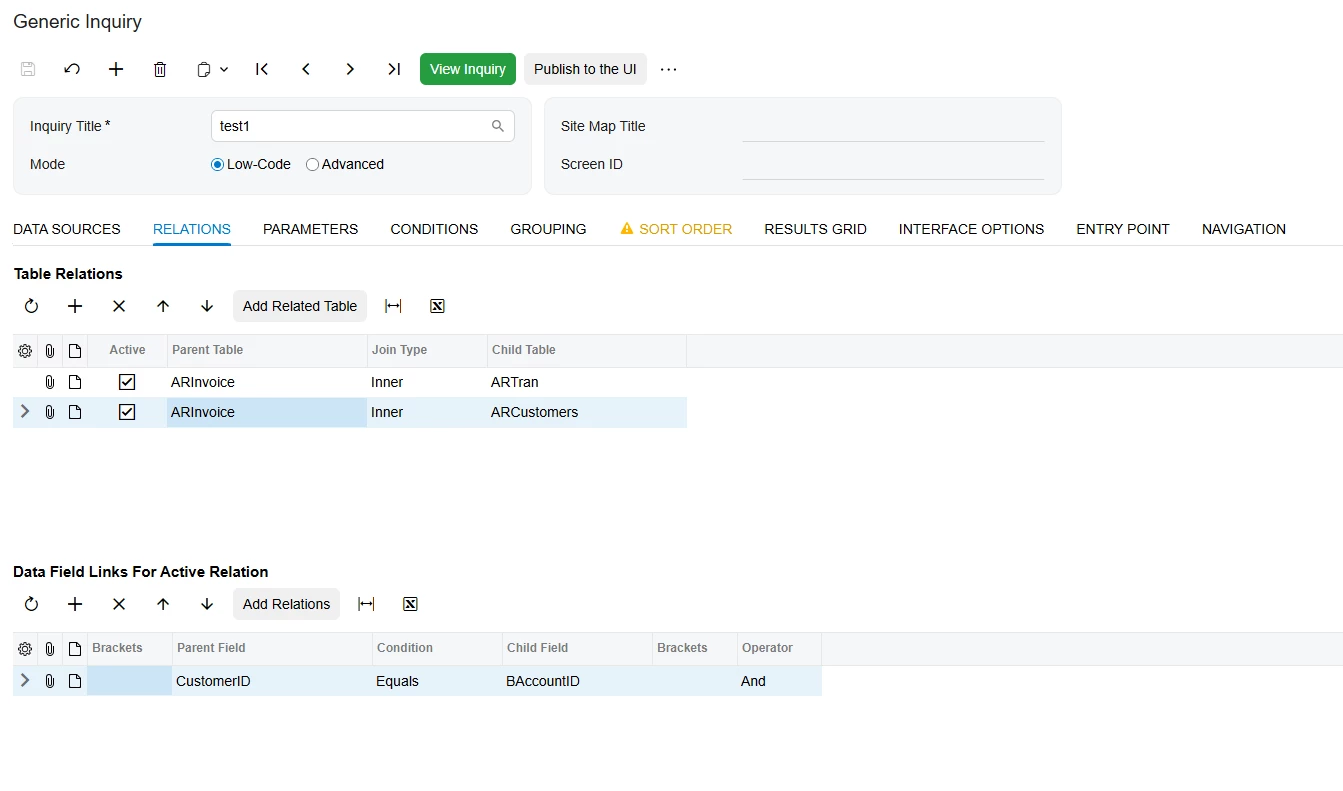
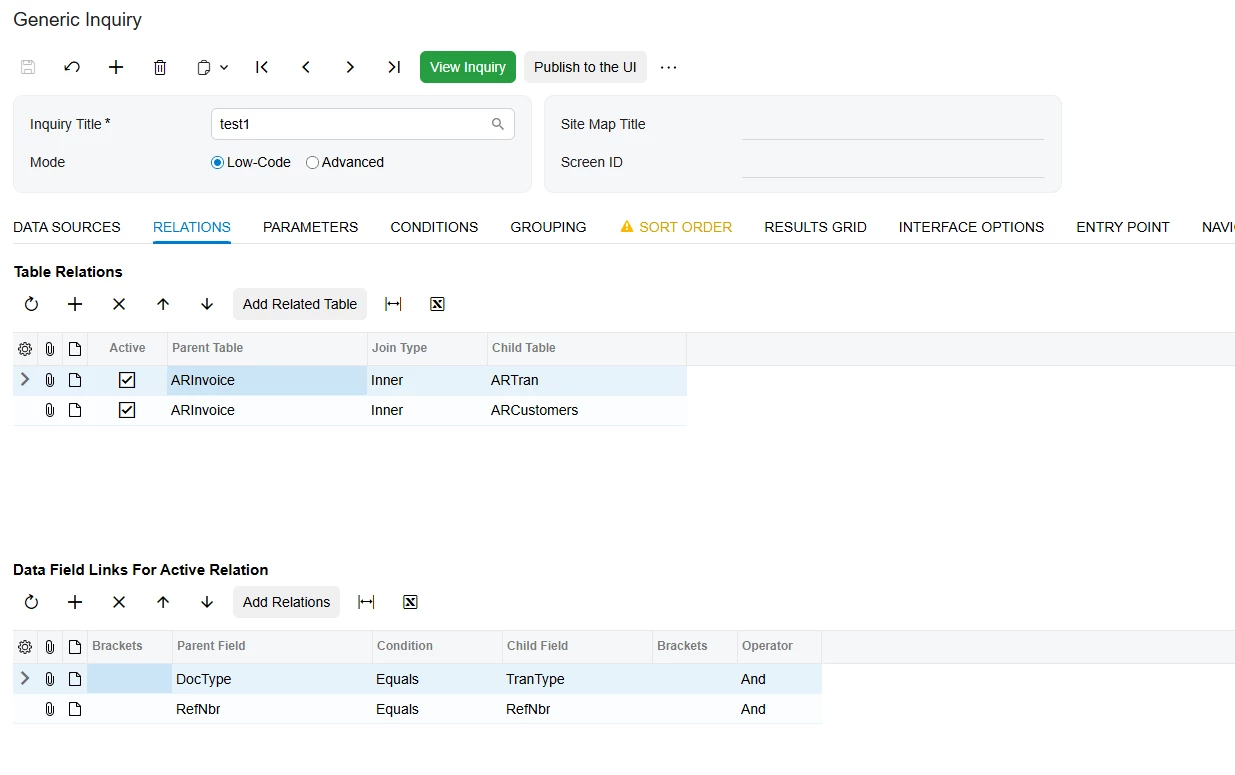
So i created this report. I'm grouping the customers first and ARtran.RefNbr. But it is not working, how can i fix it.

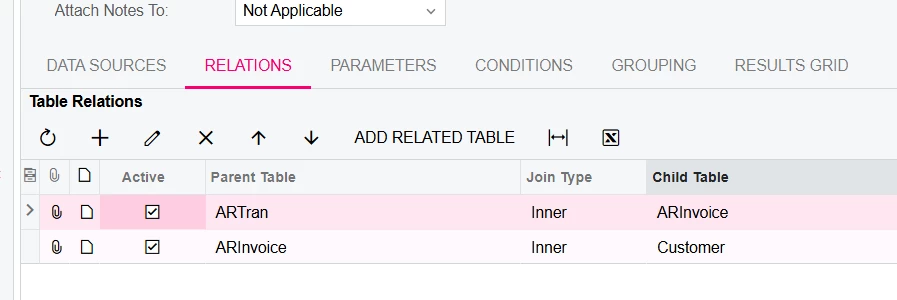
This is the relation
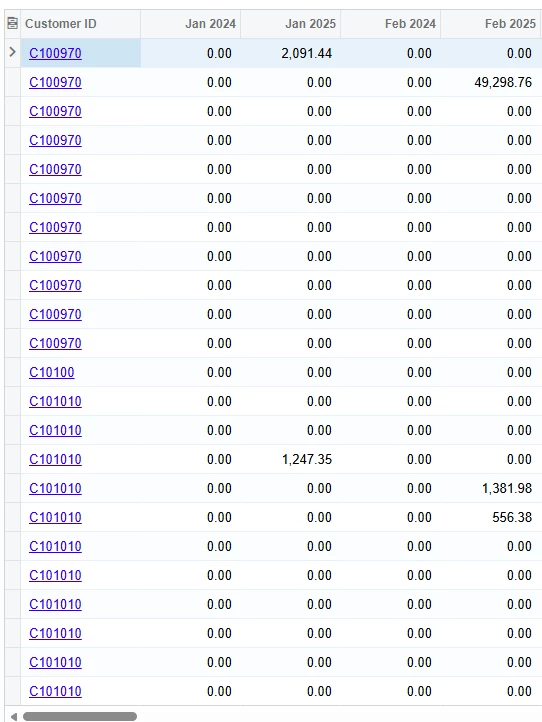
Its not working.

 

Best answer by npetrosov31

@SandyA,


I just created an example of your GI on a local Sales Demo system and it looks good just without the ARTran.RefNbr field in grouping. Here is the result:
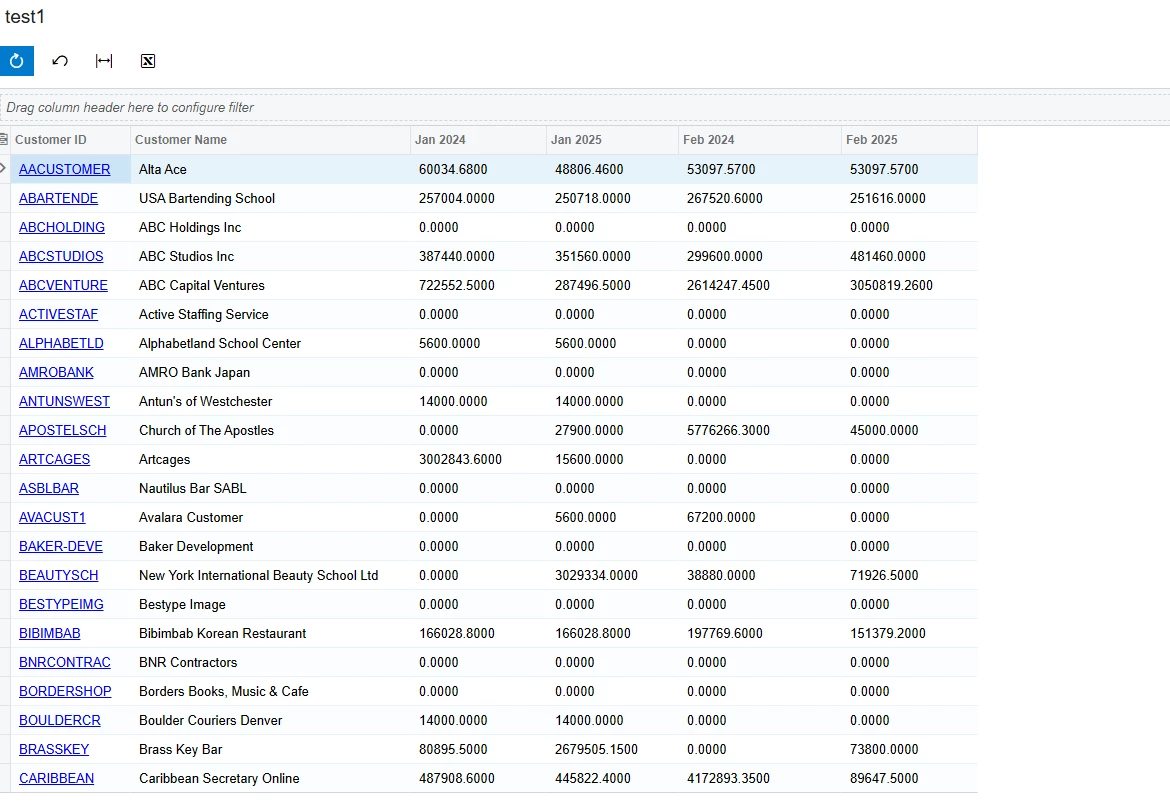
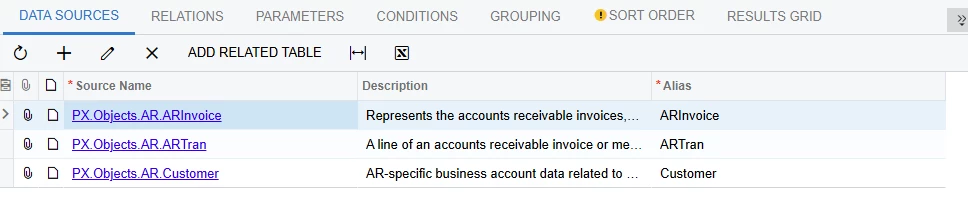
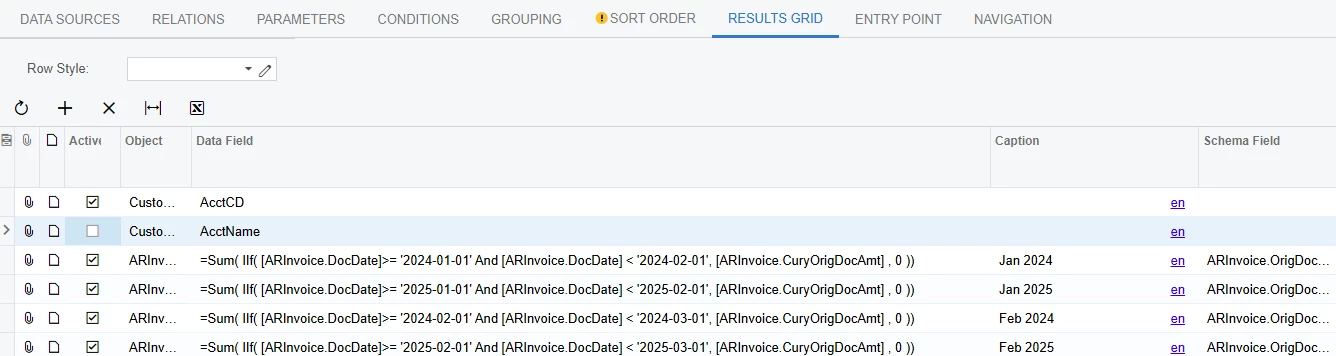
Here are the GI Info:
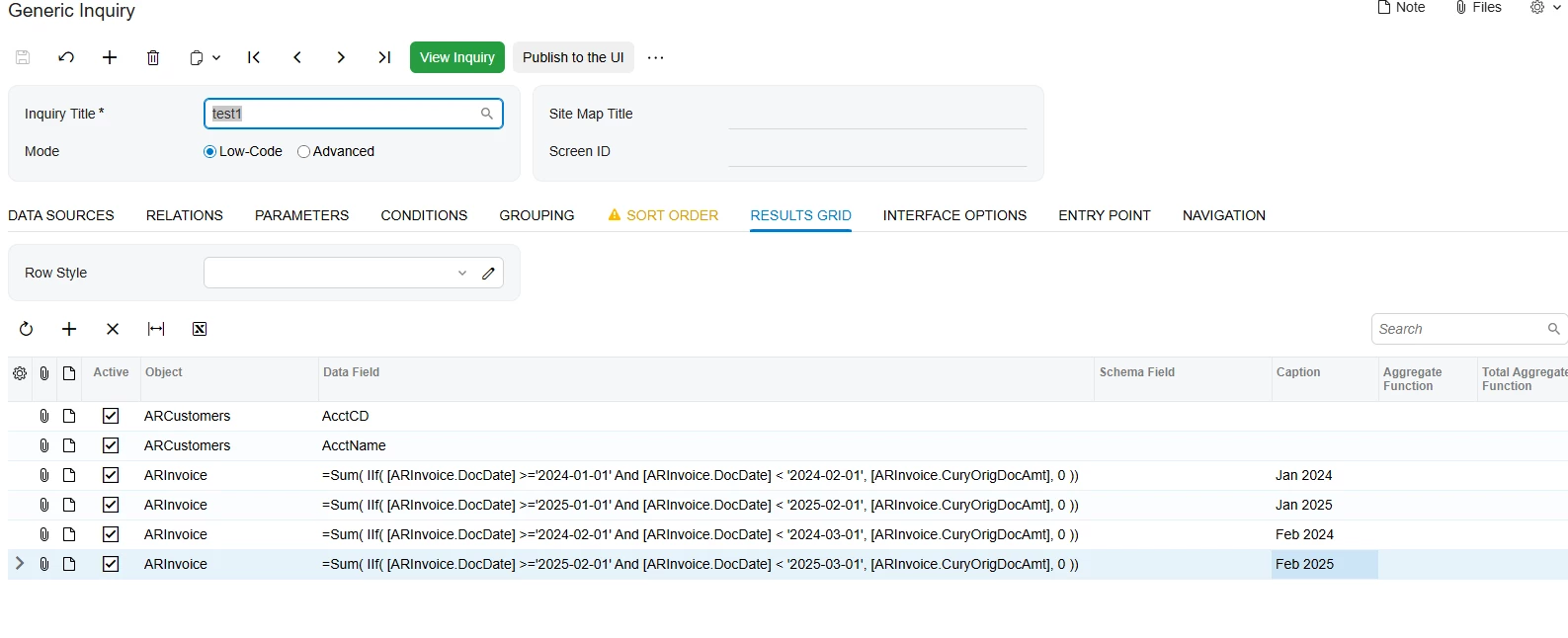
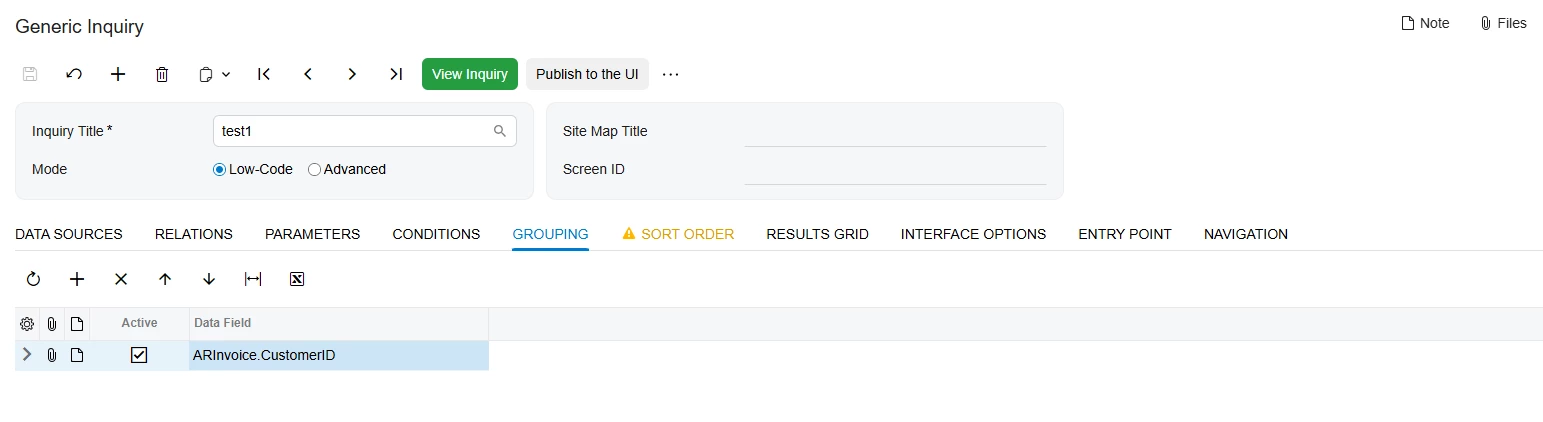
I don’t think that any aggregate function will have a problem when going over ARTran fields. I hope this helps you, please tell if there are still some issues.

10 replies

Forum|alt.badge.img+1
  • Semi-Pro III
  • December 19, 2025

Hi, can you share your Generic Inquiry here so we can test and troubleshoot? What is the desired outcome of this GI? To have one line of record for each customer or for each transaction? 


nickcerri32
Semi-Pro II
Forum|alt.badge.img+6
  • Semi-Pro II
  • December 19, 2025

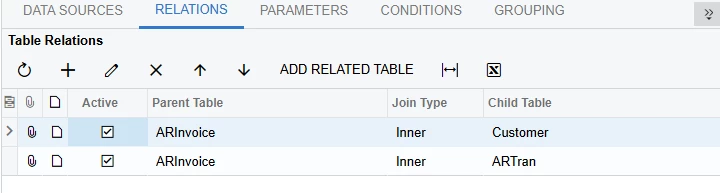
@SandyA What exactly should the output look like?  You’re grouping by Customer and Reference Number, so if there are multiple reference numbers per customer, you’ll see the Customer record duplicated that many times.  Also, I typically have the detail table set as the parent table.  If you’re using the in-built joins, it’ll look like this.  However, this alone won't solve your problem.  Let me know what you’re trying to achieve and I can get you a better response


Forum|alt.badge.img
  • Author
  • Freshman II
  • December 19, 2025


This is the GI that I have built. My outcome will be monthly report. and I don't what the customers ID to be repeating like this


npetrosov31
Jr Varsity I
Forum|alt.badge.img+1
  • Jr Varsity I
  • December 19, 2025

Hello,


Do you actually need that grouping by the RefNbr? It looks like to be the problem why you get so many records. Add the RefNbr field to the results grid, I think you will get it different for each line. What is the purpose of grouping by it?


  • Freshman II
  • December 20, 2025

Hi ​@SandyA  If you don’t want the Customer ID to repeat, remove ARTran.RefNbr from the grouping and group only by Customer.AcctCD. This will return one row per customer and produce the expected results. If you need customer-level totals by month, the GI will correctly sum all transactions within the selected period.


Forum|alt.badge.img
  • Author
  • Freshman II
  • December 23, 2025

@npetrosov31 

@jzhu 

@nickcerri32 

The purpose for report is to get the invoiced sales of each customer for the year.

Since ARinvoice is join to ARTran it is duplicating the customers.

The reason why I joined the ARTran was to t get the GP$ and GP% of each customer as well.

If there is any way to get the GP$ and GP% without join ARTran kindly let me know.


npetrosov31
Jr Varsity I
Forum|alt.badge.img+1
  • Jr Varsity I
  • Answer
  • December 23, 2025

@SandyA,


I just created an example of your GI on a local Sales Demo system and it looks good just without the ARTran.RefNbr field in grouping. Here is the result:

Here are the GI Info:

I don’t think that any aggregate function will have a problem when going over ARTran fields. I hope this helps you, please tell if there are still some issues.


Forum|alt.badge.img
  • Author
  • Freshman II
  • December 23, 2025

@npetrosov31 thanks a lot


Forum|alt.badge.img
  • Author
  • Freshman II
  • December 23, 2025

@npetrosov31 

Can you shear your RELATIONS FIELD please


npetrosov31
Jr Varsity I
Forum|alt.badge.img+1
  • Jr Varsity I
  • December 23, 2025

@SandyA 


Here are relations: